RHEL6-STIG: Ansible Remediation for DISA STIG on a Retired OS
Automated STIG Benchmark Compliance Remediation for RHEL 6 with Ansible
At a glance
- What is it?
- The ansible-lockdown RHEL6-STIG role automates DISA STIG remediation for Red Hat Enterprise Linux 6, but the OS is past end-of-life and the project's last commit is 2018. It is a practical tool for legacy environments, not a modern baseline.
- Who is it for?
- Adopt RHEL6-STIG if you operate RHEL 6 systems that must pass a DISA STIG audit and you have a tested rollback plan. Do not use it on production systems without first running it in a staging environment, because it changes system state and can break services.
- Can I use it commercially?
- Yes. MIT is a permissive licence: you can use, modify and sell software built on it, as long as you keep its copyright and licence notices.
- Is it still maintained?
- Probably not. The repository last received commits 35 months ago, on November 21, 2023.
- What is it written in?
- Mainly Shell, according to GitHub's language statistics.
Answers come from the project's GitHub data, last synced on October 21, 2026, and from our analysis. They are not legal advice.
Star history
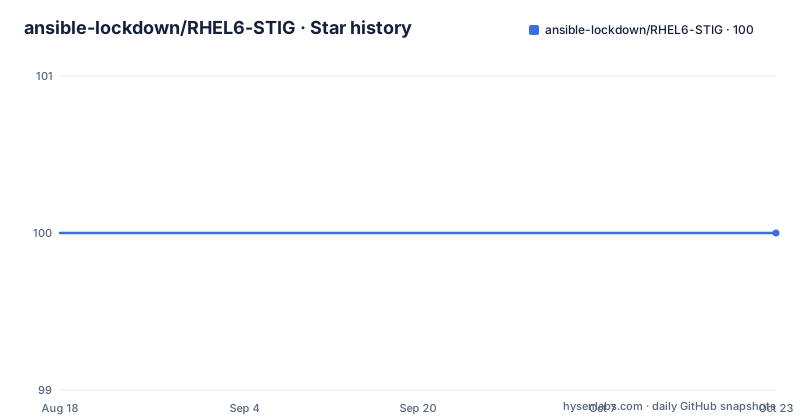
- ansible-lockdown/RHEL6-STIG100 ★ · +0
| Repository | 2026-08-18 | 2026-10-21 |
|---|---|---|
| ansible-lockdown/RHEL6-STIG | 100 | 100 |
0 Stars in the last 64 days, measured from the daily GitHub snapshot. Compare with other projects
Editorial analysis
What This Role Actually Fixes
This Ansible role configures Red Hat Enterprise Linux 6 to be compliant with the DISA STIG, specifically Version 1 Release 18 from January 2018. The README states that CAT I findings are corrected by default, while CAT II and CAT III findings are only corrected when you enable the corresponding variables. That is a clear priority ordering: the most severe findings are handled without extra configuration, and you opt into the lower-severity fixes. The role is a remediation tool, not an auditing tool. The README warns that it will make changes to the system that could break things, so it is intended for use before or after an audit, not as a passive checker. The target audience is system administrators who need to bring a legacy RHEL 6 system into compliance with a specific STIG release, likely for a government or contractual requirement.
How the Remediation Is Structured
The role splits its work into task files named cat1.yml, cat2.yml, and cat3.yml, corresponding to STIG severity categories. Each task is tagged with its category, severity, whether it is a patch or audit task, and the finding ID, such as V-38462. The README gives an example of using tags to run only SSH-related tasks with `ansible-playbook site.yml --tags ssh`, and to skip specific areas with `--skip-tags postfix,mail,snmp`. There is also a set of preliminary tasks that run always unless you skip them with `--skip tags prelim_tasks`. These preliminary tasks enumerate services and check for the existence of files, which suggests the role adapts its actions based on the current system state. The presence of these tags and preliminary tasks gives you control over which findings to remediate, which is useful when you need to avoid changing a service that your environment depends on.
Configuration Variables That Matter
The role exposes many variables in defaults/main.yml, and the README lists the most important ones. The key switches are rhel6stig_cat1, rhel6stig_cat2, and rhel6stig_cat3, which default to yes, no, and no respectively. You can also control whether the role performs a full package update with rhel6stig_update_all_packages, which defaults to yes. That is a significant decision: a full yum update on a legacy system can introduce new packages or break existing ones, so setting it to no is a common choice in the example playbook. Other variables cover password policy, such as rhel6stig_pass_min_length (default 15) and rhel6stig_pass_max_days (default 60), as well as PAM parameters like rhel6stig_pam_unix_params and rhel6stig_pam_cracklib_params. The role also has environment-specific toggles: rhel6stig_ipv6_required (default yes), rhel6stig_xwindows_required (default no), rhel6stig_system_is_router (default no), and rhel6stig_tftp_required (default no). These variables exist because a STIG finding may not be a finding if the service is required for the system's function. The default values are conservative, assuming minimal services, but you must review them against your actual environment.
Getting It Running: Install and Example Playbook
The README gives a straightforward installation command: `ansible-galaxy install -p roles nousdefions.STIG-RHEL6`. The role depends on python-jmespath, so you need that installed on the control node or target, depending on your Ansible setup. The example playbook shows a typical usage pattern. First, set a variable to disable the package update, then apply the role only to RedHat family hosts running version 6. The example uses a when condition with ansible_os_family and ansible_distribution_major_version to avoid running on other OSes. A second example shows how to prompt for the GRUB password using vars_prompt, which is useful because the default bootloader password is a randomly generated encrypted string. The playbook requires become: yes, as the role modifies system files and services. The README also notes that some findings cannot be remediated automatically, and comments in the task files indicate which ones need manual attention.
A Serious Limitation: The OS Is Dead
The most obvious limitation is that RHEL 6 reached end-of-life on November 30, 2020, and this role's last push was September 2018. The STIG version it targets, V1R18, is from January 2018, and the latest release in the repository is 0.9.7 from 2018. That means the role does not incorporate any STIG updates released after 2018, and it will not receive fixes for bugs or compatibility issues with newer Ansible versions. The README does not mention any support for RHEL 7 or 8, so this is strictly for RHEL 6. If you are running RHEL 6, you are already in a legacy situation, but you should be aware that this role is frozen in time. The role may still work with modern Ansible, but there is no guarantee, and the project's devel branch is the default, which suggests ongoing development that stopped years ago.
Wrong Tool for Auditing or Continuous Compliance
The README explicitly says this is not an auditing tool. It makes changes, it does not report on compliance status. If you need to verify whether a system is compliant, you would use a separate tool like OpenSCAP, which can scan a system against a SCAP profile and produce a report. This role is also not suitable for continuous compliance, because it is a one-time remediation run. There is no mechanism for ongoing monitoring or drift detection. If you need to maintain compliance over time, you would need to rerun the role periodically, but that could reapply changes that conflict with legitimate system updates. The role's design is for a point-in-time hardening effort, not for a living compliance program. For a legacy system that needs to pass a specific audit, that may be acceptable, but for anything else, it is the wrong fit.
Alternatives: OpenSCAP and Manual Hardening
The natural alternative is OpenSCAP, which is a scanner and remediation tool that uses SCAP content, including DISA STIG profiles. OpenSCAP can both audit a system and apply fixes, but its approach is different: it uses a standardized content format and can generate detailed reports. The RHEL6-STIG role is Ansible-specific and relies on task files and tags, while OpenSCAP uses OVAL definitions and XCCDF profiles. If you are already using Ansible for configuration management, this role fits into your existing workflow. If you are not, OpenSCAP might be easier to adopt because it is a standalone tool with a command-line interface. Another alternative is manual hardening, following the STIG checklist by hand, which gives you full control but is time-consuming and error-prone. The choice depends on whether you want to integrate with Ansible or use a dedicated compliance scanner.
Maintenance, Upgrades, and License
The project is licensed under MIT, which permits free use and modification with attribution. There is no cost to using the role, and you can fork it if you need to adapt it. However, maintenance is a concern. The last release was 0.9.7 in September 2018, and the repository has not been archived, but there is no active development. If you adopt this role, you are responsible for any fixes or updates. The README does not describe an upgrade path from one STIG version to another, and the release notes only mention version updates like V1R19. To upgrade, you would likely need to pull a newer release from the repository, but none have been published since 2018. You should also check the Ansible Galaxy page, but the README links to it without giving version compatibility details. In practice, you will need to test the role against your Ansible version, and you may need to patch it if you use a modern Ansible release.
Editorial conclusion
Adopt RHEL6-STIG if you operate RHEL 6 systems that must pass a DISA STIG audit and you have a tested rollback plan. Do not use it on production systems without first running it in a staging environment, because it changes system state and can break services. Verify first that your environment matches the role's assumptions: check the defaults for SNMP community, root email, and DHCP usage, and review the comments in tasks/cat1.yml, cat2.yml, and cat3.yml for findings that require manual remediation. The project is unmaintained since 2018 and targets RHEL 6, which is past end-of-life, so expect no fixes for new vulnerabilities or compatibility with newer Ansible versions. Use it only as a one-time remediation script, not as a living compliance solution.
Frequently asked questions
What does STIG stand for?
The repository does not expand the acronym. It titles itself RHEL 6 DISA STIG, links to the DISA IASE site for details, and cites the source as Red Hat Enterprise Linux 6 STIG Version 1 Release 18, dated 2018-01-26.
What is a STIG in Linux?
In this project it is a set of findings divided into severity categories. The role corrects CAT I findings by default, and CAT II and CAT III findings when you set the matching variable. Each task is tagged with its category, severity, patch or audit type, and finding ID, for example V-38462.
What is the purpose of a STIG?
The README states that this role is not an auditing tool but rather a remediation tool to be used for system hardening before or after an audit has been conducted. It will make changes to the system that could break things, so the audit itself is a separate activity.
Is RHEL 6 still supported by this Ansible role?
The repository does not discuss operating system lifecycle. What it records is that the role is based on STIG version 1 release 18 dated 2018-01-26, the newest release is 0.9.7 from 2018-09-07 which carried V1R19 updates, and the last push to the devel branch is dated 2023-11-21.
Official sources
Add this badge to your README
If you maintain this project, the badge below links readers to this analysis and shows its maintenance status from the daily GitHub snapshot. Paste the markdown into your README; add ?metric=license or ?metric=stars to the image URL for a different field.

[](https://hysenlabs.com/projects/ansible-lockdown-rhel6-stig)Star history chart for your README
[](https://hysenlabs.com/projects/ansible-lockdown-rhel6-stig)