Apollo Client Devtools reads the cache your app already exposes
Apollo Client browser developer tools.
At a glance
- What is it?
- Apollo Client Devtools is a Chrome and Firefox extension that adds an Apollo tab next to Elements and Console, giving you a watched query list, a mutation log, a cache search and a built-in Explorer that runs against your app's own network interface. It attaches through the window.__APOLLO_CLIENT__ hook, so what it shows you is exactly what the running page has, and that is both the feature and the risk.
- Who is it for?
- Adopt Apollo Client Devtools if you run Apollo Client and want to inspect cache contents, re-run a query and test GraphQL operations without leaving the browser. Do not leave it connected in production, since connectToDevTools: true exposes the client on window.__APOLLO_CLIENT__ to anyone with the extension.
- Can I use it commercially?
- Yes. MIT is a permissive licence: you can use, modify and sell software built on it, as long as you keep its copyright and licence notices.
- Is it still maintained?
- Yes. The repository last received commits 1 day ago.
- What is it written in?
- Mainly TypeScript, according to GitHub's language statistics.
Answers come from the project's GitHub data, last synced on November 7, 2026, and from our analysis. They are not legal advice.
Star history
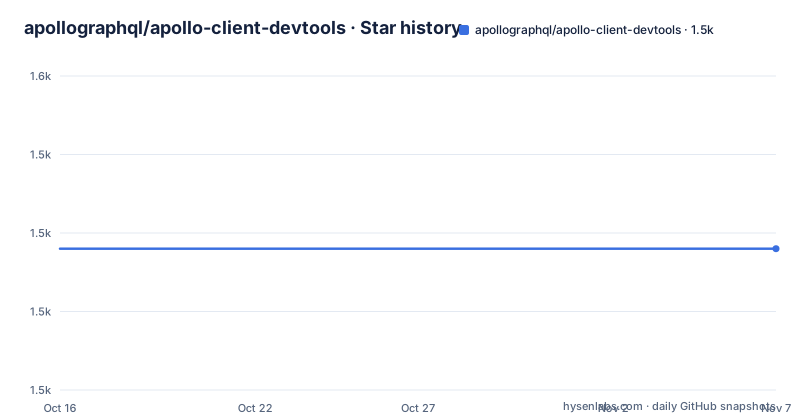
- apollographql/apollo-client-devtools1,528 ★ · +0
| Repository | 2026-10-16 | 2026-11-07 |
|---|---|---|
| apollographql/apollo-client-devtools | 1.5k | 1.5k |
0 Stars in the last 22 days, measured from the daily GitHub snapshot. Compare with other projects
Editorial analysis
Four panels, one connection
The extension adds a single tab labelled Apollo to the browser inspector, sitting next to Elements and Console. Inside it are four features.
The Explorer is a bundled version of Apollo Studio Explorer that issues queries against your GraphQL server through your application's own network interface, so authentication and headers behave the way your app already behaves and no endpoint configuration is needed. The watched query inspector lists active queries with their variables and cached results and lets you re-run an individual query. The mutation inspector shows fired mutations with variables and can re-run them. The cache inspector visualizes the Apollo Client cache and lets you search it by field name or by value.
The watched query and cache panels are what make this useful rather than decorative. A cache inspector that can be searched by value answers the question a normalised cache always raises: why does this component render null when the field is obviously in the store.
Re-running from the Explorer is a live operation against your server, not a replay of a recorded request, which is worth remembering before you try it against a mutation-heavy schema.
The window hook decides whether the tab appears
The extension has no configuration file and no server. It connects to the page through a global, and the README describes the rule precisely: the Apollo tab appears if a global `window.__APOLLO_CLIENT__` object exists on the page.
Apollo Client attaches that hook itself, but the README states an exception: the client adds it automatically unless `process.env.NODE_ENV === 'production'`. In other words, whether the extension works out of the box depends on how your build defines that variable. If your bundler inlines it at build time, dev builds get the hook and production builds do not. If your bundler does not define it, the hook exists in production too.
There are two explicit overrides. Passing `connectToDevTools: true` to the ApolloClient constructor forces the connection on, and `connectToDevTools: false` forces it off regardless of environment. Both are constructor options on ApolloClient, set alongside your existing client configuration.
For production debugging without a code change, the README's other route is to assign the client instance to `window.__APOLLO_CLIENT__` yourself.
Version support is narrower than people expect. The project actively supports the current minor release of Apollo Client, does its best on older 3.x versions, and does not support 2.x at all. If you are on an old client and the extension misbehaves, the README's advice is to upgrade the client, not the extension.
Building it for Chrome or Firefox
Dependencies first, then a target-specific build. The environment variable is passed through webpack:
npm install
npm run build -- --env TARGET=chrome
The same script takes `TARGET=firefox`. For a distributable zip, the scripts chain the build with a packaging step:
npm run dist:chrome
npm run dist:firefox
Looking at the scripts in package.json, `dist:chrome` runs the build and then `tsx build.ts chrome`, while `clean` removes `build`, `dist` and any stray zips before recreating the build directory. The Firefox and Chrome builds differ down to their manifests, at `src/extension/firefox/manifest.json` and `src/extension/chrome/manifest.json`, and the release script formats both before publishing.
For development there is a sample application to run against, split into a client and a server under `development/` with their own install and start scripts, and the README notes a workflow using web-ext with WebExtWebpackPlugin.
Checks are conventional: `npm run test` for Jest with React Testing Library, `npm run test:watch` for the loop, `npm run type-check` for `tsc --noEmit`, and a lint command that sets `ESLINT_USE_FLAT_CONFIG=true` and runs eslint with `--max-warnings 0` against `src`, so a warning fails the build.
Enabling this in production is a decision, not an accident
The honest limitation is the one the README describes as a feature. The Explorer runs queries through your app's network interface, meaning it carries whatever credentials the page has: session cookies, bearer tokens, whatever your auth setup attaches. The cache inspector shows every entity your application holds in memory, including whatever fields your queries selected.
Any user who installs the extension against your production page can therefore read data your app fetched and issue new operations as your user. Turning that on with `connectToDevTools: true` in a shipped bundle hands that capability to every visitor with a browser extension installed. That is a security review conversation, not a debugging convenience, and the extension's presence in the Chrome Web Store and on Firefox Add-ons makes distribution trivial.
The narrower failure mode is version skew. Active support tracks the current minor release of Apollo Client only, and anything older in the 3.x line is best effort. If a panel shows stale or empty data, the cause may be that the cache internals changed rather than anything wrong with your queries.
The alternative approach is Apollo Studio, which the README describes as a hosted platform that tracks schemas in a registry and provides its own Explorer IDE. The difference is where the connection comes from: The extension works through the live page, whereas Apollo Studio provides its own hosted Explorer IDE.
Two packages, one repository, and a versioning system
The releases come in pairs under a shared version number: `[email protected]` for the browser extension and `@apollo/[email protected]` for the editor side, both published on 2026-10-05, after `[email protected]` on 2026-09-11. The version scheme ties the browser and editor packages together, so a mismatch between the extension and any editor integration is a version-skew problem rather than a separate release stream.
Versioning is handled with changesets. The `changeset-check` script runs `changeset status --verbose --since=origin/main`, which means a pull request that changes source without a changeset is detectable, and
The root package.json is named `apollo-client-devtools-repo`, is marked private and sits at 4.18.15, which is below the published tag. That gap is normal for a monorepo root and is a reminder to install the published packages rather than the repository root.
Maintenance is active: the repository is not archived, and both its last push and listed releases are recent. The repository is not archived, the license is MIT, and dependency updates run through Renovate with a `renovate.json` at the root and a `.semgrepignore` alongside it. The Chrome Web Store and Firefox Add-ons listings are the distribution path, and Opera users install the Chrome build through the Download Chrome Extension addon.
Editorial conclusion
Adopt Apollo Client Devtools if you run Apollo Client and want to inspect cache contents, re-run a query and test GraphQL operations without leaving the browser. Do not leave it connected in production, since connectToDevTools: true exposes the client on window.__APOLLO_CLIENT__ to anyone with the extension. Verify first that your Apollo Client minor version is one the README supports, since 2.x is explicitly unsupported and 3.x is best effort, and check that your build defines process.env.NODE_ENV, because the automatic hook depends on it.
Frequently asked questions
Why is the Apollo tab missing from my browser devtools?
The tab appears when a global `window.__APOLLO_CLIENT__` exists on the page. Apollo Client adds that hook automatically unless `process.env.NODE_ENV === 'production'`, so check how your build defines that variable, or pass `connectToDevTools: true` to the ApolloClient constructor.
Which Apollo Client versions does Apollo Client Devtools support?
The current minor release gets active support, older 3.x versions get best effort support, and 2.x is not supported at all. The README recommends upgrading Apollo Client itself if you are on an old version and having trouble.
How do I build the Apollo Client Devtools extension locally?
Run `npm install`, then `npm run build -- --env TARGET=chrome` or `--env TARGET=firefox`. For a zipped distributable use `npm run dist:chrome` or `npm run dist:firefox`, which run the build and then package it through `build.ts`.
Is it safe to enable Apollo Client Devtools in production?
The README documents passing `connectToDevTools: true` to enable the devtools in production, which exposes your client instance on `window.__APOLLO_CLIENT__`. The Explorer then runs operations through the app's own authenticated network interface, so treat that as a security decision rather than a debug toggle.
Where do I install Apollo Client Devtools?
From the Chrome Web Store for Chrome, from Firefox Browser Add-ons for Firefox, and Opera users can install the Chrome build using the Download Chrome Extension addon.
Official sources
Add this badge to your README
If you maintain this project, the badge below links readers to this analysis and shows its maintenance status from the daily GitHub snapshot. Paste the markdown into your README; add ?metric=license or ?metric=stars to the image URL for a different field.

[](https://hysenlabs.com/projects/apollographql-apollo-client-devtools)Star history chart for your README
[](https://hysenlabs.com/projects/apollographql-apollo-client-devtools)Was this useful?