Atomico's component is a function call, and <host> replaces render()
Atomico a micro-library for creating webcomponents using only functions, hooks and virtual-dom.
At a glance
- What is it?
- Atomico is a small TypeScript library for building web components from functions and hooks with JSX, where the custom element is produced by a `c()` call rather than a class, and a `<host>` element stands in for the shadow root. Its package.json is more informative than its README, with an exports map that documents the whole API surface.
- Who is it for?
- Adopt Atomico if you want to publish framework-agnostic web components and your team is comfortable configuring a JSX runtime, since that is what the package exports are for. Skip it if you need a component library rather than a component authoring tool, since Atomico ships no components.
- Can I use it commercially?
- Yes. MIT is a permissive licence: you can use, modify and sell software built on it, as long as you keep its copyright and licence notices.
- Is it still maintained?
- Yes. The repository last received commits 112 days ago.
- What is it written in?
- Mainly TypeScript, according to GitHub's language statistics.
Answers come from the project's GitHub data, last synced on November 7, 2026, and from our analysis. They are not legal advice.
Star history
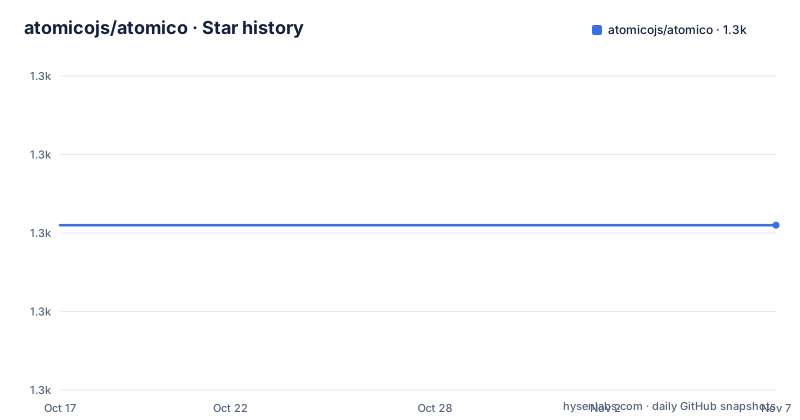
- atomicojs/atomico1,281 ★ · +0
| Repository | 2026-10-17 | 2026-11-07 |
|---|---|---|
| atomicojs/atomico | 1.3k | 1.3k |
0 Stars in the last 21 days, measured from the daily GitHub snapshot. Compare with other projects
Editorial analysis
The whole component is one function call
The smallest Atomico component is short enough to read as the library's thesis.
import { c } from "atomico";

const MyComponent = c(
    ({ message }) => (
        <host>
            <h1>Helo {message}</h1>
        </host>
    ),
    {
        props: { message: String }
    }
);

customElements.define("my-component", MyComponent);
Three things replace the class-based pattern. There is no class to extend. There is no constructor and no `attachShadow` call, because `<host>` in the JSX is what declares the component's own DOM rather than its children.
And there is no `render()` lifecycle. The function receives the component's props and returns the tree. That is the summary the README gives: Atomico replaces the need for classes and contexts with functions and scoped logic, supporting attributes, properties, methods and events.
So the element itself is still registered through the platform's own `customElements.define`, and the custom element is still a custom element. What changes is how you author it.
The `props` object declares the component's props, and the declaration uses the platform constructor directly, `String` here rather than a string type annotation. So the prop declaration is data rather than documentation, and it is the same value the runtime uses to decide how an attribute maps to a property.
The README's claim that it is fully type-friendly comes from the same design. Because props are declared in code rather than in JSDoc or a separate interface, the declaration is in the type, so an editor can autocomplete a prop on a component you did not write.
The exports map is the real API documentation
The README is short, which is why the package.json is the more informative document.
The package is `atomico`, ESM only, with `main`, `module` and `types` all resolving to files at the root: `core.js` for the code and `types/core.d.ts` for the declarations. That means the default import path is the core module, not a bundled build.
Then the exports map lists what is actually available, and it is longer than the library sounds.
There is the root export, then `./test-hooks` resolving to `test-hooks.js`, and `./test-dom` resolving to `test-dom.js`. Those are two separate testing entry points, one for hooks and one for the DOM, which is a signal that testing is treated as a first-class part of the package rather than left to the user's own setup.
There is `./jsx-runtime` and `./jsx-dev-runtime`, both pointing at `jsx-runtime.js` with development and production sharing the same file. Having a JSX runtime export is a configuration requirement rather than an implementation detail, because Atomico needs to be told what `<host>` compiles to.
There is `./utils`, then a series of type-only subpath exports under `./types`: `dom`, `schema`, `hooks`, `vnode`, `component`, `context`, `css` and `errors`.
That last group is the most informative. It names the concepts the library has an opinion about, and each one is a decision you can inspect as a type rather than discovering at runtime: DOM helpers, a schema system, hooks, a virtual node, the component shape, context, CSS handling and error types.
The `vnode` and `css` entries in particular tell you that Atomico owns its own rendering representation rather than reusing one, and that styling goes through a library concept rather than a string.
There is a CLI and a separate developer-experience workspace
Two structural details in the manifest are worth noting before you install.
The first is a binary. The package registers `atomico` pointing at `cli/index.js`, and there is a `cli/` directory at the repository root. So Atomico ships a command line tool as well as a library, which is what you would expect from a library that needs JSX and TypeScript configuration: the CLI is presumably where that setup happens.
The second is the workspaces. The package declares `./developer-experience/**/*` and `.` as workspaces, and there is a matching `developer-experience/` directory at the root. A workspace entry like that usually means the repository contains related packages that are developed alongside but published separately.
The root files also describe how the library is consumed in tests and in development. `core.js`, `jsx-runtime.js`, `utils.js`, `test-dom.js` and `test-hooks.js` all sit at the top level rather than inside `src/`, with `src/` holding the sources and `types/` holding the declarations. There is a `vite.config.js` and a `tsconfig.json` for the build, plus `tests/` for the suite.
So the distribution is deliberately flat. A consumer importing `atomico` gets a module the bundler can tree-shake, with subpath exports for the pieces they need, and nothing bundled with it.
That flatness is a design position. A library that adds a JSX runtime and test helpers to every consumer's bundle would be a poor fit for a micro-library, and the exports map is how it avoids that.
The performance claim is a link, not a measurement you can check here
The README makes a performance claim and links it, and the distinction matters.
The claim is that Atomico is fast and actually 60% faster than React, with a link to a page on the project site. The link is a benchmark, not something reproduced in the repository or the README.
So the honest reading is that the author has published a comparison and you should go and look at it before believing it, with the usual questions: which version of React, which version of Atomico, what components, what machine, and whether both were compiled the same way. A 60% figure for a library with a virtual DOM against React's reconciler is a large claim.
What is verifiable from the repository is structural. Atomico is a web component library, so a component renders through a custom element and a shadow root, and the README describes `<host>` as part of its JSX. Shadow DOM is not free at scale, and a library built on it competes on a different axis from a library that renders into a single tree, so a head-to-head number is comparing two different architectures.
There is also a compatibility claim: build once with Atomico and run anywhere, React, Vue, Svelte, HTML, WebView. That is the architectural strength and it is checkable. If your component works as a custom element, any framework that renders a custom element can use it, which is a stronger guarantee than a benchmark number.
The README does not state browser targets or a minimum version requirement, which is worth checking before you commit.
Where Atomico is the wrong choice
Three cases.
If you want components rather than a way to build them, this is the wrong package. Atomico is an authoring tool with no component library of its own, so a team wanting a date picker still has to build one.
If your project has no JSX step, adopting Atomico means adding one. The JSX runtime is a separate export, the type declarations live under `./types`, and the repository ships a CLI. That is a build-configuration conversation to have before choosing the library, not after.
If you are maintaining a codebase already on Lit, Stencil or a framework's component model, the case for a second authoring layer is harder to make. Atomico's advantage is authoring web components the React way; if you have already solved that, it is churn.
Where it fits is narrow and clear. You are publishing components meant to be consumed by several frameworks, or by none, and you want the component contract, with attributes, properties, methods and events, to be the platform standard rather than a framework convention.
The project state is healthy. Version 2.2.0 was released on 2026-07-19, the same day as the last push, after 2.1.0 in April 2026 and the 2.0.0 release in November 2025. So the 2.x line is recent and moving, and the release names are informal, with 2.2.0 announced as just added a new hook.
For a library at that stage, read the changelog before a minor bump. The licence is MIT, and contributions are invited for documentation as much as code.
Editorial conclusion
Adopt Atomico if you want to publish framework-agnostic web components and your team is comfortable configuring a JSX runtime, since that is what the package exports are for. Skip it if you need a component library rather than a component authoring tool, since Atomico ships no components. Verify first which export you import, because the default entry is `core.js` and the JSX runtime, test helpers and utilities are separate subpath exports you must add yourself.
Frequently asked questions
How do I define a component with Atomico?
Call `c` from the `atomico` package with a function returning JSX and a props object, then register it with `customElements.define`. The function receives props and returns the tree, and a `<host>` element declares the component's own DOM instead of a shadow root call in a constructor.
What subpath exports does the atomico package provide?
The exports map includes the root entry plus `./test-hooks`, `./test-dom`, `./jsx-runtime`, `./jsx-dev-runtime`, `./utils` and a series of type-only exports under `./types` covering dom, schema, hooks, vnode, component, context, css and errors.
Does Atomico need JSX configuration to use JSX?
Yes. The package exports `./jsx-runtime` and `./jsx-dev-runtime` separately from the root entry, and it ships a CLI registered as the `atomico` binary in the `bin` field, so setting up the JSX transform is part of adopting it.
Official sources
Add this badge to your README
If you maintain this project, the badge below links readers to this analysis and shows its maintenance status from the daily GitHub snapshot. Paste the markdown into your README; add ?metric=license or ?metric=stars to the image URL for a different field.

[](https://hysenlabs.com/projects/atomicojs-atomico)Star history chart for your README
[](https://hysenlabs.com/projects/atomicojs-atomico)Was this useful?