Geared Pagination makes page one small and page four large
Paginate Active Record sets at variable speeds
At a glance
- What is it?
- Basecamp's geared_pagination gem lets a Rails controller return 15 records on page one, 30 on page two, 50 on page three and 100 from page four onward, which serves the first request faster than a fixed page size. It also adds cursor-based pagination, Link and X-Total-Count headers, and cache key handling.
- Who is it for?
- Adopt geared_pagination if you are building a Rails interface with an infinite scroll or a first request that has to be fast, and if you can accept that the page size changes as the user goes deeper. Do not adopt it if your API contract requires a fixed page size, because clients paging by number would see different sizes per page, or if you need complex ordering on complex relations, since the README says cursor-based pagination only supports simple column-only orders.
- Can I use it commercially?
- Yes. MIT is a permissive licence: you can use, modify and sell software built on it, as long as you keep its copyright and licence notices.
- Is it still maintained?
- Yes. The repository last received commits 4 days ago.
- What is it written in?
- Mainly Ruby, according to GitHub's language statistics.
Answers come from the project's GitHub data, last synced on November 7, 2026, and from our analysis. They are not legal advice.
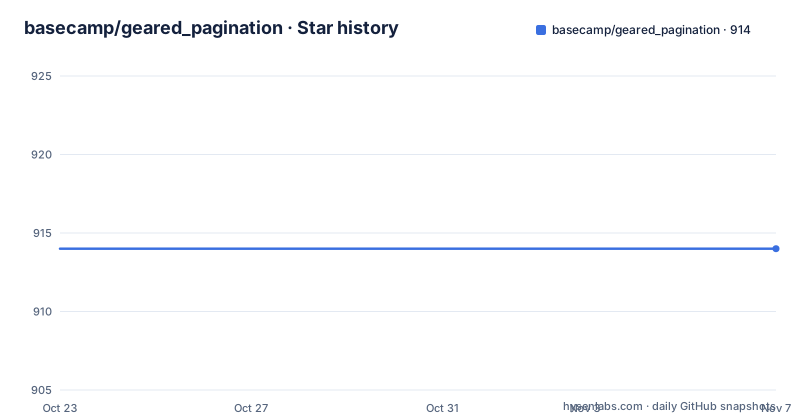
Star history
- basecamp/geared_pagination914 ★ · +0
| Repository | 2026-10-23 | 2026-11-07 |
|---|---|---|
| basecamp/geared_pagination | 914 | 914 |
0 Stars in the last 15 days, measured from the daily GitHub snapshot. Compare with other projects
Editorial analysis
Why page one should be smaller than page four
Most pagination schemes use a fixed page size. Page 1 returns as many elements as page 2. The README argues that this is frequently not the most sensible way to page through a large recordset when you care about serving the initial request as quickly as possible, and says this is particularly the case when the pagination scheme is used together with an infinite scrolling UI.
That argument is about the first request, and it holds. A user who opens a list wants to see something immediately. If the first page carries a hundred records, the response is heavy, the render is slow, and the user waits for content they will not read. With an infinite scroll, nobody is going to page to page four deliberately anyway. The records that matter most are the first fifteen, and the ones at the far end of the list are a curiosity.
Geared Pagination allows you to define different ratios. By default it returns 15 elements on page 1, 30 on page 2, 50 on page 3, and 100 from page 4 and forward. The README says this has proven to be a very sensible set of ratios for much of the Basecamp UIs, which is a useful hint about the kind of interface this was designed for.
And the ratios are yours to change. You can tweak them, use fewer, or use none at all if a certain page calls for a fixed-rate scheme. That last option is the escape hatch worth knowing about, because it means the gearing is a per-page configuration rather than a hardcoded progression.
The gem is named after the metaphor rather than the mechanism, which is a slightly confusing naming choice for anyone expecting a gear-like API, but the idea itself is straightforward once you have read the ratio list.
One controller call and a page object to render
The controller side is one method call.
class MessagesController < ApplicationController
  def index
    set_page_and_extract_portion_from Message.order(created_at: :desc)
  end
end
That call takes the relation you want paged, sets the page, and extracts the portion of records belonging to it. The view then works with a page object rather than with an array.
Showing page <%= @page.number %> of <%= @page.recordset.page_count %> (<%= @page.recordset.records_count %> total messages):

<%= render @page.records %>
The page object exposes the page number, the records for that page, and a recordset that knows the total page count and the total record count. That last part is what makes the view above possible, because with variable page sizes there is no way to derive the page count from a fixed number per page.
The next-page link is built from a param rather than a number.
<% if @page.last? %>
  No more pages!
<% else %>
  <%= link_to "Next page", messages_path(page: @page.next_param) %>
<% end %>
The last? check and the next_param method are the two things a view needs, and using next_param rather than a hand-built page number is what lets the same view work with either offset-based or cursor-based pagination. With a cursor, the param is an opaque string, so anything that assumes the page param is an integer will break.
Cursor-based pagination and the OFFSET problem it solves
By default, Geared Pagination uses offset-based pagination, where the page query parameter contains the page number and each page's records are located using a query with an OFFSET clause.
SELECT *
FROM messages
ORDER BY created_at DESC
LIMIT 30
OFFSET 15
The alternative is cursor-based pagination, where the page parameter contains a cursor describing the last row of the previous page, and the records are found with conditions that match only records after the previous page.
SELECT *
FROM messages
WHERE (created_at = '2019-01-24T12:35:26.381Z' AND id < 7354857)
OR created_at < '2019-01-24T12:35:26.381Z'
ORDER BY created_at DESC, id DESC
LIMIT 30
That query is the classic keyset pagination pattern, and you can see why the tie-break on id matters: with a created_at value alone, rows sharing a timestamp would be skipped or repeated, so the id comparison disambiguates within the same timestamp.
You opt in by passing the ordered_by option to set_page_and_extract_portion_from, giving the orders to apply to the paginated relation.
set_page_and_extract_portion_from Message.all, ordered_by: { created_at: :desc, id: :desc }Geared Pagination then uses the ordered attributes to generate cursors. As the README explains, cursors encode the information needed to query for the corresponding page's records: the page number for choosing a page size, and the values of each of the ordered attributes.
That last detail is what makes gearing compatible with cursors. The cursor still carries the page number, so the gear ratios still apply, but the position in the recordset comes from the attribute values rather than from a count.
The view code does not change between the two modes, because next_param produces whatever the current mode needs.
When cursor pagination loses, stated plainly
The README has a section titled when should I use cursor-based pagination, and it is unusually balanced for a library README.
Cursor-based pagination can outperform offset-based pagination when paginating deeply into a large number of records. The reason given is that databases commonly execute queries with OFFSET clauses by counting past OFFSET records one at a time, so each page in offset-based pagination takes slightly longer to load than the last. With cursor-based pagination and an appropriate index, the database can jump directly to the beginning of each page without scanning.
That is a real and well known effect, and it is worth taking seriously if your list is large and users page deep into it.
But the README also states the tradeoff plainly: Geared Pagination only supports cursor-based pagination on simple relations with simple, column-only orders, and cursor-based pagination will not perform better than offset-based pagination without an ordered index.
And it tells you when to stay with offset-based pagination. You need complex ordering on a complex relation, or you are paginating a small and/or bounded number of records.
Those two bullets are the real decision procedure. If your ordering involves a join, a computed column, or a case statement, the cursor path does not apply and you are back to OFFSET. And if your recordset is bounded and small, the performance argument for cursors evaporates anyway, so the extra complexity buys nothing.
The same reasoning explains why the cursor query above carries an explicit id tie-break. Keyset pagination is only correct when the sort key is unique, or is paired with a unique tie-break column.
Headers, cache keys and ETags all account for the current page
Three smaller behaviours are what turn the gem into something a Basecamp-style application can actually depend on, because each one is a place where variable page sizes break assumptions.
The first is headers. On JSON actions that set a page, the gem automatically sets Link and X-Total-Count headers, so APIs can page through a recordset. With gearing, a client cannot infer the total from a fixed page size, so a total count has to come from somewhere, and X-Total-Count is that mechanism. The Link header carries the relation to the next page, which in cursor mode is an opaque cursor string.
The second is caching, and this is the part that will bite you if you ignore it. To account for the current page in fragment caches, you include the @page directly, which includes the current page number and gear ratios.
<% cache [ @message, @page ] do %>
  <%= render @page.records %>
<% end %>
The note under that example is the important part. The page does not include cache keys for all the records, because that would require loading all the records and defeat the purpose of using the cache. Instead you use a parent record, like a message that is touched when new comments are posted, as the cache key.
That is the correct advice and it is worth internalising: the page identifies the slice, the parent record identifies the version of the data. Two different pages of the same collection get different cache entries, and a new comment invalidates both by touching the parent.
The third is ETags. When a controller action sets an ETag and uses geared pagination, the current page and gear ratios are automatically included in the ETag. So two requests for different pages do not collide on a shared ETag, which would otherwise be a subtle source of wrong responses.
Notice that the gear ratios are part of the cache key and the ETag, not just the page number. Change your ratios and every cache entry changes.
A small gem with a long gap between releases
The repository layout is what you would expect for a focused Rails library. There is lib/ for the implementation, test/ for the suite, a gemspec named geared_pagination.gemspec, a Gemfile and Gemfile.lock, and an Appraisals file with a gemfiles/ directory, which is the standard setup for testing against multiple dependency sets. The Rakefile drives the tasks, and bin/ holds the executable stubs.
The licence is MIT, and the README states it directly: Geared Pagination is released under the MIT License. There is an MIT-LICENSE file at the root.
The release history is the fact worth pausing on. The listed versions are v1.2.0 from 2023-11-28, v1.0.1 from 2020-05-28 and v1.0.0 from 2020-05-20.
So the last tagged release is nearly three years old, while the last push was on 2026-10-18 and the repository is not archived. Work is happening in the tree without new tags. That combination is common for a library that has found its shape: the public API has not needed to change, so the changes are fixes and compatibility work.
The risk to weigh is not that the gem is abandoned, since the commits say otherwise, but that no tagged version tells you which state of the tree you are running. In a Gemfile you pin a version from Rubygems, and that version is v1.2.0 unless a newer one has been published since. If you need a fix that only exists in master, you are depending on a git ref rather than a release.
The documentation is also just the README. There is no separate documentation site in the repository listing, and no doc/ directory. For a gem with this small a surface, that is arguably fine, but it means the README above is the entire contract.
Where geared_pagination is the wrong tool
Three cases rule it out, and one is a contract problem rather than a technical one.
The contract problem is API clients. With gearing, the page size changes with the page number, so a client that assumes a fixed number of records per page will mis-paginate. It will fetch page two expecting fifteen items and get thirty, and it will compute the last page wrongly. The gem mitigates this by sending X-Total-Count and Link headers, but a client has to be written to use them. If your API contract says twenty-five per page, this gem is wrong for you.
The second case is complex ordering. The README is explicit that cursor-based pagination only supports simple relations with simple, column-only orders, and that you should stick with offset-based pagination if you need complex ordering on a complex relation. A list ordered by a computed relevance score or a join across two tables will not get the cursor treatment, and you are back to OFFSET with all its scanning cost.
The third case is a small, bounded list. The performance argument for the whole approach assumes a large recordset where the first request matters. If your list has forty records, a fixed page of forty is simpler and faster than any gear configuration.
There is also a design consequence to accept rather than a limitation to route around. Gearing makes the page size a function of the page number, so the result of a given page request is not stable if your ratios change. The gem handles that correctly inside the cache key and the ETag, but your own code that assumes a page size, anywhere outside those two mechanisms, will break the day you retune the ratios. Treat the ratios as configuration you version with your code, not as a setting you nudge at runtime.
Editorial conclusion
Adopt geared_pagination if you are building a Rails interface with an infinite scroll or a first request that has to be fast, and if you can accept that the page size changes as the user goes deeper. Do not adopt it if your API contract requires a fixed page size, because clients paging by number would see different sizes per page, or if you need complex ordering on complex relations, since the README says cursor-based pagination only supports simple column-only orders. Before you wire it in, decide whether you want offset-based or cursor-based pagination, pass the ordered_by option with the same column order you use in the query, and remember that the page object belongs in your cache key.
Frequently asked questions
How do I use geared_pagination in a Rails controller?
Call set_page_and_extract_portion_from with the relation you want paged, for example set_page_and_extract_portion_from Message.order(created_at: :desc), then render @page.records and link to the next page with @page.next_param.
What page sizes does geared_pagination use by default?
It returns 15 elements on page 1, 30 on page 2, 50 on page 3, and 100 from page 4 onward. The README says these ratios have proven sensible for much of the Basecamp UIs, and that you can tweak them, use fewer, or use none at all.
How do I switch geared_pagination to cursor-based pagination?
Pass the ordered_by option with the column orders to apply, for example set_page_and_extract_portion_from Message.all, ordered_by: { created_at: :desc, id: :desc }. The gem then generates cursors from those ordered attributes.
When should I keep offset-based pagination instead of cursors?
The README says to stick with offset-based pagination if you need complex ordering on a complex relation, or if you are paginating a small and/or bounded number of records. Cursor-based pagination also will not outperform offset-based without an ordered index.
How do I cache pages correctly with geared_pagination?
Include the page object directly in the cache key, for example cache [ @message, @page ]. The page includes the page number and gear ratios, but it does not include keys for all the records, so you should use a parent record that is touched when new records are posted.
What headers does geared_pagination set for JSON actions?
On JSON actions that set a page, it automatically sets Link and X-Total-Count headers so that APIs can page through a recordset.
Official sources
Add this badge to your README
If you maintain this project, the badge below links readers to this analysis and shows its maintenance status from the daily GitHub snapshot. Paste the markdown into your README; add ?metric=license or ?metric=stars to the image URL for a different field.

[](https://hysenlabs.com/projects/basecamp-geared-pagination)Star history chart for your README
[](https://hysenlabs.com/projects/basecamp-geared-pagination)Was this useful?