Beacon: a Phoenix LiveView CMS where content lives in the database and pages are components
Open-source Content Management System (CMS) built with Phoenix LiveView. Faster render times to boost SEO performance, even for the most content-heavy pages.
At a glance
- What is it?
- Beacon is an Elixir content management system built on Phoenix LiveView, where a functional site is produced by inserting components into the database and running a server, with a separate admin LiveView and an early drag and drop page builder. The project says to expect incomplete features and breaking changes before a stable v1.0.
- Who is it for?
- Beacon suits an Elixir shop that already runs Phoenix and wants a CMS whose admin and front end live in the same application and the same LiveView model, and that is willing to work against a project which states plainly that features are incomplete and breaking changes are expected before v1.0.
- Can I use it commercially?
- Yes. MIT is a permissive licence: you can use, modify and sell software built on it, as long as you keep its copyright and licence notices.
- Is it still maintained?
- Yes. The repository last received commits 40 days ago.
- What is it written in?
- Mainly Elixir, according to GitHub's language statistics.
Answers come from the project's GitHub data, last synced on November 7, 2026, and from our analysis. They are not legal advice.
Star history
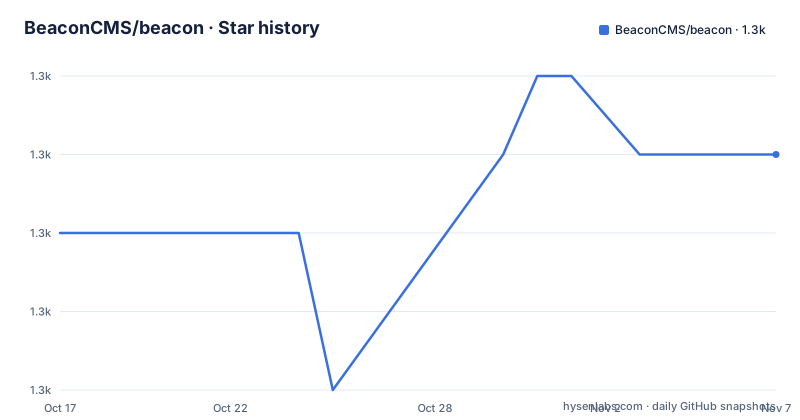
- BeaconCMS/beacon1,263 ★ · +1
| Repository | 2026-10-17 | 2026-11-07 |
|---|---|---|
| BeaconCMS/beacon | 1.3k | 1.3k |
1 Stars in the last 21 days, measured from the daily GitHub snapshot. Compare with other projects
Editorial analysis
The core idea: a site is components in a database, not templates on disk
The description of Beacon as a content management system built with Phoenix LiveView comes with a specific architectural claim: it brings the rendering speed benefits of Phoenix to even the most content-heavy pages, with faster render times to boost SEO performance. The mechanism behind that claim is stated in the Status section, which lists Core as a component where a functional website can be built and deployed by inserting components in the database and running a server. That is the line to hold on to. In a conventional CMS the content is in a database but the page structure lives in templates, and every structural change is a deploy. In Beacon the structure is data as well, so a layout change is an edit rather than a release, and the LiveView model means the same interactive approach serves both the public pages and the editing interface.
Three components, and one of them is still being built
The Status section names three main components. Core is the functional website described above. Admin is a LiveView user interface for managing layouts, pages and all other resources, and it lives in its own repository, BeaconCMS/beacon_live_admin, published as the separate beacon_live_admin package. Page Builder is described as an easy to use, drag and drop interface for building pages, targeted at non-technical users, and it is explicitly stated to be in the initial stages of development. That last sentence matters for anyone choosing a CMS on behalf of an editorial team, because the audience for the drag and drop builder is precisely the group the admin LiveView does not serve. A team that needs that group to publish without a developer will find the polished part of the project is the developer facing part. The split into a separate admin package also means Beacon and its admin interface version independently, which is a source of upgrade friction later.
Installation runs through Igniter, and there is a published and a GitHub variant
Getting started requires two installers, Phoenix and Igniter, installed as Hex archives. The README then offers two routes, and the distinction between them is the first real decision. You can create a new Phoenix project with Beacon already in it, using the published packages from Hex, or you can point the installer at the unreleased main branch on GitHub, which is what you would do to work on Beacon itself or to be early with a fix. The same choice exists for adding Beacon to an existing Phoenix project that already has Phoenix LiveView, through a different installer command. In both cases you pass a site name, my_site in the examples, and you are told to replace the placeholders and follow the prompts. The mix igniter tooling is doing the work here: it generates the project, installs the dependency and scaffolds the site in one step, which is why there is no manual migration or generator command to learn.
mix archive.install hex phx_new && mix archive.install hex igniter_newmix igniter.new my_app --install beacon,beacon_live_admin --with phx.new --beacon.site my_sitemix igniter.install beacon,beacon_live_admin --beacon.site my_siteFinishing the setup and reaching the admin interface
Once the installer has run, the finishing steps are short. You install dependencies, run the server, and open localhost:4000 to see the default home page, or localhost:4000/admin to manage the new site. The two commands are mix setup and mix phx.server, so the admin interface is a path on the same running application rather than a separate service to deploy and secure. The documentation points to the guides and recipes on hexdocs.pm, including an installation page and a guide called Your First Site for people new to the project. The sample application in the beacon_demo repository runs the latest Beacon, which is the fastest way to see what a finished site looks like before committing to the generator and its prompts. For local development the README describes a self-contained Phoenix application in dev.exs with sample data and code reloading enabled.
Local development uses a named IEx node, and only for one reason
The Local Development section is the part of the README with a genuine gotcha. You install dependencies, build assets and run the database setup with mix setup, then you start the dev script with iex --sname core@localhost -S mix dev. The note that follows is the interesting one: running a named node is not required unless you are also running Beacon LiveAdmin for local development. In other words, the default path asks you for a distributed Erlang node name, which is more machinery than a plain script start, and you only need it when you want the admin interface talking to the dev application over the node. The routes defined in dev.exs are then reachable, and the examples given are on port 4001 rather than the 4000 used by the installed site, with paths such as /dev and /dev/sample. The repository also ships a docker-compose.yml that runs a postgres:13.1 service with the postgres user and password on port 5432, which is what the database setup expects.
Pre-1.0 status, a separate MIGRATION_GUIDE, and a MIT licence
The Status section says it directly: you can expect incomplete features and breaking changes before a stable v1.0 is released. The published releases are v0.4.2 on 2025-02-26, v0.5.0 on 2025-03-18 and v0.5.1 on 2025-04-01, and the last push to the repository was on 2026-09-28. The version numbers are the practical warning here, because a CMS stores content in a database and a breaking change to a schema is a migration, not just a dependency bump. The repository accordingly ships a MIGRATION_GUIDE.md alongside a CHANGELOG.md, a ROADMAP.md and a RELEASE.md, which is the documentation set you would want to read before committing a content team to it. The licence is MIT, with the licence text in LICENSE.md, so there is no copyleft obligation in the way there is for some CMS projects. The project also publishes a Docker-oriented workflow and a native/ directory, and a separate beacon_live_admin package, so the operational surface is bigger than a single repository suggests.
Comparison: a LiveView CMS against a template-based CMS in the same ecosystem
The meaningful comparison for Beacon is not another Elixir CMS but a conventional one built in a template based framework, because that is where the design decision bites. A template based CMS keeps layout in files, so an editor asks a developer for a structural change and the answer is a deploy; a component in a database turns that request into a row. The second difference is the interaction model. Phoenix LiveView means the admin interface and the public page share one connection protocol and one rendering path, so there is no separate JavaScript admin application to build, secure and keep in step with the API. The cost of that choice is the one the Status section names: the drag and drop page builder for non-technical users is still in early development, so the people a CMS is usually bought for are the people least served by the current state of the project.
Editorial conclusion
Beacon suits an Elixir shop that already runs Phoenix and wants a CMS whose admin and front end live in the same application and the same LiveView model, and that is willing to work against a project which states plainly that features are incomplete and breaking changes are expected before v1.0. It is the wrong choice for a team that needs a stable, well documented plugin ecosystem today, for a non-technical editor who needs the drag and drop page builder rather than the admin interface, and for a stack that is not already Phoenix. Before adopting it, read the status section of the README and the guides under hexdocs.pm/beacon, decide whether the page builder being in its initial stages of development is acceptable for your editors, and check the MIGRATION_GUIDE.md in the repository, because a pre-1.0 CMS will move its schemas under you.
Frequently asked questions
How do I install the Beacon CMS in an Elixir project?
Install the Phoenix and Igniter installers with mix archive.install hex phx_new and mix archive.install hex igniter_new, then create a project with mix igniter.new my_app --install beacon,beacon_live_admin --with phx.new --beacon.site my_site, or add Beacon to an existing Phoenix project with mix igniter.install beacon,beacon_live_admin --beacon.site my_site. Finish with mix setup and mix phx.server, then open localhost:4000 or localhost:4000/admin.
What are the main components of Beacon?
Core is a functional website built by inserting components in the database and running a server. Admin is a LiveView interface for managing layouts, pages and other resources, maintained in the separate beacon_live_admin repository and package. Page Builder is a drag and drop interface for non-technical users that the README describes as being in the initial stages of development.
Is Beacon ready for production use?
The README states that you can expect incomplete features and breaking changes before a stable v1.0 is released. The published releases are v0.4.2 from 2025-02-26, v0.5.0 from 2025-03-18 and v0.5.1 from 2025-04-01, and the last push to the repository was on 2026-09-28.
How do I run Beacon locally for development?
The dev.exs file is a self-contained Phoenix application with sample data and code reloading. Run mix setup, then start it with iex --sname core@localhost -S mix dev, and visit the routes defined in dev.exs, for example localhost:4001/dev or localhost:4001/dev/sample. The named node is only required if you are also running Beacon LiveAdmin locally.
What database does Beacon use?
The repository ships a docker-compose.yml that runs a postgres:13.1 service with the postgres user and password published on port 5432, and mix setup performs the database setup as part of the local development steps. The documentation does not describe support for other databases in the README.
Official sources
Add this badge to your README
If you maintain this project, the badge below links readers to this analysis and shows its maintenance status from the daily GitHub snapshot. Paste the markdown into your README; add ?metric=license or ?metric=stars to the image URL for a different field.

[](https://hysenlabs.com/projects/beaconcms-beacon)Star history chart for your README
[](https://hysenlabs.com/projects/beaconcms-beacon)Was this useful?