GitLink and the jump from a local file to its remote page
A Jetbrains plugin that opens a local file under Git version control in its remote host using the default browser.
At a glance
- What is it?
- GitLink is a JetBrains plugin that turns the file, folder or commit you have open in the IDE into a URL on the hosting platform that owns the repository, then opens or copies it. It is a small utility with a specific scope, and it depends on the IDE already knowing your project root.
- Who is it for?
- Adopt GitLink if you work inside a JetBrains IDE and jump constantly between a local file and its page on a hosting platform, and if your project root is already registered under Version Control. Skip it if you need a browser-free preview, offline access to a host, or support for a platform that only offers an API instead of a browsable URL path, since the plugin's whole mechanism is URL generation plus a browser launch.
- Can I use it commercially?
- Yes. MIT is a permissive licence: you can use, modify and sell software built on it, as long as you keep its copyright and licence notices.
- Is it still maintained?
- Yes. The repository last received commits 7 days ago.
- What is it written in?
- Mainly Kotlin, according to GitHub's language statistics.
Answers come from the project's GitHub data, last synced on November 7, 2026, and from our analysis. They are not legal advice.
Star history
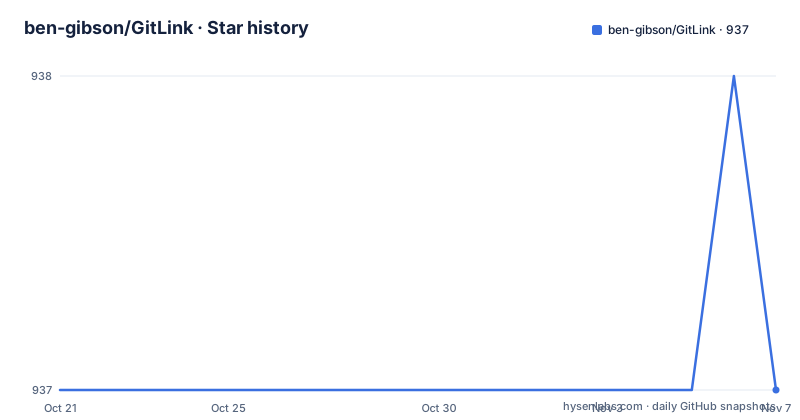
- ben-gibson/GitLink937 ★ · +0
| Repository | 2026-10-21 | 2026-11-07 |
|---|---|---|
| ben-gibson/GitLink | 937 | 937 |
0 Stars in the last 17 days, measured from the daily GitHub snapshot. Compare with other projects
Editorial analysis
The gap between the file in your editor and the page on the host
A JetBrains IDE knows the file you are editing, the branch it sits on and the commit that last touched it. It does not know the address of that file on the server. That gap is small but annoying. To see the file as your colleague sees it you end up copying a path, switching to a browser, finding the repository, and hunting for the right folder and branch.
GitLink closes that gap for the JetBrains family of IDEs. The plugin description gives the scope precisely: it opens a local file under Git version control in its remote host using the default browser. Concretely it works with GitHub, Bitbucket, Codeberg, GitLab, Gitee, Gitea, Forgejo, Gogs, Azure, sourcehut and Gerrit.
The scope is worth stating plainly. This is not a source browser, a diff viewer or a code review client. It produces a URL and hands it to your browser. Whatever the host renders at that URL is the host's business, not the plugin's.
Custom platforms through a URL template instead of a hardcoded list
The list of supported hosts is long enough that a new user might wonder what happens with the internal Git server nobody has ever heard of. The answer is the URL template syntax, and it is the most extensible part of the plugin.
A template describes how to assemble a web address from the pieces the IDE knows: which host, which path inside the repository, which branch or commit, which file. Because the template is data rather than code, a self hosted instance that follows a familiar URL layout can be added without waiting for a new plugin release. The trade-off is that you have to know the shape of the address that host expects, and a host with an unusual URL scheme may not fit a template at all.
The repository layout backs this up. The source tree is Kotlin, built with Gradle through build.gradle.kts and settings.gradle.kts, and the top level carries a CHANGELOG.md, a CONTRIBUTING.md, a LICENSE file and a libs directory.
A commit hash by default, a branch when the commit is still local
Here is the one behaviour that can surprise you. The documentation explains that by default, when generating a URL to a file, the latest commit hash is used, creating a reference to a fixed version of the file's content. If the latest commit has not been pushed to the remote, the current branch is used instead.
The plugin is being careful here. Pointing at a hash for a commit the server has never seen would produce a 404, so it falls back to the branch. The documentation is honest about the cost of that fallback: while this avoids generating a URL to a 404, it does mean the linked contents can change over time.
In practice this produces two different link types. A link to a file at a commit is stable and reproducible. A link to a file at a branch moves as the branch moves. There is also a third form, a link to the commit itself, which is the appropriate target when you want to show someone what changed rather than what a file currently contains.
Installing from the Marketplace and registering the project root
Installation goes through the IDE's own plugin system. The path is Settings/Preferences, then Plugins, then Marketplace, then search for GitLink and press Install Plugin. If you would rather not use the Marketplace, the latest release can be downloaded and installed from disk through the gear menu in the Plugins page, using Install plugin from disk.
Configuration follows installation, and the plugin asks for two things. First, the platform: if it was not auto-detected already, you choose it in Preferences, Tools, GitLink.
Preferences → Tools → GitLinkSecond, and this is the step people miss, the IDE needs to know which directory is the project root. The documentation says to make sure you have registered your projects root under the version control preferences, and points at the unregistered roots list.
Preferences → Version Control (see unregistered roots)Without that registration the plugin has nothing to anchor relative paths to, and that is the usual reason a generated link looks wrong.
Where the actions live once the plugin is configured
The plugin spreads its actions across several surfaces rather than putting everything behind one menu, and the distribution is deliberate. The Git menu carries the main group.
Git → Open in (your selected platform)
Git → Copy (your selected platform) link
Git → Copy (your selected platform) Markdown link
The three variants are distinct. Opening hands the URL to the default browser. Copying puts a plain URL on the clipboard. The Markdown variant puts a formatted link on the clipboard, which is what you want when pasting into a review comment or a chat message so the link renders with a readable title rather than a raw address.
The current file can also be reached from the Select in popup, and additional shortcuts are available from the editor gutter, the annotation gutter and the Git log window. The editor gutter entry is the fastest path in practice, since it sits next to the line you are already looking at. The log window entry is the one that makes the commit link form natural, because the commit you selected in the log is the thing you want to share.
What the plugin cannot do for you
The mechanism is narrow, and it shows in three places.
First, output goes through the default browser. There is no in-IDE rendering, so if you are working offline, behind a locked down network, or on a host your corporate proxy blocks, the link opens to nothing useful even though the URL itself is correct.
Second, the plugin needs a Git repository and a registered root. A directory that is not under version control has no commit hash, no branch and no remote path, so there is nothing to build a URL from.
Third, the plugin is not a client for the host's API. It knows how to construct an address and how to launch it, and nothing more. Anything that requires authenticated calls, such as creating a branch or opening a merge request, is out of scope. Custom hosts work only insofar as their web interface offers a predictable URL layout for files, directories and commits.
Release history, licence and where the change log lives
The plugin is not archived and the last push was on 2026-09-02, the same day version 5.0.1 was released. That release followed 5.0.0 on the same day, which itself came after 4.5.4 in April. Two releases in one day followed by a major version number suggests a large rework rather than routine increments, though the detail of what changed is in the CHANGELOG.md file rather than in the README.
The licence field on the repository says MIT, and the README simply points readers at the LICENSE file for details. For an IDE plugin distributed through the Marketplace, that matters less than usual in one respect and more in another. Less, because installing it does not force a licence on the projects you open with it. More, because the code is yours to read and adapt, and the plugin's URL template mechanism means a fork that adds a new host is a legitimate route for teams with unusual infrastructure.
The repository also carries a CONTRIBUTING.md, so the project states its contribution process rather than leaving it implicit.
Editorial conclusion
Adopt GitLink if you work inside a JetBrains IDE and jump constantly between a local file and its page on a hosting platform, and if your project root is already registered under Version Control. Skip it if you need a browser-free preview, offline access to a host, or support for a platform that only offers an API instead of a browsable URL path, since the plugin's whole mechanism is URL generation plus a browser launch. Before installing, open the GitLink settings page and confirm your host appears in the detected list or that you understand the URL template syntax well enough to write one, because that template is the only way to add a platform the plugin does not know.
Frequently asked questions
How do I install the GitLink plugin in a JetBrains IDE?
Use the IDE built-in plugin system: Settings/Preferences, then Plugins, then Marketplace, then search for GitLink and choose Install Plugin. A manual option is also given, downloading the latest release and using Install plugin from disk.
Does GitLink work with hosting platforms other than GitHub?
Yes. The plugin lists GitHub, Bitbucket, Codeberg, GitLab, Gitee, Gitea, Forgejo, Gogs, Azure, sourcehut and Gerrit, and custom platforms can be configured using the URL template syntax.
Why does my GitLink URL point at a branch instead of a commit?
By default the latest commit hash is used for a file link, but if that commit has not been pushed to the remote, the current branch is used instead so the link does not return a 404. The trade-off is that the linked contents can change over time.
Where do I configure GitLink in the IDE?
The platform is configured in Preferences, Tools, GitLink, unless it was auto-detected. You also need to register your project root under the version control preferences and check the unregistered roots list.
Official sources
Add this badge to your README
If you maintain this project, the badge below links readers to this analysis and shows its maintenance status from the daily GitHub snapshot. Paste the markdown into your README; add ?metric=license or ?metric=stars to the image URL for a different field.

[](https://hysenlabs.com/projects/ben-gibson-gitlink)Star history chart for your README
[](https://hysenlabs.com/projects/ben-gibson-gitlink)Was this useful?