bitly data_hacks: five stdin filters for reading access logs from a terminal
Command line utilities for data analysis
At a glance
- What is it?
- data_hacks is a small Python package of five command line filters that turn a raw log stream into a histogram, a 95th percentile, a sampled subset, a time limited pass through or an ascii bar chart. The design is deliberately Unix style and deliberately old, so the maintenance story matters more than the feature list.
- Who is it for?
- Use data_hacks when you work over ssh on log files you cannot ship anywhere and want the answer in your terminal: ninety_five_percent.py on an access log is the clearest case. Do not adopt it for a new pipeline, because the last release v0.3.1 dates from 2015-01-08, the histogram example still uses a Python 2 print statement, and the repository carries no licence file, so its legal status is unclear and you should confirm that before putting it inside anything you distribute.
- Can I use it commercially?
- Not without permission. GitHub finds no licence file in the repository, and without a licence all rights are reserved by default: you may read the code but not reuse it. Check the README, or ask the authors, before using it.
- Is it still maintained?
- Yes. The repository last received commits 25 days ago.
- What is it written in?
- Mainly Python, according to GitHub's language statistics.
Answers come from the project's GitHub data, last synced on October 23, 2026, and from our analysis. They are not legal advice.
Star history
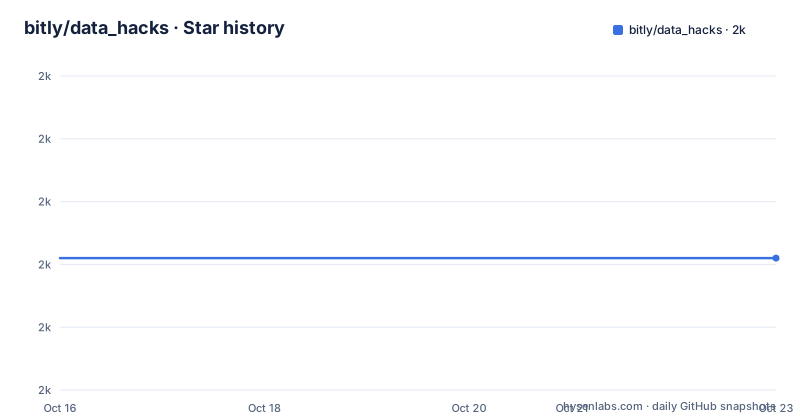
- bitly/data_hacks1,971 ★ · +0
| Repository | 2026-10-16 | 2026-10-23 |
|---|---|---|
| bitly/data_hacks | 2k | 2k |
0 Stars in the last 7 days, measured from the daily GitHub snapshot. Compare with other projects
Editorial analysis
Five scripts and nothing else
data_hacks is described as command line utilities for data analysis, and that is a complete description. There are five scripts, registered in setup.py and nothing more in the package:
scripts = ['data_hacks/histogram.py',
          'data_hacks/ninety_five_percent.py',
          'data_hacks/run_for.py',
          'data_hacks/bar_chart.py',
          'data_hacks/sample.py']
Each one reads standard input and writes standard output, which is the whole architectural idea. The README makes the point first, calling the tools friendly and telling you to ask them for usage information with --help.
The intended user is an operations engineer or analyst on a machine they do not control, over ssh, with a log file they cannot copy to a notebook service. That is the situation the tools are shaped for, and the shape follows from it. Nothing here needs a cluster, a config file or a daemon. You pipe a file in and read the answer on screen.
The repository is minimal by construction: .gitignore, README.markdown, a data_hacks/ directory and setup.py. There is no test suite, no CI configuration and no documentation beyond the README.
histogram.py prints statistics the shell cannot give you
histogram.py parses input data points and outputs a text histogram. Before the bars, it prints a summary block. From the README example:
# NumSamples = 60; Min = 0.00; Max = 1000.00
# 1 value outside of min/max
# Mean = 332.666667; Variance = 471056.055556; SD = 686.335236; Median 191.000000
# each ∎ represents a count of 1
The bin edges are shown at four decimal places with a count and a percentage per row, and empty bins print a percentage with no bars. The header line also reports how many values fell outside the requested min and max, which is a nice touch: a truncated histogram says so instead of quietly lying about the distribution.
The example invocation sets the range and asks for percentages:
cat /tmp/data | histogram.py --percentage --max=1000 --min=0The logarithmic mode is the second thing worth knowing. With -l, the bin boundaries are geometric rather than linear, which is how you get a usable picture of a latency distribution where the mass sits two orders of magnitude above the floor. The README generates its data with a Python 2 style print statement inside a generated script:
printf 'import random\nfor i in range(1000):\n print random.randint(0,10000)'|\
    python -|./data_hacks/histogram.py -l
In that run the bars say each ∎ represents a count of 6, so the symbol count rescales with the sample rather than being a fixed unit.
ninety_five_percent.py exists because awk cannot sort a stream
ninety_five_percent.py takes a stream of decimal values and outputs the 95% time, and the README states the use plainly: finding the 95% response time from access logs.
The example assumes response time is the last column of the access log, which is the shape most combined log formats happen to have:
awk '{print $NF}' /path/to/access.log | ninety_five_percent.pyThe reason this is not a two line shell script is that a percentile requires seeing all the values before it can rank them. You cannot stream to it in bounded memory, and you cannot compute it with awk without holding the set. This is the tool for the moment when a latency question arrives and the data is still on disk somewhere.
The trade is that you learn the 95% and not the shape behind it. If the distribution has a bimodal failure mode, ninety_five_percent.py will give you one number and hide the thing you needed to see, which is where histogram.py earns its place.
sample.py and run_for.py are sampling and timing, not analysis
The remaining two filters do not compute anything. They change the shape of the stream so that what you feed into something else becomes cheaper or bounded.
sample.py filters a stream to a random sub-sample of the stream:
cat access.log | sample.py 10% | post_process.pyThat is the tool for when the downstream step is expensive and you only need a representative tenth of the data. Note what it does not say: there is no seed option documented in the README, so a sampled run is not reproducible from the command line.
run_for.py passes data through for a specified amount of time:
tail -f access.log | run_for.py 10s | post_process.pyCombined with tail -f, this gives you a bounded live capture. It is the kind of thing you write by hand once as a timeout command, then keep. Both tools read as conveniences that exist because they were needed often enough to stop rewriting them.
bar_chart.py is uniq -c with axis labels
bar_chart.py generates an ascii bar chart for input data, and the README compares it to a visualization of uniq -c. The difference is that it sorts and labels the axis for you:
cat data | bar_chart.py
# each ∎ represents a count of 1. total 63
14:40 [    49] ∎∎∎∎∎∎∎∎∎∎∎∎∎∎∎∎∎∎∎∎∎∎∎∎∎∎∎∎∎
14:41 [    14] ∎∎∎∎∎∎∎∎∎∎∎∎∎∎
For a request log grouped by minute, that is a readable picture of traffic shape in a way that raw counts are not.
The genuinely useful feature is pre-aggregated input. bar_chart.py and histogram.py both accept two column data, and the flag decides the column order: -a expects count then value, -A expects value then count.
sort /path/to/data | uniq -c | bar_chart.py -aThe README frames this as the case where you have already aggregated in Hadoop or MySQL and want the picture anyway. That is a good reason to keep these around even where you have a real plotting tool: the aggregation already happened far away, and re-exporting it costs more than a pipe.
One flag convention worth internalizing: the uppercase and lowercase variants of the same option mean opposite column orders. That is memorable once and a bug source if you misread it under pressure.
Maintenance reality: last release 2015, no licence file
The repository is not archived and the last push was on 2026-09-28, so the files are being touched. The last release, v0.3.1, was published on 2015-01-08, and setup.py still carries version = "0.3.1" with the classifier 'Development Status:: 4 - Beta'. The gap between the last tagged release and the most recent push is important for anyone considering this package, and it is more informative than the push date alone.
The code shows its age in a way that affects actual use. The logarithmic histogram example generates data with print random.randint(0,10000), which is Python 2 syntax and will fail on a Python 3 interpreter. setup.py itself imports from distutils.core, a module removed from the standard library in Python 3.12. If your default python is Python 3, installing from source is not a smooth path.
The licence is the other thing to sort out before you build on this. There is no LICENSE file among the repository entries, which are.gitignore, README.markdown, the data_hacks/ directory and setup.py. That is not legal advice, but it means the grant of rights is not stated anywhere in the repository, which is a different problem from a permissive licence you have to comply with.
The alternative: build aggregates, or use a tool that already computes them
The direct alternative for the percentile case is the standard toolchain. A log analysis stack that groups and counts in SQL before the data leaves the database can produce the 95% as a query, keeps the data server side, and gives you a number you can re-run next month. The difference in approach is aggregation first versus aggregation in the middle of a pipeline, and it decides who holds the data.
For the distribution case, a real plotting tool is the alternative to histogram.py. You get axes, zoom, and a result you can attach to an incident review, at the cost of a dependency and a file to move off the box you are ssh'd into.
sample.py and run_for.py have no real substitute worth naming, since head, shuf and timeout cover the same ground, but with less clarity.
So the honest comparison: data_hacks wins on the machine you cannot install anything on, loses everywhere else. Since it has no licence file, that win is also the case where you are most likely to be pasting five small scripts rather than depending on the package.
Editorial conclusion
Use data_hacks when you work over ssh on log files you cannot ship anywhere and want the answer in your terminal: ninety_five_percent.py on an access log is the clearest case. Do not adopt it for a new pipeline, because the last release v0.3.1 dates from 2015-01-08, the histogram example still uses a Python 2 print statement, and the repository carries no licence file, so its legal status is unclear and you should confirm that before putting it inside anything you distribute. Verify first that your default python is Python 2 if you plan to follow the README examples verbatim, or expect to adjust the one-liner that generates the sample data.
Frequently asked questions
How do I install bitly data_hacks?
The README gives three routes: pip install data_hacks from PyPI, pip install -e git://github.com/bitly/data_hacks.git#egg=data_hacks from GitHub, or python setup.py install from a source checkout. setup.py imports distutils, so the source route expects an older Python.
How do I find the 95th percentile response time from an access log?
Extract the response time column and pipe it into ninety_five_percent.py, which the README describes as useful for finding the 95% response time from access logs. Its example uses awk '{print $NF}' to take the last column of the log.
What is the last release of data_hacks and when was it?
The most recent release is v0.3.1, published on 2015-01-08, and setup.py still carries that version with a beta classifier. The last push to the repository was on 2026-09-28 and the repository is not archived.
Can histogram.py and bar_chart.py read pre-aggregated data?
Yes. Both accept two column input, with -a reading count then value and -A reading value then count. The README suggests this for data already aggregated in Hadoop or MySQL, such as the output of sort and uniq -c.
What licence does data_hacks use?
The repository lists no licence file among its top level entries, which are .gitignore, README.markdown, the data_hacks/ directory and setup.py. setup.py records the author as Jehiah Czebotar and the project as belonging to the bitly GitHub organisation.
Official sources
Add this badge to your README
If you maintain this project, the badge below links readers to this analysis and shows its maintenance status from the daily GitHub snapshot. Paste the markdown into your README; add ?metric=license or ?metric=stars to the image URL for a different field.

[](https://hysenlabs.com/projects/bitly-data-hacks)Star history chart for your README
[](https://hysenlabs.com/projects/bitly-data-hacks)Was this useful?