Carter: modules and conventions layered over ASP.NET Core Minimal APIs
Carter is framework that is a thin layer of extension methods and functionality over ASP.NET Core allowing code to be more explicit and most importantly more enjoyable.
At a glance
- What is it?
- Carter does not replace ASP.NET Core routing, it wraps it. The value is in the module pattern, automatic DI scanning and validation shortcuts, and the honest question is whether you need that layer at all.
- Who is it for?
- Carter earns its place in a codebase that has grown past a handful of endpoints and wants each feature area to own its routes, its validators and its response format without a central file listing everything. It earns nothing in a small service, where `app.MapGet` already does the job and a framework dependency is more to carry.
- Can I use it commercially?
- Yes. MIT is a permissive licence: you can use, modify and sell software built on it, as long as you keep its copyright and licence notices.
- Is it still maintained?
- Yes. The repository last received commits 6 days ago.
- What is it written in?
- Mainly C#, according to GitHub's language statistics.
Answers come from the project's GitHub data, last synced on October 31, 2026, and from our analysis. They are not legal advice.
Star history
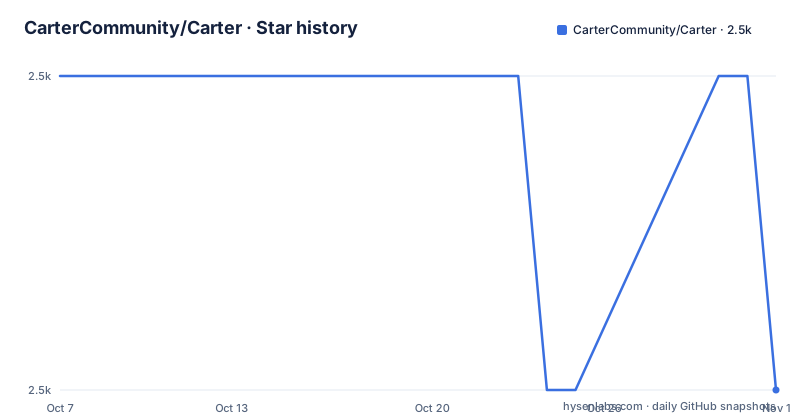
- CarterCommunity/Carter2,461 ★ · +0
| Repository | 2026-10-07 | 2026-10-31 |
|---|---|---|
| CarterCommunity/Carter | 2.5k | 2.5k |
0 Stars in the last 24 days, measured from the daily GitHub snapshot. Compare with other projects
Editorial analysis
The framework sits on top of Minimal APIs, not instead of them
Carter describes itself as a thin layer of extension methods and functionality over ASP.NET Core, and the routing section makes that concrete: Carter uses `IEndpointRouteBuilder` routing and all the extensions `IEndpointConventionBuilder` offers, also known as Minimal APIs. A Carter route is a Minimal API route, with the same `RequireAuthorization()` call you would write without Carter.
app.MapGet("/", () => "There's no place like 127.0.0.1").RequireAuthorization();That single sentence decides whether you should care about this project. It is not a competing web framework, it does not own the request pipeline, and nothing about your existing endpoint code becomes invalid when you add it. The `middleware` topic on the repository and the fact that the related project list includes Nancy make the lineage clear: this is Nancy's module model, ported onto ASP.NET Core.
The scale is worth noting too. About 2,400 stars, five open issues, MIT licensed, C#, default branch `main`. The tree is small and conventional: `src/`, `test/`, `samples/`, `template/`, `Carter.sln`, `NuGet.config`, `push.sh` and `update-carter-package-dependencies.ps1`. There is no GitHub releases feed, which means release tracking happens on NuGet and through a CI feed rather than on the repository page.
What the extension list actually gives you
The README enumerates the surface, and it is worth taking item by item because the value proposition is entirely in this list.
`Validate<T>` and `ValidateAsync<T>` are FluentValidation extensions for incoming HTTP requests, and the README is explicit about the gap they fill: this validation is not available with ASP.NET Core Minimal APIs. `MapPost<T>` and `MapPut<T>` validate `T` and, when validation fails, return a 422 Problem Details response, which means the error shape is decided by the framework rather than by each handler. `MapFormPost<T>` model binds `T` when a form is submitted to the route.
`BindFile`, `BindFiles`, `BindFileAndSave` and `BindFilesAndSave` give access to uploaded files, with the saving variants writing to a path you name. `IResponseNegotiator` implementations let you define how a response looks for a given Accept header, with `System.Text.Json` handling JSON in the default implementation, so content negotiation is an interface rather than a convention.
The route helpers matter for a specific reason: they make sense as middleware targets, and the README gives `app.UseExceptionHandler("/errorhandler");` as the example. When an exception page needs its own route, having one convention for declaring routes is cleaner than a second mechanism.
The last item is the quiet one: all interface implementations for Carter components are registered into ASP.NET Core dependency injection automatically. Implement the interface and it is available. That is the module pattern doing its job.
Modules, DI scanning, and the configurator escape hatch
A Carter module is a class implementing `ICarterModule` with an `AddRoutes(IEndpointRouteBuilder app)` method. That is the whole contract. `app.MapCarter()` scans for those implementations, and the DI container fills their dependencies.
var builder = WebApplication.CreateBuilder(args);
builder.Services.AddCarter();

var app = builder.Build();

app.MapCarter();
app.Run();
And a module looks like this:
public class HomeModule : ICarterModule
{
    public void AddRoutes(IEndpointRouteBuilder app)
    {
        app.MapGet("/", () => "Hello from Carter!");
    }
}
Automatic scanning is the right default for most applications, and the README acknowledges the case where it is wrong: for a more controlled app, Carter provides a `CarterConfigurator` that registers modules, validators and response negotiators manually, and lets you configure validator lifetimes. Validator lifetime is the setting to look at, because FluentValidation validators are stateful per instance and a wrong lifetime shows up as intermittent validation results under load.
The trade-off in the design is worth naming: scanning by convention saves a registration block and costs you compile-time safety. A module that is never referenced can silently not exist. The `CarterConfigurator` is how you get both.
Reading the samples instead of the README
The README's own advice is to look at the samples first, and there are four of them, each isolating one pattern: `samples/CarterSample/`, `samples/CarterAndMVC/`, `samples/EntityFwk/` and `samples/ValidatorOnlyProject/`.
That set is a decision guide. `CarterAndMVC/` answers what happens when you adopt this in an application that already has controllers, which is the question most teams actually have. `ValidatorOnlyProject/` covers the case where you want the validation extensions and nothing else. `EntityFwk/` is the example that matters for structure, since it shows how a shared interface like `IDatabase` is injected into a handler rather than reached through a service locator.
The longer README sample shows the full set of patterns at once: query string binding with `req.Query.AsMultiple<int>("ids")`, content negotiation through `res.Negotiate(new { Name = "Dave" })`, a POST handler that validates and returns 422 with formatted errors on failure, a 201 with a `Location` header on success, and a form post mapped with `DisableAntiforgery()`.
`MapFormPost("/formpost", (Person model) => TypedResults.Ok(model)).DisableAntiforgery()` is the line to notice. It shows a Minimal API endpoint method with a conventional builder on it, which is the clearest single illustration that Carter is sitting on top of the same API surface everyone else uses. `TEMPLATE.md` at the repository root and the `template/` directory hold the scaffolding behind the `dotnet new carter` command.
Getting started: template or package
Two documented starting points, and the README numbers them separately.
The template route installs a project template and creates an app from it:
dotnet new install CarterTemplate
dotnet new carter -n MyCarterApp -o MyCarterApp
cd MyCarterApp
dotnet run
The package route starts from an empty ASP.NET Core application and adds Carter to it:
dotnet new web -n MyCarterApp
cd ./MyCarterApp
dotnet add package carter
dotnet run
The difference matters for existing code. If you have a service already, the package route is the relevant one, and the `CarterAndMVC/` sample exists for the same reason.
Packages come from NuGet as `Carter` and `CarterTemplate`. There is also a CI channel for people who want to try the latest `main` build, by adding `https://f.feedz.io/carter/carter/nuget/index.json` to your `NuGet.config` and picking up whatever is newest. That is a reasonable way to check whether a fix has landed before a NuGet release, and an unreasonable thing to leave in a production application's dependency set.
Version tracking is on the package side. There are no GitHub releases on the repository, so the NuGet version badge in the README is the number to check when you want to know what you are running.
When a thin layer stops being thin, and where the project stands
The honest case against Carter is that ASP.NET Core has been closing this gap from the other side. Minimal APIs now offer typed parameters, `TypedResults`, form binding and result helpers, which are a meaningful part of what Carter added as extensions. Every one of those is a case where the framework absorbed a convenience rather than a structural idea.
What has not been absorbed is the module convention and automatic DI scanning. That remains a real ergonomic gain once an application has more than a handful of feature areas, and it is the part of Carter with no equivalent in the base framework.
There is also a cost that is easy to underprice. You are adding a dependency whose types (`ICarterModule`, `CarterConfigurator`, `IResponseNegotiator`) become part of your codebase's vocabulary, and a layer whose behaviour you have to understand to debug a 422. A framework whose selling point is thinness has to actually stay thin, and the README's own framing is that it is thin.
On maintenance, the repository is not archived and the last push was on 2026-07-04. There are no GitHub releases published, the CI badge points at an Atropos build server, and the `push.sh` script and `update-carter-package-dependencies.ps1` are the release machinery in the tree. Topics list `asp-net`, `asp-net-core`, `csharp`, `dotnet-core`, `middleware`, `mit-license` and `nancy`, which is an accurate description of what this project is: a module pattern borrowed from Nancy, retargeted at Minimal APIs, still finding its level now that the framework underneath it has grown.
Editorial conclusion
Carter earns its place in a codebase that has grown past a handful of endpoints and wants each feature area to own its routes, its validators and its response format without a central file listing everything. It earns nothing in a small service, where `app.MapGet` already does the job and a framework dependency is more to carry. The repository is not archived and the last push was on 2026-07-04, with no GitHub releases attached, so versions come from NuGet and CI builds go through feedz.io. Start with `dotnet new carter -n MyCarterApp`, then read the `samples/` directory rather than the README, because `CarterAndMVC/`, `CarterSample/`, `EntityFwk/` and `ValidatorOnlyProject/` show how the module and validator patterns compose with the rest of ASP.NET Core.
Frequently asked questions
What is Carter in ASP.NET Core?
Carter is a thin layer of extension methods and functionality over ASP.NET Core that lets code be more explicit. It uses `IEndpointRouteBuilder` routing and the `IEndpointConventionBuilder` extensions known as Minimal APIs, so a Carter route is a normal Minimal API route and works with things like `RequireAuthorization()`. It also adds modules with automatic DI registration, FluentValidation extensions, file binding helpers and content negotiation.
How do I start a new project with Carter?
Either install the template with `dotnet new install CarterTemplate` and create an app using `dotnet new carter -n MyCarterApp -o MyCarterApp`, or start from an empty app with `dotnet new web -n MyCarterApp` and add the package using `dotnet add package carter`. Then call `builder.Services.AddCarter()`, `app.MapCarter()`, and define a class implementing `ICarterModule` whose `AddRoutes` method registers your endpoints.
What does Carter add to Minimal API validation?
`Validate<T>` and `ValidateAsync<T>` are FluentValidation extensions for incoming HTTP requests, which the README notes are not available with ASP.NET Core Minimal APIs. `MapPost<T>` and `MapPut<T>` validate `T` and return a 422 Problem Details response when validation fails. For apps that want more control, `CarterConfigurator` registers modules, validators and response negotiators manually and configures validator lifetimes.
Official sources
Add this badge to your README
If you maintain this project, the badge below links readers to this analysis and shows its maintenance status from the daily GitHub snapshot. Paste the markdown into your README; add ?metric=license or ?metric=stars to the image URL for a different field.

[](https://hysenlabs.com/projects/cartercommunity-carter)Star history chart for your README
[](https://hysenlabs.com/projects/cartercommunity-carter)Was this useful?