Pacemaker is the resource manager half of the ClusterLabs stack
Pacemaker is an advanced, scalable High-Availability cluster resource manager
At a glance
- What is it?
- Pacemaker is the C project that decides what runs where in a ClusterLabs high-availability cluster, coordinating configuration, start-up, monitoring and recovery of interrelated services across all nodes. It is infrastructure software with a custom licence and a two-line release train, and it is not something you run on a single machine.
- Who is it for?
- Adopt Pacemaker when you are running a ClusterLabs high-availability stack and need the services in it to be coordinated, restarted and recovered across nodes as a unit, and expect to read INSTALL.md before touching it. Do not adopt it as a general service manager, a scheduler for batch jobs or a single-host supervisor, because its unit of work is a cluster of nodes and its scope is the resource layer of the wider stack.
- Can I use it commercially?
- Check first. The repository uses a licence we do not classify automatically, so read its LICENSE file before any commercial use.
- Is it still maintained?
- Yes. The repository last received commits 1 day ago.
- What is it written in?
- Mainly C, according to GitHub's language statistics.
Answers come from the project's GitHub data, last synced on November 7, 2026, and from our analysis. They are not legal advice.
Star history
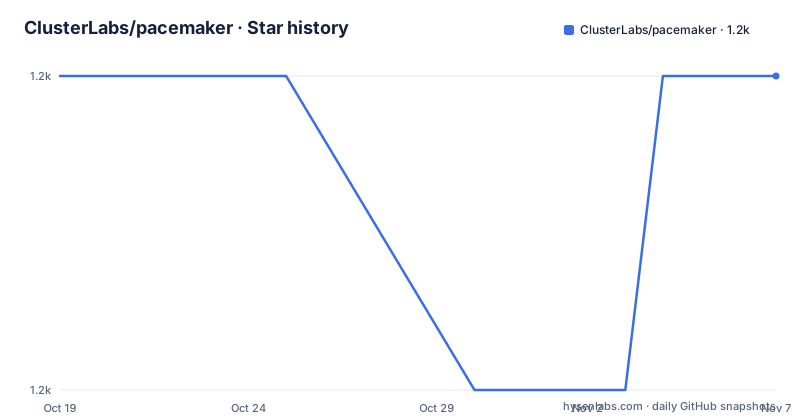
- ClusterLabs/pacemaker1,181 ★ · +0
| Repository | 2026-10-19 | 2026-11-07 |
|---|---|---|
| ClusterLabs/pacemaker | 1.2k | 1.2k |
0 Stars in the last 19 days, measured from the daily GitHub snapshot. Compare with other projects
Editorial analysis
The resource manager in a wider HA stack
Pacemaker is described as the resource manager for the ClusterLabs open-source high-availability cluster stack, and the project calls itself an advanced, scalable high-availability cluster resource manager. The description is precise about the boundary. Pacemaker is not the whole stack and it is not the cluster itself. It is the component that decides what runs where.
The sentence that defines the work is this: it coordinates the configuration, start-up, monitoring and recovery of interrelated services across all cluster nodes. Four verbs, and the fourth is the expensive one. Recovery is not a script you write once, it is a policy the resource manager applies continuously as nodes join, leave and fail.
The word interrelated is doing useful work too. The units are not independent processes. When a service depends on another, a resource manager is the thing that understands the ordering, and the relationships are the reason the coordination exists at all.
The primary language is C, and the project is hosted at github.com/ClusterLabs/pacemaker with a homepage at clusterlabs.org. It is the kind of component that sits at the bottom of a stack: if it is wrong, the symptom appears somewhere else entirely, and the debugging starts far from the cause.
The people behind it and where the community lives
The project is explicit about its origin. Pacemaker was initially created by main architect and lead developer Andrew Beekhof with the aid of project catalyst and advocate Lars Marowsky-Brée.
The README then makes a point about contribution that is unusual to see stated so plainly. Many, many developers have contributed significantly since, and the git log is the definitive record of their contributions. That is a deliberate statement about where the authority lies. In a project with a long history and a large contributor base, the record of who changed what is more useful than a list of names, and the README is pointing you at the log instead of a credits page.
The wider ClusterLabs community is named as another essential aspect of the project's existence, specifically the users who participate in the mailing lists, blog about HA clustering, and otherwise make the project more useful. That is a description of a support model built on public discussion rather than on tickets, and it is worth knowing before you plan a migration to it.
The supporting links follow the same pattern. Documentation sits at the project documentation page, bugs go to bugs.clusterlabs.org rather than to GitHub issues, and there is a community page. The presence of a SECURITY.md at the top of the repository points to a security reporting process separate from ordinary bug reports.
Getting the code, and where the install steps actually live
The distribution channel is GitHub, and the README offers two levels of specificity. You can clone or download the repository to get the latest development code, or you can download one of the official releases.
Those are different things and the distinction matters for a resource manager. The trunk branch moves continuously, and a cluster manager is the last component you want running an untested commit. The releases are the artefacts to pin.
For installation, the README defers entirely to a document.
That is not a dodge, it is the whole instruction, and it is a reasonable one for a project of this size. The repository listing shows what is involved in building it. The build is autotools based, with a configure.ac, an autogen.sh script, a Makefile.am, an m4/ directory of macros and a GNUmakefile at the top level, which together describe a build that is configured and then compiled with make, with generated versions of several files. There is also a rpm/ directory, which is the packaging side.
The test infrastructure is visible in the same listing, with a cts/ directory, a tests/ directory and a.gitlab-ci.yml file at the root. A cluster resource manager is exactly the kind of software where a test suite that exercises real cluster behaviour matters, and the presence of a dedicated cts directory suggests that this project takes that seriously.
The directory layout shows where the components live
The top level listing is the best documentation of the architecture, because it names the pieces without explaining them.
The agents/ directory holds the executables that act on the cluster from the outside, and daemons/ holds the long running ones. Those two are the operational surface, the commands an administrator runs and the processes that stay up. The lib/ directory is where the shared code lives, and tools/ contains the utility programs.
The etc/ directory is the configuration side, the place where a cluster administrator edits state. The xml/ directory alongside it is the format question, since the configuration of a cluster is expressed as XML, and the presence of both directories is consistent with a tool that reads and writes structured configuration rather than ad hoc text files. The python/ directory adds the scripting layer, and po/ holds the translations, which tells you the user-facing strings are internationalised.
The remaining directories are the ones a contributor needs to know. doc/ holds the documentation sources, devel/ holds developer tooling, maint/ holds the maintenance scripts, and tests/ and cts/ hold the test suites. The formatting rules are a .clang-format file, so the style is enforced by tool rather than by review, and the .mailmap file at the root means the git history is mapped to real identities.
A custom licence, and two release lines at once
The licence is the thing to check first, because GitHub cannot classify it. The project is recorded as using a custom licence that GitHub cannot categorise, and the actual text lives in the repository, with a COPYING file at the top level and a licenses/ directory alongside it.
A custom licence in a project like this is normal rather than alarming. Cluster software of this age often carries a licence written for the foundation that hosts it, and the practical effect is that you cannot answer the question from a badge, you have to read the text. If your organisation runs a licence compliance scan, the COPYING file is the artefact it needs, and the licenses/ directory suggests there may be more than one file to read.
The release picture shows two lines running in parallel. Pacemaker 3.0.3 was released as Final on 2026-07-28, after Pacemaker 3.0.3 rc1 on 2026-07-10, and Pacemaker 2.1.11 was released as Final on 2026-06-29. So the 2.1 line is still receiving fixes, which is what a long-lived infrastructure project should do for the version that is actually deployed, while the 3 line moves to a new minor.
The repository is not archived, and the last push was on 2026-10-16, so maintenance is current.
Where Pacemaker is the wrong choice
Three situations call for a different tool, and they are about scope rather than quality.
The first is a single host. Pacemaker coordinates interrelated services across all cluster nodes. If you have one machine, the multi-node coordination is complexity with no counterpart benefit, and a plain process supervisor covers the same ground with less to understand.
The second is a workload scheduler. Pacemaker decides what should be running and keeps it running. It is not a batch scheduler, it does not place a job on the node with the most free capacity, and it does not queue work for later. Those are different problems with different tools, and choosing a resource manager for them means fighting the model.
The third is the case where you want the whole stack. The README positions Pacemaker as the resource manager for the wider ClusterLabs stack, and adopting it means adopting the surrounding conventions: the configuration format, the agent interface, the way nodes join and leave, and the operational tooling that goes with it. That is appropriate for a platform team, and it is a large commitment for a team that needs one service to fail over.
The practical way to evaluate it is the ClusterLabs documentation and community pages, where the shape of the stack and the policies around it are described in more detail than a README does.
Contributing, reporting bugs and finding answers
The README routes each kind of question to a specific place, and the routing is worth noting because it tells you how the project is run.
For installation, the answer is INSTALL.md in the repository. For helping out, it is CONTRIBUTING.md, also in the repository, and for more information there is the documentation site, the bug reporter at bugs.clusterlabs.org and the community page.
The bug tracker being a dedicated system rather than GitHub issues is a deliberate choice, and it has consequences for a user. A crash in a cluster resource manager is worth filing properly, because the reproduction environment matters, and a dedicated tracker with the maintainers behind it is a better home for that than a general purpose issue list. It also means a bug report is not the same thing as a support request, and for the latter the community channels are the place to go.
The repository carries a ChangeLog.md as well as a SECURITY.md, and a docs directory for the documentation sources, so the record of what changed and the process for reporting a security issue both live with the code.
For an infrastructure component, that combination, install instructions, a contribution guide, a real bug tracker and a security process, is a reasonable signal that the project is set up to be depended upon by other teams.
Editorial conclusion
Adopt Pacemaker when you are running a ClusterLabs high-availability stack and need the services in it to be coordinated, restarted and recovered across nodes as a unit, and expect to read INSTALL.md before touching it. Do not adopt it as a general service manager, a scheduler for batch jobs or a single-host supervisor, because its unit of work is a cluster of nodes and its scope is the resource layer of the wider stack. Verify first which release line you want, since 3.0.3 and 2.1.11 are both recent, and settle the licensing question by reading the COPYING and licenses/ files, because GitHub cannot classify the project's licence as a standard one.
Frequently asked questions
What does Pacemaker do in a high-availability cluster?
Pacemaker is the resource manager for the ClusterLabs open-source high-availability cluster stack. It coordinates the configuration, start-up, monitoring and recovery of interrelated services across all cluster nodes.
How do I install Pacemaker?
The README points to INSTALL.md in the repository for the installation steps. The build is autotools based, with a configure.ac, an autogen.sh script, a Makefile.am and an m4/ directory, and there is a rpm/ directory for packaging.
Should I use the trunk branch or a release of Pacemaker?
For a cluster resource manager, a release is the safer choice, since the trunk branch carries the latest development code. The repository offers both, with recent releases including Pacemaker 3.0.3 and Pacemaker 2.1.11.
What licence does Pacemaker use?
It is a custom licence that GitHub cannot classify. The text is in the COPYING file at the top of the repository and in the licenses/ directory, so the compliance details have to be read there rather than taken from a badge.
Who maintains Pacemaker?
It was created by main architect and lead developer Andrew Beekhof with project catalyst and advocate Lars Marowsky-Brée, and many developers have contributed since. The README calls the git log the definitive record of those contributions.
Where do I report a Pacemaker bug?
The README points to the dedicated bug reporter at bugs.clusterlabs.org, separate from GitHub issues, and lists the ClusterLabs community page and the project documentation site for general questions.
Official sources
Add this badge to your README
If you maintain this project, the badge below links readers to this analysis and shows its maintenance status from the daily GitHub snapshot. Paste the markdown into your README; add ?metric=license or ?metric=stars to the image URL for a different field.

[](https://hysenlabs.com/projects/clusterlabs-pacemaker)Star history chart for your README
[](https://hysenlabs.com/projects/clusterlabs-pacemaker)Was this useful?