cucumber-rails generates the wiring that Cucumber needs inside a Rails app
Rails Generators for Cucumber with special support for Capybara and DatabaseCleaner
At a glance
- What is it?
- The cucumber-rails gem is a set of Rails generators that scaffold the environment files, support hooks and rake tasks that Cucumber expects, with defaults for Capybara and DatabaseCleaner. It supports Rails 6.1, 7.x and 8.x, and the README already warns that 6.1 support is on the way out.
- Who is it for?
- Adopt cucumber-rails when you want Cucumber inside a Rails app without hand-writing the support directory, since the generator produces the env.rb, the database cleaner hooks and the rake task wiring that otherwise take an afternoon to get right. Do not adopt it if you are still on Rails 6.1, because the README states that version is no longer directly supported in modern Ruby and will soon be dropped from the support list.
- Can I use it commercially?
- Yes. MIT is a permissive licence: you can use, modify and sell software built on it, as long as you keep its copyright and licence notices.
- Is it still maintained?
- Yes. The repository last received commits 3 days ago.
- What is it written in?
- Mainly Ruby, according to GitHub's language statistics.
Answers come from the project's GitHub data, last synced on November 6, 2026, and from our analysis. They are not legal advice.
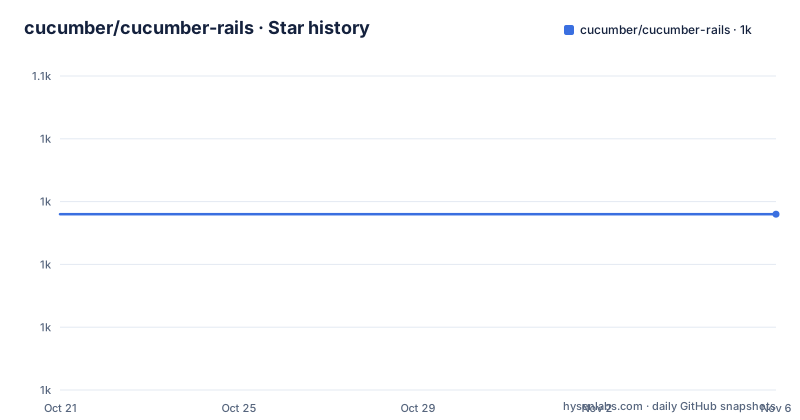
Star history
- cucumber/cucumber-rails1,039 ★ · +0
| Repository | 2026-10-21 | 2026-11-06 |
|---|---|---|
| cucumber/cucumber-rails | 1k | 1k |
0 Stars in the last 16 days, measured from the daily GitHub snapshot. Compare with other projects
Editorial analysis
The gem is a generator, not a test runner
Cucumber-Rails is described as bringing Cucumber to Rails 6.1, 7.x and 8.x, and the project description calls it a set of Rails generators with special support for Capybara and DatabaseCleaner. The distinction matters when you decide where it belongs. It does not run your tests, it does not parse your feature files, and it does not contain a test framework. What it contains is scaffolding: a `rails generate` command that writes the files Cucumber needs to work inside a Rails application, so that the support directory, the database cleaning and the load hooks exist with the right content. Once generated, those files are yours. The README even says that when upgrading from a previous version you are recommended to rerun the installer, which is only sensible for a generator, since a runtime library would be updated by changing a version number.
Adding the gem and bootstrapping the app
The install path is the Gemfile, with the gem in the test group and DatabaseCleaner alongside it, described as not required but highly recommended:
group :test do
  gem 'cucumber-rails', require: false
  # database_cleaner is not required, but highly recommended
  gem 'database_cleaner'
end
Then three commands. `bundle install` resolves the dependencies, `rails generate cucumber:install --help` lists the options, and `rails generate cucumber:install` bootstraps the application:
bundle install
rails generate cucumber:install --help
rails generate cucumber:install
The `require: false` in the Gemfile is the detail that trips people up. It means the gem is not loaded when your app boots, which is what you want in a test group, since the generator and its hooks should only be active in the test environment. After the generator runs, Cucumber is invoked with `[bundle exec] cucumber`, and the square brackets in the README are there because the bundle exec prefix is optional if you have the gems installed already.
DatabaseCleaner runs around every scenario by default
The default behaviour is that cucumber-rails runs `DatabaseCleaner.start` before your scenarios and `DatabaseCleaner.clean` after them, so each scenario starts from a known database state without you wiring it up. That is convenient, and it is also the setting most likely to conflict with a team that has its own strategy, for example a truncation strategy for performance reasons or a transactional strategy for speed. The switch to turn it off is one line in `features/support/env.rb`:
# features/support/env.rb
# ...
Cucumber::Rails::Database.autorun_database_cleaner = false
The setting lives in the generated support file, which means it is per application rather than global, and it survives regeneration of the rest of the scaffolding. The corollary is that the file is a normal file in your repository and the choice should be reviewed like any other test configuration: if a scenario leaves data behind and the cleaner is off, the next scenario inherits it.
Rack::Test helpers are mixed into the World unless you stop them
The second default worth knowing about is that cucumber-rails auto mixes the helpers from `Rack::Test` into the default Cucumber World instance. If you are driving the app with Capybara, which is the usual case, having a second HTTP client library's helper methods injected into the same object can produce confusing failures, especially when two methods want the same name. The escape hatch is an environment variable read in `features/support/env.rb`:
# features/support/env.rb
ENV['CR_REMOVE_RACK_TEST_HELPERS'] = 'true'
That is the whole change. The variable name makes the intent clear enough that a reader of the support file will know why the world does not behave like a stock Cucumber world, which is not something you can say about every implicit default in a test harness. Both defaults, the database cleaner and the Rack::Test helpers, are documented in the same short section of the README, so the file is worth reading once after you generate it rather than assuming.
Contributing means writing the failing feature first
The bug and feature request section is unusually prescriptive about process, and the reason is the tool itself. The README states that the only way to have a bug fixed or a new feature accepted is to describe it with a Cucumber feature. The expected workflow is to fork the project, clone it, check out a branch with a descriptive name, make sure the existing features pass, then write a feature that demonstrates the problem, commit, push and open a pull request. If you already know the fix, you make a second commit after the failing feature so the reviewer sees the failure and the fix separately. That is a coherent convention for a project whose test suite is its own documentation, and it has a practical effect: a contributor who cannot express the problem as a feature will struggle to get the change merged.
The Appraisal suite tests against several dependency sets
Because the gem supports several Rails versions, the test setup uses the Appraisal gem to generate multiple gemfiles, stored in the `gemfiles/` directory of the repository. Normally these only run on GitHub through GitHub Actions, but locally you can install them and run the whole matrix:
[bundle exec] appraisal install
[bundle exec] appraisal rake test
A single named gemfile can be run on its own, for example `[bundle exec] appraisal rails_8_0 rake test`. The default `rake` target runs the specs and features against the current bundle, and the repository layout shows both a `spec/` directory with an `.rspec` file and a `features/` directory, plus a `Rakefile`, a `Gemfile`, a `cucumber-rails.gemspec` and a `VERSION` file. The contribution rules for dependencies are spelled out too, since the multi-gemfile setup makes dependency placement load bearing: a runtime dependency or a primary development dependency goes in the gemspec, and a dependency of a generated Rails app in a test goes in the helper method that modifies the Gemfile, which lives in `features/support/cucumber_rails_gem_helper.rb`.
Editorial conclusion
Adopt cucumber-rails when you want Cucumber inside a Rails app without hand-writing the support directory, since the generator produces the env.rb, the database cleaner hooks and the rake task wiring that otherwise take an afternoon to get right. Do not adopt it if you are still on Rails 6.1, because the README states that version is no longer directly supported in modern Ruby and will soon be dropped from the support list. Verify first which Rails version your app runs, whether the auto mixed-in Rack::Test helpers clash with the Capybara driver you configured, and that the DatabaseCleaner behaviour matches your test data strategy before you disable it.
Frequently asked questions
Which Rails versions does cucumber-rails support?
The README states that Cucumber-Rails brings Cucumber to Rails 6.1, 7.x and 8.x. It also notes that Rails 6.1 is no longer directly supported in modern versions of Ruby and will soon be discontinued in the supported set.
How do I install cucumber-rails in a Rails app?
Add `gem 'cucumber-rails', require: false` to the test group of your Gemfile along with `database_cleaner`, run `bundle install`, then run `rails generate cucumber:install`. You can see the available options with `rails generate cucumber:install --help`.
How do I turn off DatabaseCleaner in cucumber-rails?
By default the gem runs `DatabaseCleaner.start` and `DatabaseCleaner.clean` around your scenarios. To disable that, set `Cucumber::Rails::Database.autorun_database_cleaner = false` in `features/support/env.rb`.
What are the Rack::Test helpers in cucumber-rails and how do I remove them?
By default the gem mixes the helpers from `Rack::Test` into the default Cucumber World instance. Setting `ENV['CR_REMOVE_RACK_TEST_HELPERS'] = 'true'` in `features/support/env.rb` prevents that.
How do I run the cucumber-rails test suite against multiple Rails versions?
The project uses the Appraisal gem to generate multiple gemfiles in the `gemfiles/` directory. Run `[bundle exec] appraisal install` and then `[bundle exec] appraisal rake test`, or target one gemfile with a command such as `[bundle exec] appraisal rails_8_0 rake test`.
Official sources
Add this badge to your README
If you maintain this project, the badge below links readers to this analysis and shows its maintenance status from the daily GitHub snapshot. Paste the markdown into your README; add ?metric=license or ?metric=stars to the image URL for a different field.

[](https://hysenlabs.com/projects/cucumber-cucumber-rails)Star history chart for your README
[](https://hysenlabs.com/projects/cucumber-cucumber-rails)Was this useful?