darryldecode/laravelshoppingcart for Laravel Carts
Shopping Cart Implementation for Laravel Framework
At a glance
- What is it?
- darryldecode/laravelshoppingcart adds session-bound carts, item variants, conditions, model associations, and configurable storage to Laravel applications. It suits storefront code that needs cart operations but leaves checkout, payment, and order persistence outside the documented scope.
- Who is it for?
- Choose darryldecode/laravelshoppingcart when a Laravel storefront needs a programmatic cart and its developers are prepared to define stable row identifiers and validate products during checkout. Do not select it solely from the Laravel 12 release label, because the displayed README installation guidance centers on older Laravel generations.
- Can I use it commercially?
- Not without permission. GitHub finds no licence file in the repository, and without a licence all rights are reserved by default: you may read the code but not reuse it. Check the README, or ask the authors, before using it.
- Is it still maintained?
- Activity is slowing. The repository last received commits 7 months ago.
- What is it written in?
- Mainly PHP, according to GitHub's language statistics.
Answers come from the project's GitHub data, last synced on November 7, 2026, and from our analysis. They are not legal advice.
Star history
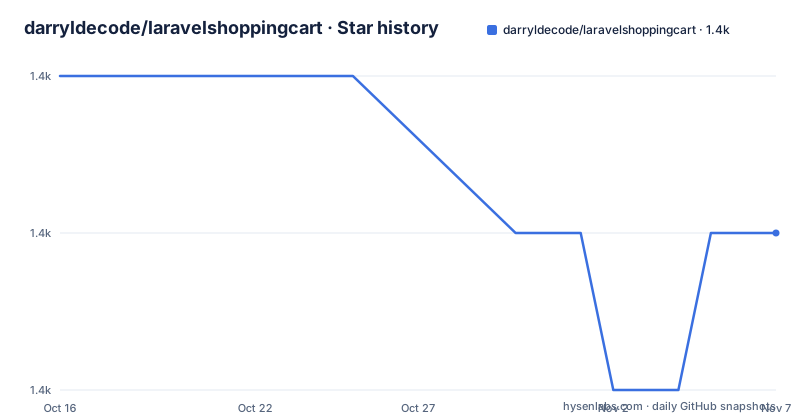
- darryldecode/laravelshoppingcart1,403 ★ · -1
| Repository | 2026-10-16 | 2026-11-07 |
|---|---|---|
| darryldecode/laravelshoppingcart | 1.4k | 1.4k |
-1 Stars in the last 22 days, measured from the daily GitHub snapshot. Compare with other projects
Editorial analysis
The Cart Problem darryldecode/laravelshoppingcart Solves
darryldecode/laravelshoppingcart handles the state between product selection and order placement. It provides operations for adding products, updating quantities, removing rows, calculating totals, applying conditions, and separating carts by customer. Its audience is developers who already have Laravel product models and want cart behavior exposed through a package facade rather than a collection assembled independently in each controller.
The package uses an `id` to identify a cart row, not necessarily an Eloquent product model. That distinction affects variants. Two rows for the same product can represent different sizes, colors, prices, or other attributes if they receive different row IDs. Reusing an ID makes the package update the existing row's quantity. The README warns that using the product model ID automatically can merge variants that the application intends to keep separate. A model ID can instead be retained in `attributes` or through the optional `associatedModel` field.
A session key identifies the active cart. The documentation describes binding that key to an authenticated user ID or another stable customer identifier before any cart operation. This separates carts logically, but the package does not implement authentication, account recovery, or cross-device account synchronization. The application remains responsible for selecting an appropriate key and handling guest-to-account cart behavior.
Cart Requests, Row Identity, and Price Calculation
Laravel applications select a cart scope with `Cart::session($userId)`, after which normal cart operations apply to that scope. A cart item can contain an ID, name, price, quantity, attributes, conditions, and an optional associated model. Multiple item arrays can be submitted together. Attributes such as `size` and `color` preserve display and variant data without determining row identity by themselves.
This design gives application developers control over cart-line identity, but it also makes that responsibility explicit. A production application needs a deterministic row-ID scheme. Generating a new identifier each time a customer selects the same variant prevents accumulation, while assigning the same identifier to unrelated variants can combine them. The hard-coded `$rowId = 456` in the README is a demonstration value, not a production naming scheme.
Cart calculations are available through operations including `getTotal()`, `getSubTotal()`, and `getSubTotalWithoutConditions()`. Conditions can be applied to the cart or an item through `condition()` and `addItemCondition()`. The displayed README does not document the condition class contract or provide examples for percentage discounts, fixed amounts, taxes, and shipping. It establishes that conditions exist, but not which pricing rules are supplied or how currency rounding is handled.
The application should reload authoritative product records before order creation. A cart can preserve a name, price, quantity, attributes, and model reference, but those values may become stale after an administrator changes a price or inventory record. The README does not describe synchronization with the catalog or checkout-time validation.
Installing the Package and Registering Cart
For Laravel 5.1, the README documents a Composer installation using the package's older constraint:
composer require "darryldecode/cart:~2.0"For Laravel 5.5, 5.6, 5.7, and 9, the README shows the `~4.0` constraint and also lists the unconstrained package name:
composer require "darryldecode/cart:~4.0"composer require "darryldecode/cart"The last push was on 2026-04-03, and release 4.2.6 carries the label `Laravel 12 Support`. Those facts indicate recent project activity, but they do not guarantee that the unconstrained command will resolve against every Laravel application. Composer must still agree with the application's PHP and framework requirements.
Register `Darryldecode\Cart\CartServiceProvider::class` in the service providers array in `config/app.php`:
Darryldecode\Cart\CartServiceProvider::classThe README then shows this alias entry:
'Cart' => Darryldecode\Cart\Facades\CartFacade::classThe package can publish its optional configuration through the documented Artisan command:
php artisan vendor:publish --provider="Darryldecode\Cart\CartServiceProvider" --tag="config"Publishing is optional according to the README. The displayed documentation does not include the configuration file contents, so it does not establish available storage keys, expiration settings, or calculation options.
Adding, Updating, and Reading a Product Row
A first cart can bind the session directly to an item insertion. In this README example, `$productId` refers to an existing application value, `Product` is the application's model, and `$userID` identifies the cart:
$Product = Product::find($productId);
$rowId = 456;
$userID = 2;

\Cart::session($userID)->add(array(
    'id' => $rowId,
    'name' => $Product->name,
    'price' => $Product->price,
    'quantity' => 4,
    'attributes' => array(),
    'associatedModel' => $Product
));
After insertion, `$rowId` becomes the address used for later changes. Updating requires only the fields that should change:
\Cart::session($userID)->update($rowId,[
    'quantity' => 2,
    'price' => 98.67
]);
Removing the row uses the same identifier:
\Cart::session($userID)->remove($rowId);The README shows `\Cart` in this sequence and `Cart` in other examples. Application code must reference the registered alias consistently or import the facade correctly. It must also select the same logical session key when operating on the row later.
Reading items returns cart rows that expose fields such as `id`, `name`, `qty`, and `price`. The documentation also demonstrates access to an associated model's properties. Because the model is an application object, the cart should not become the sole source of inventory status or current catalog pricing.
Session Selection and Storage Constraints
Selecting a session before cart operations is more than a convenience. The README identifies this as an important requirement because every later add, update, remove, condition, or total operation acts on the selected cart. Controllers that derive different keys for the same customer can make a cart appear empty or modify another logical cart.
The application should therefore treat the session key as a domain value. An authenticated numeric user ID, guest token, and cart identifier must not be mixed accidentally. Centralizing key selection would reduce inconsistent calls, although the README does not prescribe a particular implementation.
The README lists “Using Different Storage” as a usage topic, but the displayed page does not name the alternative drivers or provide their configuration. It would therefore be incorrect to infer support for a database, Redis, Cookie, or another specific backend from that heading. The repository's `src/` directory and complete storage documentation would need inspection before deployment. Relevant questions include where cart data is stored, how long it remains available, how guest carts expire, and whether multiple application instances can retrieve the same cart.
The documentation also does not describe a rollback command or recovery procedure for a removed row. Checkout code should treat cart removal as a user action rather than a recoverable transaction. Any order created from the cart should be persisted through the application's own order model and checkout process.
Where Checkout, Validation, and Alternatives Begin
The README's feature list includes items, conditions, instances, exceptions, events, formatting, and storage. That is a cart API, not a complete commerce workflow. It does not document payment gateway calls, shipping calculation, tax resolution, address validation, inventory reservation, order creation, or recovery from a failed payment.
The clearest failure mode is identity confusion. Passing a product model ID into `id` can merge variants. Reusing a row ID for another product can update the wrong line. Changing the session key can address the wrong customer cart. The README also does not specify validation for negative quantities, unsupported price formats, unavailable models, or stale product data, so the application must enforce those rules at appropriate boundaries.
A real alternative is an application-owned cart that stores item identifiers and quantities in Laravel's session, then loads each product from the application's database. That approach gives developers direct control over catalog validation and persistence, but it requires code for row identity, quantity changes, variants, totals, conditions, and customer association. darryldecode/laravelshoppingcart supplies those operations behind a facade, while trading some control for its prescribed row-ID and session workflow.
Release History, Upgrades, and License Checks
The repository is not archived, and its last push was on 2026-04-03. Recent releases include `4.2.6 (Laravel 12 Support)` on 2025-07-24, `4.2.5 (Laravel 11 Support)` on 2024-08-12, and `4.2.4 (Fix "deprecated" warning in php 8.2+)` on 2023-09-12. The labels indicate compatibility work for recent Laravel and PHP generations, but they do not replace dependency resolution for an individual application.
Upgrade work will likely center on Composer constraints, Laravel service-provider registration, the `CartFacade`, and any published configuration. The README title and installation section still name Laravel 5.x, 6, 7, and 9. Although release 4.2.6 names Laravel 12 support, the exact framework integration procedure for that release is not described in the displayed installation section.
The repository license is listed as unknown. The README has a Packagist license badge but does not name the license in the displayed text. Before copying, modifying, or redistributing code, inspect `composer.json` and any license file in the repository. This identifies the applicable terms without offering a legal conclusion.
The upgrade decision should be based on resolved dependencies and behavior in the target Laravel version, not the release label alone. A project already built around another cart service would also need to compare session scope, storage durability, row identity, conditions, and event hooks before migration.
Editorial conclusion
Choose darryldecode/laravelshoppingcart when a Laravel storefront needs a programmatic cart and its developers are prepared to define stable row identifiers and validate products during checkout. Do not select it solely from the Laravel 12 release label, because the displayed README installation guidance centers on older Laravel generations. First verify that Composer resolves the package with the application's PHP and Laravel constraints, then inspect the selected storage backend and confirm how carts behave across requests and application servers.
Frequently asked questions
How do I install darryldecode/laravelshoppingcart in Laravel?
The README documents Composer installation. It shows `composer require "darryldecode/cart:~2.0"` for Laravel 5.1 and `composer require "darryldecode/cart:~4.0"` for its later documented framework targets.
How do I keep separate carts for different users in darryldecode/laravelshoppingcart?
Call `Cart::session($userId)` before other cart operations. The README says the key can be a user ID or any stable identifier associated with a user or customer.
Why is the cart item ID different from the product ID?
The `id` is the cart row identifier. Distinct variants may need distinct row IDs, while the product model ID can be stored in `attributes` or through `associatedModel`.
Does darryldecode/laravelshoppingcart handle payment and order creation?
The README documents cart operations, conditions, totals, events, and storage, but it does not document payment processing or order creation as package features.
Official sources
Add this badge to your README
If you maintain this project, the badge below links readers to this analysis and shows its maintenance status from the daily GitHub snapshot. Paste the markdown into your README; add ?metric=license or ?metric=stars to the image URL for a different field.

[](https://hysenlabs.com/projects/darryldecode-laravelshoppingcart)Star history chart for your README
[](https://hysenlabs.com/projects/darryldecode-laravelshoppingcart)Was this useful?