DartPad splits into a compilation service and a UI, and the split is the architecture
An online Dart editor with support for console, web, and Flutter apps.
At a glance
- What is it?
- DartPad is the online Dart editor at dartpad.dev, written by the Dart tools team and structured as four packages: a backend service, shared code, a frontend and a sample snippet set. It compiles, analyzes and displays results in the browser, and it can be embedded in another site as an iframe.
- Who is it for?
- DartPad is a free online editor for learning about Dart and Flutter. The README documents iframe embedding and links to an Embedding Guide, while the repository has no GitHub Releases.
- Can I use it commercially?
- Yes. BSD-3-Clause is a permissive licence: you can use, modify and sell software built on it, as long as you keep its copyright and licence notices.
- Is it still maintained?
- Yes. The repository last received commits 1 day ago.
- What is it written in?
- Mainly JavaScript, according to GitHub's language statistics.
Answers come from the project's GitHub data, last synced on November 7, 2026, and from our analysis. They are not legal advice.
Star history
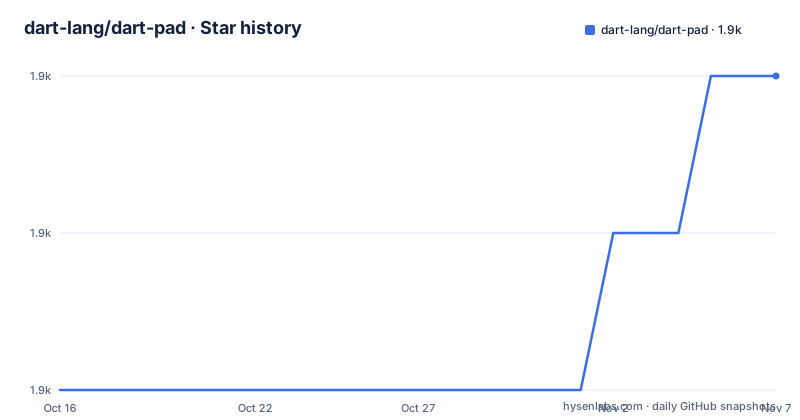
- dart-lang/dart-pad1,871 ★ · +2
| Repository | 2026-10-16 | 2026-11-07 |
|---|---|---|
| dart-lang/dart-pad | 1.9k | 1.9k |
2 Stars in the last 22 days, measured from the daily GitHub snapshot. Compare with other projects
Editorial analysis
Compiling user code happens on a server, not in the tab
The first thing to understand about DartPad is where the work occurs. It compiles, analyzes and displays the results of its users' Dart code, and the compilation and analysis steps are the job of a backend service rather than of the browser. The repository description names three targets: console, web, and Flutter apps.
That is why the project needs a server at all. A browser editor for JavaScript can evaluate in the page, but Dart needs a compiler, and running a Dart compiler per keystroke in a browser tab is a different engineering problem from running one in a controlled service. dart_services exists for exactly this reason.
The README does not specify execution infrastructure, resource limits, execution timeouts, quotas or offline use.
Four packages, one of which exists to stop the front and back ends drifting
The repository is a Dart monorepo, and the package table is worth reading as an architecture diagram rather than a list.
dart_services is the backend service for DartPad. dartpad_ui is the frontend. samples is a set of sample code snippets for DartPad. The fourth, dartpad_shared, is shared code between the DartPad frontend and backend, and its existence is the design decision that matters most here.
The package is explicitly intended to hold code shared between the DartPad frontend and backend.
Each package has its own CI workflow with its own badge, so a build failure is scoped: a change to dartpad_shared breaks the packages that depend on it, while a change confined to samples fails only the samples workflow. For a contributor that gives faster feedback than a single repository-wide build.
An iframe is the only documented integration contract
Embedding is the feature that distinguishes DartPad from a code editor you download, and the integration surface is narrow. The README states that DartPad can be embedded in other websites as an iframe, and points to an Embedding Guide in the project wiki as the place to learn how.
Notably, the README does not document an embedding API beyond that. There is no described JavaScript API for loading a program, no documented method for reacting to a compile result, and no stated origin or size constraints. Anyone planning to build documentation that embeds a live editor is therefore dependent on a wiki page and on the current behaviour of the deployed site.
There is a companion guide for sharing, which is the mechanism behind the practice of pasting a DartPad link into an issue tracker. Between the two, the intended workflows are clear: link to a snippet when discussing code, embed when writing teaching material.
A 2015 playground that changed shape when Flutter arrived
DartPad began in 2015 as an online playground for the Dart language, built by the Dart tools team. In December 2019 a new version launched at dartpad.dev with a new look and feel and support for the Flutter UI toolkit, and the README links a blog post announcing it.
That history explains the current shape better than the package list does. A language playground wants one execution model, a small sample set and no persistence. Adding Flutter means shipping a widget toolkit to the browser, rendering a component tree, and dealing with the fact that a Flutter program's output is a UI rather than a line of console text. The console, web and Flutter targets in the repository description are the three rendering modes that history produced.
The Flutter transition is also the most likely source of rough edges for a user today, since a framework with a fast release cadence and a hosted editor are difficult to keep in step. The README does not document which Flutter version the deployed editor targets, which is the first thing to check if a Flutter sample fails to compile.
Dart tooling with a web frontend and a cloud build path
The repository layout describes the toolchain more clearly than the README does. There is a pubspec.yaml at the root, which is how a Dart monorepo declares its dependencies, and a third_party/ directory for vendored packages. The repository contains a.cloud_build/ directory alongside GitHub Actions workflows for the listed packages.
The primary language of the repository is JavaScript, which is worth pausing on. The repository's primary language is listed as JavaScript, although that alone does not establish how each package is implemented.
A.gemini/ directory sits alongside a.vscode/ directory, so editor and assistant configuration is committed for contributors. Triage.md at the root is a separate file from CONTRIBUTING.md, which in a project of this size is a reasonable sign that maintainers expect the issue tracker to need active management.
No releases, and a licence that permits the fork
The repository has no GitHub releases. That is not an oversight to be explained away: the hosted deployment may not identify its source revision. A Git commit can still pin the code when building or citing a particular snapshot. The repository provides no GitHub Releases or release changelog.
The last push was on 2026-10-16, so the source is current even without release tags.
Licensing is BSD 3-Clause, with the file linked from the README. That is the permissive licence to expect from a Dart team project, and it permits a fork or an internal mirror without the copyleft obligations that would follow from GPL. The repository also contains an AUTHORS file, although the README does not state its purpose.
For an educational deployment, the practical checklist is the wiki guides rather than the licence: what the embed contract is, and what the sharing link format is.
Editorial conclusion
DartPad is a free online editor for learning about Dart and Flutter. The README documents iframe embedding and links to an Embedding Guide, while the repository has no GitHub Releases.
Frequently asked questions
What is DartPad and what can I run in it?
DartPad is a free online editor at dartpad.dev that compiles, analyzes and displays results of Dart code, with support for console, web and Flutter apps.
How do I embed DartPad in my own website?
DartPad can be embedded as an iframe. The README points to an Embedding Guide in the project wiki and does not document an embedding API beyond that.
What packages make up the DartPad repository?
Four: dart_services for the backend service, dartpad_shared for code shared between frontend and backend, dartpad_ui for the frontend, and samples for code snippets. Each has its own CI workflow.
Does DartPad support Flutter?
Yes. Support for the Flutter UI toolkit arrived with the new dartpad.dev launched in December 2019, and the repository description lists Flutter apps alongside console and web.
What licence is DartPad released under?
BSD 3-Clause. The README links to the repository's licence file.
Official sources
Add this badge to your README
If you maintain this project, the badge below links readers to this analysis and shows its maintenance status from the daily GitHub snapshot. Paste the markdown into your README; add ?metric=license or ?metric=stars to the image URL for a different field.

[](https://hysenlabs.com/projects/dart-lang-dart-pad)Star history chart for your README
[](https://hysenlabs.com/projects/dart-lang-dart-pad)Was this useful?