Data-Forge: TypeScript Data Pipelines for CSV and JSON
The JavaScript data transformation and analysis toolkit inspired by Pandas and LINQ.
At a glance
- What is it?
- Data-Forge is a TypeScript toolkit for immutable, lazily evaluated transformations of tabular data in JavaScript and TypeScript. It fits Node.js projects that need CSV or JSON parsing, filtering, aggregation, and export without adopting Python.
- Who is it for?
- Data-Forge suits Node.js and browser applications built around JavaScript or TypeScript that need composable CSV and JSON transformations. It is a poor fit for developers who require file access in the browser, expect a built-in plotting layer, or need a formally versioned release history.
- Can I use it commercially?
- Yes. MIT is a permissive licence: you can use, modify and sell software built on it, as long as you keep its copyright and licence notices.
- Is it still maintained?
- Yes. The repository last received commits 13 days ago.
- What is it written in?
- Mainly TypeScript, according to GitHub's language statistics.
Answers come from the project's GitHub data, last synced on November 7, 2026, and from our analysis. They are not legal advice.
Star history
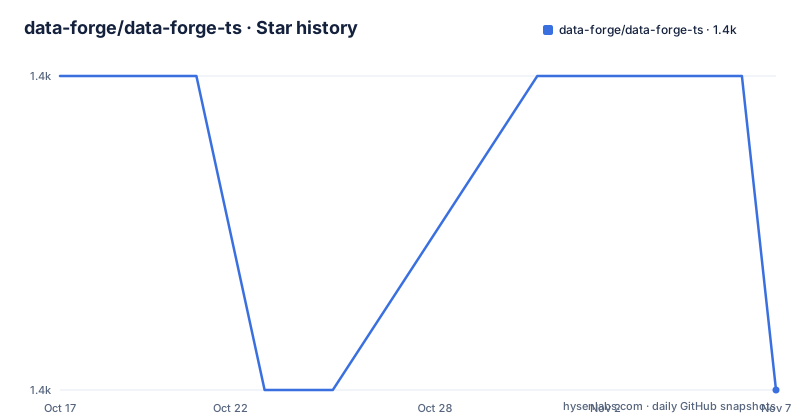
- data-forge/data-forge-ts1,393 ★ · -1
| Repository | 2026-10-17 | 2026-11-07 |
|---|---|---|
| data-forge/data-forge-ts | 1.4k | 1.4k |
-1 Stars in the last 21 days, measured from the daily GitHub snapshot. Compare with other projects
Editorial analysis
Why Data-Forge Exists in the TypeScript Stack
Data-Forge addresses the gap between raw JavaScript objects and structured data analysis. The README describes it as a toolkit inspired by Pandas and LINQ, and that design is visible in its API: rows can be filtered with `where`, transformed with `select`, grouped, aggregated, sorted, and returned as CSV or JSON. This makes it useful to developers who prefer a tabular and chainable programming model but need the code to run in Node.js or the browser.
The library can load CSV, JSON, or arbitrary JavaScript data sets. Its named-column operations are aimed at tabular work, while its indexing and date parsing support also make it relevant to time-series processing. Browser applications can use a packaged distribution, while Node.js applications can add Data-Forge FS for file access. Data-Forge Plot is documented as a separate project, so visualization is adjacent to this package rather than part of the core API described in the README.
The intended users are JavaScript ES5+ and TypeScript developers who want Pandas-like data manipulation or LINQ-style pipelines without switching to a Python runtime. Data-Forge is less suitable when a project requires filesystem functions directly in the browser, because the README explicitly excludes Data-Forge FS from browser use.
Immutable, Lazy DataForge Chains
The central design choice is immutability. Transformations and modifications produce a new dataset rather than changing the source dataset. This makes intermediate values easier to reason about in functions that filter or reshape records, although it does not by itself guarantee low memory use. A pipeline that retains several large intermediate datasets can still consume substantial memory, depending on the operations and the shape of the data.
Pipelines are evaluated lazily. Calls such as `where`, `select`, `parseDates`, `parseInts`, and `parseFloats` describe a chain, while the result is consumed later by a materializing operation such as `asCSV` or by file output. Lazy evaluation can reduce unnecessary work, but it also changes debugging expectations. An error may surface at the point where the pipeline is consumed rather than at the point where a method is added. The README states the lazy behavior but does not document cancellation, concurrency, or intermediate-result inspection, so those areas require checking against the API documentation before relying on them.
Rows are accessed through named columns, and the library supports adding, removing, transforming, and generating series. This model is a practical fit for CSV records and JSON objects with a stable schema. For arbitrary nested data, the suitability depends on how cleanly the values map to rows and named columns. The documentation does not claim support for every Pandas feature or every possible data shape.
Installing Data-Forge and Running a CSV Transformation
Install the core package with npm in a Node.js project. This command is the installation command documented by the README.
npm install --save data-forgeThe resulting project depends on `data-forge` for data transformation and parsing. File reading and writing are no longer part of the core API, so add the separate filesystem package when those operations are required.
npm install --save data-forge-fsThe first import loads the core package and augments it with the filesystem functions.
const dataForge = require('data-forge');
require('data-forge-fs');
The README's complete pipeline reads a CSV file, parses date, integer, and float columns, removes one column, filters and transforms rows, and writes CSV output.
dataForge.readFileSync('./input-data-file.csv')
    .parseCSV()
    .parseDates(["Column B"])
    .parseInts(["Column C"])
    .parseFloats(["Column D", "Column E"])
    .dropSeries(["Column F"])
    .where(row => predicate(row))
    .select(row => transform(row))
    .asCSV()
    .writeFileSync("./output-data-file.csv");
This adapts the README example to avoid parsing the same column as both a date and an integer. The `predicate` and `transform` callbacks are application functions and must be defined by the project. The input file must contain columns matching the names passed to the parsing and dropping methods. As written, the example is a template rather than a self-contained program, because the README does not define the input schema or those callbacks.
CSV, JSON, Browser, and Node.js Boundaries
Data-Forge FS is the main deployment boundary. Core Data-Forge can operate on data already loaded into JavaScript, while Data-Forge FS adds functions such as `readFileSync` and `writeFileSync`. The README says filesystem support was removed from the core API in version 1.3.0 because browser use, including AngularJS 6, repeatedly exposed problems. Upgrading code that relied on the old core file functions therefore requires an additional import.
For a browser, the README documents Browserify and Webpack as supported build paths. It also states that the npm package includes a pre-packed browser distribution mounted under the global variable `dataForge`. The filesystem package and its file functions cannot be used in a browser. This separation keeps the core package usable in browser bundles, but a browser application must obtain file contents through another mechanism, such as an upload or network response, before passing them to Data-Forge.
CSV and JSON are both supported for input and export according to the README. The same example comments state that `readFileSync` can read JSON and `writeFileSync` can write JSON, although the demonstrated pipeline calls `parseCSV()` and `asCSV()`. Applications with mixed formats should therefore consult the API documentation for the exact parsing and serialization methods rather than assuming that file extension alone determines behavior.
Practical Limits of the DataForge API
The most important limitation is the separation between transformation and filesystem access. A Node.js script that needs local files must install and load Data-Forge FS, and a browser script cannot use those file functions at all. This is a deliberate packaging choice, not a missing convenience method, but it adds a dependency and an import to file-based workflows.
Another limit is that Data-Forge is inspired by Pandas, not a drop-in Pandas implementation. The README lists familiar operations, but it does not promise parity with Pandas or LINQ. The package has no GitHub releases, and the repository documentation does not provide a release-based migration policy. The package metadata identifies version `1.10.5`, while the README also calls out breaking changes in versions `1.6.9` and `1.3.0`. Dependency changes removed Sugar, Lodash, and Moment as of `1.6.9`, which reduced bundle size but could affect code that relied on behavior exposed by those dependencies.
Lazy pipelines can also make execution timing less obvious. A method chain may appear complete while downstream work remains deferred. Projects that require strict error timing, streaming behavior, or explicit control over intermediate materialization should verify those details in the API documentation. The README does not document those guarantees.
Another alternative is LINQ-oriented JavaScript code without a dataframe layer, which may fit event processing and object streams better when named columns, indexing, and CSV export are not needed. Data-Forge's distinguishing choice is the combination of a dataframe-style API, immutability, lazy pipelines, and direct use from JavaScript or TypeScript.
Maintenance, Packaging, and Upgrade Cost
The repository is not archived, and its last push was on 2026-05-09. That means the project has recent repository activity, but the available documentation does not establish a release cadence because the repository has no GitHub releases. The README provides a changelog path at `docs/changes.md` and a `package.json` test and build workflow, but no published upgrade procedure is included in the README or `package.json` information.
The MIT license permits use and modification under its terms, subject to the license text. The README links to the MIT license, and no separate commercial licensing requirement is stated. This review does not interpret the license or provide legal advice.
Upgrading from older versions can require code changes when APIs have moved. The documented `1.3.0` change removed filesystem functions from the core package and moved them to Data-Forge FS. The `1.6.9` change removed or replaced Sugar, Lodash, and Moment dependencies. A project should therefore review its imports, callback behavior, bundle size, and date or number parsing expectations when moving from an older installation.
Editorial conclusion
Data-Forge suits Node.js and browser applications built around JavaScript or TypeScript that need composable CSV and JSON transformations. It is a poor fit for developers who require file access in the browser, expect a built-in plotting layer, or need a formally versioned release history. Before adoption, verify Data-Forge FS behavior in the target Node.js version, confirm that the application can accept lazy pipeline semantics, and inspect the documentation for the exact transformation methods required by the dataset.
Frequently asked questions
How do I install Data-Forge for CSV processing?
Run `npm install --save data-forge` for the core package. Install `data-forge-fs` as well when the application needs to read or write files in Node.js.
Can Data-Forge read and write files in the browser?
No. The README says Data-Forge FS and its filesystem functions cannot be used in the browser. Browser applications must load data through another mechanism before passing it to the core package.
What changed when I upgraded Data-Forge to version 1.3.0?
File-system support was removed from the core API and moved to Data-Forge FS. Code that previously imported only `data-forge` also needs to load the separate filesystem package.
Is Data-Forge a replacement for Pandas?
It is inspired by Pandas and LINQ, but the README does not claim full feature parity. Data-Forge is intended for JavaScript ES5+ and TypeScript and uses immutable, lazy data pipelines.
Official sources
Add this badge to your README
If you maintain this project, the badge below links readers to this analysis and shows its maintenance status from the daily GitHub snapshot. Paste the markdown into your README; add ?metric=license or ?metric=stars to the image URL for a different field.

[](https://hysenlabs.com/projects/data-forge-data-forge-ts)Star history chart for your README
[](https://hysenlabs.com/projects/data-forge-data-forge-ts)Was this useful?