Life Dashboard: a server-rendered e-ink dashboard on a jailbroken Kindle
Low power, E-Ink dashboard for every day life running on a hacked Kindle.
At a glance
- What is it?
- Life Dashboard turns a second-hand Kindle into a low power display for daily information. The second version made a deliberate compromise: a Go service renders the image, a Lambda or API Gateway backend serves it, and FBInk on the device draws it.
- Who is it for?
- Life Dashboard fits a maker with a spare Kindle and a few hours, who wants a display that costs nothing to run and can be updated without touching the device, and who is comfortable rooting hardware and following a wiki. It is the wrong tool for a product, for a team, or for anyone who needs the dashboard to keep working when an upstream API changes, because the history of the project is a history of exactly that failure.
- Can I use it commercially?
- Not without permission. GitHub finds no licence file in the repository, and without a licence all rights are reserved by default: you may read the code but not reuse it. Check the README, or ask the authors, before using it.
- Is it still maintained?
- Yes. The repository last received commits 1 day ago.
- What is it written in?
- Mainly Go, according to GitHub's language statistics.
Answers come from the project's GitHub data, last synced on November 6, 2026, and from our analysis. They are not legal advice.
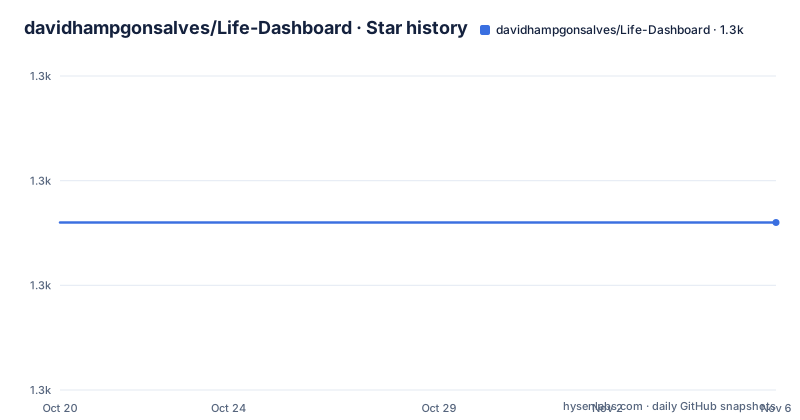
Star history
- davidhampgonsalves/Life-Dashboard1,306 ★ · +0
| Repository | 2026-10-20 | 2026-11-06 |
|---|---|---|
| davidhampgonsalves/Life-Dashboard | 1.3k | 1.3k |
0 Stars in the last 17 days, measured from the daily GitHub snapshot. Compare with other projects
Editorial analysis
A second-hand Kindle repurposed as a display
Life Dashboard is a low power, heads up display for everyday life, running on a Kindle. The premise is in the first line of the description, and the reasoning in the README is short: second hand Kindles are waiting in drawers for someone to repurpose them, and with large e-ink screens, wifi connectivity and ARM processors they make an excellent hacking platform.
That matters for what kind of project this is. It is not a dashboard framework with a display driver; it is one person building a personal device out of hardware they already own, and the documentation is written for that reader. There is a photo of the finished unit on the repository front page, and a 3D printed frame, made from wood filled filament, that holds the device.
The code is Go, the module is `davidhampgonsalves/lifedashboard`, the Go version is 1.22 with a 1.22.2 toolchain, and the repository is not archived with the last push on 2026-10-08. There are no GitHub releases, so there is no version history to install from, only the branch.
The README also notes that this is the second version of the project, with a post about the original linked from it. That matters because the second version is a rewrite driven by what went wrong with the first, and the compromises it made are the most informative part of the repository.
Why the image is rendered on the server and not on the Kindle
The version 2 section is the heart of the project, and it is a story of one constraint after another.
Ideally, the dashboard would generate and display its image on its own. The obstacle was the Kindle's image display, which goes through `eips` and requires the image in a strange format. A few years back, when the project started, that was hard to do in Go, but Go was easy to cross compile to the target ARM-7 softfloat architecture. Rust, on the other hand, could generate the image, but setting up the cross compiler toolchain was a chore, and connecting to Google's APIs was not well supported there.
Then the five years passed. The dashboard was a useful tool, but the API services it depended on died, among them Magicseaweed, Forecast.io and DarkSky, and the dashboard broke with them. Recovering from each death meant changing the Rust front end, and the author had to set the cross compiler toolchain up again on every new machine he used, until it became annoying enough to force a redesign.
The next attempt was FBInk, which has Go bindings, with the idea of using it for text layout and printing the resulting PNGs to the screen. That attempt failed for a different reason: the Go OpenFont library crashes when run on the Kindle, and those old ARM architectures are not well supported.
The compromise that stuck is worth stating precisely. FBInk runs on the Kindle and displays the images, but the images are curled from an API Gateway or Lambda backend. The backend renders, the device displays, and the two halves never need to be the same program.
The backend exists because APIs die
The consequence of the compromise is that the logic lives somewhere the author can update without a soldering iron.
The Kindle fetches an image over the network and draws it. Everything that decides what is on that image, the weather, the calendar, the sunrise and sunset times, whatever else the dashboard shows, runs in the backend. Changing the API logic is a change to the backend, and it needs no cross compilation, no new toolchain on a new machine, and no touching the device at all. That is what the README means by a low friction way to update the API logic, and it is the practical lesson of the rewrite.
The image generation itself is done with the tdewolff/canvas library, which the README credits for nice text setting and image generation tooling. The reasoning behind it is also stated: this is the right balance to keep the device productive for another five years or more.
The dependency list in `go.mod` shows how wide the data sources are:
require (
	github.com/PuerkitoBio/goquery v1.9.2
	github.com/aws/aws-lambda-go v1.41.0
	github.com/chromedp/chromedp v0.9.5
	github.com/janczer/goMoonPhase v0.0.0-20210411203237-6c61017953a8
	github.com/nathan-osman/go-sunrise v1.1.0
	github.com/tdewolff/canvas v0.0.0-20240420213651-d5a04e36ef50
	google.golang.org/api v0.142.0
)
`go-sunrise` and `goMoonPhase` are astronomy helpers, `goquery` parses HTML, `google.golang.org/api` is the Google API client, and `aws-lambda-go` is the Lambda runtime binding. `chromedp` is a driver for headless Chrome, which means a browser is part of the rendering path alongside the canvas library, and the topics on the repository include `lambda-functions` and `terraform`, so the deployment side is cloud infrastructure as code.
The `static/` directory and `pkg/` in the repository are where the templates and the packaged code live, and `main.go` at the root is the entry point.
The container builds a Go binary and serves it on 8080
The server side is packaged as a container, and both files are short enough to read in full.
FROM golang:1.23-alpine
WORKDIR /app
COPY go.mod go.sum ./
RUN go mod download
COPY . .
RUN go build -o /app/main /app/main.go
EXPOSE 8080
ENV GIN_MODE=release
CMD ["/app/main"]
The image is built on the Alpine flavour of Go 1.23, the module dependencies are fetched in their own layer so that a code change does not refetch them, the binary is built from `main.go`, and the service listens on 8080. The `GIN_MODE=release` environment variable points at the web framework in release mode, which suggests the HTTP layer is Gin even though the `go.mod` list is truncated before the framework entries.
The compose file mounts one file into the container, and it is worth noticing which one:
services:
  web:
    build: .
    ports:
      - "8080:8080"
    volumes:
      - /media/share/lunch.eml:/app/lunch.eml:ro
A single email file, mounted read-only from a shared media directory, which points at one of the dashboard's data sources being a message that arrives by email and is rendered into the image. The rest of the source data comes from the APIs in the dependency list.
The repository root also carries `install.sh`, `start.sh` and `life-dashboard-init`, which are the scripts that put the pieces on the device and start them, and a `fbink/` directory, which holds the FBInk side of the arrangement.
Setting up the device: jailbreak, SSH, FBInk, install.sh
The setup section is where this project stops being a normal software repository, and the steps are documented in order.
The first step is the jailbreak and the SSH server, following the Kindle4NTHacking instructions on the mobileread wiki, with a note that a bricked device can be restored using Kubrick in a VM. The second step is getting SSH over wifi, and the procedure is unusual enough to quote: hold the power button until the light flashes, then press the power button a few times to restart back into normal e-reader mode, at which point the SSH server is running and the wifi connects on its own.
The third step is the install: install FBInk, set up wifi on the Kindle, and run `install.sh`.
The fourth step is not about the dashboard at all, but it shows what the device is used for. Books are copied to the Kindle over SCP:
scp book.mobi [email protected]:/mnt/base-us/documents/
dbus-send --system /default com.lab126.powerd.resuming int32:1
The `dbus-send` line is the part that is not obvious: it talks to the power daemon to wake the device, so the screen updates after the transfer.
On the server side, the service is started with a single command:
service lifedashboard startAnd restarting it is less tidy, because the README says you have to kill the process to restart it, showing:
ps -aux | grep goThat is a process supervisor missing, on a personal project, which is fine until it is not. The README also points at the mobileread forums as the place for Kindle hacking questions, and records the MAC address of the author's own device.
The project state: no releases, and no licence file
Two facts about the state of the repository should be read before anything else is built on top of it.
The first is that there are no GitHub releases. The project is developed on the `master` branch, the last push was on 2026-10-08, and the repository is not archived, but there is no tagged version to install and no changelog to read. The `go.mod` still pins Go 1.22 with a 1.22.2 toolchain while the container image is built on Go 1.23, which is a small inconsistency and also a hint that the two halves of the project are not updated in lockstep.
The second is the licence. The repository metadata does not classify it under a standard licence, and the top level of the project contains no LICENSE file: the root holds `.cargo/`, `.gitignore`, `.tool-versions`, the `Dockerfile`, the compose file, `example.jpg`, the `fbink/` directory, `go.mod`, `go.sum`, `install.sh`, `life-dashboard-init`, `main.go`, `pkg/`, `start.sh` and `static/`. With no licence terms stated, the default position in most jurisdictions is that nobody may copy or redistribute the code, which is a strange position for a project whose whole point is that other people should build one for their own drawer-full of Kindles.
The second version of this project is also the reason to keep reading the README even after the code. The first version put the whole pipeline on the device, which was elegant, and it broke whenever the APIs it called stopped existing. The rewrite moved the fragile part to a place where it can be fixed with a text editor, and that is a design decision any reader can apply to their own projects, whether or not they ever own a Kindle.
Editorial conclusion
Life Dashboard fits a maker with a spare Kindle and a few hours, who wants a display that costs nothing to run and can be updated without touching the device, and who is comfortable rooting hardware and following a wiki. It is the wrong tool for a product, for a team, or for anyone who needs the dashboard to keep working when an upstream API changes, because the history of the project is a history of exactly that failure. Before building it, read the version 2 section of the README to understand why the rendering moved off the device, install FBInk on the Kindle before running `install.sh`, and check the licence situation yourself, since no LICENSE file is listed in the repository root and the terms for reuse are therefore not stated.
Frequently asked questions
What hardware does the Life Dashboard run on?
A jailbroken Kindle, with FBInk doing the drawing and a 3D printed frame made from wood filled filament holding it in place. The setup notes follow the Kindle4NTHacking instructions on the mobileread wiki for the jailbreak and the SSH server.
How does new content reach the Kindle dashboard?
The Go service renders the image and serves it, and the Kindle fetches it with curl and displays it with FBInk. The API logic sits in an API Gateway or Lambda backend, so it can be changed without touching the device or cross compiling anything for the Kindle.
How do I run and restart the Life Dashboard server?
Start it with `service lifedashboard start`. Restarting it means killing the process, which the README shows as `ps -aux | grep go`, and the container image is built from a Dockerfile on golang:1.23-alpine that serves on port 8080.
Can I use Life Dashboard on a stock Kindle?
No, the setup starts with a jailbreak and an SSH server on the device, and the mobileread forums are named as the reference for Kindle hacking. The README also notes that a bricked device can be restored using Kubrick in a VM.
Official sources
Add this badge to your README
If you maintain this project, the badge below links readers to this analysis and shows its maintenance status from the daily GitHub snapshot. Paste the markdown into your README; add ?metric=license or ?metric=stars to the image URL for a different field.

[](https://hysenlabs.com/projects/davidhampgonsalves-life-dashboard)Star history chart for your README
[](https://hysenlabs.com/projects/davidhampgonsalves-life-dashboard)Was this useful?