db-migrate runs Node.js migrations through one driver package per database, and 1.0 ended support for 0.11
Database migration framework for node
At a glance
- What is it?
- A migration framework for Node.js with a CLI and a programmatic API. Each database needs its own driver package, 1.0 dropped 0.11, and the project now points to a binary rewrite called meta-db-migrate.
- Who is it for?
- Pick db-migrate if your migrations already live in Node.js and your database is MySQL, PostgreSQL, SQLite or MongoDB, because those four have official drivers. Look at meta-db-migrate if you want to ship migrations inside one binary with no Node.js on the target machine.
- Can I use it commercially?
- Check first. The repository uses a licence we do not classify automatically, so read its LICENSE file before any commercial use.
- Is it still maintained?
- Yes. The repository last received commits 9 days ago.
- What is it written in?
- Mainly JavaScript, according to GitHub's language statistics.
Answers come from the project's GitHub data, last synced on November 7, 2026, and from our analysis. They are not legal advice.
Star history
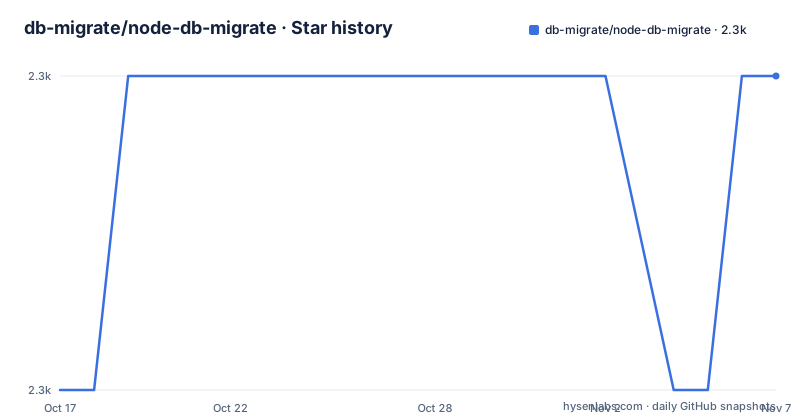
- db-migrate/node-db-migrate2,337 ★ · +1
| Repository | 2026-10-17 | 2026-11-07 |
|---|---|---|
| db-migrate/node-db-migrate | 2.3k | 2.3k |
1 Stars in the last 21 days, measured from the daily GitHub snapshot. Compare with other projects
Editorial analysis
Migrations live in Node.js, with a CLI and a programmatic API
db-migrate is a database migration framework for node.js, written in JavaScript and authored by Tobias Gurtzick. Its package.json exposes a single binary, ./bin/db-migrate, and the keyword list includes programmatic, programmable and api. That points to two ways of using it: from the command line, or from your own Node.js code through the entry files at the repository root, index.js and api.js.
The same keyword list includes seed, seeds and seeder, coffee and coffescript, and nosql. Migrations are therefore not limited to SQL schemas. Seed data is a named concern, and the NoSQL entry matches the MongoDB driver in the supported list.
The repository is a small one by file count. Beyond the entry files there is lib/, bin/, test/, a generateLoader.js script that runs before publishing, and connect.js. The package depends on bluebird, yargs for argument parsing, dotenv, rc, and a shared package called db-migrate-shared. Those dependencies come straight from package.json, and they tell you the tool reads configuration from environment files and rc files as well as flags.
Four officially supported databases, each with its own driver package
The README names four officially supported databases and the repository that implements each. MySQL goes through github.com/db-migrate/mysql, built on felixge/node-mysql. PostgreSQL goes through db-migrate/pg, built on brianc/node-postgres. SQLite goes through db-migrate/sqlite on developmentseed/node-sqlite3. MongoDB goes through db-migrate/mongodb on the official mongodb native driver.
The design consequence is that the core package does not contain database code. Each database is a separate npm package. You install the core, then the driver for your database. The README does not show the driver install command or a configuration file, so the exact steps are in the documentation on readthedocs.
If your database is not among the four, nothing in the README tells you how to add one, and the package.json devDependencies suggest that the project itself only tests against db-migrate-mysql and db-migrate-sqlite3 next to the shared base package db-migrate-base. A PostgreSQL or MongoDB setup depends on drivers that this repository does not test directly.
Global install gives a db-migrate command, a local install needs the full path
The README gives two install modes. The global install puts a db-migrate command on your PATH:
npm install -g db-migrateAfter that you run db-migrate directly. The local install keeps the tool inside the project:
npm install db-migrateBecause nothing adds a binary to your PATH in that case, you invoke it as node node_modules/db-migrate/bin/db-migrate. That long path is the cost of a local install. In practice a team that pins the version in package.json will want the local install, and will have to wrap that path in an npm script or use an equivalent.
The tool needs Node.js 24 or newer to be officially supported. The README adds that older versions may work but are not tested. If your build servers still run an older Node.js, you carry that risk yourself.
Version 1.0 ended support for 0.11 and left v1 migrations alone
db-migrate 0.11 and older are end of life. The README sends upgraders to CHANGELOG.md for what changed in 1.0.0, and states that v1 migrations keep working unchanged. The GitHub release list shows v1.0.0-beta.0 on 8 June 2019, then v1.0.0 on 8 October 2026 and v1.8.1 on 20 October 2026.
That is a seven-year gap between the beta and the stable release, and then eight minor versions in about two weeks by the version numbers. The package.json version field matches the latest release at 1.8.1. The README does not explain what the gap was or what changed in each minor version, so read CHANGELOG.md before upgrading across them.
The repository's last push was on 11 October 2026. For a migration tool, the combination matters in a particular way: you will run it against production schemas, so a fresh 1.0 after a long beta deserves a trial against a copy of your database before you rely on it.
SSH tunnels come from a plugin, not from the core package
A database behind a bastion host is a common setup, and the core package does not handle it. Tunnels are provided by plugins. You install the ssh tunnel plugin next to db-migrate, then use the tunnel setting of your database config:
npm install db-migrate-plugin-tunnel-sshThe README does not show what goes inside the tunnel setting. The documentation at db-migrate.readthedocs.io is the place to look for the keys, and the README says the same documentation holds the usage instructions, examples and the full reference.
The plugin approach keeps the core free of SSH code. For you it means one more dependency to pin and one more place where a version mismatch can break a deploy. If you only connect to databases on the same network, you never install it.
meta-db-migrate: the same migrations table, shipped as a single binary
A notice at the top of the README announces db-migrate for meta, hosted at github.com/db-migrate/meta-db-migrate. It is db-migrate rewritten in meta, where your program ships with its migrations compiled in as one binary, with no node.js needed to migrate.
The compatibility claim is specific. It uses the same migrations table and the same state as db-migrate, v2 migrations included, so a database migrated by one of them can be carried on by the other. That makes the move reversible in principle: you can run the Node.js tool in development and the binary in production against the same database.
The notice does not say which databases meta-db-migrate supports or how it compares in speed. It also mentions v2 migrations, a term the main README does not explain anywhere else. If you are choosing today, read that repository before assuming it covers the four databases listed for this one.
License fields disagree, and one company sponsors the project
GitHub reports the license of this repository as NOASSERTION, meaning it could not identify one. The README ends with the MIT License text and copyright lines for Tobias Gurtzick (2015) and Jeff Kunkle (2013), and package.json sets license to MIT. The text and the package metadata agree. The repository root has a LICENSE file, so a legal review should read that file directly instead of trusting the GitHub label.
The project is funded through Open Collective at opencollective.com/node-db-migrate, with a platinum sponsor, wizardtales, shown in the README. Sponsorship details are in issue 605. For support there is a documentation site on readthedocs, a Gitter chat badge, and the issue tracker. The repository includes CONTRIBUTING.md, CODE_OF_CONDUCT.md and a commitlint.config.js, which means commit messages are checked against a convention before they are accepted.
Editorial conclusion
Pick db-migrate if your migrations already live in Node.js and your database is MySQL, PostgreSQL, SQLite or MongoDB, because those four have official drivers. Look at meta-db-migrate if you want to ship migrations inside one binary with no Node.js on the target machine. Before adopting it, check your Node.js version against the officially supported Node.js 24, and check the license field, because GitHub reports no license while the README and package.json both say MIT.
Frequently asked questions
What does db-migrate do?
db-migrate is a database migration framework for node.js. It runs migrations through a CLI or API and supports MySQL, PostgreSQL, SQLite and MongoDB through separate driver packages.
Which Node.js version does db-migrate support?
Node.js 24 and newer is officially supported. Older versions may work but are not tested.
Which databases does db-migrate support?
The officially supported databases are MySQL, PostgreSQL, sqlite3 and MongoDB, each through its own repository under the db-migrate organization.
How do I connect db-migrate through an SSH tunnel?
Install the db-migrate-plugin-tunnel-ssh plugin next to db-migrate, then use the tunnel setting of your database config.
Official sources
Add this badge to your README
If you maintain this project, the badge below links readers to this analysis and shows its maintenance status from the daily GitHub snapshot. Paste the markdown into your README; add ?metric=license or ?metric=stars to the image URL for a different field.

[](https://hysenlabs.com/projects/db-migrate-node-db-migrate)Star history chart for your README
[](https://hysenlabs.com/projects/db-migrate-node-db-migrate)Was this useful?