fui: finding unused Objective-C header files
Find unused Objective-C imports.
At a glance
- What is it?
- fui is a Ruby gem that scans an Objective-C project for .h header files that nothing imports, then optionally deletes them from disk. It finds the file-system half of the unused-imports problem and leaves the inline-import half to Clang or AppCode.
- Who is it for?
- fui suits an Objective-C project with accumulated header debt from past refactors, where a file-system scan is a reasonable first pass for finding obvious deletions. It does not replace Clang's static analysis, does not update the .xcodeproj after deletion, and its behavior with Swift bridging headers and prefix headers is not documented anywhere in the repository.
- Can I use it commercially?
- Yes. MIT is a permissive licence: you can use, modify and sell software built on it, as long as you keep its copyright and licence notices.
- Is it still maintained?
- Activity is slowing. The repository last received commits 6 months ago.
- What is it written in?
- Mainly Ruby, according to GitHub's language statistics.
Answers come from the project's GitHub data, last synced on October 23, 2026, and from our analysis. They are not legal advice.
Star history
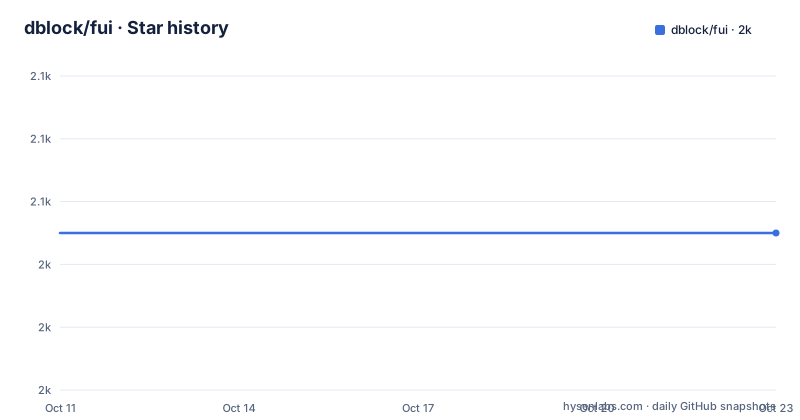
- dblock/fui2,045 ★ · +0
| Repository | 2026-10-11 | 2026-10-23 |
|---|---|---|
| dblock/fui | 2k | 2k |
0 Stars in the last 12 days, measured from the daily GitHub snapshot. Compare with other projects
Editorial analysis
What fui tracks and what it leaves to the compiler
fui solves one problem in large Objective-C codebases: it finds .h header files that no other file in the project ever imports. Its README states this boundary clearly. The tool looks for headers that are never imported anywhere in your project, meaning classes that can potentially be deleted entirely. A second explicit statement covers what the tool does not do: it does not find #import statements inside a file that are unused by that file's own code.
That second problem requires a static analyser that parses the C preprocessor and understands which declarations a translation unit actually uses. Clang's unused-includes warning handles it at the compiler level, and AppCode provides a similar check inside the IDE. fui operates on the file system only, without compiling anything, so it cannot determine whether a class name appears in a method body or whether an imported type is ever referenced at runtime.
Exit codes carry practical value here. The find command exits with the count of unused headers it found, which means a CI step that fails when any unused header exists requires no output parsing, just a check on whether the process exited zero.
Installing from RubyGems and running the first scan
fui ships as a RubyGems package. Install it with:
gem install fuiRunning fui without arguments prints the available subcommands:
fui helpThe find subcommand performs the actual scan. Run it from the directory you want to scan, or supply a path explicitly:
fui findfui --path=~/source/project/Name findBoth commands print every .h file that appears nowhere as an #import target, one path per line. A project with no unused headers exits with 0.
A first run on a long-lived codebase tends to surface a longer list than expected. Header files left over from removed features, classes folded into other classes during a refactor, and third-party headers copied directly into the source tree years ago all appear unless they are excluded through one of the ignore flags described below. Treat each result as a candidate, not a confirmed deletion: other mechanisms such as a prefix header or runtime class-loading by name may still depend on those files, and the tool has no way to see them.
The -x flag and Interface Builder file references
A .xib file connects a view hierarchy to its backing Objective-C class by name, not by an #import statement. By default fui treats a .xib reference as a real reference: when a .xib is the only file that names Foo.h, the header does not appear in the output.
Passing -x (or --ignore-xib-files) changes that. With this flag active, a reference from a .xib does not count, and a header with no Objective-C importers shows up in the results even when a .xib names the class.
fui -x --path=~/source/project/Name findWhich approach fits depends on the project's structure. A codebase migrating away from Interface Builder, or one converting .xib layouts to programmatic views, benefits from -x because it surfaces headers whose only remaining reference is a connection that will be removed. A project that instantiates view controllers exclusively from .xib files using NSBundle at runtime will get false positives with -x on, since those controllers have no Objective-C importers by design. Check each flagged header against the project's loading strategy before treating it as a deletion candidate.
Controlling import syntax scope with -l and -g
Objective-C distinguishes two forms of import syntax. A local import uses quotation marks, as in #import "Foo.h". A global import uses angle brackets, as in #import <Framework/Foo.h>. By default fui treats both as genuine references and keeps any header off the output when it appears in either form anywhere in the scanned tree.
Passing -l (or --ignore-local-imports) tells fui to disregard quotation-syntax imports. A header that only appears as #import "Foo.h" in other files is treated as if it had no references and shows up in the output.
fui -l --path=~/source/project/Name findPassing -g (or --ignore-global-imports) does the same for angle-bracket syntax. A header that only appears as a global import is treated as unreferenced.
fui -g --path=~/source/project/Name findThese flags suit a codebase that enforces a specific import style. Ignoring global imports can surface headers referenced only from framework-style paths, pointing to a vendored file that no first-party code consumes directly. The README gives no documentation for the combined effect of passing -l and -g at once, so the combination should be tested on a branch against a clean build before committing to any deletions.
--ignore-path keeps CocoaPods and vendor directories out of results
The --ignore-path flag (or -i) excludes a directory from both the header search and the reference search. The README gives Pods as the primary example, which is the output directory CocoaPods writes when managing dependencies.
fui --path=~/source/project/Name --ignore-path=Pods findPass the flag more than once to exclude multiple directories in a single run:
fui --path=~/source/project/Name --ignore-path=Pods --ignore-path=Libraries findWithout excluding Pods, the output becomes noisy in 2 distinct ways. Headers inside Pods/ appear as unused if no first-party file imports them directly, even though CocoaPods manages their inclusion through the project file. References inside Pods/ also count as legitimate imports of your own headers, suppressing findings that are actually actionable in your own code, so excluding the directory from both directions is the standard configuration for CocoaPods projects.
This flag takes a plain directory name. The README shows Pods and Libraries as examples but gives no information about whether glob patterns or nested paths are accepted.
The delete command and what it leaves incomplete
The delete subcommand extends the find pass into a file removal step. 2 flags govern what happens. Passing --perform commits the deletion to disk; without it the command lists what it would remove but changes nothing. Adding --prompt inserts a confirmation step before each individual deletion.
fui --path=~/source/project/Name delete --perform --promptThe README does not describe the prompt text or whether it shows any file content before asking. What it states clearly is that the command removes files from disk, does not open Xcode, and does not update the .xcodeproj.
After running delete, Xcode still references the removed files in the project navigator and in any compile target that included them, showing missing-file errors until you remove those references by hand. Any paired .m implementation file remains on disk and is not touched.
A header with no importers might still have a paired .m file that the build system reaches through other means. Removing only the header while leaving the .m behind produces a compile error at best. Treating the output of delete as a starting checklist rather than an automated final action is the safer approach, because the README gives no undo mechanism and the deletions go to disk immediately after confirmation.
xcfui for Xcode, the MIT licence, and the last push date
A separate Xcode plugin, xcfui at github.com/jcavar/xcfui, wraps fui's functionality inside the editor for developers who prefer staying in one tool. xcfui is maintained by a different author than fui. No install steps for xcfui appear in fui's README, and no version requirements or Xcode compatibility notes are documented there either.
Xcode's plugin API changed significantly across major versions, and plugins written for one generation break on the next without updates. Checking xcfui's own repository for current Xcode compatibility is the necessary step before adding it to a team workflow. For scripted or CI use, the command-line gem remains the documented and supported path.
The repository licence is MIT, and copyright in the README runs from 2014 to 2018, naming Daniel Doubrovkine and Artsy as holders with a note that the project derives from code by Dustin Barker. LICENSE.md at the repository root is the authoritative file to read before redistributing a modified build.
The last push was on 2026-04-12, and the repository has 0 GitHub releases. There is no tagged version to pin in a manifest or a changelog. The README acknowledges a few feature requests and known issues in the issue tracker and asks contributors to file pull requests.
Editorial conclusion
fui suits an Objective-C project with accumulated header debt from past refactors, where a file-system scan is a reasonable first pass for finding obvious deletions. It does not replace Clang's static analysis, does not update the .xcodeproj after deletion, and its behavior with Swift bridging headers and prefix headers is not documented anywhere in the repository. Skip it for primarily Swift projects, or any codebase where those gaps are likely to matter. Before deleting anything flagged by fui delete, run fui find with --ignore-path=Pods on a branch first and verify the list against a test build that compiles cleanly.
Frequently asked questions
What does fui find in an Objective-C project?
fui finds .h header files that no other file in the project imports. It does not find unused #import statements inside a given file; the README names Clang's unused-includes warning and AppCode as the tools for that task.
Does fui delete the unused files automatically?
The delete subcommand removes files from disk when run with --perform. Adding --prompt asks for confirmation before each deletion, but the command does not update the .xcodeproj or remove paired .m implementation files.
How does fui handle CocoaPods dependencies?
Pass --ignore-path=Pods to exclude the Pods directory from both the header search and the reference search. Without this, CocoaPods-managed headers appear in the output even though they are not files you would delete.
Does fui work with Swift and Objective-C mixed projects?
The README does not describe how fui handles Swift files, bridging headers, or module maps. For projects that mix Swift and Objective-C, the output should be verified against a full build before deleting any flagged file.
What licence does fui use?
The repository licence is MIT. The README records copyright from 2014 to 2018 and names Daniel Doubrovkine and Artsy as copyright holders, noting that the project is based on code by Dustin Barker.
Official sources
Add this badge to your README
If you maintain this project, the badge below links readers to this analysis and shows its maintenance status from the daily GitHub snapshot. Paste the markdown into your README; add ?metric=license or ?metric=stars to the image URL for a different field.

[](https://hysenlabs.com/projects/dblock-fui)Star history chart for your README
[](https://hysenlabs.com/projects/dblock-fui)Was this useful?