DevExtreme is a component suite sold by licence and built in an Nx monorepo
HTML5 JavaScript Component Suite for Responsive Web Development
At a glance
- What is it?
- DevExtreme is a JavaScript UI component suite with wrappers for Angular, React, Vue and jQuery, covering data grids, charts, schedulers and pivot grids. The code is MIT in the repository manifest, but the shipped product carries its own licence, and the README offers no install command, only framework specific Getting Started guides.
- Who is it for?
- Adopt DevExtreme when you need an enterprise data grid, scheduler or pivot grid faster than you can build one, and when a commercial licence cost is acceptable. Do not assume the MIT marker in the repository manifest covers the product you install from npm, and do not expect to evaluate it from this repository alone, since it contains no install command.
- Can I use it commercially?
- Check first. The repository uses a licence we do not classify automatically, so read its LICENSE file before any commercial use.
- Is it still maintained?
- Yes. The repository last received commits 1 day ago.
- What is it written in?
- Mainly TypeScript, according to GitHub's language statistics.
Answers come from the project's GitHub data, last synced on November 7, 2026, and from our analysis. They are not legal advice.
Star history
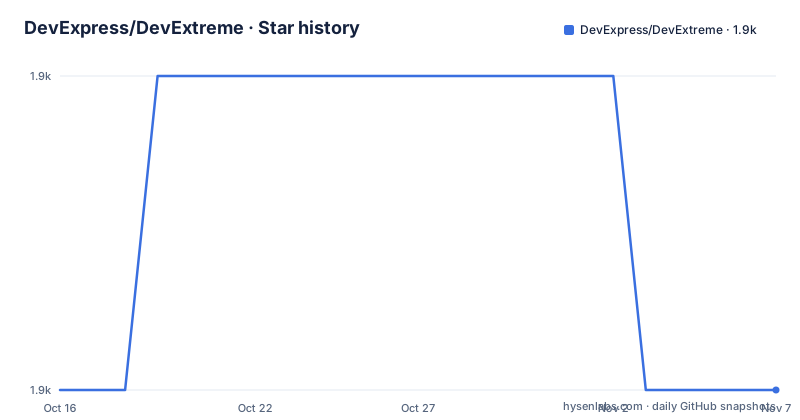
- DevExpress/DevExtreme1,915 ★ · +0
| Repository | 2026-10-16 | 2026-11-07 |
|---|---|---|
| DevExpress/DevExtreme | 1.9k | 1.9k |
0 Stars in the last 22 days, measured from the daily GitHub snapshot. Compare with other projects
Editorial analysis
One suite, four framework wrappers
DevExtreme describes itself as an enterprise-ready suite of UI components for Angular, React, Vue and jQuery. The components themselves are framework independent, and the wrappers are what adapt them to each ecosystem's component and template model.
The component list, taken from the repository topics, is heavier than a generic widget library. Data grids, charts, a scheduler, a pivot grid, a tree list and a file manager are all first class, which tells you the intended users are internal business applications rather than marketing sites.
Accessibility and responsiveness are stated as product requirements rather than aspirations. The README says the components work across devices, screen sizes and input methods and are aimed at audiences using phones, PCs or screen readers. That claim is worth testing yourself against your own conformance requirements, because a component library that meets a vendor's accessibility bar may not meet your legal one.
The README gives you four Getting Started paths and no command
There is no install command in this README. Instead the documentation tree is organised as a two by two matrix: for Angular, creating a new DevExtreme application or adding DevExtreme to an existing Angular CLI application; the same pair for React; the same pair for Vue; and a single add-to-application guide for jQuery.
That structure is a useful signal. The create path exists for each modern framework, which means there is scaffolding that sets up more than a package reference, while jQuery gets only an integration guide because there is nothing to scaffold.
Other entry points listed are the Widgets Gallery demo, responsive UI templates, the documentation site, example repositories under the DevExpress-Examples organisation, and a YouTube playlist.
An Nx monorepo on pnpm, versioned by calendar
The repository root is a workspace, not a library package. The manifest is named devextreme-monorepo, marked private, and lists its author as Developer Express Inc. with a version of 26.2.0, which sits ahead of the newest GitHub release listed, 26.1.4 from 2026-08-07.
The tooling follows from that. Nx drives orchestration, with @nx/devkit, @nx/js and @nx/jest all pinned at 23.2.1, and every meaningful script delegates to it:
"all:build": "nx all:build workflows",
"all:build-dev": "nx all:build-dev workflows",
"demos:start": "node apps/demos/utils/shell/server.js"
Package management is pnpm, with pnpm-lock.yaml and pnpm-workspace.yaml at the root. There is also a patches/ directory, which normally means upstream packages are being patched in place, and a .mise.toml plus .node-version and .tool-versions for runtime version pinning.
The directory layout follows the same split: packages/ for the shipped artifacts, apps/ for demo applications, e2e/ for end to end tests, tools/ for repository tooling, and a jest.config.base.js shared across workspaces.
Descriptions are injected into the bundles, not written by hand
The most telling scripts in the manifest concern metadata. Two of them inject descriptions into the shipped artifacts, one targeting the bundled type definition file and one collapsing tags into per module sources, both consuming artifacts from devextreme-metadata:
"devextreme:inject-descriptions-to-bundle": "dx-tools inject-descriptions --target-path ./packages/devextreme/ts/dx.all.d.ts --artifacts ./node_modules/devextreme-metadata/dist",
"devextreme:inject-descriptions-to-modules": "dx-tools inject-descriptions --collapse-tags --sources ./packages/devextreme/js --artifacts ./node_modules/devextreme-metadata/dist"
So the API descriptions you see in editor tooltips come from a metadata package rather than from comments in the source, and the Angular wrapper has its own injection step. That is a build-time detail you will never see, but it explains why the published typings and the repository sources can diverge, and it is the reason to pin versions rather than tracking the main branch.
Release mechanics run through Nx too, with set-timestamp-version and update-version targets and a make-artifacts-package workflow.
The licence question is the first thing to settle
There is a mismatch worth noticing. The repository license is recorded as a custom licence that GitHub cannot classify, with LICENSE.md and a NOTICE.txt in the root, yet the package manifest in the repository declares MIT.
The repository LICENSE.md directs readers to DevExtreme's licensing page; it does not establish that every part of the repository has the same grant as the root manifest. The vendor's FAQ describes a per-developer subscription for commercial applications and permits continued use of eligible versions after the subscription ends, subject to its terms. The README itself points to a pricing page and a separate licensing page, which is what a commercially licensed product looks like.
Do not settle this by reading the manifest. Read the licensing terms on the vendor's site for your specific usage, and check what happens to your source if the subscription lapses.
Where DevExtreme is the wrong tool
It is wrong for a marketing site. A bundle of enterprise data widgets is the wrong weight when you need a landing page, and the pricing model rewards organisations that already buy from this vendor.
It is wrong when the licence cost cannot be justified by the components you will actually use. Data grids are the piece worth paying for, since building one that handles grouping, editing, filtering and remote data well takes longer than most teams budget. The rest of the suite is easier to replace.
It is also worth noting what the repository cannot tell you.
One more practical constraint: the demos run from a local Node server, and the repository is large enough that building all packages from source is a real exercise. If you only need to evaluate the components, the published packages are the fast path.
Release cadence and contribution
The three most recent releases sit on three different version lines: 25.1.13 published on 2026-07-31, 25.2.9 on 2026-08-03 and 26.1.4 on 2026-08-07. That pattern says maintenance continues on older lines in parallel with the current one, which is what you want from a component suite with an enterprise support commitment, and it also means you have a choice of which line to sit on.
The last push was on 2026-10-16, so development is current.
Outside contributions are limited in scope by the project's own framing: the README says the team welcomes bug reports and feature requests and points to CONTRIBUTING.md for the rules, which describes an intake process rather than an open pull request model.
Editorial conclusion
Adopt DevExtreme when you need an enterprise data grid, scheduler or pivot grid faster than you can build one, and when a commercial licence cost is acceptable. Do not assume the MIT marker in the repository manifest covers the product you install from npm, and do not expect to evaluate it from this repository alone, since it contains no install command. Verify first the licence terms at js.devexpress.com/licensing and pin the version you test, since the three most recent releases listed here run 25.1.13, 25.2.9 and 26.1.4 on three different branches.
Frequently asked questions
Which frameworks does DevExtreme support?
Angular, React, Vue and jQuery. The documentation has Getting Started guides for each, with create-a-new-application and add-to-existing-application variants for the three modern frameworks and an integration guide for jQuery.
Is DevExtreme free to use?
The repository is recorded under a custom licence that GitHub cannot classify, while the manifest declares MIT, and the README links to separate pricing and licensing pages. Check the licensing terms for your usage on js.devexpress.com/licensing rather than relying on the repository marker.
What components does the DevExtreme suite include?
The repository topics list data grids, charts, schedulers, pivot grids, tree lists and a file manager, alongside general UI components. The Demo Gallery at js.devexpress.com shows them in action.
How is the DevExtreme repository built?
It is an Nx monorepo using pnpm workspaces, with packages for shipped artifacts and apps for demos. Scripts such as all:build and demos:start delegate to Nx or to a local Node server, and API descriptions are injected into the bundles by dx-tools.
Official sources
Add this badge to your README
If you maintain this project, the badge below links readers to this analysis and shows its maintenance status from the daily GitHub snapshot. Paste the markdown into your README; add ?metric=license or ?metric=stars to the image URL for a different field.

[](https://hysenlabs.com/projects/devexpress-devextreme)Star history chart for your README
[](https://hysenlabs.com/projects/devexpress-devextreme)Was this useful?