discord/embedded-app-sdk for Discord Activities
🚀 The Discord Embedded App SDK lets you build rich, multiplayer experiences as Activities inside Discord.
At a glance
- What is it?
- discord/embedded-app-sdk is a TypeScript package for building multiplayer web experiences that run as Activities inside Discord. It handles communication between the Discord client and an iframe-hosted app, but it does not provide hosting, backend token exchange, or a complete Activity application.
- Who is it for?
- Adopt it when building an iframe-hosted Activity for Discord and your team already accepts Discord's platform constraints. Do not treat it as a standalone game framework, hosting service, or authentication backend.
- Can I use it commercially?
- Yes. MIT is a permissive licence: you can use, modify and sell software built on it, as long as you keep its copyright and licence notices.
- Is it still maintained?
- Yes. The repository last received commits 3 days ago.
- What is it written in?
- Mainly TypeScript, according to GitHub's language statistics.
Answers come from the project's GitHub data, last synced on October 24, 2026, and from our analysis. They are not legal advice.
Star history
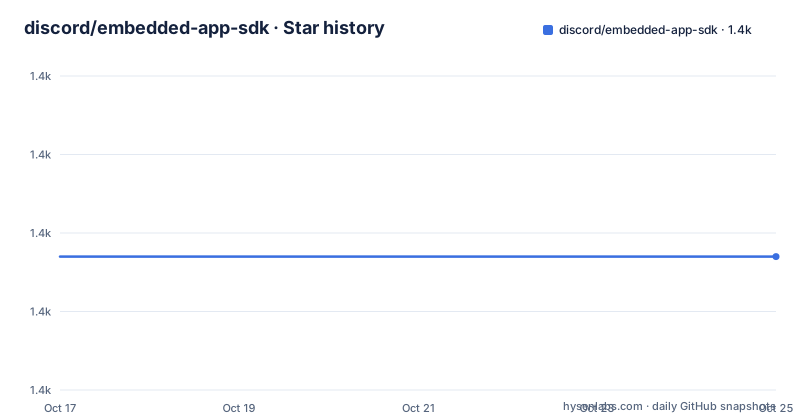
- discord/embedded-app-sdk1,407 ★ · +0
| Repository | 2026-10-17 | 2026-10-24 |
|---|---|---|
| discord/embedded-app-sdk | 1.4k | 1.4k |
0 Stars in the last 7 days, measured from the daily GitHub snapshot. Compare with other projects
Editorial analysis
What DiscordSDK Adds to an Activity
The package targets developers building Activities for Discord. Discord defines an Activity as a multiplayer game or social experience hosted in a web application and displayed inside an iframe in the Discord client. The supported contexts named by the README are desktop, web, and mobile.
The problem this package addresses is the communication boundary between that iframe application and the surrounding Discord client. Without a client integration layer, the Activity would need to understand Discord-specific messaging, readiness, authorization, and authentication flows itself. The SDK provides a TypeScript API for that boundary through the DiscordSDK class and its commands.
The scope is narrower than the name might suggest. It does not create the Activity's user interface, host the web application, define multiplayer game rules, or implement the server endpoint that exchanges an OAuth authorization code for an access token. The README's example calls that endpoint `/.proxy/api/token`, which means a real application still needs a backend or an equivalent server-side path. Developers should use this package when the web application is intended to run inside Discord, rather than when the requirement is only to add a Discord bot to an existing web service.
The DiscordSDK Ready, Authorize, and Authenticate Flow
The documented flow begins by constructing `DiscordSDK` with the application's OAuth client ID. Calling `ready()` waits for a `READY` payload from the Discord client. This ordering matters because an Activity should establish its relationship with the host before requesting Discord functionality.
Authorization is then handled by `discordSdk.commands.authorize`. The README's example sends `client_id`, `response_type: 'code'`, `state`, `prompt`, and a `scope` array. In that example, the requested scopes are `identify` and `applications.commands`. The returned `code` is not presented as a finished authentication state. The example sends it to `/.proxy/api/token`, then reads `access_token` from the response.
The final documented step is `discordSdk.commands.authenticate`, using the access token returned by the application server. The resulting `auth` value is assigned in the README example, but the snippet does not document how an application should persist it, refresh it, or use its contents. That omission is relevant for production design. Developers should inspect the SDK documentation and Discord Activity documentation for lifecycle and token-handling details before building persistence around this value.
The package metadata also shows that the published artifact is built through Rollup. Its entry points include `output/index.cjs`, `output/index.mjs`, and `output/index.d.ts`, so consumers can use CommonJS, ES modules, or TypeScript declarations as appropriate to their project.
Installing @discord/embedded-app-sdk and Starting an Activity
The README gives one package-manager installation command. Run it in the TypeScript or JavaScript application that will be hosted as the Activity.
npm install @discord/embedded-app-sdkAfter installation, import `DiscordSDK`, construct it with `YOUR_OAUTH2_CLIENT_ID`, and call `ready()` before starting the authorization flow. The complete Activity is larger than this SDK snippet, so the README points to the `discord-activity-starter` example for an application with surrounding setup.
The following is the documented minimal setup. Replace the credential placeholder through the application's configuration rather than committing a real client ID.
import {DiscordSDK} from '@discord/embedded-app-sdk';

const discordSdk = new DiscordSDK(YOUR_OAUTH2_CLIENT_ID);

async function setup() {
  await discordSdk.ready();
}
At this point, the application is waiting for the Discord client handshake. The next documented operation requests authorization. It returns a `code`, which must be sent to the application's server.
const {code} = await discordSdk.commands.authorize({
  client_id: YOUR_OAUTH2_CLIENT_ID,
  response_type: 'code',
  state: '',
  prompt: 'none',
  scope: ['identify', 'applications.commands'],
});
The server exchange shown by the README is a `POST` request with a JSON body containing `code`.
const response = await fetch('/.proxy/api/token', {
  method: 'POST',
  headers: {
    'Content-Type': 'application/json',
  },
  body: JSON.stringify({
    code,
  }),
});
const {access_token} = await response.json();
The example then authenticates the client with that token.
auth = await discordSdk.commands.authenticate({
  access_token,
});
Package Boundaries and Operational Responsibilities
The SDK is a client-side bridge, not a complete backend stack. Its package dependencies include event handling and validation-related libraries such as `eventemitter3` and `zod`, while the repository contains scripts for synchronizing an RPC schema. Those details indicate that the package includes generated or structured command support, but the README does not publish a complete command catalog. A developer should therefore use the official SDK documentation when checking whether a particular Discord command is available.
The authentication example also places an important division of responsibility on the application. The browser-side Activity sends the authorization `code` to `/.proxy/api/token`. The README calls this an application's server, but it does not specify the language, framework, storage, session design, error handling, or deployment arrangement for that service. The code example should not be treated as a token endpoint implementation.
The iframe requirement has direct consequences. The Activity is a web application running inside the Discord client, so its URL, browser behavior, responsive layout, network access, and authentication model must fit that environment. The README identifies desktop, web, and mobile as supported Activity locations, but it does not claim that every existing web application will work unchanged in all three contexts. Responsive UI, third-party cookies, browser permissions, and external service assumptions need independent verification.
The package is most useful for teams that already have or plan to build a Discord Activity. Teams seeking ordinary browser analytics, a general OAuth client, a game server, or a standalone Discord bot integration may find that this package addresses only a small part of their work.
Maintenance Signals and Upgrade Considerations
The repository is not archived, and its last push was on 2026-10-13. The listed releases include `v2.5.0` on 2026-05-05, `v2.4.1` on 2026-03-23, and `v2.4.0` on 2025-09-03. Those facts indicate recent repository activity and a published version sequence, but they do not establish compatibility with a particular Discord client or guarantee that every Activity will avoid breaking changes.
The package is licensed under the MIT License according to `package.json` and the repository README. The README separately states that the Discord Developer Terms of Service and Discord Developer Policy still apply to the SDK and the applications developed with it. That means the MIT license should not be read as the only set of terms relevant to a Discord Activity. No legal interpretation is offered here.
For an existing application, an upgrade should account for the SDK's command surface, Discord API behavior, authentication flow, iframe environment, and server-side token exchange. The README does not document a rollback procedure, migration guide for a particular upgrade, or a compatibility matrix for `v2.5.0`. The repository does include `CHANGELOG.md`, which is the first project-specific file to inspect before changing the package version, followed by the SDK documentation for the commands an Activity uses.
DiscordSDK Compared with a Standalone Web App
A standalone web app communicates with its own backend through routes and APIs that it controls. Its authentication flow can be designed around the application's own user accounts, session cookies, and deployment environment. It can also run in a normal browser without depending on a surrounding Discord client.
The Embedded App SDK follows a different approach. It provides a TypeScript client for an iframe-hosted Discord Activity and exposes Discord client operations through `DiscordSDK`. The Activity still needs its own frontend and server, as shown by the separate `/.proxy/api/token` exchange, but those parts must coexist with Discord's Activity lifecycle and authorization flow.
This makes the SDK appropriate when the product requirement is to appear and operate inside Discord. It is the wrong choice when the product must work equally as a normal website and Discord integration is optional, because the documented setup is tied to `ready()`, `authorize`, and `authenticate` calls in a Discord client context. It is also not a replacement for a multiplayer backend. The package can help an Activity communicate with Discord, but the repository description does not claim to provide player synchronization, rooms, persistence, matchmaking, or game rules.
Editorial conclusion
Adopt it when building an iframe-hosted Activity for Discord and your team already accepts Discord's platform constraints. Do not treat it as a standalone game framework, hosting service, or authentication backend. Verify first that your Activity can run on desktop, web, and mobile, that your server can exchange the authorization code for an access token, and that the required Discord scopes are acceptable for your product.
Frequently asked questions
How do I install @discord/embedded-app-sdk?
Run `npm install @discord/embedded-app-sdk` in the Activity project, then import `DiscordSDK` and construct it with the application's OAuth client ID. The README links to a complete starter example for the surrounding application setup.
What does discord/embedded-app-sdk.ready() do?
The README example calls `await discordSdk.ready()` before authorization and describes it as waiting for the `READY` payload from the Discord client. It establishes the initial client readiness handshake for the Activity.
Does @discord/embedded-app-sdk handle the OAuth token exchange?
The README example sends the authorization `code` from the Activity to `/.proxy/api/token` on the application's server and expects that server to return an `access_token`. The SDK then uses that token with `discordSdk.commands.authenticate`.
Official sources
Add this badge to your README
If you maintain this project, the badge below links readers to this analysis and shows its maintenance status from the daily GitHub snapshot. Paste the markdown into your README; add ?metric=license or ?metric=stars to the image URL for a different field.

[](https://hysenlabs.com/projects/discord-embedded-app-sdk)Star history chart for your README
[](https://hysenlabs.com/projects/discord-embedded-app-sdk)Was this useful?