Latios Framework 0.16.1 for Unity ECS: Modules and Limits
A Unity DOTS framework for my personal projects
At a glance
- What is it?
- Latios Framework extends Unity ECS with transforms, physics, audio, animation, text, visual effects, and scripting APIs. It suits developers seeking direct control, subject to fixed package versions, platform requirements, and custom license terms.
- Who is it for?
- Latios Framework fits Unity developers who accept Entities 1.4.8 and Unity 6000.3.8f1 and need direct control over ECS-facing systems. It is a poor match for projects requiring Entities 6.4.0 or expecting an unrestricted open source license.
- Can I use it commercially?
- Check first. The repository uses a licence we do not classify automatically, so read its LICENSE file before any commercial use.
- Is it still maintained?
- Yes. The repository last received commits 4 days ago.
- What is it written in?
- Mainly C#, according to GitHub's language statistics.
Answers come from the project's GitHub data, last synced on October 23, 2026, and from our analysis. They are not legal advice.
Star history
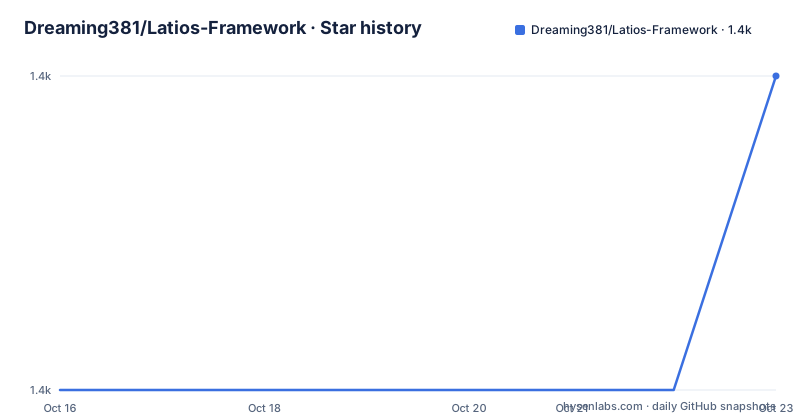
- Dreaming381/Latios-Framework1,362 ★ · +1
| Repository | 2026-10-16 | 2026-10-23 |
|---|---|---|
| Dreaming381/Latios-Framework | 1.4k | 1.4k |
1 Stars in the last 7 days, measured from the daily GitHub snapshot. Compare with other projects
Editorial analysis
Latios Framework's place beside Unity ECS
Latios Framework is intended for developers who understand Unity's ECS paradigms and syntax but need APIs that Unity does not provide directly. It does not replace `com.unity.entities`. Instead, it adds lower-level systems, data structures, utilities, and workflow tools. In some areas, it also adjusts mechanisms inside Unity ECS. That distinction matters: the framework is an extension layer rather than a standalone ECS runtime or a replacement for Unity Entities Graphics.
The target audience includes Unity developers working on gameplay architecture, transforms, spatial queries, animation, rendering, audio, visual effects, text, and scripting. The README describes a collection of modules organized around explicit developer control rather than a black-box feature suite. Developers who prefer engine-managed implementations may find its low-level design less convenient.
The package targets Entities 1.4.8, Entities Graphics 1.4.21, Burst 1.8.30, and a minimum editor version of 6000.3.8f1. It explicitly does not support Entities 6.4.0. Desktop platforms are supported out of the box, while other platforms may require native plugin compilation to obtain the documented functionality and performance benefits.
Selecting modules from the Latios Framework package
Latios Framework is organized as separate modules, and its design choice is to disable them by default. A custom bootstrap selects what the project uses, with bootstrap templates available from Unity's `Assets Create` menu. This avoids activating every subsystem in a project, but it also makes adoption an architectural selection rather than a single automatic activation step.
Core provides common ECS programming utilities, including faster structural changes, shared settings and resources, game-loop organization, and extensions to Unity ECS. Calci supplies math and algorithms for gameplay and engine-level work, including curves, random number generation, search algorithms, QCP, and implementations optimized for Burst. Aux ECS stores a single-threaded ECS world for existing or fictional Unity entities. The module can attach metadata without requiring the synchronization points associated with the main world.
The specialized modules carry more architectural weight. QVVS Transforms can replace Unity's transform path with vector-based transforms that represent non-uniform scale without shear. Psyshock exposes collision algorithms and supports spatial queries over ECS archetypes instead of supplying a fixed simulation. Myri handles ECS audio, including spatialized sources, multiple listeners, voice combining, and prefab-based playback. Kinemation covers animation and rendering, Calligraphics renders world-space text through a dynamic SDF pipeline, and LifeFX sends ECS payloads to VFX Graph through graphics buffers. Unika is listed as the scripting module. A project should select only the modules required by its design.
QVVS transforms and immediate hierarchy synchronization
QVVS Transforms is the clearest example of a module that changes an engine-facing abstraction. Its vector-based representation avoids shear during non-uniform scaling. The README also describes an always-current system in which transform changes synchronize immediately with the rest of the hierarchy. For gameplay code that depends on consistent transform data, this immediate model is a meaningful design choice.
That choice is not automatically superior for every project. Adopting QVVS means reviewing systems and add-ons for assumptions about Unity's transform representation. Latios Framework also provides a compatibility path for projects that need to keep Unity Transforms. Defining `LATIOS_TRANSFORMS_UNITY` enables compatibility mode for other modules, according to the README. Some features in those modules are disabled in this configuration, so the compatibility define is not a no-cost migration option.
The module includes automatic baking and custom transform systems. The repository also includes a `Transforms` directory and its Unity metadata file, while `package.json` lists QVVS Transforms among the included modules. The README does not document numerical performance comparisons with Unity Transforms, so an adopting project should evaluate its own transform workload rather than infer a specific speedup from the module description.
Psyshock physics and CollisionWorld archetype queries
Psyshock takes a different approach to physics. It provides direct access to underlying algorithms so gameplay code can decide what collision work is needed. Its `CollisionWorld` can query ECS archetypes spatially. This is useful when a game needs custom interaction rules or wants gameplay expressed directly against ECS data. It is not the same as accepting a fixed engine-owned physics simulation.
That flexibility moves responsibility toward the project. Developers must determine suitable queries, filtering behavior, collision handling, and the relationship between spatial results and gameplay systems. The README does not document a ready-made simulation, synchronization policy, debugging workflow, or automatic collision pipeline. Projects seeking a conventional physics setup should verify that the Psyshock API and accompanying systems satisfy their needs before selecting the module.
Psyshock is therefore the wrong tool for a project whose immediate requirement is simple, engine-managed simulation with little appetite for custom systems. It is a better fit when collision behavior is part of the game's architecture and direct archetype queries are central to that design. The repository's `PsyshockPhysics` directory contains the module, while detailed APIs are delegated by the README to the separate Psyshock Physics documentation.
Myri audio, Kinemation rendering, and Calligraphics text
Myri provides an ECS audio subsystem rather than a thin wrapper described as a small convenience feature. The README lists 3D spatialization for looping and non-looping sources, directional and non-directional sources, multiple listeners, and voice combining for large numbers of sources. Playback can begin by instantiating prefabs. These features target games in which audio entities participate in ECS data flow instead of being managed through a separate entity architecture.
Kinemation covers animation and rendering. Its documented areas include LOD for dense foliage, mipmap streaming, the `UniqueMesh` solution for modifying meshes at runtime, IK, inertial blending, and root motion. It also addresses rendering bottlenecks, but the README gives no measurements or comparisons. The feature list makes Kinemation relevant to data-heavy scenes, though a project must still determine which parts are required.
Calligraphics handles world-space text, including damage numbers and multilingual text with different writing formats. Its design uses HarfBuzz and a dynamic SDF pipeline. `package.json` declares a Calligraphics shader sample. LifeFX addresses ECS-scale visual effects by managing graphics buffers, sending ECS event payloads to VFX Graph, and synchronizing entity transforms with the GPU. These modules can reduce custom bridges between ECS and Unity presentation systems, but each adds native assets or graphics configurations that need review.
Installing Latios Framework and creating the first bootstrap
The README does not provide a command-line installation procedure, package registry address, or copy-and-paste bootstrap example. It points users to the framework repository and says that modules are installed through a custom bootstrap. The repository contains `package.json`, while bootstrap templates are available in Unity's `Assets Create` menu. Because the README does not document an exact menu command or bootstrap code, this review does not invent either one.
A first use should begin inside a Unity project that already meets the package constraints. Confirm that the editor is at least 6000.3.8f1, Entities is 1.4.8, Entities Graphics is 1.4.21, and Burst is 1.8.30. Entities 6.4.0 is explicitly unsupported by the release. Import `com.latios.latiosframework` into that project, then create a project-specific bootstrap from the provided `Assets Create` template.
For an initial project check, enable only one required module. A project evaluating QVVS can verify that its entities and systems accept its transform model. A project evaluating Psyshock can review how `CollisionWorld` queries fit its collision rules. If Unity Transforms must remain in place, define `LATIOS_TRANSFORMS_UNITY` and account for disabled module features. The README does not state whether an automated installation or smoke-test command exists, so the documented path ends at package import and custom bootstrap creation.
Version coupling, desktop defaults, and native platform work
The main constraint is version coupling. `package.json` identifies the package as `com.latios.latiosframework`, version `0.16.1`, with Unity `6000.3` and release suffix `8f1`. Its dependencies are `com.unity.entities` at `1.4.8`, `com.unity.entities.graphics` at `1.4.21`, and `com.unity.burst` at `1.8.30`. The README rules out Entities 6.4.0 compatibility. A project on another Entities version cannot assume this release is compatible.
Platform support also has a boundary. The README states that desktop platforms are supported out of the box. Other platforms may need additional effort, including compilation of native plugins. The README does not identify which module always requires those plugins, so teams should not assume that every subsystem has identical mobile or console support. Calligraphics depends on HarfBuzz, but the documentation does not explicitly connect HarfBuzz compilation to Latios Framework's general platform caveat.
Upgrade cost is visible for users of 0.15.x. The README specifically directs them to the Upgrade Guide. The repository also has a `CHANGELOG.md`, which is the appropriate place to check release-specific changes. The repository was not archived, and its last push was on 2026-09-27. Releases v0.16.1 and v0.16.0 were published on 2026-09-27 and 2026-09-21 respectively. That recent history does not remove the compatibility constraint imposed by the pinned dependency versions.
Latios Framework license and dependency review
Repository metadata classifies the license as Other, while the README states that all modules use the Unity Companion License and may be used for personal or commercial projects, modification included. The README also says some code may come from official Unity packages and may be derivative works. It points readers to `THIRD PARTY NOTICES.md` for notices. This difference between repository metadata and the README makes the license files a required adoption check.
This review does not provide a legal interpretation. The repository contains `LICENSE.md` and `THIRD PARTY NOTICES.md`, while the README links the Unity Companion License. A project must read those files for the actual terms, notices, and any differences between modules. The availability of the source and its statement about commercial use do not by themselves establish that every file has identical terms.
Dependency review is equally specific. The package pins Entities, Entities Graphics, and Burst rather than merely naming Unity as a prerequisite. Upgrading Latios Framework to a later release may require accepting different package versions, and the 0.15.x upgrade notice shows that version transitions receive dedicated documentation. Projects starting on Entities 6.4.0 should stop before integration because the README expressly excludes that version.
Editorial conclusion
Latios Framework fits Unity developers who accept Entities 1.4.8 and Unity 6000.3.8f1 and need direct control over ECS-facing systems. It is a poor match for projects requiring Entities 6.4.0 or expecting an unrestricted open source license. Before adoption, inspect LICENSE.md, confirm that QVVS Transforms and the selected modules fit the architecture, then reproduce the documented custom bootstrap in a disposable project branch.
Frequently asked questions
What Unity versions does Latios Framework 0.16.1 require?
The package targets Unity 6000.3.8f1 as its minimum editor version. It depends on Entities 1.4.8, Entities Graphics 1.4.21, and Burst 1.8.30.
Does Latios Framework support Entities 6.4.0?
No. The README explicitly states that Entities 6.4.0 compatibility is not supported for this release.
How are Latios Framework modules enabled?
Modules are disabled by default and are selected through a custom bootstrap. The README says bootstrap templates are available from Unity's `Assets Create` menu.
Can Latios Framework retain Unity Transforms?
Yes. Defining `LATIOS_TRANSFORMS_UNITY` enables compatibility mode for modules that support Unity Transforms, although some related features are disabled.
What license applies to Latios Framework?
The README states that the modules use the Unity Companion License and may contain derivative works. Repository metadata labels the license as Other, so `LICENSE.md` and `THIRD PARTY NOTICES.md` should be reviewed before use.
Official sources
Add this badge to your README
If you maintain this project, the badge below links readers to this analysis and shows its maintenance status from the daily GitHub snapshot. Paste the markdown into your README; add ?metric=license or ?metric=stars to the image URL for a different field.

[](https://hysenlabs.com/projects/dreaming381-latios-framework)Star history chart for your README
[](https://hysenlabs.com/projects/dreaming381-latios-framework)Was this useful?