ElixirLS may spend 10+ minutes building a Dialyzer PLT
A frontend-independent IDE "smartness" server for Elixir. Implements the "Language Server Protocol" standard and provides debugger support via the "Debug Adapter Protocol"
At a glance
- What is it?
- ElixirLS is the community-maintained Elixir language server and debug adapter, forked from a now-deprecated original and used through editor plugins from VS Code to Helix and Zed. Its distinguishing feature is not the language server protocol itself but automatic incremental Dialyzer analysis with inline @spec suggestions, and the PLT cache that feature needs makes the first run cost you ten minutes of CPU.
- Who is it for?
- Adopt ElixirLS if you want type feedback while editing rather than as a separate CI step, since the inline Dialyzer warnings and generated @spec suggestions are what it adds beyond a generic language server. Do not adopt it on a laptop where a ten-minute CPU-burning PLT build is unacceptable, because that cost lands on first run whether or not you ever open a Dialyzer diagnostic.
- Can I use it commercially?
- Yes. Apache-2.0 is a permissive licence: you can use, modify and sell software built on it, as long as you keep its copyright and licence notices.
- Is it still maintained?
- Yes. The repository last received commits 4 days ago.
- What is it written in?
- Mainly Elixir, according to GitHub's language statistics.
Answers come from the project's GitHub data, last synced on October 23, 2026, and from our analysis. They are not legal advice.
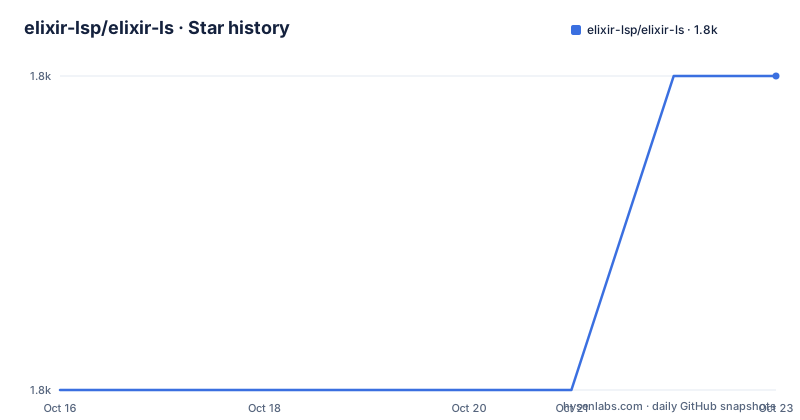
Star history
- elixir-lsp/elixir-ls1,780 ★ · +1
| Repository | 2026-10-16 | 2026-10-23 |
|---|---|---|
| elixir-lsp/elixir-ls | 1.8k | 1.8k |
1 Stars in the last 7 days, measured from the daily GitHub snapshot. Compare with other projects
Editorial analysis
A fork that took over from a deprecated original
The repository states plainly that it is the main elixir-ls repo and a community-maintained fork, and that the original repository, JakeBecker/elixir-ls, has been deprecated in favor of this one.
That history is visible in the marketplace link the README still gives for VS Code, which points at an extension under the JakeBecker publisher rather than the elixir-lsp organisation. So the fork inherited the original's distribution channel for the most popular client, which is worth knowing if you install by search rather than by the documented link.
The project ships two components rather than one. The language server drives code intelligence and adheres to the Language Server Protocol. The debug adapter implements the Debug Adapter Protocol and allows step-through debugging of Elixir projects. Both ride on the same repository, which is why editor support has to be assessed on two axes rather than one: does the plugin speak LSP, and does it also speak DAP.
Licence is Apache-2.0, and the repository root carries a CHANGELOG.md, DEVELOPMENT.md, a Dockerfile, mkdocs.yml with a docs and guides directory, a .dialyzer_ignore.exs file, and a VERSION file. The apps/ directory suggests an umbrella project, so the language server and the debug adapter are likely separate applications built together.
The repository is not archived, its last push was on 2026-08-16, and the release cadence is steady: v0.30.0 in November 2025, then v0.31.0 and v0.31.1 in June 2026.
The PLT cache is the first thing you will notice
There is a note in the README about first-run behaviour that deserves to be read before installation rather than after. On its first run, Dialyzer will build a PLT cache. This will take a considerable amount of CPU time, usually 10+ minutes. After that is complete, CPU usage goes back to normal. Alternatively, instead of waiting, you can disable Dialyzer in the settings.
That is the whole trade in one paragraph. The cost is paid once, it is not optional if you want the Dialyzer features, and there is an explicit escape hatch if you would rather not pay it.
What you get for those ten minutes is three separate things in the feature list. Automatic, incremental Dialyzer analysis, meaning it runs as you edit rather than only when you ask. Automatic inline suggestion of @specs based on Dialyzer's inferred success typings, which is the feature no generic language server can offer you because it depends on the type inference Elixir's own tool already performs. And inline reporting of build warnings and errors, so a compile problem appears in the editor rather than in a terminal.
The incremental adjective is the reason the cost is acceptable. A one-shot Dialyzer run on a project is slow every time. Running the same analysis continuously and only reporting what changed is a different workload, and it is the workload ElixirLS is built around.
The .dialyzer_ignore.exs file at the repository root is the mechanism for the escape hatch, and also the place to silence findings you have decided not to act on.
The rest of the feature list is table stakes, plus three borrowed ideas
Once Dialyzer is accounted for, the remaining features are what you would expect from any competent language server: documentation lookup on hover, go-to-definition, code completion, and the code formatter.
Three of them carry attribution in the README, which is a hint about where they came from. Find references to functions and modules is credited to mattbaker, and quick symbol lookup in file is credited to the same person. Quick symbol lookup in workspace and stdlib, covering both Elixir and Erlang, is credited to lukaszsamson. That third one is the interesting credit: searching stdlib symbols is a two-language problem, and Elixir code calls into Erlang constantly, so an implementation that only indexed the Elixir side would feel broken in practice.
The code formatter entry is worth more attention than it gets. Elixir ships its own formatter, so an Elixir language server is expected to run it rather than offer a separate formatting command, which means the formatter's opinions become the editor's opinions.
Everything here is capability that arrives once the server is running. The hard part for a new user is not the feature list, it is getting the server launched correctly in a specific editor, and the README treats those as separate per-editor problems with per-editor instructions.
Editor support is a two-column problem
The plugin table in the README is the most operationally useful thing in the file, and its structure matters more than its contents. Each row names an editor, a plugin, and then a support column that splits what works from what does not.
Three entries are marked as supporting all ElixirLS features: the elixir-lsp/vscode-elixir-ls extension for VS Code, the Elixir language support in Helix, and Elixir language support in Zed. If you want the debug adapter and the full feature set with no caveats, those are the three.
A second group works for the language server but explicitly does not support the debug adapter. Kate's built-in LSP client plugin, Neovim's coc.nvim, nvim-lspconfig and coc-elixir for Vim and Neovim, Sublime Text's LSP-elixir, vim-lsp for Vim and Neovim, and the Kakoune kak-lsp entry, which additionally links a limitations page of its own.
Neovim is the interesting case because the ecosystem fragments it. nvim-dap is listed as supporting the debug adapter only, which means using it for debugging means not using the Neovim LSP client path. And the ALE plugin for Vim and Neovim is the one entry with a compound negative: it does not support the debug adapter or the @spec suggestions. Losing the spec suggestions is a bigger loss than losing debugging, because those suggestions are what distinguishes this server from a generic one.
Emacs appears twice, which reflects the same split. lsp-mode supports the debug adapter through dap-mode, and eglot is listed without a caveat. Emacs is therefore the editor where both halves of ElixirLS are reachable through one plugin stack, alongside the three editors marked as fully supported.
The table closes by inviting client packages to be created and added, so it is a maintained document rather than a snapshot.
Editor setup differs enough that the README splits it three ways
The README states that the installation process depends on the editor, and then gives detailed instructions only for the ones it has something non-obvious to say.
For VS Code the instruction is a single marketplace link, and the extension is fetched from the marketplace rather than built from source.
For Emacs there is more, because there are two plugins with different shapes. You download the latest release and unzip it into a directory, and that directory is what the configuration refers to as the path to the release. With lsp-mode the configuration declares the package, hooks elixir-mode to the lsp command, dims the mode line, and adds the release directory to exec-path:
(use-package lsp-mode
  :commands lsp
  :ensure t
  :diminish lsp-mode
  :hook
  (elixir-mode . lsp)
  :init
  (add-to-list 'exec-path "path-to-elixir-ls/release"))
With eglot the mechanism is different because eglot expects a program path rather than an exec-path entry. It requires eglot, optionally hooks eglot-ensure into elixir-mode so the server starts for you, and adds the shell script to eglot-server-programs with a comment noting you should edit the path appropriately and use the .bat script on Windows.
There is also a fix for a specific failure mode that no amount of general advice would catch. If you access projects through symlinks and the LSP crashes immediately on startup in those projects, you might need to set find-file-visit-truename to t. That is a narrow, real bug with a narrow, real workaround, and it is the kind of detail that costs hours to rediscover.
The repository also ships a Dockerfile for containerised use, though it is plainly a development setup rather than a distribution: it builds on the official Elixir Alpine image, takes build and test dependencies as arguments, adds git, zsh, bash and fish as shells, and ends with a plain sh command.
Version support is a moving window
ElixirLS declares support for the last five released versions of Elixir, per the Elixir compatibility table, on the last three supported OTP releases.
A moving window like this has a consequence worth stating plainly. The server is not pinned to a language version, so it will change behaviour underneath you as new Elixir releases land, and the set of versions it covers shrinks on the far end as old releases leave the supported list. If your production system is pinned to an Elixir version outside the window, the server may still run, but nothing in the README promises it will.
The version story also spans three ecosystems at once: Elixir, Erlang and OTP, plus whatever the editor plugin expects. The Docker image is built on the official Elixir Alpine image, so it inherits whatever Elixir and OTP that tag carries, and the repository pins its own release through an ARG for the ElixirLS version.
The project root reinforces that this is an active codebase rather than a maintained fossil: mix.exs, mix.lock, dep_versions.exs and a scripts/ directory are all present, and the mix project layout means development happens through Mix rather than through a custom build script.
The channel is a Slack workspace, linked from the README badge, at the elixir-lang Slack under an archives URL rather than an invite link. That is worth noting because an archive URL means you can read without an account but may need to request an invite to post.
Editorial conclusion
Adopt ElixirLS if you want type feedback while editing rather than as a separate CI step, since the inline Dialyzer warnings and generated @spec suggestions are what it adds beyond a generic language server. Do not adopt it on a laptop where a ten-minute CPU-burning PLT build is unacceptable, because that cost lands on first run whether or not you ever open a Dialyzer diagnostic. Verify first which client you use and whether that client supports the debug adapter, because the README's plugin table marks Neovim's nvim-lspconfig, coc.nvim, Sublime Text, Kate and several Vim plugins as debug adapter unsupported while only VS Code, Helix and Zed support all ElixirLS features.
Frequently asked questions
Why does ElixirLS use so much CPU the first time I open a project?
On its first run Dialyzer builds a PLT cache, which the README says takes a considerable amount of CPU time, usually 10+ minutes. CPU usage returns to normal once it completes, and you can disable Dialyzer in the settings instead of waiting.
Does ElixirLS support debugging in my editor?
It depends on the client, because the debug adapter is separate from the language server. The README marks VS Code, Helix and Zed as supporting all ElixirLS features, while nvim-lspconfig, coc.nvim, Sublime Text, Kate, vim-lsp and ALE are listed as not supporting the debug adapter.
Which Elixir and OTP versions does ElixirLS support?
The README states support for the last five released versions of Elixir, following the Elixir compatibility table, on the last three supported OTP releases.
Official sources
Add this badge to your README
If you maintain this project, the badge below links readers to this analysis and shows its maintenance status from the daily GitHub snapshot. Paste the markdown into your README; add ?metric=license or ?metric=stars to the image URL for a different field.

[](https://hysenlabs.com/projects/elixir-lsp-elixir-ls)Star history chart for your README
[](https://hysenlabs.com/projects/elixir-lsp-elixir-ls)Was this useful?