Add & Commit: a GitHub Action that commits your workflow's own changes
:octocat: Automatically commit changes made in your workflow run directly to your repo
At a glance
- What is it?
- Add & Commit is an MIT licensed GitHub Action that stages, commits, tags and pushes the changes a workflow makes, with per-app author control, dry-run validation and a deliberately narrow set of rejected git flags. Version 11 is the current major line and the documentation still shows a v10 usage example.
- Who is it for?
- Add & Commit is a good fit for a repository that wants its CI run to be the thing that lands the change, for example after a formatter, a generated docs step or a build artifact, because it exposes the git arguments directly and defaults to a safe, narrow set of transports; it is the wrong fit if your pipeline needs to merge another branch's commits into yours with an arbitrary transport or read a commit message from a file, since those flags are rejected by design, and before you upgrade you should check the v11 input names against your existing workflow, because the major version moved in August 2026 and the usage example in the documentation still references v10.
- Can I use it commercially?
- Yes. MIT is a permissive licence: you can use, modify and sell software built on it, as long as you keep its copyright and licence notices.
- Is it still maintained?
- Yes. The repository last received commits 1 day ago.
- What is it written in?
- Mainly TypeScript, according to GitHub's language statistics.
Answers come from the project's GitHub data, last synced on November 7, 2026, and from our analysis. They are not legal advice.
Star history
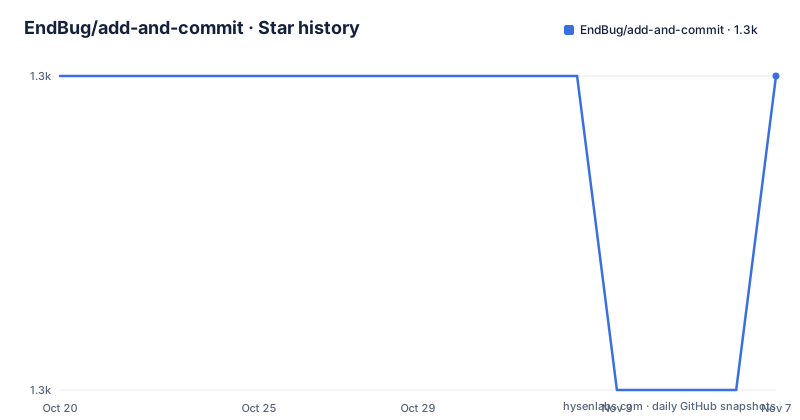
- EndBug/add-and-commit1,293 ★ · +0
| Repository | 2026-10-20 | 2026-11-07 |
|---|---|---|
| EndBug/add-and-commit | 1.3k | 1.3k |
0 Stars in the last 18 days, measured from the daily GitHub snapshot. Compare with other projects
Editorial analysis
The use case is a workflow that changes the repository
Add & Commit is a GitHub Action for committing changes made in your workflow run directly to your repo. The examples given are linting your code, updating documentation and committing updated builds.
That framing is worth pausing on, because it is narrower than it sounds. The action is not a general purpose commit-anything tool, it is the last step of a pipeline that has already modified files. A formatter run, a code generator, a documentation build that writes back into the repository, a lockfile refresh, a lint autofix, all of these produce a working tree that differs from the checkout, and this action turns that difference into a commit and a push without a human at the keyboard.
That last part is what makes it interesting. The alternative is a personal access token stored in the repository secrets, a hand-rolled git config block, and a step that quietly assumes the identity of whoever set it up. This action makes the author and the committer explicit inputs, and it separates the two, so a workflow can commit as one identity and be pushed by another.
The step itself is a single entry in a workflow, and the documentation example looks like this:
- uses: EndBug/add-and-commit@v10 # You can change this to use a specific version.
  with:
    add: 'src'
    message: 'Your commit message'
    author_name: Author Name
    author_email: [email protected]
    commit: --signoff
The repository is a TypeScript project with the action definition in action.yml, the implementation in src/ and the compiled output in lib/. The package is built with ncc, which bundles the compiled action into a single committed file.
The input surface is wide, and the defaults are the interesting part
The action exposes a long list of inputs, and the documentation is unusually good about stating the default for each one, which is where most of the behaviour actually comes from.
The `add` input takes the arguments for the git add command and defaults to the current directory. The `remove` input does the same for git rm. The `tag` input takes the arguments for the git tag command, with the note that the tag name always needs to be the first word not preceded by a hyphen. The `tag_push` input takes extra arguments for the git push --tags command.
The `message` input defaults to a string of the form Commit from GitHub Actions, followed by the name of the workflow, which means a workflow that does not set a message still produces a commit that says where it came from.
Three inputs control where the work happens. `cwd` sets the local path to the repository directory, relative to the runner workspace or as an absolute path, and the documentation warns that $GITHUB_WORKSPACE is not expanded in the with: block, so you have to write ${{ github.workspace }} instead. The `author_name` and `author_email` inputs set the displayed author, and `committer_name` and `committer_email` set a different committer if you want one. The `default_author` input has three options, github_actor which gives UserName <[email protected]>, user_info which gives your display name and your actual email, and github_actions which gives the github-actions identity with the email associated with the GitHub logo. The default is github_actor.
One input exists purely for safe experimentation. `dry_run` validates the inputs and reports what would happen without mutating the repository, and the documentation says explicitly that no real add, rm, commit, tag, push, pull, fetch, checkout or config happens, and that it is useful for tinkering.
The rejected git flags are the security design
This is the part of the project that separates it from a thin wrapper around git, and it is the part to read before pointing it at anything you do not fully control.
Remote-helper overrides, meaning --upload-pack, --receive-pack, --exec and their abbreviations, are rejected on every token, including values that follow -u or -m. The reason given is that they can make git run an arbitrary Git transport program during a fetch, pull or push. Remote-helper URL forms, ext:: and other scheme:: tokens, are rejected for the same reason.
Git child processes are limited to the https, http, ssh, file and git transports, through GIT_ALLOW_PROTOCOL, unless you set `allow_unsafe_git_protocols` to true, which the documentation restricts to trusted custom remotes and helpers.
Message-from-file flags are rejected too. The -F and --file flags, abbreviations such as --fi, and short-option clusters that include F such as -aF, are refused, because they can embed arbitrary runner filesystem contents into a tag or a commit message and, with a push, into the repository history. In other words, a workflow that could pass a file path into the message input would be able to exfiltrate any file on the runner into a public commit.
Pathspec-from-file flags are rejected on add, remove and commit, for the same reason in the opposite direction: they can read an arbitrary runner file and leak its contents into the action log.
The framing here is worth noticing. This is an action that runs with a token that can write to your repository, and every one of these restrictions removes a way to abuse that token using a string you control. The `allow_unsafe_git_protocols` escape hatch exists for people with a genuine custom remote, and it is opt-in rather than opt-out, which is the right way round.
Argument strings are parsed, not passed to a shell
The documentation explains how the git arguments actually reach git, and the explanation is more interesting than the inputs themselves.
The arguments are not used with a CLI command. They are parsed by a package called string-argv, and then used with simple-git. The practical consequence is that strings containing a lot of nested quotes may be parsed incorrectly, and specific ways of declaring arguments may not be supported by those libraries.
So the `commit` input, which defaults to an empty string and can be set to something like --signoff, is not a shell command line. It is a list of tokens that the action assembles into a call. That distinction is what makes the flag validation above possible, because a token list can be inspected and rejected before anything is executed, whereas a shell string cannot be validated in the same way.
It also means there is a debugging consequence. If your argument strings are not doing what you expect, the documentation points at two ways to check. You can enable debug logging for your workflow runs, or you can test the parsing directly with string-argv in the RunKit demo, where the expected result is an array in which every string is an option or a value rather than a fragment of one.
That is a genuinely useful piece of advice, because the failure mode of a mis-parsed argument is a git command that does something other than what you wrote, and the log is the only place it shows up.
Branches, push retries, and pathspec error handling
Three inputs control what happens after the commit exists, and they interact in ways worth understanding.
`new_branch` pushes the commit to a new branch with the given name instead of the current one, which is the safe default for a repository that wants changes to land as a pull request rather than directly on a protected branch. The `push` input decides whether the commit and any tags are pushed, and it doubles as a way to set the git push arguments. The `push_attempts` input sets how many times to try, with a default of 1, and the documentation notes that if `pull` is set the action re-pulls between failed attempts, which is the sensible response to a push that fails because the branch moved underneath it.
The `pull` input has three states rather than a boolean. True runs git pull with no extra arguments, false or omitted skips it, and a string is used as the arguments for git pull, for example --rebase --autostash. The `fetch` input takes the arguments for the git fetch command, and setting it to false means the action will not fetch the repo. The default is --tags --force, and the documentation points at a FAQ entry on performance with large repositories for why fetching is usually recommended.
The `pathspec_error_handling` input decides what a pathspec error does. With ignore, the default, the errors are logged but the step does not fail. With exitImmediately, the action stops right away and the step fails. With exitAtEnd, the action continues and every pathspec error is logged at the end, and the step fails then.
The difference between ignore and exitAtEnd is the one to notice. Both log the errors, but only one of them fails the job, and on a pipeline where a bad path silently means a file was not committed, the default is the riskier of the two.
The build, the toolchain, and the version gap in the docs
The package manifest shows a project that has been modernised over eleven major versions, and the build is a standard GitHub Actions bundle.
The build script runs ncc build src/main.ts with minify, outputting to lib/, and the package main points at lib/index.js, which is the committed bundle the runner actually executes. The clean script is handled by gts, the Google TypeScript style tool, with gts lint and gts fix as the lint and fix commands, and Prettier is wired in through eslint-config-prettier and eslint-plugin-prettier. Tests are Jest with ts-jest, run with NODE_OPTIONS set for experimental VM modules because the package is an ES module, and the test command chains the lint step afterwards. Husky handles the git hooks, and the engines field requires Node 24 or newer.
The runtime dependencies are small and tell you what the action actually does. The Actions toolkit packages provide core and github helpers, simple-git and string-argv are the two libraries behind the argument handling described earlier.
Now the version gap. The usage example in the documentation says to use EndBug/add-and-commit@v10, with a comment that you can change this to use a specific version. But the released versions are v11.1.1 from 2026-08-19, v11.1.0 from 2026-08-18 and v11.0.0 from 2026-08-08, so the major line moved to 11 in August 2026 and the example still points at 10. The repository is not archived and the last push was on 2026-10-13, so the work is current, but the example in the documentation is a version behind, and it is the first thing a new user copies.
Editorial conclusion
Add & Commit is a good fit for a repository that wants its CI run to be the thing that lands the change, for example after a formatter, a generated docs step or a build artifact, because it exposes the git arguments directly and defaults to a safe, narrow set of transports; it is the wrong fit if your pipeline needs to merge another branch's commits into yours with an arbitrary transport or read a commit message from a file, since those flags are rejected by design, and before you upgrade you should check the v11 input names against your existing workflow, because the major version moved in August 2026 and the usage example in the documentation still references v10.
Frequently asked questions
How do I add the Add & Commit action to a GitHub Actions workflow?
Add a step that uses the action, with a with block for the inputs you need. The documentation example is - uses: EndBug/add-and-commit@v10 with an add input and other settings, and it notes you can change the version reference to pin a specific release.
What does the dry_run input do in Add & Commit?
When set to true it validates the inputs and reports what would happen without mutating the repository. No real add, rm, commit, tag, push, pull, fetch, checkout or config takes place, and the documentation recommends it for tinkering with the configuration.
How does Add & Commit choose the commit author?
The default_author input has three options. github_actor gives UserName with a users.noreply.github.com address and is the default, user_info gives your display name with your actual email, and github_actions gives the github-actions identity. The author_name and author_email inputs can also be set directly, with committer_name and committer_email available for a separate committer.
Why is my git argument string not doing what I expect in Add & Commit?
The arguments are not passed to a CLI command. They are parsed by string-argv and then used with simple-git, so nested quotes may be parsed incorrectly. The documentation suggests enabling debug logging for the workflow run or testing the string in the string-argv RunKit demo to see how the tokens are split.
What happens when a pathspec error occurs in Add & Commit?
The pathspec_error_handling input decides. The default of ignore logs the errors but does not fail the step, exitImmediately stops the action at once and fails, and exitAtEnd continues, logs every pathspec error at the end, and then fails.
Official sources
Add this badge to your README
If you maintain this project, the badge below links readers to this analysis and shows its maintenance status from the daily GitHub snapshot. Paste the markdown into your README; add ?metric=license or ?metric=stars to the image URL for a different field.

[](https://hysenlabs.com/projects/endbug-add-and-commit)Star history chart for your README
[](https://hysenlabs.com/projects/endbug-add-and-commit)Was this useful?