rebar3: the escript that every Erlang project ends up depending on
Erlang build tool that makes it easy to compile and test Erlang applications and releases.
At a glance
- What is it?
- rebar3 enforces OTP conventions, resolves dependencies per project and composes tasks, and it ships as a single self-contained escript you can download with wget or extract into your home directory. Version 3.16.0, 3.15.0, 3.15.1 and 3.13.1 carry explicit do-not-use notes in the compatibility table.
- Who is it for?
- Adopt rebar3 if Erlang is your primary language, because matching OTP project layout and per-project dependency locking are what it exists to provide and hand-rolling those is a bad trade. Do not adopt it to build a polyglot monorepo where Erlang is a satellite, since its assumptions are OTP conventions and its plugin system targets other languages on the Erlang VM rather than other toolchains.
- Can I use it commercially?
- Yes. Apache-2.0 is a permissive licence: you can use, modify and sell software built on it, as long as you keep its copyright and licence notices.
- Is it still maintained?
- Yes. The repository last received commits 1 day ago.
- What is it written in?
- Mainly Erlang, according to GitHub's language statistics.
Answers come from the project's GitHub data, last synced on October 23, 2026, and from our analysis. They are not legal advice.
Star history
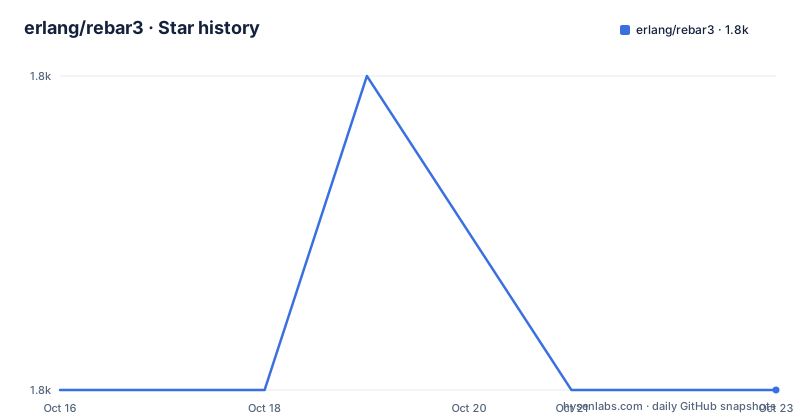
- erlang/rebar31,822 ★ · +0
| Repository | 2026-10-16 | 2026-10-23 |
|---|---|---|
| erlang/rebar3 | 1.8k | 1.8k |
0 Stars in the last 7 days, measured from the daily GitHub snapshot. Compare with other projects
Editorial analysis
One escript, no installation ritual
The distribution story is the first thing that sets rebar3 apart from a build tool you compile and install. It is a self-contained Erlang script, which the README calls easy to distribute or embed directly in a project. The stable compiled version is a single file you fetch and make executable.
$ wget https://s3.amazonaws.com/rebar3/rebar3 && chmod +x rebar3There is also a self-extraction path that writes its own libraries and a run script under your home directory, which is what the Docker image uses.
$ ./rebar3 local install
===> Extracting rebar3 libs to ~/.cache/rebar3/lib...
===> Writing rebar3 run script ~/.cache/rebar3/bin/rebar3...
===> Add to $PATH for use: export PATH=~/.cache/rebar3/bin:$PATH
Once installed that way, `rebar3 local upgrade` fetches the latest stable release and extracts to the same location, which is how you keep a home-directory install current without tracking the file yourself. A nightly build is published separately at s3.amazonaws.com/rebar3-nightly/rebar3.
Building from source needs a full Erlang install, and the repository ships bootstrap scripts for each platform: bootstrap, bootstrap.bat and bootstrap.ps1.
$ git clone https://github.com/erlang/rebar3.git
$ cd rebar3
$ ./bootstrap
The manpages/ directory and the escript packaging are consistent with a tool that is expected to be present on developer machines and in CI images alike.
The version table is where the real decisions live
rebar3 publishes a compatibility matrix, and it is the most operationally useful thing in the README.
3.25.1 supports OTP 26 to 28, 3.24.0 and 3.23.0 support 25 to 27, 3.21.0 supports 24 to 26, 3.16.1 supports 22 to 24, 3.15.2 supports 19 to 23, and 3.13.3 supports 19 to 22. Several rows carry an explicit warning, and one links to a post about having to upgrade rebar3 itself: avoid 3.16.0, 3.15.0, 3.15.1, 3.13.1 and 3.13.2, and note that 3.25.0 had reported issues with newer Windows versions on OTP-28. That is worth taking seriously, since the build tool has shipped broken patch releases and upgrading rebar3 is not automatically a safe operation.
The README's own advice on which Erlang to build with is the part teams get wrong. If you work with multiple Erlang versions on one machine, build rebar3 with the oldest of them. The supported window is the three newest major Erlang releases, so if the newest is OTP-27, building with OTP-25 produces an executable that works with everything from there up.
If you have no Erlang at all, the README points at erln8 and kerl for managing installs, and warns that when taking a binary package from Erlang Solutions you must choose the Standard download option or you will hit build problems.
Tasks declare their own dependencies
The feature table explains what rebar3 does that a plain compiler driver does not, and three entries stand apart.
Command composition lets you chain tasks in one invocation with `rebar3 do <task1>,<task2>,...,<taskN>`, which is how you express a build that compiles, tests and releases in the order those steps need.
Command dependencies is the more interesting one: commands know their own dependencies, so if a test run needs to fetch dependencies and build them, it does that itself. You run `rebar3 ct` and the fetch and compile happen underneath because the task requires them. That removes a large class of ordering mistakes from CI scripts.
Command namespaces let multiple tools share a name, which is what makes the plugin ecosystem possible without collisions.
The rest of the default feature set is the expected Erlang surface: `rebar3 compile` builds the project and fetches dependencies, `rebar3 clean` removes compiled beam files while removing the _build directory removes all artifacts, `rebar3 ct` runs Common Test, and `rebar3 cover` reports on coverage accumulated by commands such as eunit or ct.
Dependencies are maintained per project. They are fetched deterministically, can be locked with rebar.lock, upgraded, and come from source, from packages on hex.pm, or from local directories. `rebar3 tree` shows the whole dependency tree, which is the command you want before a release, not after.
Documentation is treated as a feature, not a chore
One line in the What is Rebar3 list stands out from the engineering items around it: rebar3 treats documentation as a feature, and errors or lack of documentation as a bug. That is a statement of policy, and it is visible in where the documentation lives.
The docs are on rebar3.org/docs rather than in the repository, with a getting started guide maintained there. The README does not duplicate it, which is the correct choice for a tool this size.
The policy connects to the layout rules. The first promise rebar3 makes is that it respects and enforces standard Erlang/OTP conventions for project structure so projects are easily reusable by the community. A build tool that enforces the layout and treats missing documentation as a defect is optimising for other people consuming your application, not just for you building it.
The repository backs this up with rebar.config.sample, CONTRIBUTING.md, THANKS, systest/ and apps/ at the root, plus erlang_ls.config.
Licence is Apache-2.0.
The plugin system is why rebar3 outlived rebar2
The README describes rebar3 as the spiritual successor to rebar 2.x, which was the first usable Erlang build tool and gained widespread adoption but had shortcomings that made it hard to use on larger projects or with teams new to Erlang. The stated aim was to provide the features it felt were missing and a better environment for newcomers.
What replaced it architecturally is the plugin system, described as flexible enough that even other languages on the Erlang VM use rebar3 as a build tool. That is the significant claim: LFE and other BEAM languages can share one toolchain rather than each maintaining a parallel one.
Tasks and behaviours can be modified or expanded through it, which is what the command namespaces feature enables. Multiple tools can register a command with the same name because they live in different namespaces.
The dependency story ties into the same point.
The one thing to be careful about is that rebar3 does not solve problems outside Erlang. If your build spans languages that do not run on the BEAM, rebar3 orchestrates its own ecosystem and nothing else, and you will be running a second build tool alongside it.
Shipping rebar3 in a container, and the limits of that
The Dockerfile at the repository root is a compact demonstration of how the escript approach pays off in images. It has two stages on erlang:20.3.8.1-alpine. The builder installs git and openssh-client, because rebar3 needs git for non-hex dependencies and to find its own git version, copies the source and runs ./bootstrap.
The runner stage is a fresh layer from the same base with only the built binary copied over, so nothing from the build stage, deps or _build, is carried forward.
COPY --from=builder /root/rebar3/_build/prod/bin/rebar3 .

RUN HOME=/opt ./rebar3 local install \
    && rm -f /usr/local/bin/rebar3 \
    && ln /opt/.cache/rebar3/bin/rebar3 /usr/local/bin/rebar3 \
    && rm -rf rebar3

ENTRYPOINT ["/usr/local/bin/rebar3"]
CMD ["--version"]
That last pair is a useful pattern on its own: an image whose entrypoint is the build tool and whose default command prints its version is a good cache-friendly base layer for Erlang CI.
The limitation of that image is also instructive. It pins Erlang 20.3.8.1-alpine, which is far below the OTP 26 to 28 range current rebar3 versions target. If you build an image on that pattern, the base tag and the rebar3 version have to be chosen together, which is exactly what the compatibility table exists to prevent you from getting wrong.
Editorial conclusion
Adopt rebar3 if Erlang is your primary language, because matching OTP project layout and per-project dependency locking are what it exists to provide and hand-rolling those is a bad trade. Do not adopt it to build a polyglot monorepo where Erlang is a satellite, since its assumptions are OTP conventions and its plugin system targets other languages on the Erlang VM rather than other toolchains. Before pinning a version, check the compatibility table, which marks 3.16.0, 3.15.0, 3.15.1, 3.13.1 and 3.13.2 as versions to avoid, and build rebar3 with the oldest Erlang you intend to support rather than the newest.
Frequently asked questions
How do I install rebar3?
Download the compiled escript with `wget https://s3.amazonaws.com/rebar3/rebar3 && chmod +x rebar3`, or build from source with ./bootstrap after cloning the repository. `./rebar3 local install` extracts it into your home directory and writes a run script.
Which Erlang versions does a given rebar3 release support?
The README publishes a table: 3.25.1 supports OTP 26-28, 3.24.0 and 3.23.0 support 25-27, 3.21.0 supports 24-26, and older rows go back further. Three newest major Erlang releases are supported at any given time.
Which rebar3 versions should I avoid?
The compatibility table marks several explicitly: do not use 3.16.0, do not use 3.15.0 or 3.15.1, and do not use 3.13.1 or 3.13.2. It also notes issues with newer Windows versions on 3.25.0 with OTP-28.
How do I run several tasks in one command with rebar3?
With command composition, `rebar3 do <task1>,<task2>,...,<taskN>`. Tasks also declare their own dependencies, so a task that needs dependencies fetched and compiled will do that itself.
Which Erlang version should I build rebar3 with?
The oldest one you plan to support. If you work with multiple Erlang versions on the same machine, build rebar3 with the oldest of them so the resulting executable works with the newer ones too.
Official sources
Add this badge to your README
If you maintain this project, the badge below links readers to this analysis and shows its maintenance status from the daily GitHub snapshot. Paste the markdown into your README; add ?metric=license or ?metric=stars to the image URL for a different field.

[](https://hysenlabs.com/projects/erlang-rebar3)Star history chart for your README
[](https://hysenlabs.com/projects/erlang-rebar3)Was this useful?