jenkinsci/job-dsl-plugin: Jenkins job configuration as Groovy
A Groovy DSL for Jenkins Jobs
At a glance
- What is it?
- Job DSL Plugin defines Jenkins jobs through Groovy instead of repeated web UI edits. It fits teams that want repeatable, reviewable job definitions, but Pipeline is often a better fit for complex delivery workflows.
- Who is it for?
- Adopt job-dsl-plugin when a Jenkins administrator or platform team needs many repeatable job definitions and is comfortable reviewing Groovy. Do not choose it as the primary mechanism for complex continuous delivery pipelines, where the README says Jenkins Pipeline is often better.
- Can I use it commercially?
- Yes. Apache-2.0 is a permissive licence: you can use, modify and sell software built on it, as long as you keep its copyright and licence notices.
- Is it still maintained?
- Yes. The repository last received commits 23 days ago.
- What is it written in?
- Mainly Groovy, according to GitHub's language statistics.
Answers come from the project's GitHub data, last synced on October 24, 2026, and from our analysis. They are not legal advice.
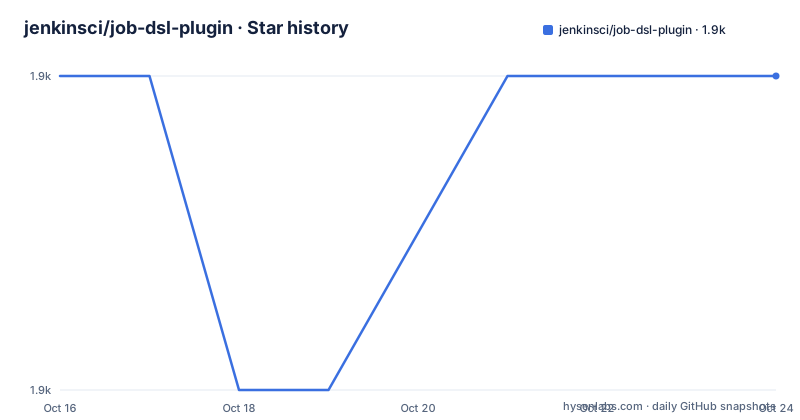
Star history
- jenkinsci/job-dsl-plugin1,924 ★ · +0
| Repository | 2026-10-16 | 2026-10-24 |
|---|---|---|
| jenkinsci/job-dsl-plugin | 1.9k | 1.9k |
0 Stars in the last 8 days, measured from the daily GitHub snapshot. Compare with other projects
Editorial analysis
Why job-dsl-plugin replaces repeated Jenkins UI edits
The Jenkins web interface works well for configuring a small number of jobs. The problem appears when an organization accumulates jobs that differ only by a repository, branch, owner, or build parameter. Copying a job in the UI creates another independent object, and copied jobs tend to drift from the original configuration. Updating a shared setting then requires finding every affected copy.
job-dsl-plugin addresses that operational problem by expressing each job in a human-readable Groovy file. The README says this form can be used without deep Jenkins expertise because familiar web UI settings translate into DSL calls. It does not replace Jenkins itself, its job model, or the installed plugins. It replaces repeated manual configuration with code that can be stored, reviewed, and executed.
The intended audience is a Jenkins administrator or platform team responsible for repeatable job creation. This is especially relevant for organizations that generate similar freestyle, Pipeline, or Multibranch Pipeline jobs. It is also useful when consistency matters more than the convenience of configuring one job interactively.
Job DSL is not Jenkins Pipeline DSL. The README draws a direct boundary between them. Job DSL defines jobs, while Pipeline defines the continuous delivery process executed by a job. Job DSL can create Pipeline and Multibranch Pipeline jobs, but doing so does not make its DSL equivalent to the Pipeline language.
How Groovy scripts become Jenkins job XML
Jenkins stores each job's configuration as XML. According to the README, Job DSL acts as a generator for those XML files by translating a Groovy DSL program into the configuration consumed by Jenkins. The script is not a declarative replacement for the underlying XML model. It is an executable description that produces that model.
The available API depends on the Jenkins installation. Job DSL uses runtime plugin introspection to generate much of its documentation, so the complete reference lives inside the running Jenkins instance. The README gives this location for a normal installation:
https://your.jenkins.installation/plugin/job-dsl/api-viewer/index.html
The online API reference is only a limited subset because plugins installed on a particular controller can expose additional methods. That distinction has direct adoption consequences. A script that appears complete in an online example may depend on a plugin or API surface that is absent from the target controller.
The normal execution path starts with a seed job. Jenkins runs the Groovy script through the Process Job DSLs build step, and the plugin creates the requested items. This makes the seed job an executable control point. The README also points to an integration with the Configuration as Code plugin for creating an initial set of jobs, which can replace the need to construct that seed job manually.
Job DSL and Jenkins Configuration as Code overlap, but their scopes differ. The README identifies JCasC as a tool for global system configuration, while Job DSL creates jobs. Their integration can cover bootstrapping, but they are not interchangeable controllers for the same configuration.
Creating the first job with a Process Job DSLs seed
The README does not give a command-line installation procedure. It says to start a Jenkins instance with the Job DSL Plugin installed, then create a freestyle project named `seed`. In the Jenkins job configuration, add a `Process Job DSLs` build step and paste the following Groovy script into the `DSL Script` field.
job('example') {
  steps {
    shell('echo Hello World!')
  }
}
This script requests a freestyle job named `example` with one shell build step. Save the seed job configuration and run a build. The console output documented by the README ends with `Finished: SUCCESS` and includes `GeneratedJob{name='example'}` under `Added items:`.
Jenkins on Windows uses a different step type in the documented example. Replace `shell` with `batchFile` for that controller:
job('example') {
  steps {
    batchFile('echo Hello World!')
  }
}
After the build, open the `example` job configuration page to verify that the generated job exists and contains the intended step. This direct inspection matters because a successful DSL execution reports generated items, while the README does not document rollback or automatic cleanup of an existing job that no longer appears in the script.
The complete API reference is also linked from the seed job page and the Job DSL build step. That controller-local reference is the first place to check when a method is missing or its signature differs from an online example.
Pipeline DSL versus the Job DSL generation layer
The most consequential technical choice is whether Job DSL should define the job or the delivery process. The README says Jenkins Pipeline is often the better choice for complex automated processes, especially when those pipelines require integration with continuous delivery, job creation for individual SCM branches, or parallel execution to improve build performance.
Job DSL can still create a Pipeline job. Its README example does this with `pipelineJob`, `cpsScm`, Git SCM settings, and a lightweight checkout. That demonstrates generation of the job wrapper, not a replacement for Pipeline syntax inside that job.
pipelineJob('job-dsl-plugin') {
  definition {
    cpsScm {
      scm {
        git {
          remote {
            url('https://github.com/jenkinsci/job-dsl-plugin.git')
          }
          branch('*/master')
        }
      }
      lightweight()
    }
  }
}
For a team whose main requirement is defining a complex build and delivery sequence, adopting Job DSL as the primary abstraction would introduce an extra representation without solving the core authoring problem. Jenkins Pipeline addresses that process directly. Job DSL is the stronger fit when the concern is generating Jenkins job configurations consistently across repositories, branches, or tenants.
These approaches can also be combined. Job DSL can generate Pipeline or Multibranch Pipeline jobs, after which Pipeline definitions manage their execution logic. The separation keeps job creation and runtime workflow in different layers.
Configure Block XML and the limits of generated API documentation
Job DSL does not guarantee that every Jenkins setting has a convenient high-level method. The README says that when a configuration option is unavailable in the high-level DSL, it is possible to generate XML directly with a `Configure Block`. This is an escape hatch, not evidence that every XML setting belongs in normal Groovy scripts.
The choice introduces maintenance costs. High-level DSL calls communicate intent and can be checked against the controller-local API viewer. Raw XML follows Jenkins' stored representation and may expose details that differ across Jenkins versions or plugins. The README does not provide a compatibility policy for either approach, so it cannot establish how quickly a direct XML change may become stale.
Online documentation also has a defined boundary. The site at `https://jenkinsci.github.io/job-dsl-plugin/` shows only part of the API because much of the documentation is generated at runtime from installed plugins. A team adopting this plugin should therefore treat plugin selection as part of DSL authoring. If a required controller plugin is absent, the corresponding method may not exist in that controller's API.
The repository layout includes separate `job-dsl-core`, `job-dsl-ast`, and `job-dsl-plugin` modules, but the README does not describe their internal data flow. It does confirm that the plugin is written around a Groovy DSL and XML generation. Any more detailed execution sequence would be inference rather than documented behavior.
Maintenance, releases, upgrades, and the Apache-2.0 boundary
The repository is not archived. Its last push was on 2026-10-01, and the README says the project is seeking co-maintainers. The seeking notice explicitly says this does not mean the plugin is unmaintained, but it does identify a long-term support concern for organizations considering dependency on the project.
The listed release history includes `3732.v9a_c49a_61a_313` on 2026-08-12, `3654.vdf58f53e2d15` on 2026-02-11, and `job-dsl-1.93` on 2025-06-06. The repository uses `master` as its default branch. Release notes for versions 1.82 and later are located on the GitHub releases page, while earlier notable changes are documented in the Wiki.
Upgrading requires more than changing a plugin version in isolation. A Groovy script depends on an API generated partly from the installed Jenkins plugins. The README does not document an automatic script migration path, compatibility matrix, or rollback procedure. It also does not explain what happens to already generated Jenkins jobs when a script changes. Those points must be checked in the release notes and controller environment before an upgrade is applied.
The project is licensed under `Apache-2.0`. That identifies the repository's declared license and its associated conditions and notices. The README does not state how the license applies to generated job XML or organization-specific scripts, so it would be inappropriate to infer permissions or obligations for those outputs from the repository metadata alone.
Editorial conclusion
Adopt job-dsl-plugin when a Jenkins administrator or platform team needs many repeatable job definitions and is comfortable reviewing Groovy. Do not choose it as the primary mechanism for complex continuous delivery pipelines, where the README says Jenkins Pipeline is often better. Before adoption, verify that the installed Jenkins plugins expose every required DSL method, because Job DSL builds its runtime API by inspecting those plugins. First confirm that the intended jobs can be represented without relying extensively on direct Configure Block XML.
Frequently asked questions
How do I create my first job with job-dsl-plugin?
Create a Jenkins freestyle project named `seed`, add a `Process Job DSLs` build step, and enter a Groovy script in its `DSL Script` field. Running the seed generates the requested Jenkins job.
Where can I find the full job-dsl-plugin API?
The complete reference is generated inside the Jenkins installation at `https://your.jenkins.installation/plugin/job-dsl/api-viewer/index.html`. The online reference is a limited subset because much of the API documentation depends on installed plugins.
Should I use job-dsl-plugin or Jenkins Pipeline?
The README says Pipeline is often better for complex continuous delivery automation. Job DSL is better suited to generating Jenkins job definitions, and it can create Pipeline and Multibranch Pipeline jobs.
Official sources
Add this badge to your README
If you maintain this project, the badge below links readers to this analysis and shows its maintenance status from the daily GitHub snapshot. Paste the markdown into your README; add ?metric=license or ?metric=stars to the image URL for a different field.

[](https://hysenlabs.com/projects/jenkinsci-job-dsl-plugin)Star history chart for your README
[](https://hysenlabs.com/projects/jenkinsci-job-dsl-plugin)Was this useful?