modern-monaco removes the MonacoEnvironment tax and adds a workspace
A modern version of Monaco Editor.
At a glance
- What is it?
- modern-monaco is a TypeScript wrapper around Monaco Editor that removes the web worker, CSS loader and MonacoEnvironment setup the original package demands, adds Shiki for syntax highlighting, supports server side rendering, and ships a workspace with a file system, edit history and import map resolution. The project warns that it is under active development and that the API may change at any time.
- Who is it for?
- modern-monaco is worth adopting if you want Monaco in a browser app and have already been put off by the environment setup, since that work is exactly what this package removes, and the Shiki based highlighting plus the workspace model make the editor usable in a page that is really a small IDE.
- Can I use it commercially?
- Yes. MIT is a permissive licence: you can use, modify and sell software built on it, as long as you keep its copyright and licence notices.
- Is it still maintained?
- Yes. The repository last received commits 78 days ago.
- What is it written in?
- Mainly TypeScript, according to GitHub's language statistics.
Answers come from the project's GitHub data, last synced on October 23, 2026, and from our analysis. They are not legal advice.
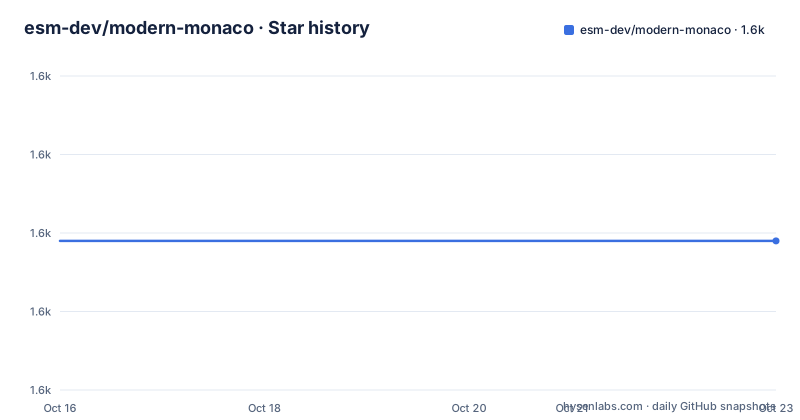
Star history
- esm-dev/modern-monaco1,609 ★ · +0
| Repository | 2026-10-16 | 2026-10-23 |
|---|---|---|
| esm-dev/modern-monaco | 1.6k | 1.6k |
0 Stars in the last 7 days, measured from the daily GitHub snapshot. Compare with other projects
Editorial analysis
The setup cost of Monaco is the thing being removed
Monaco Editor is a capable browser code editor, and the friction everyone hits is the same. It is a large package with additional CSS and worker modules, and it needs a MonacoEnvironment object set up to provide the language service, which means a bundler configuration and a plan for how the worker files are served. modern-monaco exists to make that go away. The stated benefits are that there is no MonacoEnvironment setup, no web workers and no CSS loaders to configure, and it is published on npm as modern-monaco and can also be imported straight from the esm.sh CDN in the browser without a build step. The second part of the pitch is highlighting. Monaco brings its own tokenizer system, and this package uses Shiki instead, with extensive grammars and themes, and it can load those grammars and themes from esm.sh on demand. The audience is a web developer who wants Monaco's editing behaviour without the environment plumbing, and who would rather not also maintain a Monaco theme.
Lazy mode paints with Shiki while Monaco loads behind it
The lazy mode is the interesting design decision. The idea is to pre-highlight the code with Shiki while loading the editor core in the background, so that the page shows a correctly highlighted block of code immediately and swaps in the real editor when it is ready. The stated benefit is a significant reduction in loading screen time, which is the trade the package makes, giving up the full editor for a moment in exchange for a page that never looks empty. The usage is a custom element in the HTML plus a call to the lazy function:
<!-- index.html -->
<monaco-editor></monaco-editor>
<script src="app.js" type="module"></script>// app.js
import { lazy, Workspace } from "modern-monaco";
const workspace = new Workspace({
initialFiles: {
"index.html": `<html><body>...</body></html>`,
"main.js": `console.log("Hello, world!")`,
},
entryFile: "index.html",
});
lazy({ workspace });The documentation notes that you may also need a Workspace object to manage editor models without calling the native Monaco APIs, and that you can write a file and open it afterwards with the file system write and the openTextDocument call. The theme is set either as an attribute on the custom element, for example a monaco-editor tag with a theme attribute set to vitesse-dark, or with a defaultTheme option passed to lazy, init or hydrate, and the theme identifier has to be one of the Shiki themes.
SSR mode renders an editor on the server and hydrates it
Server side rendering is the mode that would be hard to build yourself, and modern-monaco treats it as a first-class entry point rather than an afterthought. The SSR mode returns an instant pre-rendered editor on the server side and hydrates it on the client side, through a renderToWebComponent function imported from modern-monaco/ssr:
import { renderToWebComponent } from "modern-monaco/ssr";

export default {
  async fetch(req) {
    const editorHTML = await renderToWebComponent(
      `console.log("Hello, world!")`,
      {
        language: "javascript",
        theme: "vitesse-dark",
        userAgent: req.headers.get("user-agent"),
      },
    );
    return new Response(
      /* html */ `
        ${editorHTML}
        <script type="module">
          import { hydrate } from "https://esm.sh/modern-monaco";
          hydrate();
        </script>
      `,
      { headers: { "Content-Type": "text/html" } },
    );
  },
};
The userAgent option is worth noting, since the documentation says it detects the default font for different platforms, which is what keeps the server-rendered output looking like the client-side one. The exports map in package.json has a dedicated workerd condition for the ssr entry, so the same package works on a workerd runtime, and there is a live demo on Vercel whose source is published separately. The value of the mode is for a page that must show code immediately, a documentation site or a readme renderer, where a blank editor until a large bundle arrives is a visible regression.
Manual mode is the escape hatch when you want plain Monaco
If none of the wrapping suits you, manual mode creates a Monaco editor instance directly and loads themes and language grammars automatically:
<div id="editor"></div>

<script type="module">
  import { init } from "modern-monaco";

  const monaco = await init();
  const editor = monaco.editor.create(document.getElementById("editor"));
  editor.setModel(monaco.editor.createModel(`console.log("Hello, world!")`, "javascript"));
</script>
The init function loads the editor core, and what you get is the monaco object with the usual editor namespace, so a model can be created for a given language and attached to the editor. This is the mode to pick if you want Monaco's API surface without the workspace abstraction, and the examples directory has a manual.html page and a manual-no-workspace.html page, which is the quickest way to see the difference. The package exposes several entry points beyond the main one, with core, workspace, ssr, editor-core, editor-worker, editor-worker-main, cache, shiki, util and a lsp subtree, so an application that needs the language server protocol gets its own import path rather than the whole bundle.
The workspace is a file system, not just a model
The workspace is what makes this more than a loader. It provides VSCode-like workspace features, including edit history, a file system provider and a persist protocol, and the Workspace constructor takes a name used for project isolation, which defaults to default, a map of initial files, and an entry file to open when the editor loads for the first time. By default modern-monaco uses IndexedDB as the workspace file system to persist editor changes, which is what makes the browser tab survive a reload with unsaved work in it. If you want your own persistence, you implement the FileSystem interface and pass an instance as customFS to the Workspace, which the documentation points at in the types/workspace.d.ts file, and the class implements the type:
import { type FileSystem, lazy, Workspace } from "modern-monaco";

class CustomFileSystem implements FileSystem {
  // Custom FileSystem implementation
}

const workspace = new Workspace({
  initialFiles: {
    "index.html": indexHtml,
    "app.tsx": appTsx,
  },
  customFS: new CustomFileSystem(),
});

lazy({ workspace });
That single interface is the extension point for a project that wants to store the workspace on a server, in a database, or in a collaborative session, and it is the piece that turns the editor from a code box into something a documentation tool or a tutorial can build on.
The features Monaco does not give you
Several of the listed capabilities go beyond plain loading and editing, and they are the reason to look at this package rather than at the original. Import maps are used for resolving bare specifier imports in JavaScript and TypeScript, so a snippet in the editor behaves like a real module graph rather than a snippet with unresolved imports. The package automatically loads.d.ts files from the esm.sh CDN for type checking, so the editor knows the types of the libraries a snippet imports. VSCode window APIs such as showInputBox and showQuickPick are available, which is a small thing that makes a snippet feel like a real editor. The HTML support includes embedded languages, meaning importmap, CSS and JavaScript inside an HTML file, and inline html and css inside JavaScript and TypeScript, plus auto-closing of HTML and JSX tags. All of it leans on Shiki for the highlighting side, so the colour of the code in the editor and the colour of the code on the server-rendered page come from the same grammar engine.
Under active development, and built on Bun
The project states its own status plainly at the top of the README, that it is currently under active development, that the API may change at any time, and to use it at your own risk. The releases are frequent and pre-1.0, with v0.3.8 on 2026-02-13, v0.4.0 on 2026-03-02 and v0.4.1 on 2026-05-07, and the version in package.json is already 0.4.2, so the published tag and the working version are one release apart. The last push was on 2026-08-06. The licence is MIT, with a LICENSE file in the repository root and a CHANGELOG.md and CONTRIBUTING.md beside it. The build runs on Bun, with scripts/build.ts for the publish step and scripts/patch.ts on prepare, and dprint for formatting, and the language configurations are pulled from an external source by scripts/update-language-configurations.ts, which is how the editor knows the bracket and comment rules for each language. The one operational caveat to plan for is that the default behaviour fetches themes, grammars and type definitions from esm.sh, so a deployment without internet access has to bundle them.
Editorial conclusion
modern-monaco is worth adopting if you want Monaco in a browser app and have already been put off by the environment setup, since that work is exactly what this package removes, and the Shiki based highlighting plus the workspace model make the editor usable in a page that is really a small IDE. It is the wrong choice if you need a stable API, because the project states that it is under active development and that the API may change at any time, and it is the wrong choice for an offline or air-gapped deployment, since themes, grammars and type definitions are loaded from esm.sh by default. Before adopting it, decide which of the three modes you need, check that the features you rely on exist as plugins or workspace features rather than as core Monaco behaviour, and pin the version, since the package.json already sits at 0.4.2 while the last published tag is v0.4.1.
Frequently asked questions
What does modern-monaco remove from the normal Monaco setup?
There is no MonacoEnvironment setup, no web workers and no CSS loaders required. The package loads the editor core and its modules on demand, and it uses Shiki for syntax highlighting with themes and grammars loaded from esm.sh on demand.
What is the difference between the lazy, SSR and manual modes?
Lazy mode pre-highlights the code with Shiki while loading the editor core in the background. SSR mode renders a mock editor on the server and hydrates it on the client, through renderToWebComponent from modern-monaco/ssr. Manual mode calls init and creates a Monaco editor instance yourself, with themes and grammars loaded automatically.
How does modern-monaco persist the files in a workspace?
By default it uses IndexedDB as the workspace file system, so editor changes survive a reload. You can supply your own persistence by implementing the FileSystem interface and passing an instance as the customFS option to the Workspace constructor.
Is modern-monaco safe to depend on in production?
The README carries a warning that the project is under active development, that the API may change at any time, and to use it at your own risk. The version in package.json is 0.4.2 while the last published tag is v0.4.1, and the licence is MIT.
Official sources
Add this badge to your README
If you maintain this project, the badge below links readers to this analysis and shows its maintenance status from the daily GitHub snapshot. Paste the markdown into your README; add ?metric=license or ?metric=stars to the image URL for a different field.

[](https://hysenlabs.com/projects/esm-dev-modern-monaco)Star history chart for your README
[](https://hysenlabs.com/projects/esm-dev-modern-monaco)Was this useful?