Farm: a Rust bundler that runs Vite plugins and ships with production parity
Extremely fast Vite-compatible web build tool written in Rust
At a glance
- What is it?
- Farm is a Rust-based web build tool that compiles scripts, CSS, HTML and JSON with built-in Rust plugins, offers Vite-compatible plugin adapters, and keeps development and production on the same compiler foundation. Here is what the repository actually documents, and where the edges are.
- Who is it for?
- Farm fits teams with large module graphs who feel the request waterfall of an unbundled dev server, and teams already invested in Vite plugins that want a Rust compiler without rewriting them. It is the wrong choice if you depend on a Vite plugin that hooks into dev-server internals beyond the documented compatibility surface, or if you need a mature plugin ecosystem with years of third-party coverage.
- Can I use it commercially?
- Yes. MIT is a permissive licence: you can use, modify and sell software built on it, as long as you keep its copyright and licence notices.
- Is it still maintained?
- Yes. The repository last received commits 1 day ago.
- What is it written in?
- Mainly Rust, according to GitHub's language statistics.
Answers come from the project's GitHub data, last synced on November 22, 2026, and from our analysis. They are not legal advice.
Star history
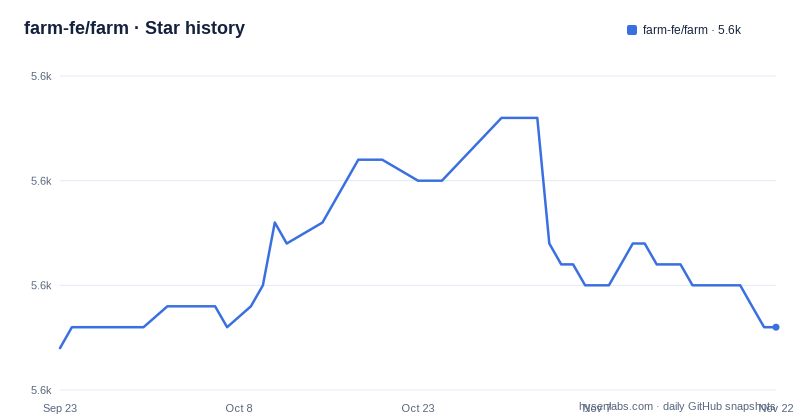
- farm-fe/farm5,593 ★ · +1
| Repository | 2026-09-23 | 2026-11-22 |
|---|---|---|
| farm-fe/farm | 5.6k | 5.6k |
1 Stars in the last 60 days, measured from the daily GitHub snapshot. Compare with other projects
Editorial analysis
What Farm is trying to fix about the Vite development model
The README's "Why Farm" section puts the compiler and compilation extensions on a native Rust foundation, with one plugin architecture for development and production, and combines incremental compilation and configurable bundling with adapters for existing JavaScript tooling.
The Rust compiler, the plugin layers, and partial bundling
The repository layout shows the architecture directly. crates/ holds the Rust workspace members, rust-plugins/ and rust-ecosystem/ hold Rust-side plugin crates, js-plugins/ holds JavaScript plugins, and packages/ holds the npm packages including @farmfe/core and @farmfe/cli. The Cargo.toml workspace depends heavily on swc crates for parsing, transforming, minifying and code generation across JavaScript, TypeScript, CSS and HTML. That is the compiler core: Farm is not writing its own parser, it is orchestrating SWC and adding its own module graph, cache and bundling layer on top.
The plugin model has several distinct layers, and the README lists them: Rust and JavaScript compilation plugins, runtime plugins and Vite-compatible adapters. That is a wider surface than a single plugin interface, and it is the reason Vite plugin compatibility is possible at all. The README calls the Vite-compatible adapters a migration path and tells you to verify the hooks and framework features your project uses instead of assuming every Vite plugin is interchangeable.
Partial Bundling is the piece that differs most from both webpack and Vite. The README describes it as letting you control output grouping while keeping development and production on the same compiler foundation, and calls Farm's bundling configurable.
Installing Farm and running a first build
The README gives the scaffold command for three package managers. The repository's package.json declares engines.node >= 20, so check your Node version before you start.
npm create farm@latestThe same command exists as yarn create farm@latest and pnpm create farm@latest. The README notes that `@latest` commands select the version currently published to the registry, while this branch contains the v2 release candidate.
The README lists persistent caching, lazy compilation and hot updates as incremental workflows, and says results depend on workload, configuration and cache state.
Where the Vite compatibility claim stops
Vite plugin support is the headline compatibility feature, and it is also the one most likely to disappoint in a specific way. The README calls its Vite-compatible plugin adapters a migration path and tells you to verify the hooks and framework features your project uses instead of assuming every Vite plugin is interchangeable. It does not enumerate which plugin hooks are supported, which are ignored, and which throw. A Vite plugin that only transforms module source has a good chance of working. A plugin that reaches into the dev server's middleware stack, its WebSocket protocol, or its internal module graph is operating against an implementation Farm does not share, and the README offers no compatibility matrix to tell you which is which.
The practical consequence is that "Vite-compatible" is a claim about the plugin API surface, not a guarantee that an arbitrary Vite project migrates unchanged. If your build depends on a plugin that hooks the dev server, budget time to verify it rather than assuming it. The repository does provide an examples/ directory with a large number of named cases, including css-modules, css-url, decorators, env, external, hmr, import-meta, lazy-compilation and less, which is where to look for a working configuration close to yours before filing anything.
A second limitation is ecosystem depth. Vite has years of third-party plugins, framework integrations and community answers. Farm's own plugin layers are documented, but the number of plugins written specifically for Farm is smaller, and the README does not claim otherwise.
Farm against Vite and webpack: what actually differs
The README's benchmark section points to historical benchmark data and its workload in farm-fe/performance-compare, and says these results are not measurements of the v2 candidate or guarantees for your project. It is a directional signal about the compiler being native code, not a number that transfers to your project.
The architectural difference from Vite is where the work happens. Vite in development serves native ES modules and lets the browser resolve imports, which is why startup is nearly instant and why a page with a large module graph issues a large number of requests. Farm compiles and bundles in development, so startup costs more and per-page load costs less. If your project is small, Vite's model wins on startup and you will not see the benefit Farm is selling.
The difference from webpack is narrower than it first appears. Both bundle in development. Farm's distinction is that the compiler is Rust with SWC underneath rather than JavaScript, and that Partial Bundling lets you control output grouping on the same compiler foundation in development and production.
Licence, maintenance and the cost of tracking a fast-moving tool
Farm is MIT licensed. The Cargo.toml workspace sets license = "MIT" for the workspace package, and the repository root carries a LICENSE file. MIT is permissive: you can use it commercially, modify it, and redistribute it, provided the copyright notice and licence text travel with the code. That is the general shape of the licence, not advice about your situation; if you vendor or fork the compiler, read the LICENSE file and the licences of the SWC crates it depends on, since those are separate works with their own terms.
The upgrade cost is the part worth thinking about before committing. The recent releases are 2.0.0-beta.1 versions of @farmfe/plugin-yaml, @farmfe/plugin-replace-dirname and @farmfe/plugin-url, published on 2026-05-28, and the main branch holds the v2 release candidate, which means the project is actively changing its plugin and scaffolding interfaces. The README also says V2 package publication, platform payloads and release acceptance are tracked separately from the availability of source code.
The last push to the repository was on 2026-11-02, so the project is being worked on. That says nothing about whether your specific issue will be fixed, and the README does not document a support policy or a release cadence commitment.
Editorial conclusion
Farm fits teams with large module graphs who feel the request waterfall of an unbundled dev server, and teams already invested in Vite plugins that want a Rust compiler without rewriting them. It is the wrong choice if you depend on a Vite plugin that hooks into dev-server internals beyond the documented compatibility surface, or if you need a mature plugin ecosystem with years of third-party coverage. Before adopting, verify three things on your own codebase: that your Vite plugins load under Farm, that the persistent cache does not mask stale modules after a dependency upgrade, and that your Node version is at least 20, since the repository's package.json declares engines.node >= 20.
Frequently asked questions
What is Farm fe farm?
Farm is a web build tool written in Rust, described in its README as Vite-compatible, whose Rust compiler and built-in plugins handle scripts, CSS, HTML, JSON, resolution and production optimization. It is published on npm as @farmfe/core, and the README says this branch contains the v2 release candidate.
How do I install Farm?
The README gives npm create farm@latest, with yarn create farm@latest and pnpm create farm@latest as equivalents. The repository's package.json declares engines.node >= 20, so a current Node release is required.
Can Farm use Vite plugins?
Through Vite-compatible plugin adapters, which the README describes as a migration path. The README does not list which plugin hooks are supported, so compatibility has to be checked per plugin.
Is Farm faster than Vite and webpack?
The README points to historical benchmark data and its workload in the farm-fe/performance-compare repository, and says those results are not measurements of the v2 candidate or guarantees for your project.
Does Farm cache compiled modules on disk?
The README lists persistent caching among its incremental workflows, alongside lazy compilation and hot updates, and says results depend on workload, configuration and cache state.
Official sources
Add this badge to your README
If you maintain this project, the badge below links readers to this analysis and shows its maintenance status from the daily GitHub snapshot. Paste the markdown into your README; add ?metric=license or ?metric=stars to the image URL for a different field.

[](https://hysenlabs.com/projects/farm-fe-farm)Star history chart for your README
[](https://hysenlabs.com/projects/farm-fe-farm)Was this useful?