forc-wallet: A Command-Line Wallet Manager for Fuel Development
A forc plugin for managing Fuel wallets.
At a glance
- What is it?
- forc-wallet is a forc plugin that creates, imports, and manages Fuel wallets from the terminal. It handles account derivation, transaction signing, and data signing, but its scope is firmly tied to the Fuel toolchain.
- Who is it for?
- Adopt forc-wallet if you are a Fuel developer who needs a simple, scriptable way to manage test wallets and sign transactions during development. Avoid it for production key management, because it stores encrypted wallets locally and relies on a password and mnemonic, which is fine for dev but not for high-security setups.
- Can I use it commercially?
- Not without permission. GitHub finds no licence file in the repository, and without a licence all rights are reserved by default: you may read the code but not reuse it. Check the README, or ask the authors, before using it.
- Is it still maintained?
- Activity is slowing. The repository last received commits 8 months ago.
- What is it written in?
- Mainly Rust, according to GitHub's language statistics.
Answers come from the project's GitHub data, last synced on November 15, 2026, and from our analysis. They are not legal advice.
Star history
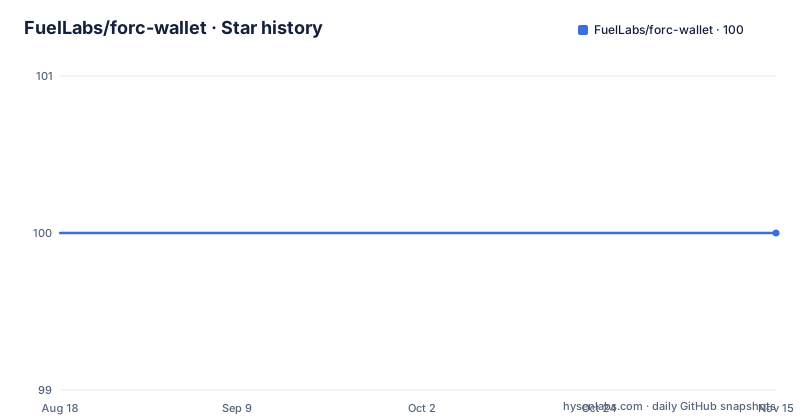
- FuelLabs/forc-wallet100 ★ · +0
| Repository | 2026-08-18 | 2026-11-15 |
|---|---|---|
| FuelLabs/forc-wallet | 100 | 100 |
0 Stars in the last 89 days, measured from the daily GitHub snapshot. Compare with other projects
Editorial analysis
What forc-wallet Solves and Who It Is For
forc-wallet is a plugin for the Fuel orchestrator, forc, and it exists to give developers a command-line way to manage wallets on the Fuel network. The problem it solves is practical: if you are building smart contracts or dapps on Fuel, you need accounts to sign transactions and messages, and you do not want to hand-roll key management. The tool targets developers who are already using fuelup and forc, because it is bundled with the default toolchain. It is not a general-purpose wallet for end users; it is a developer utility. The README is clear that it is a plugin, which means it extends forc rather than standing alone. That ties it to the Fuel ecosystem, so if you are not developing on Fuel, this tool has no use for you.
How Wallet Creation and Account Derivation Work
The core mechanism is deterministic account derivation from a mnemonic phrase. When you run `forc-wallet new`, it asks for a password, encrypts the wallet, and shows you the mnemonic. That mnemonic is the root of everything. Later, `forc-wallet account new` derives the next account that has not been derived locally. The README explicitly says that creating an account is really just revealing it, because all accounts come from the same mnemonic and a derivation path. The tool caches public addresses in `~/.fuel/wallets/accounts`. This design means you do not need to back up each account separately; the mnemonic is the single point of recovery. But it also means that losing the mnemonic loses all accounts, and the password is needed for any signing or derivation. The encryption follows the Web3 Secret Storage Definition, a standard from the Ethereum world, so the wallet files are interoperable with other tools that support that format.
Getting Started: Installation and First Wallet
The README recommends installing through fuelup, which bundles forc-wallet with the latest toolchain. You run `fuelup toolchain install latest` and then `forc-wallet --version` to confirm. For custom toolchains, you add the component with `fuelup component add forc-wallet`. If you prefer cargo, `cargo install forc-wallet` works. After installation, the first step is `forc-wallet new`, which prompts for a password and then displays the mnemonic phrase. That phrase is critical; the README warns that you need it for recovery. To import an existing wallet, `forc-wallet import` takes a mnemonic. The commands are straightforward, but note the version output in the README shows `forc-wallet 0.2.2`, while the repository has releases up to v0.15.2. That discrepancy is odd and worth checking before you rely on the docs.
Signing Transactions and Data: The Actual Workflow
Signing is where the tool shows its practical value. To sign a transaction, you first need a transaction ID, which you generate with forc-client. Then you run `forc-wallet account <index> sign tx-id <transaction_id>`. The account index is the number of the derived account. You can also sign arbitrary data: a string with `sign string "Blah blah blah"`, a file with `sign file <path>`, or a hex-encoded byte string with `sign hex 0x...`. There is a more flexible `sign` subcommand that lets you specify the account with `--account` or even bypass the wallet entirely by signing directly with a private key via `--private-key`. That last option is a double-edged sword: it is convenient for automation, but it puts the private key on the command line, which is a security risk if you are on a shared machine. The design keeps signing separate from account creation, which is good, but it means you have to manage transaction IDs externally.
Other Commands: Address, Private Key, and Public Key Retrieval
Beyond signing, forc-wallet offers a few inspection commands. Running `forc-wallet account <account_index>` derives and shows the address for that account. You can get the private key with `private-key` and the public key with `public-key`. These are useful for debugging or for feeding keys into other tools. However, exposing the private key via a CLI command is a security consideration. The README does not mention any safeguards like confirmation prompts or warnings. If you are in a terminal that logs history, that private key could end up in a shell history file. The tool does require the wallet password for account creation, but the README does not state whether the private-key command also asks for the password. That is a gap in the documentation. For a development tool, this is acceptable, but you should be aware of the exposure.
Limitations and When It Is the Wrong Tool
The most obvious limitation is that forc-wallet is a development tool, not a production wallet. It stores encrypted wallet files locally in `~/.fuel/wallets`, which means it is tied to a single machine. If you need to sign transactions from a server or a CI environment, you have to manage the wallet file and password there, which is awkward. The tool also does not handle transaction construction; it only signs a transaction ID you provide. That means you need forc-client or another tool to build the transaction. For production use, you would likely want a more robust key management system, like a hardware wallet or a remote signing service. Another limitation is that the README is thin on error cases. It does not explain what happens if you enter the wrong password, or if the wallet file is corrupted. The version mismatch in the README output suggests the docs may lag behind the actual releases, so you should not assume the examples are current.
Alternatives and How They Differ
The main alternative is to manage keys manually with a library like the Fuel SDK or a Rust crate such as `fuel-rs`. Instead of a CLI plugin, you write code that generates a mnemonic, derives accounts, and signs transactions programmatically. That approach gives you full control and lets you integrate key management into your application, but it requires more engineering effort. Another alternative is to use a general-purpose wallet like MetaMask, but that is not designed for Fuel and would need a custom bridge. The key difference is that forc-wallet is a thin CLI layer over the same deterministic derivation logic you would use in code. It is simpler for quick tests, but it does not give you the flexibility to handle complex signing flows, like multi-signature or batch signing. For a developer who wants to prototype against Fuel quickly, the CLI is faster. For a production service, you would likely write your own key management using the SDK.
Maintenance, Upgrade Cost, and License Considerations
The repository is actively maintained, with the latest release v0.15.2 pushed on 2025-10-06. That is recent, so the tool is not abandoned. However, the README example shows an old version (0.2.2), which suggests that documentation updates may not keep pace with releases. That is a maintenance cost: you may need to check the changelog or run `forc-wallet --help` to see what changed. The license is listed as unknown, which is a red flag for adoption. Without a clear license, you cannot legally use the tool in a commercial project without seeking clarification from FuelLabs. The upgrade cost is low if you use fuelup, because it manages the component version. But if you install via cargo, you have to manually update with `cargo install forc-wallet` again. The dependency on forc means you also need to keep forc updated, and version mismatches could break the plugin. Verify the license before adopting it for anything beyond personal use.
Editorial conclusion
Adopt forc-wallet if you are a Fuel developer who needs a simple, scriptable way to manage test wallets and sign transactions during development. Avoid it for production key management, because it stores encrypted wallets locally and relies on a password and mnemonic, which is fine for dev but not for high-security setups. Before using it, verify the exact derivation path used, check the wallet file format against the Web3 Secret Storage spec, and confirm that the forc version matches the plugin version, since the README shows a version mismatch (0.2.2 vs 0.15.2) that could indicate compatibility issues.
Frequently asked questions
How do I install forc-wallet?
The recommended route is fuelup: forc-wallet ships with the default distributed toolchains, so fuelup toolchain install latest gives you the binary. For custom toolchains use fuelup component add forc-wallet, and otherwise cargo install forc-wallet.
What actually happens when I run forc-wallet account new?
It requires your wallet password and always derives the next account that has not yet been derived locally. You are really revealing an account, since all accounts are derived deterministically from the wallet's mnemonic phrase and derivation path. Public addresses are cached in ~/.fuel/wallets/accounts.
What file format does forc-wallet import accept?
forc-wallet adheres to the Web3 Secret Storage Definition and accepts paths to wallet files that adhere to that standard. The crate depends on eth-keystore at version 0.5 for that support.
What can forc-wallet sign besides a transaction?
Arbitrary data, in three shapes: a string with sign string, a file with sign file, and a hex-encoded byte string with sign hex. You can also sign with a private key directly using forc-wallet sign --private-key instead of a wallet account.
Is forc-wallet still being worked on?
The most recent tags are v0.15.0, v0.15.1, and v0.15.2 from June and October 2025, and the last push to master is dated 2026-03-11. The manifest declares version 0.15.2, edition 2024, and the Apache-2.0 licence.
Official sources
Add this badge to your README
If you maintain this project, the badge below links readers to this analysis and shows its maintenance status from the daily GitHub snapshot. Paste the markdown into your README; add ?metric=license or ?metric=stars to the image URL for a different field.

[](https://hysenlabs.com/projects/fuellabs-forc-wallet)Star history chart for your README
[](https://hysenlabs.com/projects/fuellabs-forc-wallet)Was this useful?