Bollard for asynchronous Docker and Podman access in Rust
Docker daemon API in Rust
At a glance
- What is it?
- Bollard is a Rust client library for Docker and Podman APIs, with Tokio-based asynchronous operations and configurable transports. It suits applications that need direct daemon control, although feature selection and runtime access require deliberate setup.
- Who is it for?
- Adopt Bollard when a Rust service needs an asynchronous, feature-configurable Docker or Podman client rather than a command-line wrapper. Do not choose it when a simple local runtime command is enough or when its generated API surface would add unnecessary complexity.
- Can I use it commercially?
- Yes. Apache-2.0 is a permissive licence: you can use, modify and sell software built on it, as long as you keep its copyright and licence notices.
- Is it still maintained?
- Yes. The repository last received commits 1 day ago.
- What is it written in?
- Mainly Rust, according to GitHub's language statistics.
Answers come from the project's GitHub data, last synced on October 23, 2026, and from our analysis. They are not legal advice.
Star history
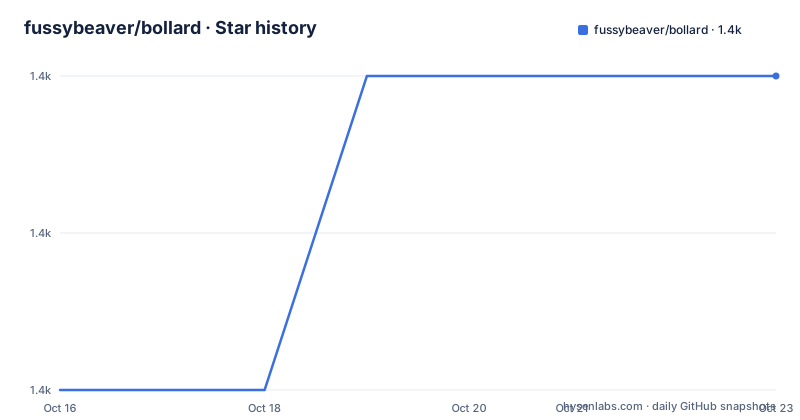
- fussybeaver/bollard1,392 ★ · +2
| Repository | 2026-10-16 | 2026-10-23 |
|---|---|---|
| fussybeaver/bollard | 1.4k | 1.4k |
2 Stars in the last 7 days, measured from the daily GitHub snapshot. Compare with other projects
Editorial analysis
What Bollard solves for Rust applications
Bollard provides a Rust interface to the Docker daemon API and the Podman API. The intended users are Rust applications that need to create containers, inspect runtimes, execute commands, attach to containers, retrieve events or logs, build images, or perform related daemon operations. The README describes the library as asynchronous and identifies futures, streams and async/await as central parts of its design. That makes it relevant for services that already use Tokio and need container operations without introducing a synchronous client boundary.
The library is not a Docker daemon, command-line utility or general-purpose orchestration system. It is a client library. The application remains responsible for deciding what container behavior to request, handling returned values and applying its own operational policy. The repository also includes examples such as `examples/exec.rs`, `examples/stats.rs`, `examples/top.rs`, `examples/websocket_attach.rs` and image-building examples, which indicates that the API extends beyond connection setup.
Bollard treats Docker and Podman as supported container runtimes rather than presenting Podman as an incidental compatibility mode. According to the README, automatic socket discovery supports rootless Podman on Unix. Windows is supported through named pipes, while HTTPS is available through optional Rustls bindings. This scope is broader than a local Unix-socket client, but it also means that transport choice is part of adopting the library.
Connection discovery and the daemon data path
The normal local connection starts with `Docker::connect_with_local_defaults()`, which is documented as automatically detecting the best available socket on the local machine. For explicit socket handling, Bollard provides `Docker::connect_with_socket_defaults()`. On Unix this targets `/var/run/docker.sock`; on Windows it targets the named pipe `//./pipe/docker_engine`. The client can then use the generated Docker API types and asynchronous methods to exchange requests and responses with the daemon.
Podman has a separate default path, `Docker::connect_with_podman_defaults()`. The documented discovery order probes `$DOCKER_HOST`, rootless Podman sockets, the system Podman socket, and then falls back to the Docker socket. That behavior matters in development and CI environments where the active runtime may be implicit through environment variables or per-user socket locations. It also means that an application can accept Podman without requiring every deployment to hard-code the same socket path.
Remote connections follow separate transport APIs. `Docker::connect_with_http_defaults()` uses `DOCKER_HOST`, or `localhost:2375` when that variable is absent. The SSL variant searches `DOCKER_CERT_PATH` for `key.pem`, `cert.pem` and `ca.pem`. SSH defaults use `DOCKER_HOST`, falling back to `ssh://localhost`. The README states that Bollard uses generated serialization types based on Docker and BuildKit documentation, OpenAPI and protobuf, and it identifies Docker API schema version 1.52 as the basis of its interface. Version negotiation can downgrade requests when an older daemon version must be supported.
The architecture is therefore a typed asynchronous client layered over selected transports. The exact request serialization, error behavior and method coverage belong to the API documentation and source implementation, so the README does not establish every runtime detail.
Adding Bollard and making the first connection
The README instructs users to add Bollard to `Cargo.toml`. The published crate is `bollard`; the dependency declaration below is the documented install form. The wildcard version is reproduced exactly because the README does not prescribe a pinned version in its installation example.
[dependencies]
bollard = "*"
After Cargo resolves the dependency, a first local use can construct the client through the documented default connection helper. This is a connection setup rather than a daemon operation, so it establishes the transport boundary for the rest of the application.
use bollard::Docker;

Docker::connect_with_local_defaults();
The README recommends the local connection for a local architecture and security remit. For Podman on Unix, use the runtime-specific helper instead:
use bollard::Docker;

Docker::connect_with_podman_defaults();
A project that needs remote HTTP, SSH, HTTPS, BuildKit or WebSocket support must enable the corresponding Cargo features. The README's examples use `ssl`, `ssh`, `buildkit`, `chrono` and `websocket`, but the dependency declarations shown there contain version wildcards. Do not infer a flag or endpoint that is not documented for the selected connector.
Feature flags determine the client’s operational surface
Bollard uses Cargo features to control transports, cryptography, date and time types, image builds and attachment behavior. Default features are `http` and `pipe`, which cover remote TCP connections and local Unix sockets or Windows named pipes. Remote Docker over HTTPS uses `ssl`, while an SSH tunnel uses `ssh`.
TLS configuration has a deliberate constraint: the README says to choose one crypto provider. `ssl` selects Rustls with the ring provider, `aws-lc-rs` selects Rustls with aws-lc-rs, and `ssl_providerless` leaves the `CryptoProvider` to the application. The `webpki` feature changes certificate sources to Mozilla's root certificates instead of operating-system native certificates. These are materially different build and deployment choices, not interchangeable labels.
Timestamp support is also exclusive. `chrono` and `time` cannot be enabled together. BuildKit needs either one for timestamp handling. The documented BuildKit feature includes `ssl`; `buildkit_providerless` avoids a bundled crypto provider. WebSocket support enables `attach_container_websocket` through `tokio-tungstenite`.
This feature model gives control over binary size and dependencies, but it creates a configuration burden. The README does not document a single configuration validator for incompatible choices, so the feature combination should be reviewed in `Cargo.toml` when a build fails.
BuildKit, WebSockets and runtime-specific operations
BuildKit support is the most substantial optional surface in the README. The `buildkit` feature enables full BuildKit support and includes `ssl`; the `buildkit_providerless` variant enables BuildKit without a bundled crypto provider. The repository contains `examples/build.rs`, `examples/build_buildkit.rs`, `examples/build_buildkit_session_providers.rs` and `examples/build_buildkit_with_cache.rs`, indicating support for several image-build paths and session configuration.
WebSocket attachment is narrower. Enabling `websocket` makes `attach_container_websocket` available through `tokio-tungstenite`. The examples directory includes `examples/websocket_attach.rs`, so the feature is intended for interactive or streaming attachment workflows rather than only polling container metadata.
Other repository examples map to operational categories: `exec.rs` and `exec_term.rs` concern command execution, `stats.rs` concerns runtime statistics, `top.rs` concerns process inspection, `export_oci_image.rs` concerns OCI image export and `info.rs` concerns daemon information. The README excerpt does not document every argument, return type or failure condition, so developers should consult `docs.rs/bollard` and the relevant example before copying an operation into production code.
A practical trade-off is feature breadth. More capabilities increase the API and dependency surface, while disabling defaults can reduce binary size but requires precise transport setup. Bollard does not remove that integration work.
Limitations, alternatives and maintenance
Bollard is the wrong tool for an application that only needs to invoke a container runtime from a shell script or that does not use Rust. It is also a poor fit when direct daemon access is unacceptable. Local socket access grants control over the runtime, and remote HTTP, SSH and TLS deployments each introduce their own network, certificate, authentication and permissions requirements. The README describes connectors and certificate file locations, but it does not document authorization policy or a complete security model for every deployment.
The main alternative approach is to use Docker or Podman command-line interfaces through a Rust process wrapper. That can be simpler for a small set of commands because the application does not model the daemon API directly. Its downside is that process launching, output parsing and runtime-specific exit behavior become the application's responsibility. Another alternative is a higher-level orchestration library, which may provide more application-oriented abstractions but can constrain the operations available. Bollard sits closer to the API boundary, making its generated types and transport configuration visible to the caller.
Bollard is licensed under Apache-2.0. That permits use under the license's terms, but this review does not provide legal advice and does not replace reviewing the license text and dependency licenses. The repository is not archived, and its last push was on 2026-10-15. The README points to the API documentation for detailed usage, while the listed release history includes v0.21.1, v0.21.0 and v0.20.2.
Editorial conclusion
Adopt Bollard when a Rust service needs an asynchronous, feature-configurable Docker or Podman client rather than a command-line wrapper. Do not choose it when a simple local runtime command is enough or when its generated API surface would add unnecessary complexity. Check the required Cargo feature set, the runtime socket or TLS configuration, API version negotiation, and the Apache-2.0 licensing implications before integration. The repository's last push was on 2026-10-15, so its current maintenance signal is recent.
Frequently asked questions
How do I connect Bollard to a local Docker daemon?
The README documents `Docker::connect_with_local_defaults()` for automatic local socket detection. On Unix, the documented default socket is `/var/run/docker.sock`; on Windows, the named pipe is `//./pipe/docker_engine`.
How do I connect Bollard to rootless Podman?
The README recommends `Docker::connect_with_podman_defaults()` for Unix. It documents probing `$DOCKER_HOST`, rootless Podman sockets, the system Podman socket and then the Docker socket as fallback locations.
Which Bollard Cargo features are needed for HTTPS?
The README lists `ssl` for remote Docker over HTTPS. It also lists `aws-lc-rs`, `ssl_providerless` and `webpki` as TLS or certificate-related choices, with one crypto provider selected according to the documented feature setup.
Official sources
Add this badge to your README
If you maintain this project, the badge below links readers to this analysis and shows its maintenance status from the daily GitHub snapshot. Paste the markdown into your README; add ?metric=license or ?metric=stars to the image URL for a different field.

[](https://hysenlabs.com/projects/fussybeaver-bollard)Star history chart for your README
[](https://hysenlabs.com/projects/fussybeaver-bollard)Was this useful?