Leaflet-Geoman: Drawing and Editing Geometry Layers in Leaflet
🍂🗺️ The most powerful leaflet plugin for drawing and editing geometry layers
At a glance
- What is it?
- Leaflet-Geoman adds draw, edit, drag, cut, rotate, split, scale, measure, snap and pin modes to Leaflet 1.x. It is an MIT-licensed plugin distributed as @geoman-io/leaflet-geoman-free, and this article covers what it does, how to install it, and where it stops.
- Who is it for?
- Adopt Leaflet-Geoman if you already render with Leaflet 1.x and need users to create or reshape geometry on the map, and check the dist/leaflet-geoman.css import plus the peerDependencies range before you commit. Do not adopt it if you need a framework-agnostic geometry editor, a MapLibre GL renderer, or a drop-in replacement for leaflet.draw with an identical API.
- Can I use it commercially?
- Yes. MIT is a permissive licence: you can use, modify and sell software built on it, as long as you keep its copyright and licence notices.
- Is it still maintained?
- Yes. The repository last received commits 1 day ago.
- What is it written in?
- Mainly TypeScript, according to GitHub's language statistics.
Answers come from the project's GitHub data, last synced on October 23, 2026, and from our analysis. They are not legal advice.
Star history
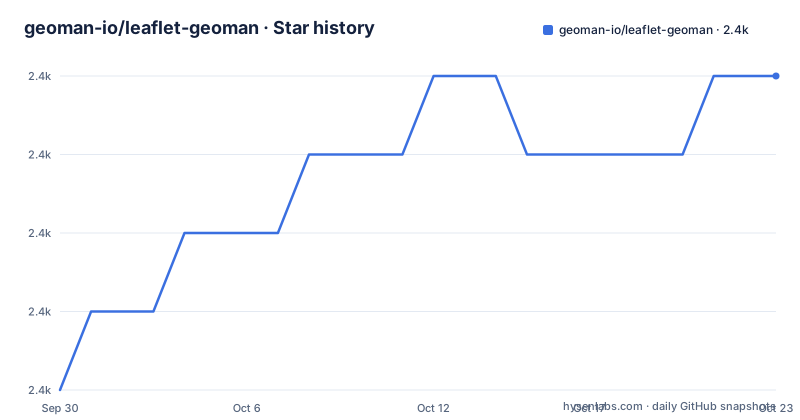
- geoman-io/leaflet-geoman2,434 ★ · +4
| Repository | 2026-09-30 | 2026-10-23 |
|---|---|---|
| geoman-io/leaflet-geoman | 2.4k | 2.4k |
4 Stars in the last 23 days, measured from the daily GitHub snapshot. Compare with other projects
Editorial analysis
The gap Leaflet-Geoman fills in a Leaflet map
Leaflet renders vector layers well and gives you almost nothing for changing them. A polygon drawn from GeoJSON is a Path you can style and click, but there is no built-in vertex handle, no drag-to-move, no toolbar. Teams that need end users to sketch a boundary, adjust a parcel, or measure a distance end up writing pointer handlers against L.Polygon internals. Leaflet-Geoman is that layer of interaction, packaged as a plugin.
The README describes the scope plainly: draw, edit, drag, cut, rotate, split, scale, measure, snap and pin layers, across Markers, CircleMarkers, Polylines, Polygons, Circles, Rectangles, ImageOverlays, LayerGroups, GeoJSON, MultiLineStrings and MultiPolygons. That list is the honest answer to who it is for: GIS and mapping teams already committed to Leaflet who need editing on top of an existing map, not teams choosing a rendering library from scratch. If your map is a static overlay, the plugin is dead weight.
How the plugin actually works
Leaflet-Geoman is a Leaflet plugin, so the architecture is Leaflet's. It registers global modes on the L namespace and attaches handlers to layers. Enabling a mode puts the map into a state where pointer events create or modify geometry; the layer objects remain standard Leaflet layers, which is why the README can list GeoJSON and LayerGroups alongside primitives. You are not converting your data into a Geoman-specific structure.
The dependency list in package.json shows where the geometry work happens. The plugin pulls in four Turf modules (@turf/boolean-contains, @turf/kinks, @turf/line-intersect, @turf/line-split), polyclip-ts for polygon clipping, and lodash. Those names map onto the advertised modes: line-split and line-intersect back the split and cut operations, boolean-contains and kinks are validation primitives, polyclip-ts handles boolean geometry. So the heavier operations are delegated to geometry libraries rather than reimplemented, which also means the plugin's bundle carries them.
The README credits the lineage directly. The author states he looked heavily into the code of leaflet.draw to learn how to build a Leaflet plugin, took a hard look at L.GeometryUtil for helper functions, and that Rotate Mode works because of calculation code from L.Path.Transform. That is unusual candour in a README and it tells you what to expect from the internals: familiar patterns, not a new abstraction.
Installing Leaflet-Geoman and drawing your first polygon
The npm package is @geoman-io/leaflet-geoman-free. It ships a main entry at dist/leaflet-geoman.js, TypeScript types at dist/leaflet-geoman.d.ts, and a stylesheet exposed as a separate export, ./dist/leaflet-geoman.css. Leaflet is a peer dependency, not a bundled one, so your map's Leaflet install is the one the plugin attaches to.
The README does not print a consumer install command. What the package metadata establishes is the package name and the file that the import resolves to, so the safest starting point is to add the package by the name it is published under:
npm install @geoman-io/leaflet-geoman-freeLeaflet itself is declared as a peer dependency, so it stays in your application's own dependency list rather than being pulled in by the plugin.
From there, the package's exports field gives the two specifiers you need: the root entry for the plugin and the ./dist/leaflet-geoman.css subpath for the stylesheet. The README points to geoman.io/docs for the getting-started guide, and the repository carries a demo/ directory with index.html, events.html and customcontrols.html, which is the fastest way to see the modes running locally.
If you prefer a script tag over a bundler, the package files list includes dist/leaflet-geoman.min.js and dist/leaflet-geoman.css, which is the shape the "leaflet geoman min js" and "leaflet geoman css" searches are looking for.
Where Leaflet-Geoman is the wrong tool
The first constraint is version coupling. Leaflet is declared as a peer dependency, and the package description names Leaflet 1.0 while the repository's own devDependency pins leaflet 1.9.4. If your application is on Leaflet 2.x or on a non-Leaflet renderer, the plugin does not apply to you at all. There is no renderer-agnostic core here.
The second is the free versus Pro split. The README's demo link points at "the full power of Leaflet-Geoman Pro" on geoman.io/demo, while the npm package is the -free one. Before designing around a mode, confirm it exists in the free build rather than in the Pro demo.
The third is weight. The plugin depends on four Turf packages, polyclip-ts and lodash. For a map that only needs a single editable polygon, that is a large amount of geometry code to ship for one interaction. Writing a small vertex handler against L.Polygon may be less code than the dependency graph, though you would be reimplementing split and clipping yourself if the requirements grow.
Finally, the README does not document rollback or undo behaviour for edit operations. If your users need to revert a drag or a vertex move, treat that as unverified and check the docs before promising it.
Leaflet-Geoman versus leaflet.draw
leaflet.draw is the obvious comparison because the README names it. The author states he studied its code heavily to learn how to build a Leaflet plugin and warns that readers should not be surprised to see familiar code. The difference is in the mode set. leaflet.draw is centred on drawing and editing shapes; Leaflet-Geoman advertises cut, rotate, split, scale, measure, snap and pin on top of draw and edit, and the dependency list shows that split and clipping are backed by Turf and polyclip-ts rather than hand-rolled.
The licensing and packaging differ too. Leaflet-Geoman is MIT and published as @geoman-io/leaflet-geoman-free with a TypeScript declaration file in dist and a TypeScript source tree, while the README credits @ryan-morris for the TypeScript implementation. If typed APIs matter to your codebase, that is a concrete difference rather than a stylistic one. If you need the smallest possible plugin and only draw and edit, leaflet.draw's narrower scope is a legitimate reason to stay.
Maintenance, licence and upgrade cost
The repository is not archived and the last push was on 2026-09-28. Releases are frequent: v2.20.0 on 2026-06-23, v2.20.1 on 2026-09-11 and v2.20.2 on 2026-09-21. The version in package.json matches 2.20.2. A CHANGELOG.md sits at the repository root, which is where an upgrade review should start.
Upgrade cost is shaped by the dependency set. Turf modules, polyclip-ts and lodash are runtime dependencies, so a major bump in any of them lands in your bundle. Leaflet itself is a peer dependency, which means a Leaflet major upgrade is your decision, not the plugin's, and the plugin's compatibility range is the thing to read before you move.
The licence is MIT, stated in the repository and in the LICENSE file at the root. That permits commercial use and modification with the licence and copyright notice retained. This is a description of the licence text, not legal advice; route anything unusual through your own process.
Tooling is pinned with mise and pnpm via .tool-versions and mise.toml. The README gives the contributor commands: mise install, pnpm install, pnpm start for the dev watch build, pnpm run prepare for a build, pnpm test for Cypress end-to-end tests, pnpm run test:unit for Vitest, and pnpm run lint for oxlint plus oxfmt. That is contributor cost, not adopter cost, but it tells you the project expects pnpm and a pinned Node version.
Editorial conclusion
Adopt Leaflet-Geoman if you already render with Leaflet 1.x and need users to create or reshape geometry on the map, and check the dist/leaflet-geoman.css import plus the peerDependencies range before you commit. Do not adopt it if you need a framework-agnostic geometry editor, a MapLibre GL renderer, or a drop-in replacement for leaflet.draw with an identical API. Verify first that your Leaflet version satisfies the peer dependency, that your bundler resolves the CSS export path, and whether the Pro demo on geoman.io shows a mode you actually need, since the free package is the one published on npm.
Frequently asked questions
How do I install Leaflet-Geoman from npm?
Install @geoman-io/leaflet-geoman-free together with leaflet, since Leaflet is declared as a peer dependency. The package ships dist/leaflet-geoman.js, dist/leaflet-geoman.min.js and dist/leaflet-geoman.css, with the stylesheet exposed as its own export path.
Does Leaflet-Geoman work with react-leaflet?
The repository material does not document a react-leaflet integration. The plugin attaches to a Leaflet map instance, so any wrapper that gives you that instance is the integration point, but the README and package files describe no React-specific entry.
Which geometry types can I draw and edit with Leaflet-Geoman?
The README lists Markers, CircleMarkers, Polylines, Polygons, Circles, Rectangles, ImageOverlays, LayerGroups, GeoJSON, MultiLineStrings and MultiPolygons. The modes listed are draw, edit, drag, cut, rotate, split, scale, measure, snap and pin.
Is Leaflet-Geoman free or does it require a paid version?
The npm package is @geoman-io/leaflet-geoman-free and the repository is MIT-licensed. The README's demo link points to Leaflet-Geoman Pro on geoman.io/demo, so the free and Pro builds are separate things and the docs are the place to confirm which modes are in the free package.
Official sources
Add this badge to your README
If you maintain this project, the badge below links readers to this analysis and shows its maintenance status from the daily GitHub snapshot. Paste the markdown into your README; add ?metric=license or ?metric=stars to the image URL for a different field.

[](https://hysenlabs.com/projects/geoman-io-leaflet-geoman)Star history chart for your README
[](https://hysenlabs.com/projects/geoman-io-leaflet-geoman)Was this useful?