HexaPDF for Ruby: PDF Creation, Editing, and Inspection
Versatile PDF creation and manipulation for Ruby
At a glance
- What is it?
- HexaPDF is a pure Ruby library and command line application for creating, reading, editing, securing, and optimizing PDF files. It fits developers who need document composition and PDF object manipulation, subject to licensing and runtime constraints.
- Who is it for?
- Adopt HexaPDF when a Ruby application must generate PDFs while also editing existing files or working with PDF structures. Do not select it for a basic generation job without checking licensing, deployment constraints, and JRuby or TruffleRuby compatibility.
- Can I use it commercially?
- Check first. The repository uses a licence we do not classify automatically, so read its LICENSE file before any commercial use.
- Is it still maintained?
- Yes. The repository last received commits 4 days ago.
- What is it written in?
- Mainly Ruby, according to GitHub's language statistics.
Answers come from the project's GitHub data, last synced on October 23, 2026, and from our analysis. They are not legal advice.
Star history
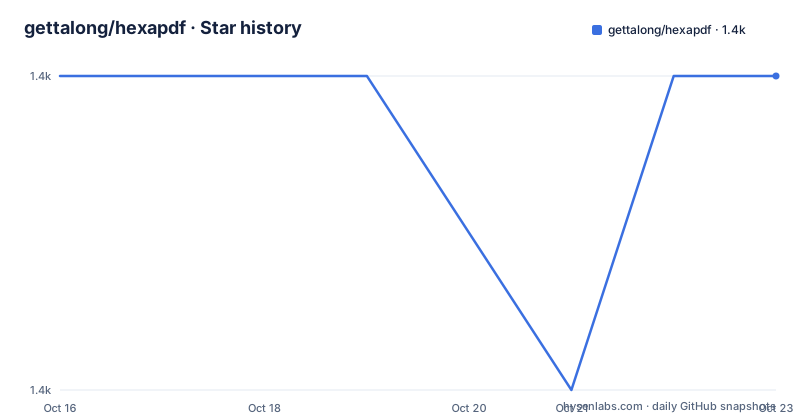
- gettalong/hexapdf1,382 ★ · +0
| Repository | 2026-10-16 | 2026-10-23 |
|---|---|---|
| gettalong/hexapdf | 1.4k | 1.4k |
0 Stars in the last 7 days, measured from the daily GitHub snapshot. Compare with other projects
Editorial analysis
Why HexaPDF Covers More Than PDF Generation
HexaPDF addresses two related problems that are often assigned to different tools. The first is producing a new PDF from application data. The second is opening an existing PDF, changing its pages, content, metadata, forms, annotations, attachments, or object structure, and writing the result back out. The README positions HexaPDF as a full PDF library rather than only a content generator.
The project is aimed at Ruby developers who need control over the complete PDF document. Its feature list includes page creation, merging, extraction of text and images, encryption, digital signatures, forms, outlines, file attachments, annotations, validation, and size optimization. This scope matters for applications that treat PDFs as an interchange format rather than a final rendering target. A report generator that only prints text may not need all of this, while a document service that accepts uploaded PDFs may need object-level editing immediately.
The project is pure Ruby and has one main external library dependency, `geom2d`, for document layout. The accompanying `hexapdf` application adds `cmdparse` for command line parsing. That dependency profile can simplify deployment compared with a PDF stack assembled from several unrelated utilities, although the README does not claim that HexaPDF removes every platform constraint associated with PDF files.
HexaPDF's Object Model and Convenience Layers
The architecture is based on the PDF standard's object model. According to the README, this design makes it possible to use an existing PDF as a template and extend the library. That is the main technical difference from a page generator whose primary abstraction is a drawing canvas. HexaPDF exposes both low-level PDF operations and higher-level convenience interfaces.
For direct page content, the canvas API maps closely to internal PDF operators. It supports paths, rectangles, lines, polylines, Bézier curves, arcs, images, and text. Images can be embedded from JPEG, PNG, and PDF sources, including transparency support. Text can use TrueType fonts, UTF-8 input, and font subsetting. These choices affect both output size and the amount of application code required to prepare assets.
The document composition engine operates at a higher level. It provides reusable styles, automatic page breaks, text flow around other content, ordered and unordered lists, and multi-column boxes. Individual layout elements can represent headers, paragraphs, code blocks, links, and emphasized text. This lets the same library serve a simple one-page document and a composed document with reusable layout definitions. The trade-off is that the API has more concepts than a minimal canvas. A developer should first decide whether the task requires PDF object access or only page composition, because the convenience layer can hide which PDF features are being used.
Creating and Installing a First HexaPDF Document
Install HexaPDF through RubyGems. The README requires Ruby 3.0 or higher, so an older Ruby runtime falls outside the documented support requirement.
The following command installs the library and its accompanying application from RubyGems:
gem install hexapdfAfter installation, the library can create a PDF using the API shown in the README. This example adds a page, selects Helvetica at a size of 100, writes text at a coordinate, and saves the document.
require 'hexapdf'

doc = HexaPDF::Document.new
canvas = doc.pages.add.canvas
canvas.font('Helvetica', size: 100)
canvas.text("Hello World!", at: [20, 400])
doc.write("hello-world.pdf")
Running the example should produce a file named `hello-world.pdf` containing the requested text. The README directs users to the HexaPDF website for the complete HTML API documentation and examples. It describes that documentation as including example graphics and PDF files and being integrated with the rest of the website.
Editing Existing PDFs with the Library and CLI
The library can read an existing PDF and modify its object structure or content before writing it again. The README gives removing unnecessary annotations and changing document content as examples of modifications that are practical in HexaPDF. This is the central reason to choose it over a generator-only library when an application must reuse uploaded documents.
The `hexapdf` binary handles common file operations, including merging PDFs and decrypting or encrypting files. The README also positions it as a replacement for categories of tools such as `pdftk` and Poppler-based utilities such as `pdfinfo` and `pdfimages`. The README excerpt does not provide a complete command reference, so exact flags beyond the documented installation command should be taken from the linked `hexapdf` manual rather than inferred from conventions used by other PDF tools.
Programmatic work extends beyond page editing. HexaPDF supports extracting metadata, text, images, and embedded files. It can attach files to a whole PDF or individual pages, create AcroForm forms with generated appearances, add annotations and outlines, and validate PDF objects. These operations allow an application to ingest, inspect, transform, and export PDF files without routing every task through a separate conversion service.
Encryption, Signatures, and Optimization Constraints
HexaPDF includes encryption with PDF 2.0 features, including AES256, as well as digital signatures. It can also optimize files for smaller size or other criteria. These capabilities extend the library beyond page generation, but they are separate implementation areas and should not be assumed to share the same validation path.
The repository includes `examples/024-digital-signatures.rb`, while the README links to dedicated documentation for signatures, encryption, forms, and optimization. The README does not explain how certificate provisioning, signature policy, trusted-root validation, or production key management should be configured. Those details need to be checked in the linked documentation before an application handles signed documents with operational or legal significance.
Optimization also needs careful interpretation. The README says HexaPDF tries to produce small PDF files by default and offers optimization for file size or other criteria. It does not make a universal claim that every optimization preserves every PDF structure. Embedded content, fonts, signatures, forms, and attachments can affect which transformations are appropriate. The repository's optimization example and linked documentation are the concrete references for choosing transformations in a document pipeline.
HexaPDF and Prawn Take Different PDF Approaches
The README's comparison with Prawn is architectural rather than a simple feature count. Prawn is described as a content generation library with an API for creating individual pages and multi-page documents. HexaPDF is described as a full PDF library that can read existing files, modify PDF objects, and write the result again.
For a Prawn-based templating workflow, the README says the usual approach relies on `pdf-reader` and `prawn-template`, with limited support. HexaPDF's object model provides a more direct route when a template requires changes to existing annotations, content, or other PDF structures. Prawn may remain the better choice when an application only generates content and its established API already matches the job. HexaPDF becomes more relevant when the same service must create documents and transform incoming files.
The README links to a migration guide comparing Prawn APIs with HexaPDF equivalents. That guide is relevant during migration because a Prawn-oriented application may need to change how pages, styles, and layout elements are represented. The documented distinction is the approach: Prawn centers on document generation, while HexaPDF combines generation with access to the underlying PDF object model.
HexaPDF Licensing, Compatibility, and Upgrade Cost
HexaPDF is available under the AGPL and a commercial license. The repository contains both `agpl-3.0.txt` and a `LICENSE` file. Any adoption decision must examine those files and the commercial licensing terms for the intended distribution model, network service, and modifications. This article does not provide legal advice or infer obligations beyond the project's license documents.
The documented runtime requirement is Ruby 3.0 or higher. The README states that HexaPDF works on CRuby-compatible implementations and platforms supported by Ruby, including Linux, macOS, and Windows. It says JRuby and TruffleRuby should work, but neither is actively tested according to the project documentation. That qualification matters for a deployment standardized on an alternative Ruby implementation because compatibility is not presented as continuously verified.
The repository is not archived, and its last push was on 2026-10-14. No GitHub releases are listed, so an upgrade plan cannot depend on release tags from that listing. The repository contains `CHANGELOG.md`, which is the concrete file to consult for project changes. Upgrade effort will depend on the Ruby version, gem dependencies, PDF features in use, and changes recorded in that changelog.
Editorial conclusion
Adopt HexaPDF when a Ruby application must generate PDFs while also editing existing files or working with PDF structures. Do not select it for a basic generation job without checking licensing, deployment constraints, and JRuby or TruffleRuby compatibility. Verify first that Ruby 3.0 or higher is available and that the AGPL or commercial license matches the distribution model.
Frequently asked questions
What is HexaPDF used for in Ruby?
HexaPDF is a pure Ruby library for creating, reading, editing, merging, extracting, securing, signing, validating, and optimizing PDF files. It can be used as a library or through the `hexapdf` application.
What Ruby version does HexaPDF require?
The README requires Ruby version 3.0 or higher. Earlier Ruby versions are not supported according to the project documentation.
Does HexaPDF modify existing PDF files?
Yes. HexaPDF can read an existing PDF and modify its PDF object structure or content before writing it again. The README contrasts this approach with Prawn's generation focus and limited template support.
Official sources
Add this badge to your README
If you maintain this project, the badge below links readers to this analysis and shows its maintenance status from the daily GitHub snapshot. Paste the markdown into your README; add ?metric=license or ?metric=stars to the image URL for a different field.

[](https://hysenlabs.com/projects/gettalong-hexapdf)Star history chart for your README
[](https://hysenlabs.com/projects/gettalong-hexapdf)Was this useful?