ospo-reusable-workflows: Centralized GitHub Actions with a Permission-First Release Design
Centralized Reusable GitHub Actions
At a glance
- What is it?
- A centralized collection of reusable GitHub Actions for open source projects, with a notable focus on permission-scoped release workflows and semver labeling. The design favors caller control over convenience, which is both its strength and its friction.
- Who is it for?
- Adopt this repository if you manage multiple open source repositories and want a consistent, permission-scoped release pipeline without writing your own actions. The variant-based release design is a genuine improvement over a one-size-fits-all workflow, but it comes with a learning curve.
- Can I use it commercially?
- Yes. MIT is a permissive licence: you can use, modify and sell software built on it, as long as you keep its copyright and licence notices.
- Is it still maintained?
- Yes. The repository last received commits 1 day ago.
- What is it written in?
- Mainly Dockerfile, according to GitHub's language statistics.
Answers come from the project's GitHub data, last synced on October 22, 2026, and from our analysis. They are not legal advice.
Star history
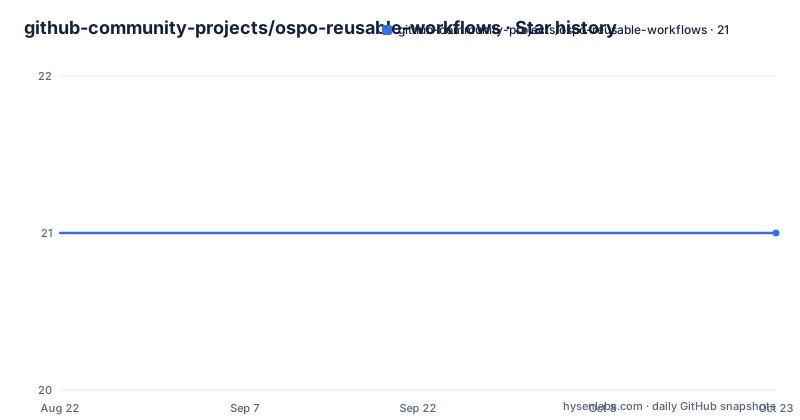
- github-community-projects/ospo-reusable-workflows21 ★ · +0
| Repository | 2026-08-22 | 2026-10-22 |
|---|---|---|
| github-community-projects/ospo-reusable-workflows | 21 | 21 |
0 Stars in the last 61 days, measured from the daily GitHub snapshot. Compare with other projects
Editorial analysis
What This Repository Actually Solves
The repository is a placeholder for multiple GitHub Actions used in open source projects. It is not a single tool but a collection of reusable workflows. The problem it solves is duplication. Instead of copying the same labeler or release logic into every repository, you call these workflows from your own workflow files. The intended audience is maintainers of open source projects, likely within a GitHub organization or community group, who want consistent automation across multiple repos. The README lists nine workflows, from auto-labeling to release announcements. The primary language is Dockerfile, which suggests the container image is a build artifact, not the core value. The real value is the workflow definitions and the documentation in the docs directory.
The Release Workflow Family: A Permission-First Design
The most interesting part is the release workflow. The README states that the old Release Image workflow is deprecated, consolidated into the Release workflow. What stands out is that the release workflow now comes in multiple variants. There is a full feature-flagged version, a minimal version, a GoReleaser version, a container version, and a discussion announcement version. Each variant is designed so callers only grant the permissions they need. This is a deliberate trade-off. A single monolithic workflow would be simpler to call, but it would require broad token permissions, which is a security risk. By splitting into variants, the caller can pass a token with limited scope. For example, a GoReleaser variant might need contents write, while a discussion variant only needs discussions write. The documentation has a section called 'Choosing a variant', which implies the choice is not obvious and requires reading.
How the Workflows Are Called and Configured
The README gives specific guidance on calling these workflows. You pass a GitHub token from your calling workflow, usually `${{ secrets.GITHUB_TOKEN }}`. The README warns that you must check the permissions in each reusable workflow to ensure the token you pass meets the required permissions. This is a critical detail. It means you cannot blindly call a workflow and expect it to work. You have to inspect the workflow file to see what permissions it requests. The README also mentions two repository settings you may need to change: 'Actions Permission' to enable reusable workflows, and 'Workflow Permissions' to 'Read and write permissions'. This is a real setup cost. The repository also provides reusable configuration files: labeler.yml and release-drafter.yaml. You can copy these into your own repo, which saves time but also means you inherit the maintainers' choices.
The Semver Label Rule: A Guard Against Accidental Bumps
A notable design decision is the semver label requirement. The README states that to update the semver version of a release, both the `release` label and a semver label (`major`, `minor`, or `patch`) must be on the pull request that is merged to `main`. The reasoning is explicit: to prevent accidental version bumps from pull requests that are not intended to be releases, such as Dependabot PRs that label themselves with semver labels. This is a sensible guard, but it adds a process requirement. Every release PR must have two labels. If you forget one, the release may not bump the version as expected. This is a potential failure mode. The README does not say what happens if only one label is present. Does the workflow fail, or does it silently skip the version bump? The documentation is not clear from the cleaned README.
The Container Image: A Placeholder with a Purpose
The README includes a note about the container image generated in this repo. It is a placeholder that contains the files of the repository. The purpose is to ensure the image shows a 'change' so a new digest is generated. This allows the maintainers to verify that tagging of the new container image works and that the generated attestation is tied to a new SHA or digest. This is a clever test mechanism, but it has a limitation. The image is not a useful artifact for end users. It is a placeholder. If you are looking for a container image to use in your own workflows, this is not it. The image exists solely to exercise the release pipeline. This is a concrete example of a design choice that prioritizes testing over utility.
Maintenance and Upgrade Considerations
The repository has a recent release history. Version v2.0.0 was pushed on 2026-08-19, with v1.5.1 and v1.5.0 just days earlier. This suggests active maintenance, but it also means the workflows are changing. The deprecation of the Release Image workflow is a breaking change. If you were using that workflow, you must migrate to the new Release workflow variants. The README does not provide a migration guide in the cleaned text, only a pointer to the docs. The license is MIT, which is permissive. You can reuse the workflows and the config files, but you must check the docs for any attribution requirements. The README invites you to reuse labeler.yml and release-drafter.yaml, but it does not state whether you must keep the copyright notice. The MIT license typically requires preserving the license text, but this is not legal advice.
Alternatives and Comparison
The obvious alternative is to write your own GitHub Actions workflows from scratch. That gives you full control but requires significant effort. Another alternative is to use GitHub's built-in features, such as the automatic release notes or the default labeler. Those are simpler but less customizable. A third alternative is to use a third-party action like `actions/labeler` or `softprops/action-gh-release`. Those are single-purpose actions, not a full suite. The key difference with ospo-reusable-workflows is the centralized, multi-workflow approach with a focus on permission scoping. The release variants are a unique design. You do not get that from a single action. The trade-off is that you must understand the variant system and the semver label rule. The alternative of a single action is easier to adopt but gives you less consistency across repos.
Editorial conclusion
Adopt this repository if you manage multiple open source repositories and want a consistent, permission-scoped release pipeline without writing your own actions. The variant-based release design is a genuine improvement over a one-size-fits-all workflow, but it comes with a learning curve. Do not adopt it if you need a zero-config solution or if your team cannot commit to the semver label rule on every release PR. Before adopting, verify that your GitHub repository settings allow reusable workflows and that you are comfortable granting read and write permissions to the token. Also check each workflow's permissions against your actual needs, because the README warns that the token must meet those requirements. The container image is a placeholder, so do not rely on it for anything beyond testing the release pipeline.
Frequently asked questions
What is a reusable workflow in ospo-reusable-workflows?
It is a GitHub Actions workflow that a calling repository invokes instead of copying. This repository publishes nine of them, from Auto-Labeler and Labeler through five Release variants ending with Release Discussion.
What is the difference between GitHub Actions and reusable workflows in ospo-reusable-workflows?
The reusable workflows are the Actions themselves, not a layer above them. The definitions live in .github/workflows, and the repository describes itself as a placeholder repo for the Actions used in its open source projects.
Is GitHub Actions still free, and does ospo-reusable-workflows say anything about cost?
Nothing on record here addresses pricing. What the repository states concerns permissions instead: a caller may need to enable reusable workflows under Actions to Actions Permission and set Workflow Permissions to Read and write permissions.
How do I reuse workflows from ospo-reusable-workflows in GitHub?
The workflow definitions live under .github/workflows, with one doc file per entry under docs. Two configuration files, labeler.yml and release-drafter.yaml, are meant to be copied into your own repository because the reusable workflows read them.
Official sources
Add this badge to your README
If you maintain this project, the badge below links readers to this analysis and shows its maintenance status from the daily GitHub snapshot. Paste the markdown into your README; add ?metric=license or ?metric=stars to the image URL for a different field.

[](https://hysenlabs.com/projects/github-community-projects-ospo-reusable-workflows)Star history chart for your README
[](https://hysenlabs.com/projects/github-community-projects-ospo-reusable-workflows)