size-plugin prints gzipped asset sizes and the delta since your last build
Track compressed Webpack asset sizes over time.
At a glance
- What is it?
- size-plugin is a Webpack plugin that prints the gzipped size of each emitted asset and how much it changed since the previous build, with six options for filtering, hashing and persistence. It works by saving a record to disk between builds, which is also its main limitation: the comparison is local, not a shared baseline.
- Who is it for?
- Adopt size-plugin when you want bundle growth visible in the terminal on every Webpack build, with no service to run and no baseline to provision, and when your builds are local or in a job with a persistent workspace. Do not adopt it as your performance budget, since it reports rather than fails the build, and do not expect cross-machine or cross-branch comparison without supplying the saved file yourself.
- Can I use it commercially?
- Yes. Apache-2.0 is a permissive licence: you can use, modify and sell software built on it, as long as you keep its copyright and licence notices.
- Is it still maintained?
- Yes. The repository last received commits 145 days ago.
- What is it written in?
- Mainly JavaScript, according to GitHub's language statistics.
Answers come from the project's GitHub data, last synced on November 7, 2026, and from our analysis. They are not legal advice.
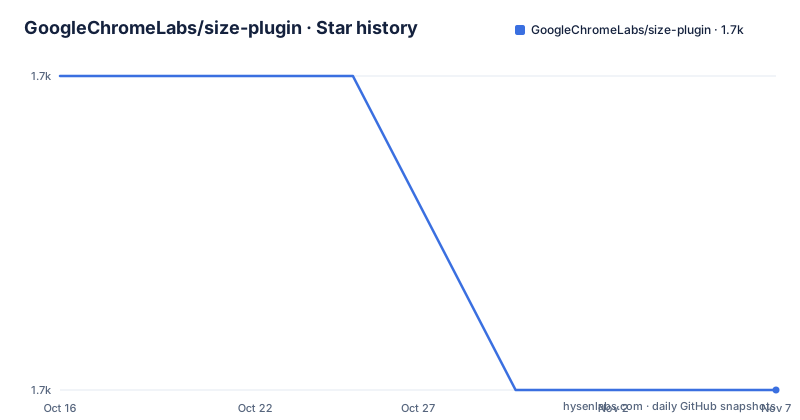
Star history
- GoogleChromeLabs/size-plugin1,661 ★ · -1
| Repository | 2026-10-16 | 2026-11-07 |
|---|---|---|
| GoogleChromeLabs/size-plugin | 1.7k | 1.7k |
-1 Stars in the last 22 days, measured from the daily GitHub snapshot. Compare with other projects
Editorial analysis
One dev dependency and two lines of webpack config
Installing it is a development dependency:
npm i -D size-pluginand adding it to the plugins array in webpack.config.js:
const SizePlugin = require('size-plugin');

module.exports = {
  plugins: [
    new SizePlugin()
  ]
}
There are no required options. The default behaviour is to print the gzipped size of each webpack asset and the change since the last build.
That last clause is the design decision everything else follows from. The plugin is not a dashboard, not a service and not a budget enforcement tool. It is a line of build output that tells you whether your bundle grew. It sits in the terminal next to the webpack hash and the asset list, so the feedback arrives at the moment someone is already looking.
The plugin is also specific about what it measures: gzipped sizes. Not raw file sizes, and not brotli. For a server sending gzip, that is the number users experience on the wire, which makes it a more honest metric than the raw asset size webpack prints by default.
The README opens by noting this is not an official Google product, despite the GoogleChromeLabs organisation it lives in. Author attribution in package.json is Jason Miller.
Six options, and stripHash is the one that makes it usable
The options are documented from the JSDoc comments in the source, with a note that the documentation is generated by documentation.js and should be updated by changing the source rather than the README.
`pattern` and `exclude` are minimatch patterns for files to track and files not to track. In a typical bundle the emitted file names include content hashes, so an unfiltered run lists `main.9f2a1c.js` today and `main.4b7e03.js` next week, and the plugin treats them as different assets.
`stripHash` is a custom function to remove or normalise hashed filenames for comparison. This is the option that makes the tool usable on a real project: with a strip function that maps every asset to its unhashed name, the same entry is compared against itself across builds, and the delta means something.
The remaining three control persistence. `writeFile` is a boolean to save file sizes to disk, and `filename` is the file name to save them to. `publish` is a boolean to publish sizes to `size-plugin-store`.
The `publish` option deserves a note. It is the one feature that would turn a local tool into a shared one, and the README documents nothing beyond the option name: no configuration for the store, no authentication, no description of what happens when two branches publish conflicting baselines. Treat it as something to evaluate before relying on rather than a feature to switch on.
The item shape is also documented, which tells you what a consumer of the data sees. An Item carries `name`, `sizeBefore` and `size` in kilobytes, `delta` in kilobytes, the formatted `sizeText` and `deltaText`, a full default `msg`, and a CLI `color`. The Data object wraps a `sizes` array of those items plus the buffered `output` string.
Comparison state lives in a file, which is the whole design and the whole limitation
Nothing about the plugin's documentation suggests a database. The mechanism is `writeFile` plus `filename`: sizes are saved to disk, and the next build reads them back to compute `sizeBefore`.
That design is why the plugin needs no account, no token and no server, and it is also why its usefulness depends entirely on that file existing in the working environment.
On a developer machine, where the project directory persists between builds, this works exactly as advertised. Build once to establish a record, build again after changing something, and the delta is real.
In continuous integration it depends on the runner. If each job starts from a fresh checkout, the first build in every job has no previous sizes. The plugin then reports current sizes with nothing to compare against, and every delta is either absent or meaningless. Whether that is a problem depends on how you use the output: the current sizes are still printed and still worth reading, but the change detection, which is the feature, is gone.
If the workspace is cached or restored between runs, the behaviour depends on whether the size file is inside the cached path and whether it is excluded by your ignore rules. The plugin's filename option is what you would use to place it deliberately, and nothing in the README discusses interaction with .gitignore, so a committed size file is a possibility the project does not rule out.
This is the practical gap between size-plugin and the tools that track bundle size over time properly. Those keep history in a service or in version control, so a build on any machine can say not only how big the bundle is but how it got there. What size-plugin gives up for that is the entire operational surface, and what it gives you is a build that tells you the truth about today without asking anyone to set anything up.
ESM output, CommonJS entry, and a Rollup port for the other bundler
The package.json is careful about module formats, which is worth understanding if you hit a require error.
The package is `"type": "module"`. The `module` field points at `./src/index.js` and the `exports` map gives `require` a CommonJS path at `./dist/size-plugin.cjs` while `default` resolves to the ESM source. Types are published at `./dist/size-plugin.d.ts`.
So a CommonJS webpack config using `require('size-plugin')` gets the bundled CJS build, and an ESM config gets the source directly. That dual setup is why the README's example works with `require` even though the package declares itself an ES module.
The build uses microbundle, targeting CommonJS and node with compression and source maps disabled: `microbundle -f cjs --target node --no-compress --no-sourcemap src/index.js`. A postbuild step renames the emitted files, moving the declaration file to `size-plugin.d.ts` and the bundle to `size-plugin.cjs`. A `prepare` script runs the build, so installing from a git dependency builds it.
The release script is worth noting for how the project works: `npm t`, then a commit with the package version as the message, a tag of the same name, push, push tags, then `npm publish`.
Testing uses Jest in a node environment with babel-jest transform for `.mjs` and `.js`, coverage from `src/**/*`, and text coverage reporting. Linting uses eslint extending developit, with `no-console` disabled since the plugin's job is printing, and `camelcase` disabled. The published `files` list is just `src` and `dist`.
For Rollup users the README redirects to rollup-plugin-size, a port of this plugin, rather than supporting both bundlers in one package.
Released in 2021, pushed in 2026, and no longer on webpack's default path
The release history is three entries and they are old. Version 3.0.0 and 2.0.2 were both tagged on 2021-01-29, minutes apart, and 2.0.1 on 2019-10-18.
The package version in package.json is still 3.0.0, matching the newest tag. So nothing has been released to npm in over five years.
The repository is not archived, and the last push was on 2026-06-15. That is a real difference from the release state: commits are still landing, but they are not producing new versions. For a package whose entire job is printing numbers, that gap is less damaging than it would be for a library, because the code is small and the behaviour is unlikely to break. It does mean that if you file an issue about a webpack version, there is no guarantee of a release carrying the fix.
The bigger structural question is webpack itself. This is a plugin for webpack, with no mention of webpack version compatibility in the README, and the plugin API has been stable enough that many old plugins kept working. What has changed more is the surrounding tooling: webpack 5 configuration, and the fact that a large share of new front-end projects use other bundlers, which is why the README's Rollup redirect exists and why there is a separate community project for it.
The practical guidance for anyone considering it: the six options are enough for the tool to be useful, the code is small enough to read, and the licence is Apache 2.0 with a LICENSE file at the root. If the webpack path matters to you, installing it costs one command and the risk of adopting it is small. If you are starting a new project on a different bundler, the port is the thing to look at instead.
Editorial conclusion
Adopt size-plugin when you want bundle growth visible in the terminal on every Webpack build, with no service to run and no baseline to provision, and when your builds are local or in a job with a persistent workspace. Do not adopt it as your performance budget, since it reports rather than fails the build, and do not expect cross-machine or cross-branch comparison without supplying the saved file yourself. Verify first whether your CI gives each job a fresh workspace, because a fresh checkout has no previous sizes to compare against and the deltas will be meaningless until a record exists.
Frequently asked questions
How do I install size-plugin?
Add it as a development dependency with `npm i -D size-plugin`, then add `new SizePlugin()` to the plugins array in your webpack configuration. No options are required.
What does size-plugin measure?
It prints the gzipped sizes of your webpack assets along with the change since the last build, so the numbers reflect what is sent over the wire rather than raw asset size.
How do I stop hashed filenames from breaking the comparison?
Use the stripHash option, a custom function to remove or normalise hashed filenames for comparison. Without it, an asset whose content hash changes is treated as a different file between builds.
Does size-plugin work with Rollup?
Not directly. The README points Rollup users to rollup-plugin-size, a separate port of this plugin.
Does size-plugin fail the build when a bundle grows?
The README describes it as printing gzipped sizes and the changes since the last build. There is no documented budget threshold or build failure option among the six options listed.
What license is size-plugin under?
Apache 2.0, with a LICENSE file at the repository root. The README also states that this is not an official Google product.
Official sources
Add this badge to your README
If you maintain this project, the badge below links readers to this analysis and shows its maintenance status from the daily GitHub snapshot. Paste the markdown into your README; add ?metric=license or ?metric=stars to the image URL for a different field.

[](https://hysenlabs.com/projects/googlechromelabs-size-plugin)Star history chart for your README
[](https://hysenlabs.com/projects/googlechromelabs-size-plugin)Was this useful?