html-to-text/node-html-to-text: a monorepo that ships a converter, a CLI and a work in progress Markdown tool
Advanced html to text converter
At a glance
- What is it?
- The html-to-text project is an npm workspaces monorepo with four packages, a shared base that is bundled into the published artefacts rather than published on its own, an ESM only layout with a Node 20.19 floor, and a Rollup, AVA and ESLint 10 toolchain. The root README is deliberately a map, and the real documentation lives in each package directory.
- Who is it for?
- Adopt this project if you need an HTML to plain text conversion that is maintained as a set of packages with per package changelogs, or if you want the command line tool alongside the library, since the CLI is a first class package here rather than an afterthought.
- Can I use it commercially?
- Check first. The repository uses a licence we do not classify automatically, so read its LICENSE file before any commercial use.
- Is it still maintained?
- Yes. The repository last received commits 66 days ago.
- What is it written in?
- Mainly JavaScript, according to GitHub's language statistics.
Answers come from the project's GitHub data, last synced on October 23, 2026, and from our analysis. They are not legal advice.
Star history
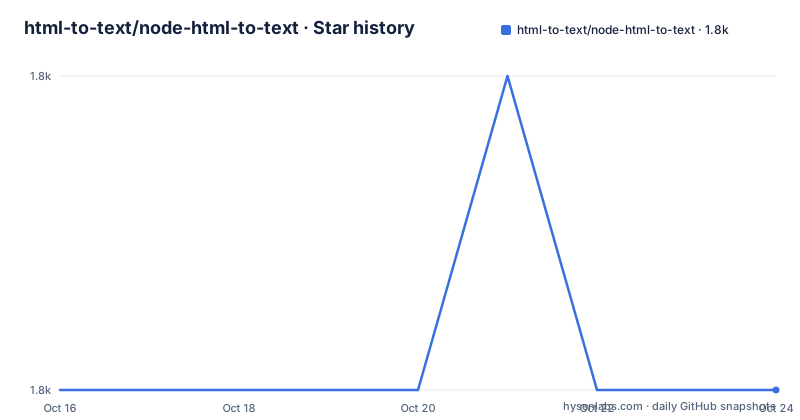
- html-to-text/node-html-to-text1,762 ★ · +0
| Repository | 2026-10-16 | 2026-10-23 |
|---|---|---|
| html-to-text/node-html-to-text | 1.8k | 1.8k |
0 Stars in the last 7 days, measured from the daily GitHub snapshot. Compare with other projects
Editorial analysis
Four packages, one base, and a README that is a map
The repository opens with the sentence that tells you the shape of everything else: this is a monorepo. It then lists the packages, and each entry has the same three parts, a description, a folder, and a pointer to the documentation.
The main package is `html-to-text`, described as an advanced html to plain text converter, living in `packages/html-to-text`, with its documentation in the package's own `README.md` and a `CHANGELOG.md` beside it. The npm badge for it is the one most people will recognise.
The second is `@html-to/text-cli`, the CLI for the same converter, in `packages/html-to-text-cli`, with its own README and CHANGELOG. The third is `@html-to/md`, an advanced html to markdown converter that is explicitly marked as a work in progress, and whose documentation links are commented out in the root README, which is a quiet way of saying that its own documentation is not ready either.
The fourth is `base`, described as shared code that only exists in the monorepo and is bundled into the published packages. That last design decision is the interesting one, and it is the one most monorepos get wrong.
So the root README is not the documentation. It is a table of contents with links, which is exactly what a monorepo root README should be, and anyone who expects to find API documentation there will be disappointed.
The base package is bundled, never published
The note on the `base` package says it only exists in the monorepo and is bundled into published packages. There is no npm badge for it, and no version badge either, and that is the signal.
The reason to do this is dependency hygiene in the consumer's tree. If `base` were published as its own package, every application installing `html-to-text` would also install `base` as a transitive dependency, at whatever version the resolver picks, and the shared code would exist in the tree twice if two packages depended on different versions of it. Bundling it into each published artefact removes that entirely. The consumer sees one package with no extra runtime dependency to reason about, and the maintainer keeps one copy of the shared code in the repository.
The trade is that the shared code is copied into each artefact rather than shared at runtime, so the packages cannot share mutable state and any change to the base has to be rebuilt into all of them. For a library like this one, where the shared code is a parsing or formatting core rather than a stateful service, that is a good trade.
The monorepo is wired up with npm workspaces, listing `packages/base`, `packages/html-to-text`, `packages/html-to-text-cli` and `packages/html-to-md`, and the build, test and cover scripts in the root `package.json` are scoped to packages with the `-w` flag.
Node 20.19 and ESM only
Two fields in the root manifest shape what a consumer can do with this project.
The `engines` field requires Node 20.19.0 or newer, and that floor applies to the whole workspace, so every published package inherits it. The number is specific rather than round, which usually means it tracks a real requirement rather than a policy, and for a library that bundles modern syntax and relies on current runtime behaviour, pinning a minor version is defensible.
The `type` is `module`, so the workspace is ESM. There is no CommonJS build step visible in the root scripts, and the build for each package is delegated to that package's own scripts, which means the decision about whether to ship a dual build is made per package rather than globally.
For a consumer on an older Node, that combination is a hard stop, and it is the first thing to check when a dependency fails to install. The root manifest is also where the licence is declared, as MIT, with a `LICENSE` file in the repository root, a `SECURITY.md` for reporting vulnerabilities, and a `CHANGELOG.md` at the top level in addition to the per package ones.
Rollup, AVA and an ESLint 10 setup that checks file names
The dev dependencies describe a modern and unusually thorough toolchain.
Rollup 4 does the bundling, with plugins for JSON, node resolution and a replacement pass for constants. AVA 7 is the test runner, run per package with a `test` script for each of the four workspaces, and the root `test` script runs all of them concurrently through the `concurrently` package. Coverage is measured with `c8` and the root has separate `cover` scripts per package as well.
ESLint 10 is the linter, and the plugin list is where the interesting choices are. `eslint-plugin-check-file` enforces conventions about file names, `eslint-plugin-import-x` handles import resolution, and `eslint-plugin-jsdoc` checks documentation comments, which in a library whose public API is documented in the source is a meaningful guarantee rather than decoration. The root `lint` script is a plain `eslint .`, and the formatting is handled separately by nothing at all, since Prettier is not in the dependency list here, which suggests the project has standardised on ESLint for formatting too.
The examples are part of the workflow. The `example/` directory contains `html-to-text.js`, `html-to-md.js` and a `test.html` fixture, and the root scripts `example:text` and `example:md` run them with Node, so a change can be eyeballed against a real HTML file rather than only through assertions.
Where this project is the wrong choice
The first wrong case is a team that needs Markdown today. The `@html-to/md` package is described as a work in progress, its documentation links are commented out in the root README, and the root has a separate `build:html-to-md` script, so the package is wired into the workspace and built but is not finished. Depending on it is depending on a stated work in progress.
The second wrong case is a consumer on an old Node. The 20.19.0 floor is not negotiable, and while a project on Node 18 or 16 can often be satisfied by an older release of a library, the absence of GitHub releases in this repository means there is no published tag history to pick an older version from, so the escape route is a fork rather than a pin.
The third is a team that wants one dependency with a documented API at the top level. The split into four packages, with a CLI, a shared base and a second converter, means the API reference for the library is in `packages/html-to-text/README.md` and the changelog for the version you depend on is in `packages/html-to-text/CHANGELOG.md`. That is tidy for a monorepo and slightly awkward for a reader who landed on the root.
The fourth is a licensing question worth checking. The badges and the manifest say MIT, while the repository's licence file is one that GitHub could not classify, and for a dependency that many applications will take without reading, the difference between the two statements is worth ten minutes of reading the file.
Maintenance and the shape of the releases
The repository is not archived and the last push was on 2026-08-19, so the work is ongoing. There are no GitHub releases, which is consistent with a monorepo of npm packages, since the publishable packages are versioned and released on their own cadence, and the main packages carry their own `CHANGELOG.md` rather than relying on the root one.
The root `package.json` makes that per package versioning visible. There are separate `build` scripts for the three publishable packages, since `base` is not published and needs no build of its own, and separate `cover` and `test` scripts for the packages that have tests, with `test:base` listed alongside the three package level test scripts.
For a consumer, the practical consequence is that you should watch the changelog of the package you install rather than the repository's commit history, and that an upgrade of `html-to-text` and an upgrade of `@html-to/text-cli` are two separate decisions that may land at different times. That is a normal property of a monorepo with independently published packages, and it is the cost of the arrangement that keeps the shared base out of your dependency tree.
Editorial conclusion
Adopt this project if you need an HTML to plain text conversion that is maintained as a set of packages with per package changelogs, or if you want the command line tool alongside the library, since the CLI is a first class package here rather than an afterthought. Do not adopt the Markdown converter yet, because the repository itself marks it as work in progress, and do not expect the root README to document the API, because it is a map of the monorepo and the details are in each package. Verify first that your Node version is 20.19.0 or newer, since that is the engines floor for the whole workspace, and read the LICENSE file in the repository rather than relying on the badge, because the licence file is not one GitHub can classify.
Frequently asked questions
What packages does the node-html-to-text monorepo contain?
Four workspaces: `packages/html-to-text`, the advanced html to plain text converter, `packages/html-to-text-cli`, the CLI for it, `packages/html-to-md`, an advanced html to markdown converter marked as work in progress, and `packages/base`, shared code that only exists in the monorepo and is bundled into the published packages.
What Node version do I need to use these packages?
The root manifest sets `engines.node` to `>=20.19.0`, and the workspace is ESM with `"type": "module"`. The floor applies across the whole workspace, so every published package in it requires that version or newer.
Where is the API documentation for html-to-text?
The root README is a map of the monorepo rather than an API reference. The documentation for the converter is in `packages/html-to-text/README.md` with a `CHANGELOG.md` beside it, and the CLI has its own README and changelog in `packages/html-to-text-cli`.
Can I use the html to markdown converter yet?
Not as a finished package. The root README describes `@html-to/md` as an advanced html to markdown converter and marks it as work in progress, and its documentation links are commented out there, although it is part of the workspace and has its own build script.
How are the tests run in this monorepo?
Each package has its own `test` script, and the root `test` script runs them all concurrently with `concurrently`. The root has a separate `cover` script per package using `c8`, and the `example/` directory can be run directly with `npm run example:text` and `npm run example:md` against the included `test.html` fixture.
Official sources
Add this badge to your README
If you maintain this project, the badge below links readers to this analysis and shows its maintenance status from the daily GitHub snapshot. Paste the markdown into your README; add ?metric=license or ?metric=stars to the image URL for a different field.

[](https://hysenlabs.com/projects/html-to-text-node-html-to-text)Star history chart for your README
[](https://hysenlabs.com/projects/html-to-text-node-html-to-text)Was this useful?