Image Classification App with Custom TensorFlow Model: A Tutorial Repository for On-Device CNNs
Learn how to code your own neural network in Python, then deploy it in an Image Classification App using TensorFlow Lite.
At a glance
- What is it?
- This repository pairs a Python CNN tutorial with an Android app that runs the model via TensorFlow Lite, aimed at developers learning the full pipeline from training to deployment.
- Who is it for?
- Adopt this repository if you are a developer who wants a guided, end-to-end example of building a custom CNN in Python and deploying it to Android with TensorFlow Lite, especially if you learn well from video tutorials. Avoid it if you need a production-ready app or a maintained library, since the repository is a tutorial artifact with no recent releases and no evidence of active updates.
- Can I use it commercially?
- Yes. MIT is a permissive licence: you can use, modify and sell software built on it, as long as you keep its copyright and licence notices.
- Is it still maintained?
- Probably not. The repository last received commits 38 months ago, on August 28, 2023.
- What is it written in?
- Mainly Java, according to GitHub's language statistics.
Answers come from the project's GitHub data, last synced on October 20, 2026, and from our analysis. They are not legal advice.
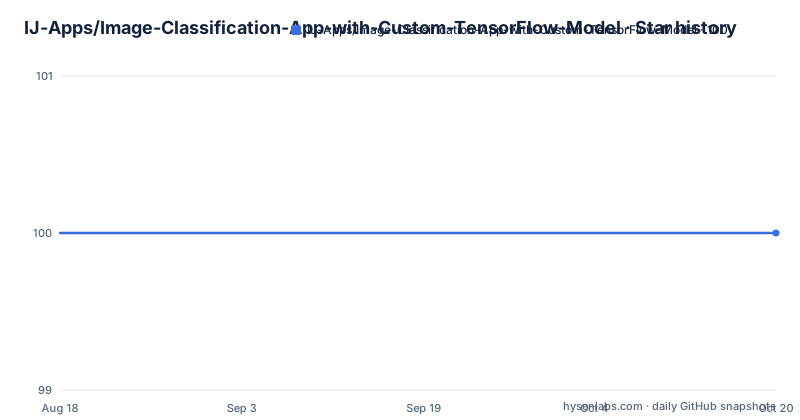
Star history
- IJ-Apps/Image-Classification-App-with-Custom-TensorFlow-Model100 ★ · +0
| Repository | 2026-08-18 | 2026-10-20 |
|---|---|---|
| IJ-Apps/Image-Classification-App-with-Custom-TensorFlow-Model | 100 | 100 |
0 Stars in the last 63 days, measured from the daily GitHub snapshot. Compare with other projects
Editorial analysis
What This Repository Actually Provides
The repository is a tutorial companion, not a standalone product. It solves a specific problem: showing a developer how to go from writing a neural network in Python to running that same network on an Android device. The intended audience is someone who has basic Python and Android knowledge but has not connected the two. The README states the goal directly: 'code a Convolutional Neural Network (CNN) model with TensorFlow, then deploy it as a TensorFlow Lite model in our Android app.' The primary language is Java, which means the Android side uses traditional Java views rather than Kotlin. The license is MIT, so you can reuse the code freely, but the repository is archived? No, it is not archived, but there are no recent releases retrieved, which suggests it is a static example.
The Core Mechanism: From Python to TensorFlow Lite
The architecture is a two-stage pipeline. First, you write and train a CNN in Python using TensorFlow. The README does not give the model architecture details, but a typical CNN for image classification includes convolutional layers, pooling, and a dense output layer. Second, you convert that trained model to TensorFlow Lite format. The Android app then loads this .tflite file and runs inference on device. The data flow is: training data goes into the Python model, the model produces weights, those weights are converted to a compact format, and the Android app reads that format to classify new images. The repository does not include the conversion script or the model file in the visible README, so you must follow the linked YouTube tutorial to see those steps. This is a significant gap if you prefer reading code over watching video.
Getting It Running: Commands and Configuration
The README gives no explicit commands or configuration keys. It points to a YouTube tutorial for the full walkthrough. From the repository name and common practice, you would clone the repository, open the Android project in Android Studio, and build it. For the Python part, you would need to install TensorFlow and write a training script. The Android app likely has a gradle file that includes TensorFlow Lite dependencies, but the README does not show them. You must rely on the video for exact steps. This is a limitation: the repository alone is not self-contained. If the video goes offline, you lose the instructions. The README does include a link to the tutorial at https://youtu.be/yV9nrRIC_R0, which is the primary documentation.
A Genuine Limitation: It Is a Tutorial, Not a Framework
This repository is the wrong tool if you need a production image classifier. It has no release tags, no versioned model, and no evidence of ongoing maintenance. The README is minimal, and the codebase is likely a single example app. For a real project, you would need to handle model versioning, on-device performance tuning, and error handling, none of which the README mentions. Also, the tutorial assumes you will train your own model, which requires a dataset. If you do not have one, the repository is useless until you find data. The video tutorial may cover this, but the repository itself does not. So, the failure mode is when you expect a ready-to-use app; you get a learning exercise instead.
A Real Alternative: Use a Pre-Trained Model or a Different Framework
If you want image classification on Android without training your own model, you could use TensorFlow Hub's pre-trained models, such as MobileNet, which are designed for on-device inference. The approach differs fundamentally: this repository teaches you to train a custom CNN from scratch, which gives you control over the architecture but requires data and compute. A pre-trained model approach lets you skip training and fine-tune only if needed, but you inherit the model's biases and limitations. Another alternative is to use PyTorch Mobile, which has a similar conversion pipeline but a different ecosystem. The choice depends on whether you need custom classes or can accept a generic classifier. For a tutorial, this repository is fine; for a product, a pre-trained model is often faster and more reliable.
Maintenance and License Implications
The repository is under the MIT license, which allows commercial use, modification, and distribution with attribution. There are no recent releases retrieved, and the last push is unknown, so you cannot assume active maintenance. The README is a single paragraph and a video link, suggesting it was created for a tutorial and may not be updated. If you adopt this code, you must check the TensorFlow Lite API versions, because the Android implementation may rely on older APIs that have changed. The Java code may also need updates for newer Android SDK versions. The license is permissive, but the lack of maintenance means you carry the cost of keeping it compatible with current tools. This is typical for educational repositories, but you should be aware before building on it.
Who Should Use This Repository
This repository is for a student or a developer who wants a guided path from Python machine learning to Android deployment. It is not for a team building a commercial app, because the tutorial format does not provide the robustness or documentation needed for production. The video tutorial is the real value, so you should only use this if you are willing to watch it. The MIT license means you can take the code and adapt it, but you must verify the TensorFlow version and model conversion steps yourself. If you are comfortable with that, this is a compact example of the entire pipeline. If you are not, look for a more comprehensive resource. The repository's strength is its simplicity; its weakness is that it leaves too much to the video.
Editorial conclusion
Adopt this repository if you are a developer who wants a guided, end-to-end example of building a custom CNN in Python and deploying it to Android with TensorFlow Lite, especially if you learn well from video tutorials. Avoid it if you need a production-ready app or a maintained library, since the repository is a tutorial artifact with no recent releases and no evidence of active updates. Before use, verify that the TensorFlow and TensorFlow Lite versions in the code match your current environment, and check the YouTube tutorial for any changes since the README was written. The repository's value is in its educational path, not in its completeness as a deployable product.
Frequently asked questions
How can I use TensorFlow to classify images with this project?
The project codes a Convolutional Neural Network with TensorFlow in Python, then deploys it as a TensorFlow Lite model in an Android app. The step-by-step version of that is in the linked tutorial video rather than in the README.
What is the best model for image classification in this project?
The project uses a Convolutional Neural Network and does not compare it against anything else. No architecture details, dataset, or label set are recorded in the repository.
Is TensorFlow still relevant in 2026 for this project?
The repository says nothing about later versions of TensorFlow or TensorFlow Lite. What it records is that the model is coded with TensorFlow and shipped as a TensorFlow Lite model in an Android app, with the last push to main dated 2023-08-28 and no releases.
Which is better for image classification, CNN or ANN?
This repository only demonstrates the CNN path and offers no comparison with a fully connected network. It states that a Convolutional Neural Network is coded with TensorFlow and then deployed as a TensorFlow Lite model in the Android app.
Official sources
Add this badge to your README
If you maintain this project, the badge below links readers to this analysis and shows its maintenance status from the daily GitHub snapshot. Paste the markdown into your README; add ?metric=license or ?metric=stars to the image URL for a different field.

[](https://hysenlabs.com/projects/ij-apps-image-classification-app-with-custom-tensorflow-model)Star history chart for your README
[](https://hysenlabs.com/projects/ij-apps-image-classification-app-with-custom-tensorflow-model)Was this useful?