Ruby LSP pairs a language server gem with its own VS Code extension
An opinionated language server for Ruby
At a glance
- What is it?
- Shopify/ruby-lsp implements the language server protocol for Ruby so that one server can serve many editors, and it keeps both sides of that boundary in a single gem-plus-extension repository. Its front page is short, and configuration, supported Ruby versions and the feature list all live on the documentation site instead.
- Who is it for?
- Ruby LSP suits teams that edit Ruby in VS Code and want a single server behind completion, navigation and the documentation and debugging work the README names as goals. Leave it alone if your editor already carries Ruby tooling you cannot replace, or if you need configuration keys today, because the front page documents none.
- Can I use it commercially?
- Yes. MIT is a permissive licence: you can use, modify and sell software built on it, as long as you keep its copyright and licence notices.
- Is it still maintained?
- Yes. The repository last received commits 2 days ago.
- What is it written in?
- Mainly Ruby, according to GitHub's language statistics.
Answers come from the project's GitHub data, last synced on October 23, 2026, and from our analysis. They are not legal advice.
Star history
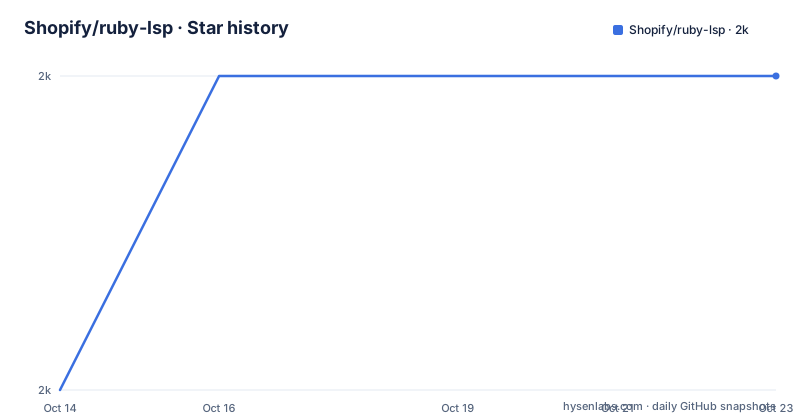
- Shopify/ruby-lsp2,042 ★ · +1
| Repository | 2026-10-14 | 2026-10-23 |
|---|---|---|
| Shopify/ruby-lsp | 2k | 2k |
1 Stars in the last 9 days, measured from the daily GitHub snapshot. Compare with other projects
Editorial analysis
One Ruby server, many editors, one protocol
Shopify/ruby-lsp is an implementation of the language server protocol for Ruby, built on the idea that one server can serve every editor that speaks the protocol, instead of each editor carrying its own copy of Ruby analysis. The README frames the payoff as improving rich features in editors, and places the project inside a wider goal of giving Ruby developers modern standards for cross-editor features, documentation and debugging. Documentation and debugging are named there as destinations, not as switches you can flip today. The repository topics spell out the shape of the thing: `lsp`, `lsp-server`, `ruby` and `vscode-extension`. A server first and an editor client second, both kept by the same team in the same repository, which matters when a feature misbehaves and you need to work out which side of the boundary owns the bug.
A gem at the root, with executables beside the library
The distributed unit is a gem, and the root of the repository is laid out like one. The packaging files sit together: `ruby-lsp.gemspec` names the package, `Gemfile.lock` pins what it builds against, `VERSION` holds the number the build reports, and `Rakefile` with `rakelib/` carries the task definitions. Ruby convention puts the library in `lib/` and the executables a user launches in `exe/`, and both show up in the root listing next to `bin/`. Type checking lives in `sorbet/`, linting in `.rubocop.yml` and `.irbrc`, and the interpreter pin is one file named `.ruby-version`. A project whose job is reading other people's Ruby also has to keep its own Ruby honest, and these are the tools it reaches for.
The gem ships under the MIT License with `LICENSE.txt` in the root, the repository is not archived, and the last push landed on 2026-10-05.
Here is the packaging slice of the root listing, one entry per line:
ruby-lsp.gemspec
Gemfile.lock
VERSION
Rakefile
rakelib/
lib/
exe/
bin/
test/
sorbet/
.rubocop.yml
.irbrc
.ruby-version
Everything above is packaging, build tooling or contributor setup. None of it is the protocol implementation itself, which keeps the project readable once you know where to look.
The documentation site is built from the repository
Most links in the README resolve to pages under shopify.github.io/ruby-lsp, and the repository carries the machinery to build them: `jekyll/` and `static_docs/` sit in the root next to `README.md`. The feature list a reader is sent to is therefore documentation rather than code, and it is the part of the project most able to disagree with a given build. The contributor route is doubled. The root holds `CONTRIBUTING.md` and `CODE_OF_CONDUCT.md`, while the README sends contributors to a contributing page on the documentation site, then to a design and roadmap page for a list of tasks to get started. Two doors into the same guidance is mild clutter, and it also means the written instructions sit in version control beside the gemspec, where a reviewer can read them without leaving the repository.
The only install path the README spells out is the marketplace
Start with the editor you already use. For VS Code, the README's single route is the marketplace extension, whose identifier appears in the badge at the top of the file and in the link here:
https://marketplace.visualstudio.com/items?itemName=Shopify.ruby-lspAfter that, the README hands you pages rather than commands. Anyone on another editor is pointed at the editors guide:
https://shopify.github.io/ruby-lsp/editors.htmland anyone who wants to know what the server covers is pointed at the features section:
https://shopify.github.io/ruby-lsp#featuresThree links and no shell command. The README does not show how to install the gem, how to start the server from a terminal, or which executable an editor should launch, even though `exe/` and `bin/` both sit in the root. If your editor is not VS Code, budget time for the editors guide, because that page, not the README, is where the connection details live.
The front page documents no configuration key and no Ruby range
Several questions a buyer asks first have no answer on the front page. There is no configuration key, no environment variable, no editor setting, no range of supported Ruby versions, and no statement of what a running server writes back into a project. `.ruby-version` appears in the root as a file name, but the README does not print what it pins, for contributors or for users. There is no rollback procedure either: the version file and the published builds tell you what exists, not how to move a running team back to a known good one. This is where Ruby LSP is the wrong tool for a specific job. A platform group that must show which analysis ran against which Ruby version inside CI, with an audit trail, will not find that trail here. A team that wants completion and navigation inside VS Code will not notice the gap at all.
The extension and the gem are numbered on separate lines
A close look at the numbers shows two schemes running in parallel. The gem line sat at 0.26.11 on 2026-08-20, and 0.27.0 exists only as a beta published the next day, on 2026-08-21, so a team staying on stable builds has not moved past the 0.26 series. The editor extension runs on a different counter entirely: `vscode-ruby-lsp-v0.10.6` from 2026-07-29, three weeks behind the gem numbers it carries. Pinning a gem version does not pin the editor build, and neither number says which features the pair supports together. Anyone tracking upgrades watches two counters, and anyone reading a bug report has to work out which side of the boundary the reporter was standing on.
Agent instruction files sit beside the Rakefile
Three top-level entries have nothing to do with the language server protocol: `.claude/`, `AGENTS.md` and `CLAUDE.md`. They are instructions for coding agents working inside the repository, and the README never mentions them, so a reader scanning the front page will not know they are there. Around them sit `.devcontainer/`, `dev.yml` and `ruby-lsp.code-workspace`, which describe a ready-made development environment, and `.gitmodules`, which says the repository pulls something in from elsewhere without saying what. Continuous integration runs from a workflow named `ci.yml` under `.github/`. Taken together, the root says the project is built for agent-assisted work inside a container, and the README describes none of it.
One server against one plugin per editor
The alternative to this design is not a different language server, it is the approach the protocol route argues against: write Ruby support once per editor, against each editor's own extension API, and ship it separately to each user base. That approach gives an editor vendor full control of its Ruby experience, and it turns every new feature into a separate implementation for every editor. The protocol route trades that control for a process boundary and for the requirement that the editor be able to host a language server at all. The repository shows both sides of the bargain. A `vscode/` directory sits beside the gem packaging, so Shopify maintains a first-party VS Code client instead of waiting for one, and the root still carries the full gem toolchain, so the team pays for both sides of every feature it adds.
Editorial conclusion
Ruby LSP suits teams that edit Ruby in VS Code and want a single server behind completion, navigation and the documentation and debugging work the README names as goals. Leave it alone if your editor already carries Ruby tooling you cannot replace, or if you need configuration keys today, because the front page documents none. Before switching, read the features page and the editors guide, then check the VERSION file in the root against the gem your editor build pins, and count the two version lines separately.
Frequently asked questions
How do I set up Shopify/ruby-lsp in an editor other than VS Code?
The README sends every editor except VS Code to the editors guide at shopify.github.io/ruby-lsp/editors.html. It does not document a gem install command or a way to start the server from a shell, so the guide is where the connection details live.
Which Ruby versions does Ruby LSP support?
The repository root contains a `.ruby-version` file, but the README does not print its value and does not state a supported Ruby version range. The project points readers at the features page of the documentation site instead.
What license is Shopify/ruby-lsp published under?
MIT. The README states that the gem is available as open source under the terms of the MIT License, and the repository root holds LICENSE.txt.
How current is Ruby LSP, and which build should a team take?
The last push was on 2026-10-05 and the repository is not archived. Recent published builds include 0.26.11 from 2026-08-20, a 0.27.0 beta from 2026-08-21, and the extension build vscode-ruby-lsp-v0.10.6 from 2026-07-29, so the two numbering lines have to be checked separately.
Official sources
Add this badge to your README
If you maintain this project, the badge below links readers to this analysis and shows its maintenance status from the daily GitHub snapshot. Paste the markdown into your README; add ?metric=license or ?metric=stars to the image URL for a different field.

[](https://hysenlabs.com/projects/shopify-ruby-lsp)Star history chart for your README
[](https://hysenlabs.com/projects/shopify-ruby-lsp)Was this useful?