data-migrate for Rails: Schema and Data Changes in One Migration Stream
Migrate and update data alongside your database structure.
At a glance
- What is it?
- data-migrate is a Ruby gem for Rails applications that need versioned data migrations alongside Active Record schema migrations. It stores data changes in db/data, tracks them in data_migrations, and provides both data-only and combined rake tasks.
- Who is it for?
- Adopt data-migrate when your Rails release process must version data changes separately from schema changes and needs explicit commands for applying or inspecting them. Do not choose it for projects that treat every data change as part of schema loading, or when your deployment system cannot manage a separate migration table and migration directory.
- Can I use it commercially?
- Yes. MIT is a permissive licence: you can use, modify and sell software built on it, as long as you keep its copyright and licence notices.
- Is it still maintained?
- Yes. The repository last received commits 4 days ago.
- What is it written in?
- Mainly Ruby, according to GitHub's language statistics.
Answers come from the project's GitHub data, last synced on November 7, 2026, and from our analysis. They are not legal advice.
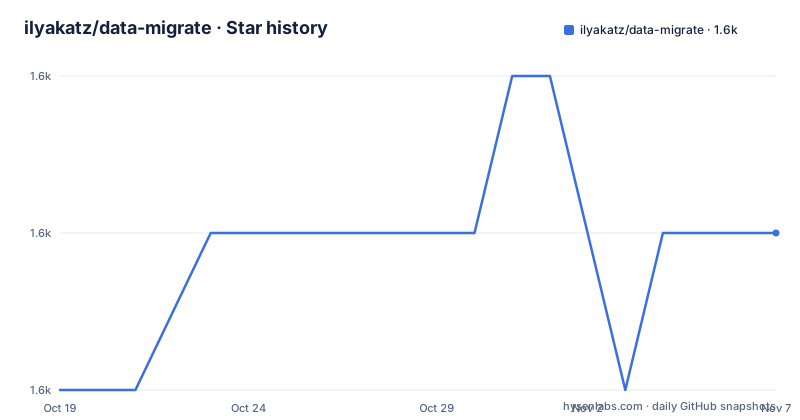
Star history
- ilyakatz/data-migrate1,556 ★ · +1
| Repository | 2026-10-19 | 2026-11-07 |
|---|---|---|
| ilyakatz/data-migrate | 1.6k | 1.6k |
1 Stars in the last 19 days, measured from the daily GitHub snapshot. Compare with other projects
Editorial analysis
Why Rails teams need a separate data migration path
Database schema changes are only one part of many application releases. A deployment may need to transform existing records after adding a column, normalize values, or prepare data for a new application version. data-migrate gives those operations their own migration history instead of placing every change in the schema migration stream. The README gives the example of titleizing existing titles as a data migration.
The intended users are Rails developers and teams that already use Active Record migrations but need repeatable, ordered data changes. The gem does not replace Rails schema migrations. Its design keeps schema and data migration files in separate paths, while offering combined tasks for deployments that need to run both. This separation is useful when development and test databases can be built directly, while production and QA environments need existing data updated.
How data-migrate records and orders database changes
Data migration files are stored in `db/data`. The README states that these files act like schema migrations, but are reserved for data changes. When one of the provided rake tasks runs, the gem creates a `data_migrations` table to track applied data versions. This gives data changes a version history that can be inspected, advanced, reversed, redone, or loaded from a dumped data schema.
The combined `db:migrate:with_data` task runs both kinds of migration in ascending version order. For example, if a data migration has version `20230410000000` and a schema migration has version `20230415000000`, the data migration runs first. This makes timestamps meaningful across the two streams. The combined status task adds a column identifying whether a migration is a data migration or a schema migration.
The `with_data` tasks do not merely run two commands independently. According to the README, combined rollback checks whether the last migration was a schema migration or a data migration and responds accordingly. For `up` and `down`, the `BOTH` option defaults to `false`. When enabled, both migration types are run in the requested direction when both match the specified version. The README states that schema takes precedence when going up, and data takes precedence when going down.
Installing data-migrate and generating the first migration
The README documents installation through the Rails application's `Gemfile`. Add the gem, install the bundle, then generate a data migration with the same generator style used for a schema migration. The generated operation can perform the record update your release requires.
Add the dependency to the application's `Gemfile`:
gem 'data_migrate'Install the bundle:
bundle installGenerate a data migration named for the change it performs:
rails g data_migration add_this_to_thatThe generator writes a migration under `db/data`. The README does not document the generated file's exact contents, so the application author should implement the required record transformation in the generated `up` and `down` methods. Running a data-related rake task after installation creates `data_migrations` in the database.
Applying data migrations in development, QA, and production
The workflow documented by the project distinguishes tasks that need only data migrations from tasks that combine data and schema migrations. For environments such as development and test, where intermediate Active Record activity is not required, the README says to use the regular `db:migrate` task. For production and QA, it describes using `db:migrate:with_data` so both migration streams are considered.
To apply pending data migrations only, use the documented task:
rake data:migrateTo apply schema and data migrations together:
rake db:migrate:with_dataThe data task supports `VERSION=x` and `VERBOSE=false`, as shown in the README. The combined task exposes the same options for `VERSION` and `VERBOSE`. These options are useful when a deployment needs a specific migration version or less verbose output, although the README does not provide a worked example of their exact interaction.
For a new database, `db:prepare:with_data` is documented as running setup if the database does not exist, or running both migration streams if it does exist. This task is a separate choice from `db:migrate:with_data`, so deployments should select the command based on whether the target database is expected to be new or already initialized.
Status, rollback, redo, and schema loading boundaries
data-migrate provides separate controls for inspecting and moving through data migrations. The documented task list includes `rake data:migrate:status`, `rake data:migrate:down`, `rake data:migrate:up`, `rake data:migrate:redo`, `rake data:rollback`, and `rake data:forward`. Combined equivalents are also provided, including `rake db:migrate:status:with_data`, `rake db:rollback:with_data`, and `rake db:migrate:redo:with_data`.
A data schema file can also be managed separately. `rake data:dump` creates `db/data_schema.rb` with the current data version, while `rake data:schema:load` loads that file without running the data migrations. The combined tasks `rake db:schema:load:with_data` and `rake db:structure:load:with_data` load both the normal schema resource and `data_schema.rb`.
There is an important boundary here. Loading a dumped data schema does not run the data migration files themselves. The README says that `data:schema:load` loads `data_schema.rb` without running data migrations. If a team expects a fresh database to reconstruct historical data transformations by loading that file, that expectation does not match the documented behavior. The project also exposes `data:version` and `db:version:with_data` for version checks, but the README does not describe automatic coordination with application deployments beyond the listed tasks.
Configuration and deployment compatibility
The gem respects `ActiveRecord::Base.dump_schema_after_migration`. If that setting is `false`, the data schema file is not generated. The default migration path is `db/data`, but the initializer can change the table name, migration directory, template path, database configuration, and spec name.
A Rails application can override those settings in `config/initializers/data_migrate.rb`:
DataMigrate.configure do |config|
  config.data_migrations_table_name = 'my_migrations_database_name'
  config.data_migrations_path = 'db/awesomepath/'
  config.data_template_path = Rails.root.join("lib", "awesomepath", "custom_data_migration.rb")
  config.db_configuration = {
    'host' => '127.0.0.1',
    'database' => 'awesome_database',
    'adapter' => 'mysql2',
    'username' => 'root',
    'password' => nil,
  }
  config.spec_name = 'primary'
end
The README states support for Rails 6.1 through 8.0. For Rails 6.0, it directs users to gem version `9.1.x`:
gem 'data_migrate', '~> 9.1.0'The repository is not archived, and its last push was on 2026-07-19. The MIT license permits use and modification under its terms, but license obligations still depend on the distribution and application context. The project is a Ruby gem, so Ruby and Rails compatibility, migration content, database adapter behavior, and the deployment database configuration remain application-level checks.
Why data-migrate differs from a schema-only workflow
A schema-only workflow records table and column changes, but it does not by itself define how existing rows should be transformed. A full database restore can also differ from a production deployment where records already exist and must be changed. data-migrate addresses that middle ground by versioning record operations separately and applying them through Rails-aware rake tasks.
The real alternative is to put all schema and data changes in ordinary Rails schema migrations and use the standard `db:migrate` workflow. That approach has fewer configuration choices and one migration stream, but it does not provide the documented `db/data` directory, `data_migrations` tracking table, data-only commands, or `with_data` task variants. Another alternative is an external backfill job or maintenance script. The README does not document integration with a particular job system, so data-migrate offers database-aware migration ordering, not a complete background job scheduler.
The choice depends on deployment semantics. If a data transformation must happen once, in order, with the rest of a release, the separate migration stream is direct. If the transformation is long-running, retryable, or scheduled outside deployment, the gem's rake-task model may not fit. Its documentation does not claim progress checkpoints, distributed locking, resumable batches, or automatic retry behavior for failed data operations.
Editorial conclusion
Adopt data-migrate when your Rails release process must version data changes separately from schema changes and needs explicit commands for applying or inspecting them. Do not choose it for projects that treat every data change as part of schema loading, or when your deployment system cannot manage a separate migration table and migration directory. Check first how your team handles ordering, rollback, and environment-specific database configuration in `data:migrate`, `db:migrate:with_data`, and `config/initializers/data_migrate.rb`.
Frequently asked questions
How do I install data-migrate in a Rails application?
Add `gem 'data_migrate'` to the application's `Gemfile` and run `bundle install`. The README says the application is then ready to use the gem.
Where does data-migrate store data migrations?
Data migrations are stored in `db/data` by default. The directory can be changed with `config.data_migrations_path` in `config/initializers/data_migrate.rb`.
Which command applies both schema and data migrations?
Use `rake db:migrate:with_data`. The README says it runs database data and schema migrations, with schema and data versions processed in ascending order.
Official sources
Add this badge to your README
If you maintain this project, the badge below links readers to this analysis and shows its maintenance status from the daily GitHub snapshot. Paste the markdown into your README; add ?metric=license or ?metric=stars to the image URL for a different field.

[](https://hysenlabs.com/projects/ilyakatz-data-migrate)Star history chart for your README
[](https://hysenlabs.com/projects/ilyakatz-data-migrate)Was this useful?