ghw: hardware inventory for Go, without needing root
Go HardWare discovery/inspection library
At a glance
- What is it?
- ghw is a Go library that inspects the hardware of a Linux or Windows host, returning structured data for the CPU, memory, block storage, network, PCI devices, GPUs and topology, and it does so without root privileges by reading the system directly instead of shelling out to tools like dmidecode. It suits anything that needs to know what machine it is running on, and it is explicitly not a monitoring tool.
- Who is it for?
- Adopt ghw if your Go program needs to know the shape of the machine it is running on, for capacity planning, a scheduler or an inventory record, because the data is typed and consistent across hardware domains and no elevated privileges are required. Do not adopt it to chart CPU or memory usage, since the project is explicit that it reports capacity and capabilities rather than changing values, and points at Prometheus style tooling for that.
- Can I use it commercially?
- Yes. Apache-2.0 is a permissive licence: you can use, modify and sell software built on it, as long as you keep its copyright and licence notices.
- Is it still maintained?
- Yes. The repository received new commits within the last day.
- What is it written in?
- Mainly Go, according to GitHub's language statistics.
Answers come from the project's GitHub data, last synced on October 23, 2026, and from our analysis. They are not legal advice.
Star history
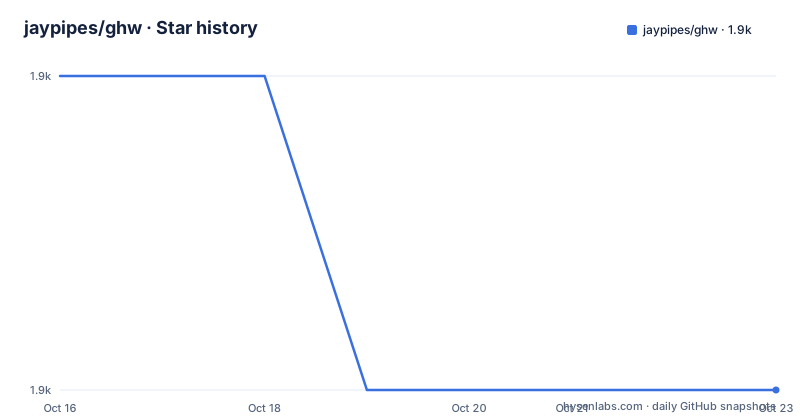
- jaypipes/ghw1,879 ★ · -1
| Repository | 2026-10-16 | 2026-10-23 |
|---|---|---|
| jaypipes/ghw | 1.9k | 1.9k |
-1 Stars in the last 7 days, measured from the daily GitHub snapshot. Compare with other projects
Editorial analysis
Inventory, not monitoring
ghw is a Go library providing hardware inspection and discovery for Linux and Windows, with partial support for MacOSX.
The most important thing to understand about it is stated in a section with the title Inspecting is not Monitoring. The library is a tool for gathering information about the hardware's capacity and capabilities, and it does not report information that is temporary or variable. It is not a system monitor and it is not an appropriate tool for gathering data points for metrics that change over time.
The README then points you elsewhere for that, naming the Prometheus project as an example of the right tool for tracking usage of CPU, memory, network I/O or disk I/O.
That distinction is worth holding on to, because the two use cases look similar from the outside. A scheduler that wants to place a workload needs to know how many cores and how much memory a machine has, once, at placement time. A dashboard needs to know how much of that is currently in use, continuously. ghw answers the first question, and answering the second with it would mean polling a function that returns the same answer every time.
The design principles are three, and the first is the one that shapes the implementation. No root privileges are needed for discovery. The library goes the extra mile to be useful without root privileges, querying for host hardware information as directly as possible without relying on shellouts to programs like dmidecode that require root privileges to execute.
The second principle is that the code should be well documented with lots of usage examples, and the third is consistency across modules, with each module structured in the same fashion and the returned structs having consistent attribute and method names. That last one is what makes a library like this pleasant to use, because you learn the shape of one result and it holds everywhere else.
No root, and a warning instead of an error
The consequence of the no-root principle is a behaviour that is unusual and worth reading twice.
Elevated privileges are indeed required to query for some information, but ghw will never error out if blocked from reading that information. Instead, it prints a warning message about the information that could not be retrieved. The warnings can be disabled with the GHW_DISABLE_WARNINGS environment variable.
So a partial result is a successful result. This matters for the way you write the calling code, and it is a deliberate trade. A library that returned an error whenever a field needed root would be much harder to use, because almost every interesting machine has at least one corner of its inventory that an unprivileged process cannot read. Returning what it can and naming what it could not is the more useful contract, and the warning keeps the gap visible.
The environment variable is a small convenience for library users who do not want the noise, and it is also the mechanism to use if a caller decides to handle the gap itself rather than have the library print to standard error.
The alternative design, the one the library is explicitly avoiding, is shelling out to dmidecode or lshw and parsing the text output. That approach inherits the permissions of the tool it runs, which means root, and it inherits the format instability of a human readable report. Reading the system directly gives typed values and no shell, at the cost of having to handle the differences between operating systems yourself, which is what the internal packages in the repository are for.
One function per hardware domain
The API is a list of functions, one per hardware domain, each returning an Info object.
There is ghw.CPU for the processors, ghw.Memory for the memory, ghw.Block for block storage, ghw.Topology for processor architecture, NUMA topology and the memory cache hierarchy, ghw.Network for the network interfaces, ghw.PCI for the PCI devices, ghw.GPU for graphical processing units, ghw.Accelerator for processing accelerators in the AI sense, ghw.Chassis, ghw.BIOS, ghw.Baseboard and ghw.Product.
The consistency principle shows up here. Every function has the same name pattern and the same shape, returning a pointer to an Info struct and an error, so the code that consumes one of them transfers to the others without reading the documentation again.
The set of domains is worth reading as a coverage map. Topology, which includes the NUMA layout and the cache hierarchy, is the one that most hardware tools skip, and it is the one that matters when you are placing work on a machine. Accelerator is newer than the rest and exists for the AI hardware that has appeared since the library started.
The naming keeps the initialisms intact, so the GPU function is ghw.GPU and the PCI one is ghw.PCI, while the type names carry the Info suffix that the README uses throughout, as in ghw.CPUInfo.
A closer look at the CPU data
The CPU domain is the most detailed example in the documentation, and it shows how much care goes into the field definitions.
The top level struct has TotalCores, the total number of physical cores on the host, TotalHardwareThreads, and Processors, an array with one entry per physical processor package.
Each Processor has an ID, which is the physical processor ID according to the system, the core and thread counts for that package, the vendor name, the vendor's model name, and, on Linux only, an array of capability strings indicating the features the processor has enabled, and an array of ProcessorCore structs packed onto that physical processor.
The core struct is where the library shows real care. The ID is the identifier the host gave the core, and the documentation is careful to say that it does not necessarily equate to a zero-based index within the physical package, giving the example that the core IDs for an Intel Core i7 are 0, 1, 2, 8, 9 and 10. Each core has a count of hardware threads and an array of logical processor IDs, the thread siblings, which are the zero-based index of the processor on the host and are not related to the core ID.
That distinction between a core ID and a logical processor ID is the sort of thing that silently breaks affinity settings, and documenting it explicitly is the difference between a usable library and a guessing game.
The example program walks the structure and pretty-prints the capability strings into rows of six, and the sample output shows the shape of the result.
cpu, err := ghw.CPU()
if err != nil {
    fmt.Printf("Error getting CPU info: %v", err)
}

fmt.Printf("%v\n", cpu)

for _, proc := range cpu.Processors {
    fmt.Printf(" %v\n", proc)
    for _, core := range proc.Cores {
        fmt.Printf("  %v\n", core)
    }
}
The platform differences and their dependencies
Support for Linux and Windows is complete and macOS is partial, and the dependency list in the module file explains why.
The direct requirements are the PCI ID database from the same author, a Windows Management Instrumentation client, a YAML parser, and a property list parser.
The WMI client is the Windows path, since Windows exposes hardware through that interface rather than through the sysfs layout Linux uses. The property list library is the macOS path, where the system information is published as plist files. The YAML parser is used for some of the Linux data files. The PCI ID database is what turns a numeric PCI vendor and device ID into a human readable name, which is a small dependency that saves every caller from shipping its own copy of that table.
The module requires Go 1.21, and the repository has a go.work file, so it is developed as a workspace with the packages under pkg and internal. The cmd directory holds ghwc, the command line companion to the library.
The Dockerfile is worth a look because it shows how the tool is meant to be run in a container. The build stage is a Go builder with CGO disabled, and the final stage is Alpine with ethtool installed and the ghwc binary copied in, so the image carries the one external tool the network inspection needs.
The final image is pinned to a digest, which is the detail that matters for a tool you run against a machine and then trust the output of.
ghwc, the make targets and the state of the project
The Makefile gives you the small workflow you would expect.
There is a build target that produces bin/ghwc from the command directory, and a run target that builds and then runs it with any arguments you pass. The test target runs go vet first and then the full test suite verbosely, which means the vet failures are seen before the tests rather than after them. There are format and format check targets built on gofmt, a vet target and a clean target.
The version is derived from git describe with the tags, always and dirty, so a build from a working tree with uncommitted changes is labelled as such.
The release history shows a steady project. The versions are v0.26.0 from 2026-09-26, v0.25.0 from 2026-07-08 and v0.24.0 from 2026-04-02, and the last push to the repository was on 2026-09-30. The project carries a code of conduct, a contributing guide, a security policy, a Makefile and a Dockerfile, and a testdata directory, which is where the expected outputs for the parsing tests live.
The zero version means the API is not promised to be stable, which is a fair expectation for a library whose surface is a dozen hardware domains and whose structs will grow as new hardware appears. The consistency principle is the compensation for that, because a caller that knows the shape of one Info struct can guess the rest.
The alternative to using ghw at all is to shell out to the standard tools, such as dmidecode, which needs root and returns text that has to be parsed. The difference is that ghw returns typed values in process, without root, and consistently across platforms, at the cost of being a partial view of what the text tools can show.
Editorial conclusion
Adopt ghw if your Go program needs to know the shape of the machine it is running on, for capacity planning, a scheduler or an inventory record, because the data is typed and consistent across hardware domains and no elevated privileges are required. Do not adopt it to chart CPU or memory usage, since the project is explicit that it reports capacity and capabilities rather than changing values, and points at Prometheus style tooling for that. Before you depend on a field, read the warning behaviour, because anything the library cannot read without root is omitted with a printed warning rather than an error, and the GHW_DISABLE_WARNINGS variable silences those messages.
Frequently asked questions
Does ghw need root privileges?
No, that is its first design principle. The library queries host hardware information as directly as possible rather than shelling out to programs like dmidecode that require root, and when something genuinely needs elevated privileges it prints a warning instead of returning an error, which can be silenced with the GHW_DISABLE_WARNINGS environment variable.
What is the difference between ghw and a system monitoring tool?
ghw reports the capacity and capabilities of the hardware, not values that change over time. The README states explicitly that it is not a system monitor and is not appropriate for gathering metrics on CPU, memory, network or disk usage, and points to the Prometheus project for that.
Which hardware does ghw inspect?
There is one function per domain, covering CPU, memory, block storage, topology including NUMA and cache hierarchy, network, PCI, GPU, accelerator, chassis, BIOS, baseboard and product. Linux and Windows are supported, with partial support for MacOSX.
What are the thread siblings in the ghw CPU info?
Each ProcessorCore has an array of logical processor IDs, sometimes called thread siblings, which are the zero-based index of the processor on the host. They are not related to the core ID, which is the identifier the host gave the core and is not necessarily a zero-based index within the package.
Official sources
Add this badge to your README
If you maintain this project, the badge below links readers to this analysis and shows its maintenance status from the daily GitHub snapshot. Paste the markdown into your README; add ?metric=license or ?metric=stars to the image URL for a different field.

[](https://hysenlabs.com/projects/jaypipes-ghw)Star history chart for your README
[](https://hysenlabs.com/projects/jaypipes-ghw)Was this useful?