JenkinsPipelineUnit for Testing Groovy Pipeline Logic
Framework for unit testing Jenkins pipelines
At a glance
- What is it?
- JenkinsPipelineUnit is a Groovy and Java test framework for mocking Jenkins pipeline execution without starting a Jenkins controller. It is aimed at developers who need tests for pipeline configuration, parameters, shared libraries, and conditional execution paths.
- Who is it for?
- Adopt JenkinsPipelineUnit when a pipeline contains decision logic that must be checked without contacting Jenkins. Do not treat its mocked call stack as proof that a real agent, plugin, checkout, shell command, or shared library behaves correctly.
- Can I use it commercially?
- Yes. MIT is a permissive licence: you can use, modify and sell software built on it, as long as you keep its copyright and licence notices.
- Is it still maintained?
- Yes. The repository last received commits 2 days ago.
- What is it written in?
- Mainly Groovy, according to GitHub's language statistics.
Answers come from the project's GitHub data, last synced on November 7, 2026, and from our analysis. They are not legal advice.
Star history
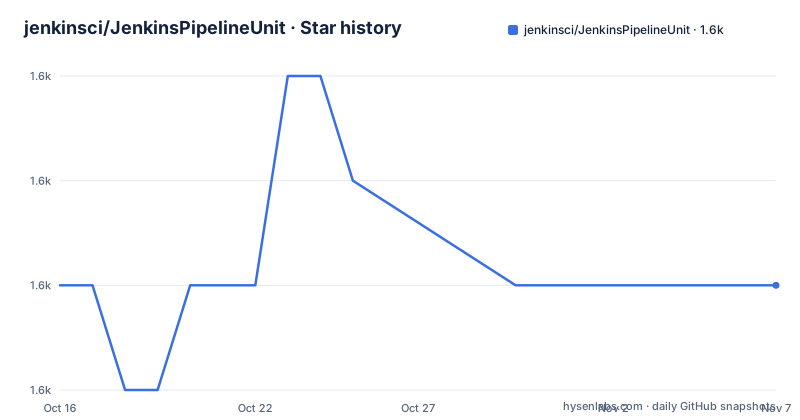
- jenkinsci/JenkinsPipelineUnit1,586 ★ · +0
| Repository | 2026-10-16 | 2026-11-07 |
|---|---|---|
| jenkinsci/JenkinsPipelineUnit | 1.6k | 1.6k |
0 Stars in the last 22 days, measured from the daily GitHub snapshot. Compare with other projects
Editorial analysis
Pipeline Logic Without a Jenkins Controller
JenkinsPipelineUnit addresses the part of pipeline testing that is often most difficult to isolate: the Groovy code deciding what runs and when. A Jenkinsfile is not merely a list of build commands. It can load libraries, read parameters, inspect build state, branch on conditions, enter stages, and pass data between closures. The framework creates a mock execution environment for that structure, allowing a test to load a pipeline script and inspect the resulting call stack.
The intended users are developers who already keep Jenkins definitions as code and want tests that fit their normal Groovy or Java test suite. The README specifically describes testing pipeline configuration and conditional logic. It also supports mocking built-in Jenkins commands, job parameters, environment variables, and parts of the current build state. That makes the project different from a static syntax check, because assertions can be made about which commands were reached under a particular input.
This is still a simulation of Jenkins behavior. The documented call stack shows mocked calls such as `checkout`, `sh`, and custom methods loaded from a shared library. It does not demonstrate that a real workspace was created, a shell command succeeded, a Git server accepted credentials, or a Jenkins plugin performed an operation. Those boundaries matter when deciding what belongs in a unit test and what still requires an integration environment.
BasePipelineTest and the Execution Call Stack
The documented entry point is `BasePipelineTest`, an abstract class that initializes the framework with JUnit. A test extends that class, loads a `.jenkins` script with `loadScript`, invokes an entry method such as `execute`, and calls `printCallStack`. The pipeline itself may return `this`, which gives the test a direct object on which the entry method can be called.
The execution model is based on interception. Pipeline methods are represented in the recorded call sequence, including nested closures passed to methods such as `stage`, `node`, and `gitlabCommitStatus`. Shared library scripts loaded by the pipeline become calls in that same sequence. A custom method registered with an interceptor can also return a value, allowing later pipeline logic to continue with controlled data.
That mechanism makes failures easier to locate than an unstructured mock result. The README example shows the stack descending through `execute`, `node`, `load`, and `stage`, followed by calls to `checkout`, `sh`, and helper functions. It also exposes ordering and arguments, so a test can check whether a stage ran, whether a command received an expected revision, or whether a branch selected the wrong path. The repository does not document a separate assertion syntax for call counts, so this review does not assume one.
Installing JenkinsPipelineUnit with Maven or Gradle
JenkinsPipelineUnit requires Java 21 because its library dependencies require that version. It is also not currently compatible with Groovy 4, according to the README. Artifacts have been published to `https://repo.jenkins-ci.org/releases` since version `1.2`, so the test repository or Gradle repository must include that location.
For Maven, add the Jenkins repository and declare `com.lesfurets:jenkins-pipeline-unit` with test scope. The README uses version `1.9` in its example:
<repositories>
    <repository>
        <id>jenkins-ci-releases</id>
        <url>https://repo.jenkins-ci.org/releases/</url>
    </repository>
</repositories>
<dependencies>
    <dependency>
        <groupId>com.lesfurets</groupId>
        <artifactId>jenkins-pipeline-unit</artifactId>
        <version>1.9</version>
        <scope>test</scope>
    </dependency>
</dependencies>
For Gradle, configure the same Maven repository and use `testImplementation`. Again, this is the exact version shown by the README rather than an inferred dependency declaration:
repositories {
    maven { url 'https://repo.jenkins-ci.org/releases/' }
}

dependencies {
    testImplementation "com.lesfurets:jenkins-pipeline-unit:1.9"
}
The available release information includes `v1.31` dated 2026-07-01, `v1.29` dated 2025-09-12, and `v1.28` dated 2025-09-10. Since the README example remains on `1.9`, an adopting project should reconcile its own version choice rather than copying the sample blindly.
First Pipeline Test and Jenkins State Setup
A first test can load the same pipeline script used by Jenkins. The README's `TestExampleJob` extends `BasePipelineTest`, calls `loadScript('job/exampleJob.jenkins')`, invokes `execute`, and prints the recorded execution:
import com.lesfurets.jenkins.unit.BasePipelineTest

class TestExampleJob extends BasePipelineTest {
    @Test
    void shouldExecuteWithoutErrors() {
        loadScript('job/exampleJob.jenkins').execute()
        printCallStack()
    }
}
The reader should see a call stack for the expected mocked operations. In the README example, the pipeline enters `node`, loads `src/test/jenkins/lib/utils.jenkins`, enters `stage(Checkout)`, calls `checkout scm`, obtains a revision through `sh`, and then executes build and test stages.
Tests that exercise conditional code need explicit Jenkins state. Call `super.setUp()` before using most framework features, then populate parameters, environment variables, and build properties in an overridden `@BeforeEach` method:
@Override
@BeforeEach
void setUp() {
    super.setUp()
    addParam('ENABLE_TEST_STAGE', 'false')
    addEnvVar('TAG_NAME', '1.0.0-rc.1')
    binding.getVariable('currentBuild').previousBuild = [result: 'UNSTABLE']
}
`addParam` values are immutable, matching the Jenkins behavior described by the README. Directly modifying the bound `params` map produces an error. That immutability can expose incorrect assumptions early, but it also means fixtures that attempt to rewrite parameters inside a test will fail by design.
Interceptors, Shared Libraries, and Parallel Tests
Pipeline behavior beyond the basic variables is controlled through interceptors. The README says these can mock Jenkins commands, including commands that return values. This is the central extension point for custom steps and wrapper functions: a test supplies deterministic behavior, then inspects the resulting calls. It is particularly useful when a helper library is part of the pipeline rather than an isolated application function.
The repository's table of contents also identifies parallel test execution, declarative pipeline support, and tests for shared libraries. Those features matter because pipeline code is often distributed across a Jenkinsfile, a library under `src/test/jenkins/lib`, and custom build wrappers. A plain unit test of the top-level script will not automatically prove that those components work together.
The README does not show the complete interceptor declarations, declarative pipeline configuration, or parallel execution command. It would be inaccurate to invent those APIs. Based on the visible architecture, the right evaluation is whether the project's pipeline-specific setup can cover the actual command surface used by the Jenkinsfile. A pipeline with numerous plugin-specific steps may require many custom mocks, making the maintenance burden larger than the benefit of isolated testing.
Boundaries Compared with Full Jenkins Integration Testing
The practical alternative is testing the pipeline in a real Jenkins environment rather than mocking Jenkins execution. A full Jenkins test can exercise actual controllers, agents, plugins, credentials, workspace operations, SCM access, and shell behavior. It can reveal incompatibilities that a mocked command call cannot. The trade-off is that it requires more infrastructure and does not isolate configuration logic as directly.
JenkinsPipelineUnit takes the opposite approach. It records calls and supplies test state without contacting those services, which is useful for checking branches and command sequences quickly within a normal test suite. It should complement integration coverage rather than replace it. A passing mocked `sh` call proves only that the pipeline requested a particular shell command under the configured state. It does not prove the command ran in the expected workspace.
There is also a version boundary to resolve before adoption: Java 21 is required, while Groovy 4 compatibility is explicitly absent from the current documentation. Projects already standardized on Groovy 4 face a direct mismatch. For those projects, the first decision is not how to organize mocks but whether the Jenkins pipeline can be tested under a compatible Groovy toolchain.
Maintenance, Releases, and MIT Licensing
The repository is not archived, and its last push was on 2026-10-16. Release records include `v1.31` from 2026-07-01, followed by `v1.29` and `v1.28` in September 2025. These facts indicate recent repository activity and published versions, but they do not remove the ongoing cost of maintaining pipeline mocks when Jenkins steps, plugins, shared libraries, or Groovy versions change.
The project uses the MIT license. That identifier permits broad use and modification under the license's terms, but this review does not provide legal advice. Teams should still review the repository's `LICENSE.txt` and any separate licensing terms for Jenkins plugins, shared libraries, or other dependencies used by their pipeline.
Upgrade planning should include more than changing the dependency version. Existing tests may depend on specific binding variables, immutable parameter behavior, interceptor return values, declarative pipeline support, or shared library loading. The README provides release information and usage examples, but it does not present a formal migration guide for each version. The upgrade cost therefore falls on test fixtures and mocked command definitions, especially in a large pipeline suite.
Editorial conclusion
Adopt JenkinsPipelineUnit when a pipeline contains decision logic that must be checked without contacting Jenkins. Do not treat its mocked call stack as proof that a real agent, plugin, checkout, shell command, or shared library behaves correctly. Verify first that the project uses a Groovy version supported by the framework, that Java 21 is available in the test environment, and that each pipeline step used by the test has a suitable mock or interceptor.
Frequently asked questions
What is JenkinsPipelineUnit used for?
It is a Groovy and Java framework for unit testing Jenkins pipelines written in the Groovy Pipeline DSL. It mocks Jenkins execution so tests can inspect configuration, conditional logic, parameters, commands, and shared library calls.
How do I install JenkinsPipelineUnit with Maven or Gradle?
Use the repository at `https://repo.jenkins-ci.org/releases` and declare `com.lesfurets:jenkins-pipeline-unit` as a test dependency. The README provides Maven and Gradle examples using version `1.9`.
Does JenkinsPipelineUnit support Groovy 4?
No. The README states that JenkinsPipelineUnit is not currently compatible with Groovy 4. It also requires Java 21.
How do I mock a Jenkins pipeline command?
Register an interceptor for the pipeline method. The command may or may not return a result, and the README describes interceptors as the mechanism for mocking Jenkins commands in the test execution.
Official sources
Add this badge to your README
If you maintain this project, the badge below links readers to this analysis and shows its maintenance status from the daily GitHub snapshot. Paste the markdown into your README; add ?metric=license or ?metric=stars to the image URL for a different field.

[](https://hysenlabs.com/projects/jenkinsci-jenkinspipelineunit)Star history chart for your README
[](https://hysenlabs.com/projects/jenkinsci-jenkinspipelineunit)Was this useful?