Solarized for IntelliJ IDEA: A Color Scheme That Stays True to the Original
GitHub describes it as Solarized Colorscheme for IntelliJ IDEA. The repository metadata lists Shell as its primary language. This article stays within the project description and details documented in the GitHub repository README.
At a glance
- What is it?
- This review of jkaving/intellij-colors-solarized covers what the project does, how it maps Ethan Schoonover's Solarized palette onto IntelliJ's editor, and where it falls short for C and C++ users.
- Who is it for?
- Adopt this scheme if you work in Java, Python, Ruby, JavaScript, or any of the dozens of listed languages and want a Solarized palette that matches the original Ethan Schoonover design. Do not adopt it if you primarily write C or C++, because those sections are explicitly unsupported in the README.
- Can I use it commercially?
- Not without permission. GitHub finds no licence file in the repository, and without a licence all rights are reserved by default: you may read the code but not reuse it. Check the README, or ask the authors, before using it.
- Is it still maintained?
- Probably not. The repository last received commits 29 months ago, on May 21, 2024.
- What is it written in?
- Mainly Shell, according to GitHub's language statistics.
Answers come from the project's GitHub data, last synced on October 22, 2026, and from our analysis. They are not legal advice.
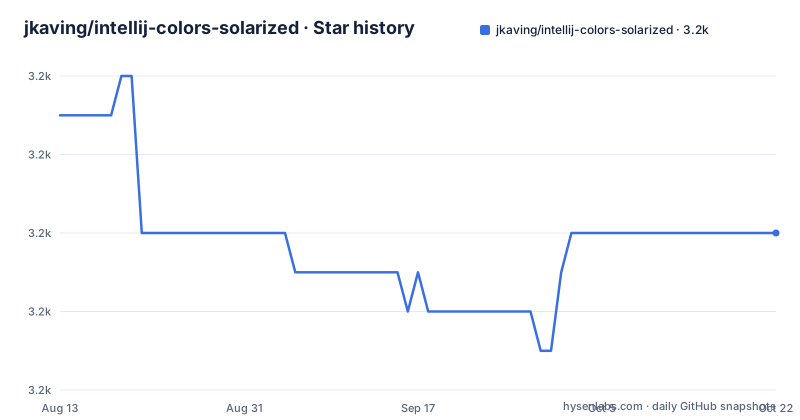
Star history
- jkaving/intellij-colors-solarized3,242 ★ · -3
| Repository | 2026-08-13 | 2026-10-22 |
|---|---|---|
| jkaving/intellij-colors-solarized | 3.2k | 3.2k |
-3 Stars in the last 70 days, measured from the daily GitHub snapshot. Compare with other projects
Editorial analysis
What This Project Actually Solves
The problem is simple: the Solarized color scheme, designed by Ethan Schoonover, exists for Vim, Mutt, and many terminal emulators, but the IntelliJ version in the main Solarized repository has fallen out of sync. This project, maintained by Adam Vandenberg and Johan Kaving, provides a dedicated IntelliJ-only repository that is recommended over the main one. It targets developers who want the exact Solarized palette, with its specific contrast ratios and hue choices, inside IntelliJ IDEA. The README states that the scheme files are primarily tested with the latest IntelliJ IDEA Community Edition, and they might work with other JetBrains tools like PhpStorm and PyCharm. If you are tired of default IntelliJ themes and want a color scheme that is consistent with your terminal and Vim, this is the project for you.
How the Scheme Is Built and What It Covers
The project is a set of color scheme files that map Solarized's 16-color palette onto IntelliJ's editor settings. The README includes a detailed table of languages and sections under Preferences | Editor | Colors & Fonts that have been adapted. That table is the core of the project. It lists over 40 languages and UI sections, including Java, JavaScript, Python, Ruby, Scala, Kotlin, Go, Rust, PHP, HTML, CSS, XML, SQL, and Markdown. It also covers non-language areas like Debugger, Diff, File Status, and General. The coverage is broad, but it is not complete. C and C++ are explicitly marked as No in the table. That is a notable gap for a large group of IntelliJ users. The scheme also depends on third-party plugins for some languages. Bash requires BashSupport 1.1beta14 or later, and the README notes that the Bash support is tied to that plugin's version. So the scheme is not a single magic file; it is a collection of mappings that need the right IDE and plugin versions to work fully.
Getting It Running: Installation and Configuration
The README does not include a step-by-step installation guide, but the standard method for IntelliJ color schemes applies. You download the repository, then copy the color scheme files into your IntelliJ config directory. For IntelliJ IDEA on macOS, that is typically ~/Library/Application Support/JetBrains/IntelliJIdea<version>/colors. On Windows and Linux, the path differs, but the colors folder is the same. After copying the files, restart IntelliJ and go to Preferences | Editor | Colors & Fonts, where the scheme should appear in the dropdown. The README does not specify whether the files are .icls or .jar, which matters because .jar schemes are imported differently. You may need to check the file extension in the repository before following the copy method. If the files are .icls, the copy method works. If they are .jar, you would use the Import Scheme option in the IDE. The project has no build step, no dependencies, and no command-line tools, which keeps installation simple for a non-technical user.
A Real Limitation: C and C++ Are Not Supported
The most concrete limitation in the README is the explicit No for C and C++ in the language table. That means if you write C or C++ in IntelliJ, the syntax highlighting will not be adapted to Solarized. The editor will likely fall back to the default colors, which defeats the purpose of installing the scheme. This is a hard boundary, not a minor gap. The README does not explain why C and C++ are missing, but it is likely due to the complexity of those language plugins or a lack of maintainer time. For a developer who works primarily in C or C++, this project is the wrong tool. You would need to manually edit the color scheme file to add C and C++ mappings, which is possible but requires understanding IntelliJ's color key names. The README also notes that the scheme is only tested with the latest Community Edition, so if you use an older version or a different JetBrains product, some mappings may not apply correctly. That is a second limitation to verify before adoption.
Comparing to the Main Solarized Repository
The README explicitly states that the IntelliJ subtree in the main Solarized repository (altercation/solarized) is out of sync and not recommended. This project is the recommended alternative because it is IntelliJ-only and actively maintained. The difference in approach is that the main repository is a monorepo for all Solarized ports, while this project focuses solely on IntelliJ. That focus allows the maintainers to keep the mappings current with IntelliJ's evolving editor settings. The trade-off is that you lose the convenience of a single repository for all your tools. If you use Solarized in Vim and the terminal, you would need to pull from two repositories. But the README's recommendation is clear: for IntelliJ, use this repository. The main repository's IntelliJ files are stale, so they may not work with recent IDE versions. This project is a better bet for a consistent Solarized experience in JetBrains products.
Maintenance, Licensing, and Upgrade Cost
The repository shows a recent push and two releases in January 2024, v1.0.0 and v1.0.1. That indicates active maintenance, at least as of that date. The license is listed as unknown, which is a concern. The README credits Ethan Schoonover for the original scheme, but it does not state a license for the adapted files. That means you cannot assume you are free to use, modify, or redistribute the scheme files without permission. For personal use, this is rarely an issue, but for a company that distributes a customized IDE configuration, it is a legal risk. The upgrade cost is low: the files are static and do not require a build process. When IntelliJ updates, you may need to check if the scheme still works, but the README does not mention any version-specific breakage. The maintenance burden falls on the maintainers, and the project appears to have been updated recently, so the risk of abandonment is lower than for many color scheme projects. Still, the unknown license is a reason to pause before embedding these files in a larger project.
Editorial conclusion
Adopt this scheme if you work in Java, Python, Ruby, JavaScript, or any of the dozens of listed languages and want a Solarized palette that matches the original Ethan Schoonover design. Do not adopt it if you primarily write C or C++, because those sections are explicitly unsupported in the README. Before installing, verify that your JetBrains product version is recent, since the project is only tested against the latest IntelliJ IDEA Community Edition. Also check the file format: the README does not state whether the scheme files are .icls or .jar, so confirm the import path for your IDE version. The project was last pushed in January 2024, so it is maintained, but the license is listed as unknown, which means you should contact the authors before redistributing it in a commercial product.
Frequently asked questions
Where do I get the Solarized colours for IntelliJ?
From this IntelliJ-only repository, which the documentation recommends over the main Solarized repository because the IntelliJ subtree there is out of sync. It ships two scheme files, one for the dark variant and one for the light one, plus a shell script that can package them as a plugin archive.
Does the IntelliJ Solarized scheme cover C and C++?
Not according to its own support table, where C and C++ are the two entries marked as unsupported while most other languages are marked supported. Bash is supported but requires a particular version of the Bash support plugin.
Does the IntelliJ Solarized scheme work in PhpStorm or PyCharm?
The documentation says the files are primarily tested with the latest version of IntelliJ IDEA Community Edition, and that they might work with other versions of IntelliJ IDEA as well as other JetBrains tools, naming PhpStorm and PyCharm as examples.
Who made the IntelliJ Solarized colour scheme?
The original Solarized scheme was developed by Ethan Schoonover. The IntelliJ adaptation is credited to Adam Vandenberg and Johan Kaving, and this repository is maintained by the latter.
Is the IntelliJ Solarized scheme still being updated?
Not recently, judging by this snapshot: the two releases were published a day apart in January 2024 and the last commit is dated 2024-05-21. The tree also contains no licence file, so terms for redistribution are not stated in the repository itself.
Official sources
Add this badge to your README
If you maintain this project, the badge below links readers to this analysis and shows its maintenance status from the daily GitHub snapshot. Paste the markdown into your README; add ?metric=license or ?metric=stars to the image URL for a different field.

[](https://hysenlabs.com/projects/jkaving-intellij-colors-solarized)Star history chart for your README
[](https://hysenlabs.com/projects/jkaving-intellij-colors-solarized)