MMM-MirrorMirrorOnTheWall: Voice Control for MagicMirror via Alexa and AWS IoT
MagicMirror² module: Displays text, images, or a Youtube video, and open or close Magic Mirror Modules according to commands heard by Alexa.
At a glance
- What is it?
- This module lets Alexa commands drive text, images, YouTube videos, and module toggles on a MagicMirror² display. It depends on a companion Alexa skill and AWS IoT, which adds setup complexity but delivers a working voice pipeline.
- Who is it for?
- Adopt MMM-MirrorMirrorOnTheWall if you already run MagicMirror², have an Alexa device, and are comfortable with AWS IoT and building a custom Alexa skill. Do not use it if you want a local, offline voice control solution or if you cannot manage AWS credentials and skill deployment.
- Can I use it commercially?
- Yes. MIT is a permissive licence: you can use, modify and sell software built on it, as long as you keep its copyright and licence notices.
- Is it still maintained?
- Probably not. The repository last received commits 98 months ago, on September 23, 2018.
- What is it written in?
- Mainly JavaScript, according to GitHub's language statistics.
Answers come from the project's GitHub data, last synced on October 4, 2026, and from our analysis. They are not legal advice.
Star history
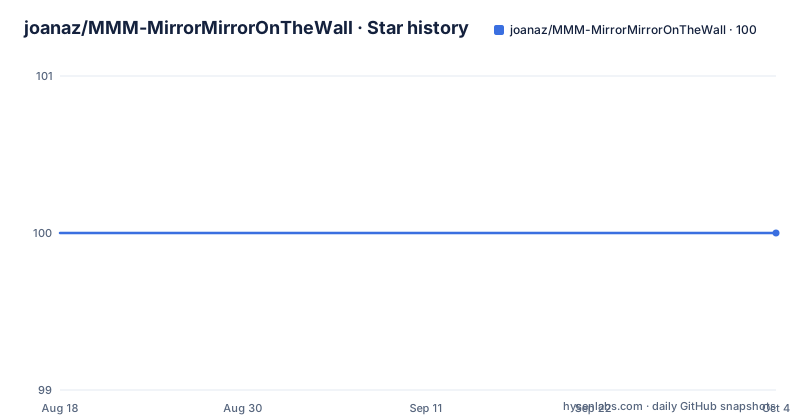
- joanaz/MMM-MirrorMirrorOnTheWall100 ★ · +0
| Repository | 2026-08-18 | 2026-10-04 |
|---|---|---|
| joanaz/MMM-MirrorMirrorOnTheWall | 100 | 100 |
0 Stars in the last 47 days, measured from the daily GitHub snapshot. Compare with other projects
Editorial analysis
What This Module Actually Does
MMM-MirrorMirrorOnTheWall is a MagicMirror² module that turns spoken Alexa commands into actions on your mirror. It can display text, show images from a Google Image search, play a YouTube video, and start or stop other MagicMirror modules. The module itself does not do speech recognition. It receives commands that have already been parsed by an Alexa skill, which sends them through AWS IoT Device Gateway. The magic mirror listens on that gateway and reacts. This is not a standalone voice assistant. It is the display side of a two-part system: the companion skill, MirrorMirrorOnTheWallSkill, handles the Alexa side, and this module handles the mirror side. If you only install this module, you get nothing. The README is clear that you must set up Alexa and install the skill first, and it points to a separate instructions page. That dependency is the core of the project's design and its main friction point.
How the Command Pipeline Flows
The architecture is straightforward once you see it. You speak a command like "Alexa, start On The Wall". The Alexa skill, hosted separately, interprets that and sends a message to AWS IoT Device Gateway. This module subscribes to that gateway using the aws-iot-device-sdk. When a message arrives, the module parses it and maps the spoken phrase to an action. The README lists dozens of example phrases, but they fall into four categories: display text, find images, play a video, and toggle modules. For text, the phrase "say {hello}" displays the word hello in bold. For images, the module calls the Google Image Search API and shows the first result. For video, it calls the YouTube Data API and autoplays the video on a loop. For module control, it reads a file called ModuleNames.json that maps official module names to spoken names. That file is the only configuration beyond the standard MagicMirror config entry. The data flow is external to the mirror: Alexa to AWS IoT, then to the module. There is no local fallback. If AWS IoT is unreachable, the module does nothing.
Getting It Running: Commands and Configuration
Installation follows the usual MagicMirror module pattern. You clone the repository into the modules directory of your MagicMirror installation, then add a block to config.js. The README gives this minimal example: module: 'MMM-MirrorMirrorOnTheWall', position: 'middle_center', config: {}. The config object can be empty, and the README notes that you only add variables if you want to change standard values. The real setup work is outside the module. You must create an Alexa skill using the companion repository, deploy it to AWS Lambda or similar, and configure AWS IoT with certificates and policies. The README does not list those steps; it sends you to the instructions page at joanaz.github.io. That means the module's own configuration is trivial, but the surrounding infrastructure is not. You also need to edit ModuleNames.json to map module names. For example, MMM-Globe maps to "globe", and currentweather maps to "current weather". Without that mapping, voice commands to toggle modules will not work. The module's own config.js entry does not include any AWS credentials, which suggests they are handled elsewhere, likely in the skill or a separate config file, but the README does not specify.
What the Voice Commands Cover
The command set is broad but rigid. The README lists exact phrases for each action. For text, you say "say {hello}" or "display text of {hello}". For images, "find {snow white}" or "show me pictures of {hunter}". For video, "show me how to {make slime}" or "display a video of {rattle snakes}". For module control, "start {newsfeed}" or "close {current weather}". There are also bulk commands like "open all" and "close all" to toggle every module. The pattern is consistent: the curly-brace content becomes the search term or display text. The skill must recognize these exact patterns, so the module's flexibility depends on how well the skill's intent schema matches. The README does not document how the skill handles variations or errors. If you say something outside the listed phrases, the behavior is undefined. That rigidity is a limitation. A user who wants natural, free-form conversation will be disappointed. The module is designed for a fixed vocabulary, and the skill must be built to match it.
A Genuine Limitation: The Cloud Dependency and Setup Burden
The biggest limitation is that this module is useless without a working AWS IoT connection and a deployed Alexa skill. That is a heavy prerequisite for a MagicMirror module, which is typically a simple JavaScript file. The README does not walk you through AWS IoT setup, certificate generation, or skill configuration. It points to an external instructions page, which may or may not be current. If you have never used AWS IoT, expect to spend hours on IAM roles, policy documents, and endpoint configuration. The module also relies on external APIs: Google Image Search and YouTube Data API. Both require API keys and have usage quotas. If those quotas are exceeded, image and video commands will fail silently or with an error. The README does not mention error handling. Another limitation is that the module can only toggle modules that are already installed and configured in the main MagicMirror project. It cannot install or configure them. The mapping file must be manually kept in sync with your module list. If you add a new module, you must edit ModuleNames.json. That is a maintenance cost that grows with your mirror setup.
Why Not Just Use a Local Voice Assistant?
A natural alternative is to use a local voice assistant that talks directly to MagicMirror, such as the built-in MagicMirror voice module or a project like MMM-GoogleAssistant. The difference is architectural. MMM-MirrorMirrorOnTheWall routes voice through Alexa and AWS IoT, which means your mirror is dependent on Amazon's cloud and your own AWS account. A local assistant runs speech recognition on the device or on your LAN, so it works without internet and without cloud credentials. The trade-off is that Alexa is a mature, well-tested voice platform with far better wake word recognition and natural language understanding. A local assistant often requires more DIY setup and may have worse accuracy. The README does not compare itself to any alternative, but the choice is clear: if you want a polished voice experience and already live in the Alexa ecosystem, this module makes sense. If you want privacy and offline operation, look elsewhere. The module's design is not wrong, but it is a deliberate trade-off that users should recognize before starting.
Maintenance and Upgrade Cost
The repository has no recent releases and the last push is unknown, so the maintenance status is uncertain. The README is dated in its references, such as the Google Image Search API, which was deprecated by Google and replaced by the Custom Search JSON API. That means the image search feature may already be broken or require code changes. The YouTube Data API still works but requires a key and quota management. The AWS IoT SDK is a dependency, and AWS has deprecated the old device SDK versions, so you may need to update to a newer SDK. The module's code is JavaScript, so upgrading it is not hard if you are comfortable with Node.js. The bigger cost is the companion skill. Alexa skill interfaces change, and the skill may need updates to stay compatible with new Alexa models. The README does not mention any upgrade path or versioning. For a hobbyist project, this is acceptable, but for a production mirror, you should budget time to verify that the skill still works after any Alexa or AWS update. The MIT license gives you freedom to modify and redistribute, which helps, but it also means there is no vendor support.
Editorial conclusion
Adopt MMM-MirrorMirrorOnTheWall if you already run MagicMirror², have an Alexa device, and are comfortable with AWS IoT and building a custom Alexa skill. Do not use it if you want a local, offline voice control solution or if you cannot manage AWS credentials and skill deployment. Before adopting, verify that your AWS IoT endpoint is reachable from your mirror's network, that the companion skill's invocation names match your desired wake word, and that every module you plan to toggle has a correct entry in ModuleNames.json. The module works only as part of that two-part system, so test the skill and the module together before relying on it daily.
Frequently asked questions
What is the mirror mirror on the wall saying?
In this project the phrase is the invocation, not a quotation. You trigger the skill by saying "Alexa, start On The Wall", or "Mirror Mirror On The Wall" if you changed the wake word. The README's own example display command is say {you are the fairest of them all}.
What are the best Magic Mirror modules?
The repository does not rank modules. It names MMM-Globe and currentweather only as examples of mapping an official module name to a spoken name in ModuleNames.json, where MMM-Globe becomes globe and currentweather becomes current weather.
What does MMM-MirrorMirrorOnTheWall need before it will work?
You have to set up Alexa and install the separate MirrorMirrorOnTheWall Alexa Skill, following the instructions published for that skill. The module's own dependency is aws-iot-device-sdk, and commands arrive through the AWS IoT Device Gateway.
How do I display text, images, and video with MMM-MirrorMirrorOnTheWall?
Say say {hello} for bold text, find {snow white} or find images of {hunter} to search by Google Image Search API, and show me video of {cats} to search by Youtube Data API. The returned video autoplays on loop.
How do I turn Magic Mirror modules on and off by voice?
The module must already be installed and configured, and its official name must be mapped to a spoken name in ModuleNames.json. Then use start, turn on, or open for one module, close, turn off, or finish to switch it off, and open all or close all for everything.
Official sources
Add this badge to your README
If you maintain this project, the badge below links readers to this analysis and shows its maintenance status from the daily GitHub snapshot. Paste the markdown into your README; add ?metric=license or ?metric=stars to the image URL for a different field.

[](https://hysenlabs.com/projects/joanaz-mmm-mirrormirroronthewall)Star history chart for your README
[](https://hysenlabs.com/projects/joanaz-mmm-mirrormirroronthewall)