Cerb: A 24-Year-Old Helpdesk Automation Platform That Still Demands a Learning Curve
Cerb automates helpdesk inboxes and workflows. Create high volume shared inboxes. Integrate with any API-based service and automate nearly any repetitive digital workflow using the specialized KATA language and browser-based coding tools. For production use: https://github.com/cerb/cerb-release/
At a glance
- What is it?
- Cerb is a PHP-based helpdesk and workflow automation platform with a specialized scripting language called KATA. This review covers what it does, how it runs, where it stumbles, and who should think twice before adopting it.
- Who is it for?
- Adopt Cerb if you run a high-volume shared inbox and need deep API integrations with custom workflows, and you have the time to learn KATA. Skip it if you want a plug-and-play helpdesk with no scripting.
- Can I use it commercially?
- Check first. The repository uses a licence we do not classify automatically, so read its LICENSE file before any commercial use.
- Is it still maintained?
- Yes. The repository last received commits 7 days ago.
- What is it written in?
- Mainly PHP, according to GitHub's language statistics.
Answers come from the project's GitHub data, last synced on October 21, 2026, and from our analysis. They are not legal advice.
Star history
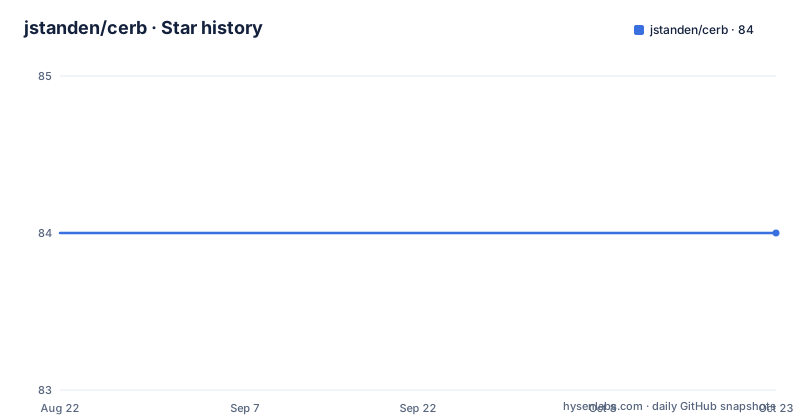
- jstanden/cerb84 ★ · +0
| Repository | 2026-08-22 | 2026-10-21 |
|---|---|---|
| jstanden/cerb | 84 | 84 |
0 Stars in the last 60 days, measured from the daily GitHub snapshot. Compare with other projects
Editorial analysis
What Cerb Actually Does
The repository itself is the source for Cerb, but the README is careful to point to a separate repository, cerb/cerb-release, for production use. That split matters. The jstanden/cerb repo is the development tree, and the default branch is 11.1.x, while the README's Docker instructions clone the v12.0 branch from the release repo. This is a signal that the project is actively maintained but that you should not grab the latest commit from this repo and put it on a server. The release process is deliberately gated.
The KATA Language and Browser-Based Coding Tools
The README states that Cerb uses a specialized language called KATA and browser-based coding tools to automate workflows. KATA is not a general-purpose language like PHP or Python; it is a domain-specific language designed for defining automation steps, conditions, and integrations. The README gives an example: any toolbar in the UI can be extended with interactive multistep workflows that include human approval. That is a concrete mechanism. You write a KATA script that defines a sequence of actions, and the script can pause for human input, then continue. The browser-based coding tools imply that you do not need a separate IDE; you edit scripts directly in the web interface. This lowers the barrier for non-programmers but also means that complex logic might be harder to debug than in a traditional codebase. The documentation is not included in the README, so the exact syntax of KATA is not visible here. That is a limitation for evaluation: you cannot assess the learning curve without visiting the docs. However, the existence of a specialized language suggests that simple automations are easy, but complex ones require real programming skill.
Docker Setup and Local Development
The README provides a clear path to run Cerb locally with Docker. You clone the release branch, navigate to install/docker, and run docker compose up. The stack includes Nginx, PHP/FPM, and MySQL, with data stored in two volumes: one for the database and one for the ./storage/ directory. A virtual network connects the containers. The first build takes a few minutes; subsequent starts are near-instant. The guided installer runs at http://localhost/, and for testing you are advised to disable outbound email. You can also choose Demo mode to get test data. The README includes a concrete example of changing the port binding in docker-compose.yml, changing the ports line to 127.0.0.1:8080:80. That is a real configuration key. The default MySQL password is s3cr3t, which is fine for local development but a reminder that this is not production-ready out of the box. The Docker setup is the fastest way to evaluate Cerb, and it is refreshingly straightforward compared to many PHP projects that require manual dependency installation.
Cerb Cloud: The Managed Alternative
The README spends a significant amount of text on Cerb Cloud, a fully managed subscription service. The selling points are typical for a SaaS: automatic updates, security patches, monitoring, scaling, backups, and email deliverability support. The Enterprise tier offers a database cluster with near-instant failover, while other tiers recover from failures within minutes. Data can be stored in one of three regions: U.S., Europe (Frankfurt), or Asia Pacific (Sydney). You can migrate data between regions or to a self-hosted environment at any time. This is a notable flexibility: the cloud is not a lock-in. The README claims that resources scale seamlessly from a single worker to hundreds of concurrent workers with millions of conversations. That is a bold claim, and without independent benchmarks, it is unverified. The cloud option is attractive for teams that do not want to manage infrastructure, but it comes with a subscription cost. The README does not list pricing, so you must visit the site. The existence of Cerb Cloud also means that the self-hosted path is not the only option, which is a plus for teams that want a managed service but still want the option to leave.
Licensing and the NOASSERTION Problem
The GitHub repository lists the license as NOASSERTION. That is a red flag for a production adoption decision. The README says that 100% of the source code is available on GitHub, and that the first three self-hosted seats are free forever with no license or registration required. You can add seats as your team grows, and you can downgrade to a community license at any time. Academic institutions, non-profits, charities, and open source projects may be eligible for additional seats or discounts. However, NOASSERTION means that the SPDX license identifier is not recognized, which often indicates a custom license or a missing license file. The README does not specify the exact license terms. The free tier is generous, but the commercial terms for more seats are not stated in the README. This is a genuine limitation: you cannot evaluate the licensing cost or restrictions from this material alone. Before adopting Cerb, you must contact the project or read the license file in the repository. The free local copy for testing is a nice touch, but it does not replace a clear license.
Limitations and Wrong Tool Scenarios
Cerb is not a lightweight helpdesk. It is a platform that expects you to invest time in learning KATA and building custom workflows. For a small team that just needs a shared inbox with basic routing, Cerb is overkill. The README's emphasis on automation and API integration suggests that the core value is in the scripting, not in the out-of-the-box features. If you do not want to write code, Cerb will feel like a steep hill. Another limitation is the reliance on a separate release repository. The jstanden/cerb repo is the development branch, and the README points to cerb/cerb-release for production. That split can confuse newcomers, and it means that the code you clone from this repo may not be stable. The README also warns that the Docker setup is for evaluation and development, not production. The default MySQL password is a clear sign that you must harden the setup before exposing it. Finally, the README does not mention any backup or upgrade procedures for self-hosted instances, which is a gap for operations planning. If you need a helpdesk with a vibrant ecosystem of plugins, Cerb's community-driven workflow sharing is a plus, but it is not a substitute for a managed service like Zendesk.
Alternatives and Their Different Approaches
The README also mentions that Cerb can integrate with any API-based service. That is a broad claim. In practice, it means you will likely need to write KATA scripts to call external APIs. That is a real integration approach, but it is not a no-code solution. Other platforms like Zapier offer pre-built connectors, but they are not designed for high-volume helpdesk workflows. Cerb's approach is more like a low-code platform where you still write code.
Editorial conclusion
Adopt Cerb if you run a high-volume shared inbox and need deep API integrations with custom workflows, and you have the time to learn KATA. Skip it if you want a plug-and-play helpdesk with no scripting. Before committing, verify the license terms for your use case, test the Docker image with outbound email disabled, and confirm that the v12.0 branch matches your production needs, since this repository's default branch is 11.1.x and the README points to a separate release repo.
Frequently asked questions
What is Cerb and who is it built for?
A PHP platform for shared inboxes: work that arrives is routed, automated, integrated with any API-based service, and handed to a person or an AI teammate. Automations are written in the KATA language with browser-based coding tools, and custom records and fields cover email, social posts, orders, surveys, calls, tasks and text messages.
How does Cerb 12.0 choose which LLM an automation uses?
Agent model records hold each provider, credentials, endpoint and capabilities, and the automation states a requirement such as hasVision:yes intelligence:>=advanced privacy:>=zdr instead of naming a model. Pointing a model record at a self-hosted or proxied endpoint makes a local model work the same way.
Does the free self-hosted Cerb limit how many users you can add?
No. Self-hosting is free forever with unlimited workers and seats and needs no license or registration, and seats are self-reported and never enforced: no login is refused and no session is ended over seat count. A subscription removes the concurrency limit instead.
How do I install Cerb?
The page gives no command. It links to installation documentation at cerb.ai/docs/installation/ for your own hardware and to Cerb Cloud as a managed option, mentions Docker without giving an image, and points production installs at the separate cerb/cerb-release repository.
What is new in Cerb 12.0?
Agents as worker records carrying an is_ai flag, agent model records matched by capability, automations that start from templates with a read-only control-flow graph, background queues with lanes, Search Index records for per-install full-text search, and a UI rebuilt on its own component library.
Official sources
Add this badge to your README
If you maintain this project, the badge below links readers to this analysis and shows its maintenance status from the daily GitHub snapshot. Paste the markdown into your README; add ?metric=license or ?metric=stars to the image URL for a different field.

[](https://hysenlabs.com/projects/jstanden-cerb)Star history chart for your README
[](https://hysenlabs.com/projects/jstanden-cerb)