BrowserFS: A Node-style filesystem for the browser, now deprecated in favor of ZenFS
GitHub describes it as BrowserFS is an in-browser filesystem that emulates the Node JS filesystem API and supports storing and retrieving files from various backends.. The repository metadata lists TypeScript as its primary language. The metadata lists the NOASSERTION license. This article stays within the project description and details documented in the GitHub repository README.
At a glance
- What is it?
- BrowserFS brought the Node fs API to browsers with pluggable backends like IndexedDB, ZipFS, and Dropbox. It is now deprecated; the active fork is ZenFS.
- Who is it for?
- BrowserFS is for projects that need a familiar Node fs API in the browser and can tolerate a dormant codebase. Its last release was v1.4.3 in August 2017, and the maintainer deprecated it in March 2024, pointing to ZenFS.
- Can I use it commercially?
- Check first. The repository uses a licence we do not classify automatically, so read its LICENSE file before any commercial use.
- Is it still maintained?
- Probably not. The repository last received commits 27 months ago, on July 12, 2024.
- What is it written in?
- Mainly TypeScript, according to GitHub's language statistics.
Answers come from the project's GitHub data, last synced on October 22, 2026, and from our analysis. They are not legal advice.
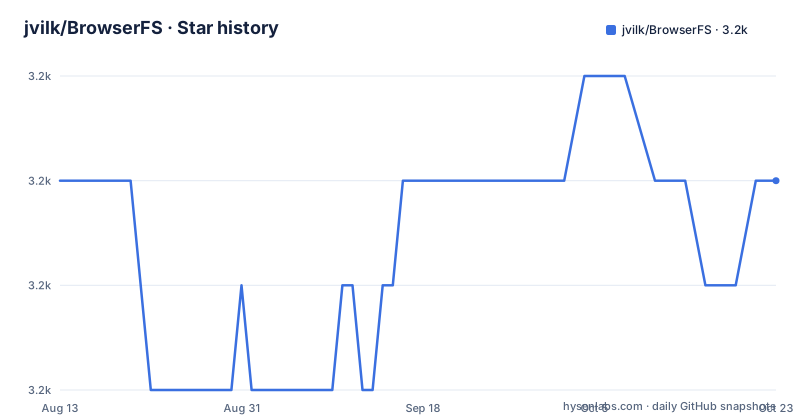
Star history
- jvilk/BrowserFS3,166 ★ · +0
| Repository | 2026-08-13 | 2026-10-22 |
|---|---|---|
| jvilk/BrowserFS | 3.2k | 3.2k |
0 Stars in the last 70 days, measured from the daily GitHub snapshot. Compare with other projects
Editorial analysis
What BrowserFS actually solved
BrowserFS solved a specific mismatch: browsers have no filesystem, but web applications often need one. It emulated the Node.js fs API in the browser, so code written for Node could run in the browser with minimal changes. The target audience was developers building browser-based IDEs, data explorers, or Emscripten applications that expected a POSIX-like file layer. The README shows a direct example: after configure({ fs: 'LocalStorage' }), you call fs.writeFile and fs.readFile exactly as you would in Node. That API compatibility was the core value. It was not a toy: it shipped multiple backends, including IndexedDB, ZipFS, and even Dropbox, and it integrated with Emscripten's file system. For a project that started in 2014, this filled a real gap that no other library addressed with the same breadth.
The architecture: a core API plus interchangeable backends
BrowserFS is built around a central filesystem interface, BrowserFS.FileSystem, and a set of backends that implement it. Each backend stores and retrieves files differently. The README lists ten backends: HTTPRequest, LocalStorage, IndexedDB, Dropbox, InMemory, ZipFS, IsoFS, WorkerFS, MountableFileSystem, OverlayFS, AsyncMirror, and FolderAdapter. That is eleven, but the count does not matter. The key design point is that backends are composable. MountableFileSystem lets you mount different backends at different paths, so you can have a zip mounted at /mnt/zip, in-memory storage at /tmp, and IndexedDB at /home in one hierarchy. OverlayFS layers a writable backend over a read-only one, so you can write to a zip-backed directory without modifying the zip. AsyncMirror loads an asynchronous backend into a synchronous one, which is useful for Emscripten. This modularity meant you could combine storage strategies without changing your application code. The cost of this flexibility is a more complex configuration object, as the MountableFileSystem example shows, with nested fs and options keys for each mount point.
Getting it running: configure and BFSRequire
The README gives a clear path to running BrowserFS. You install it with npm, then import configure and BFSRequire. The configure function takes a config object that specifies the backend and options. For a simple LocalStorage backend, you write: await configure({ fs: 'LocalStorage' });. After that, BFSRequire('fs') returns a Node-style fs object. The README shows a write-then-read cycle that mirrors Node's callback style. For a more complex setup, you configure MountableFileSystem with options that map paths to backend configs. The example mounts a zip file fetched over HTTP, in-memory storage, and IndexedDB. You also need Buffer, which BrowserFS expects for binary data. The README notes that if you are not using ESM, you can load browserfs.min.js as a script tag and use the global BrowserFS object. Building from source requires Node, npm install, and npm run build, which outputs to dist. Custom builds are possible by editing src/core/backends.ts to include only the backends you need, though the README calls this not recommended.
Where BrowserFS falls short: the deprecation and its consequences
The most significant limitation is that BrowserFS is deprecated. The README begins with a clear notice, dated 22 March 2024, from the current maintainer, James Prevett. He writes that the project has changed so significantly it is no longer the same BrowserFS, and that the name implies a browser-only scope it has outgrown. He created ZenFS as the active fork. The NPM organization browserfs has all packages deprecated, with messages pointing to the new packages. This means any new project that adopts BrowserFS is building on a library whose official distribution channel is marked as obsolete. The last release was v1.4.3 in August 2017, so the codebase has been dormant for years. The maintainer also notes that he did not have access to the NPM package at the time of writing, which complicates any future maintenance of the original package. If you rely on BrowserFS, you are relying on a project that its own maintainer has publicly abandoned.
The wrong tool for new work, and the alternative: ZenFS
For any new project, BrowserFS is the wrong tool because the maintainer explicitly says to use ZenFS instead. ZenFS is a fork that carries the legacy forward, with the same goal of a complete file system in TypeScript and JavaScript. The difference is not just a name. The maintainer says he separated some backends into different packages and created new organizations on GitHub and NPM. ZenFS publishes under @zenfs, and all versions under @browserfs have been published under @zenfs. So ZenFS is not a drop-in replacement in the sense of the same package name; it is a rebranded and reorganized continuation. If you have an existing BrowserFS deployment, you need to migrate your imports and configuration to ZenFS. The README does not provide a migration guide, so you must check the ZenFS repository for that. The alternative to BrowserFS is not just ZenFS; it is also the native File System Access API in modern browsers, which offers a real filesystem without a Node-style wrapper. But if you need the Node fs API, ZenFS is the direct successor.
Maintenance and upgrade cost, and licensing ambiguity
The maintenance picture is clear: BrowserFS is not maintained. The last push was in August 2017, and the deprecation notice came in 2024. The upgrade cost to ZenFS is real. You must change your package imports from browserfs to @zenfs, and you must verify that the backends you use exist in ZenFS, since the maintainer separated some backends into separate packages. The README mentions browserfs-zipfs-extras for old zip compression methods, but that package may or may not be carried over. The license field in the repository metadata is NOASSERTION, which is not a valid SPDX identifier. The README does not state a license. That is a red flag for adoption. You cannot assume the license terms from the repository alone. Before using BrowserFS or ZenFS, you should check the LICENSE file in the repository or the package metadata. The README's deprecation notice does not address licensing, so this remains an open question. For a library you plan to embed, this ambiguity is a practical concern.
Editorial conclusion
BrowserFS is for projects that need a familiar Node fs API in the browser and can tolerate a dormant codebase. Its last release was v1.4.3 in August 2017, and the maintainer deprecated it in March 2024, pointing to ZenFS. Do not adopt BrowserFS for new work; the NPM packages are deprecated. If you already use BrowserFS, verify that your backends and API calls work under ZenFS before migrating, and check the ZenFS documentation for breaking changes. The concrete next step is to clone the ZenFS repository and run its migration guide against your current BrowserFS usage.
Frequently asked questions
Is BrowserFS still maintained?
The first line of its README says DEPRECATED and names ZenFS as the active fork. The notice is dated 22 March 2024, the browserfs organisation on npm has all its packages deprecated with a pointer to the replacement, and every version published under @browserfs was also published under @zenfs.
What backends does BrowserFS provide?
Storage backends include HTTPRequest through fetch, LocalStorage, IndexedDB, Dropbox and InMemory. Format backends are ZipFS for zip archives and IsoFS for .iso images. Composition backends include MountableFileSystem, OverlayFS, AsyncMirror, FolderAdapter, WorkerFS and Emscripten mounting.
How do I configure BrowserFS?
With a configure function taking a filesystem name and options, then requiring the module by name to get at the API. A MountableFileSystem configuration maps several paths to different backends at once, for example a zip at /mnt/zip, in-memory storage at /tmp and IndexedDB at /home.
What does AsyncMirror do in BrowserFS?
It lets an asynchronous backend be used synchronously, which the documentation calls invaluable for Emscripten. The caveat is that it loads the entire contents of the filesystem into a synchronous backend during construction, then performs operations in memory and enqueues them to be mirrored onto the asynchronous backend.
Can BrowserFS mount a zip file?
Yes, read-only. ZipFS lazily decompresses files as you access them and supports DEFLATE out of the box, while the separate browserfs-zipfs-extras package adds EXPLODE, UNREDUCE and UNSHRINK for older archives.
How do I build BrowserFS from source?
Install the dependencies, run the build command, and find the built versions in the dist directory. The build script clears dist first, and building a subset of backends means editing the backend list in the source, which the documentation marks as not recommended.
Official sources
Add this badge to your README
If you maintain this project, the badge below links readers to this analysis and shows its maintenance status from the daily GitHub snapshot. Paste the markdown into your README; add ?metric=license or ?metric=stars to the image URL for a different field.

[](https://hysenlabs.com/projects/jvilk-browserfs)Star history chart for your README
[](https://hysenlabs.com/projects/jvilk-browserfs)