cargo-outdated for Rust Dependency Update Checks
A cargo subcommand for displaying when Rust dependencies are out of date
At a glance
- What is it?
- cargo-outdated is a Cargo subcommand that reports newer compatible and latest dependency versions. It compares dependency trees in a temporary workspace, making it useful for Rust maintainers who want visibility before updating a manifest or lockfile.
- Who is it for?
- cargo-outdated fits Rust maintainers who want a readable or JSON inventory of available dependency updates without immediately changing the project. It supports root-only checks and dependency exclusions, but requires Cargo update resolution.
- Can I use it commercially?
- Yes. MIT is a permissive licence: you can use, modify and sell software built on it, as long as you keep its copyright and licence notices.
- Is it still maintained?
- Yes. The repository last received commits 150 days ago.
- What is it written in?
- Mainly Rust, according to GitHub's language statistics.
Answers come from the project's GitHub data, last synced on November 7, 2026, and from our analysis. They are not legal advice.
Star history
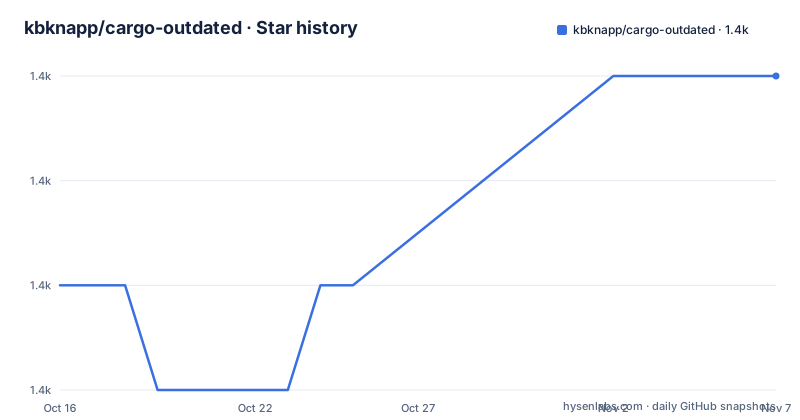
- kbknapp/cargo-outdated1,425 ★ · +2
| Repository | 2026-10-16 | 2026-11-07 |
|---|---|---|
| kbknapp/cargo-outdated | 1.4k | 1.4k |
2 Stars in the last 22 days, measured from the daily GitHub snapshot. Compare with other projects
Editorial analysis
What cargo-outdated Reports for Rust Projects
cargo-outdated addresses a specific part of Rust dependency maintenance: discovering that a locked package has a newer available version. It is intended for developers maintaining Cargo projects who need an inventory of normal, development, and build dependencies before deciding what to upgrade. The report can include direct packages, transitive packages, compatibility candidates, the latest available versions, dependency kind, and target-specific platform information.
The command distinguishes `Compat` from `Latest`, which matters when a dependency has different answers under SemVer constraints. A blank or unavailable compatibility value in the example output means that the command did not report a compatible update there. `Kind` separates categories such as `Normal`, `Development`, and `Build`. The platform column can expose restrictions such as `cfg(not(target_os = "windows"))`, making it possible to see that resolution is target-aware rather than treating every package as platform-neutral.
This is an inspection command, not a general-purpose dependency policy engine. The repository documentation does not describe vulnerability scanning, changelog analysis, API compatibility checks, or automatic assessment of whether an upgrade is safe. Its scope is version discovery and comparison.
Temporary-Workspace Resolution Behind cargo outdated
The implementation is based on Cargo's built-in `cargo update` behavior. For the compatible-update check, cargo-outdated creates a temporary workspace and runs `cargo update` there. It then compares that temporary dependency tree with the original project's tree. Because the update operation occurs in the temporary workspace, the documented design does not apply the generated resolution to the original project.
The latest-version check uses a second modification. The tool replaces the SemVer requirements of direct dependencies with wildcards, then repeats the same temporary resolution and comparison process. This explains why direct and transitive packages can appear in the report: direct wildcard requirements affect resolution, while Cargo's resulting dependency tree also contains the selected indirect packages.
That design reuses Cargo rather than implementing a separate registry version database. The project depends on the `cargo` crate, and its `Cargo.toml` identifies `cargo = "0.94.0"`. Resolution behavior is therefore tied to the Cargo implementation used by the tool. Features, package sources, platform selectors, and dependency constraints described by the manifest can all affect the tree that Cargo produces. The README does not claim that the tool applies an upgrade or resolves source incompatibilities.
Installing cargo-outdated and Running the First Check
The README recommends `cargo binstall` when a prebuilt version is preferred. This invokes Cargo Binary Integration and installs the `cargo-outdated` subcommand:
cargo binstall cargo-outdatedUsers without that installer can install the published crate with Cargo. The `--locked` flag makes Cargo use the versions recorded in the packaged lockfile for installation:
cargo install --locked cargo-outdatedA source checkout can instead be installed directly from the Git repository:
cargo install --locked --git https://github.com/kbknapp/cargo-outdatedAfter the executable is available through Cargo or is placed on `$PATH`, enter a Rust project and run the subcommand:
cargo outdatedThe result is a table with `Name`, `Project`, `Compat`, `Latest`, `Kind`, and `Platform` columns. For automation, the documented `--format json` option selects JSON output. The command also supports limiting depth with `--depth`, examining only root dependencies with `--root-deps-only`, checking every workspace member with `--workspace`, and selecting another manifest with `--manifest-path`.
Filtering cargo-outdated Output in Workspaces
The available options reveal cargo-outdated's operational boundaries. `--ignore` removes named dependencies from the printed output, while `--exclude` removes named dependencies from the build process used to determine versions. These controls are related but not interchangeable. Ignoring a package only changes the report; excluding one changes the resolution input and may therefore alter the dependency tree being examined.
`--root-deps-only` is described as equivalent to `--depth=1`, which is useful when a transitive graph is too large or when only explicitly declared packages matter. For projects with members, `--workspace` checks all members rather than only the root package. A different manifest can be selected with `--manifest-path FILE`.
The output control is intentionally small. `--format` accepts `list` or `json`, and `--color` accepts `auto`, `always`, or `never`. `--exit-code NUM` defines the exit status to return when new versions are found, allowing the documented default of `0` to be changed for a caller that wants outdated results to affect automation. The README does not document how exit-code conflicts with other failures, so that interaction should not be assumed.
Feature selection is available through `--features FEATURES`, and dependency exclusions through `-x` or `--exclude DEPENDENCIES`. Those options matter for crates whose feature graph changes which packages and versions Cargo resolves.
Platform and Build Constraints for cargo-outdated
The manifest requires Rust `1.91.0` as its MSRV and uses Rust edition 2024. That requirement narrows adoption for teams pinned to older Rust toolchains. Source builds also depend on the crates declared in `Cargo.toml`, including Cargo 0.94.0 and several libraries for Git access, serialization, version handling, terminal formatting, and TOML processing.
macOS has an explicit dependency issue in the README. The project depends on OpenSSL, and the documentation says a newer OpenSSL than the macOS default is needed. It gives two approaches: install OpenSSL with Homebrew, or build with the `vendored-openssl` feature. The feature is declared in `Cargo.toml` as `vendored-openssl = ["cargo/vendored-openssl"]`. The README does not explain every build or runtime consequence of that choice, so teams should account for their own macOS build environment.
The source-build workflow in the README clones the repository, runs a release build, and places the binary under `target/release/cargo-outdated`. Developers using `cargo clippy` through the repository's `justfile` should note that its lint recipes call `cargo +nightly fmt`, so reproducing the complete lint recipe requires the specified nightly toolchain.
Maintenance, Licensing, and Upgrade Boundaries
The repository is not archived, and its last push was on 2026-06-10. Recent releases include v0.19.0 on 2026-04-14, v0.18.0 on 2025-10-27, and v0.17.0 on 2025-03-13. This supports recent project activity, but release frequency does not by itself establish compatibility with every Cargo project.
The package is licensed under MIT, and `Cargo.toml` also declares `license = "MIT"`. The repository includes `LICENSE-MIT`. This identifies the declared licensing terms, although organizations should review the actual license text and their own compliance requirements rather than treating this article as legal advice.
Installation and upgrades have a real toolchain cost. `cargo install --locked cargo-outdated` installs the current package through Cargo, while the Git form tracks the repository URL without a revision specified in the documented command. Building source requires the declared Rust toolchain and dependencies. The repository's development checks are broader: the `justfile` runs formatting, Clippy with several feature combinations, tests, and a spelling check. Updating cargo-outdated does not update application dependencies, and running it does not select or apply those updates. Its value is narrowing the set of versions that deserve review.
Editorial conclusion
cargo-outdated fits Rust maintainers who want a readable or JSON inventory of available dependency updates without immediately changing the project. It supports root-only checks and dependency exclusions, but requires Cargo update resolution. Before adopting it, verify the Rust 1.91.0 MSRV, the behavior of Cargo features and registry dependencies in the target environment, and the desired output format. On current evidence, v0.19.0 is a practical inspection subcommand, but it is not a replacement for reviewing compatibility changes before updating Cargo.toml or Cargo.lock.
Frequently asked questions
How do I install cargo-outdated?
The README recommends `cargo binstall cargo-outdated` for a prebuilt installation. It also documents `cargo install --locked cargo-outdated` and installation directly from the Git repository.
Does cargo-outdated update my Cargo.toml or Cargo.lock?
The documented mechanism runs `cargo update` in a temporary workspace and compares that tree with the original tree. The command is presented as a reporting tool rather than the step that applies updates to the project.
Can cargo-outdated output JSON?
Yes. The documented `--format FORMAT` option accepts `list` and `json`, with `list` as the default.
What is the Rust version required by cargo-outdated 0.19.0?
The `Cargo.toml` file declares `rust-version = "1.91.0"` as the MSRV. The crate also uses Rust edition 2024.
How do I check only direct dependencies in cargo-outdated?
Use `--root-deps-only`, described in the command help as equivalent to `--depth=1`. For deeper filtering, `--depth NUM` controls how far Cargo follows the dependency chain.
Official sources
Add this badge to your README
If you maintain this project, the badge below links readers to this analysis and shows its maintenance status from the daily GitHub snapshot. Paste the markdown into your README; add ?metric=license or ?metric=stars to the image URL for a different field.

[](https://hysenlabs.com/projects/kbknapp-cargo-outdated)Star history chart for your README
[](https://hysenlabs.com/projects/kbknapp-cargo-outdated)Was this useful?