jBPM Business Process Management for Java Applications
a Business Process Management (BPM) Suite
At a glance
- What is it?
- jBPM is a Java BPM toolkit for embedding process and decision automation in enterprise applications or running it as a standalone service. Its flexibility comes with a broad component set and a source build that requires Maven.
- Who is it for?
- Adopt jBPM when the team needs a Java toolkit for BPMN-oriented process automation, case management, human tasks, or a service that can run separately from the application. It fits organizations that need flexibility across JEE, SpringBoot, Thorntail, and standalone Java packaging.
- Can I use it commercially?
- Not without permission. GitHub finds no licence file in the repository, and without a licence all rights are reserved by default: you may read the code but not reuse it. Check the README, or ask the authors, before using it.
- Is it still maintained?
- Yes. The repository last received commits 129 days ago.
- What is it written in?
- Mainly Java, according to GitHub's language statistics.
Answers come from the project's GitHub data, last synced on November 7, 2026, and from our analysis. They are not legal advice.
Star history
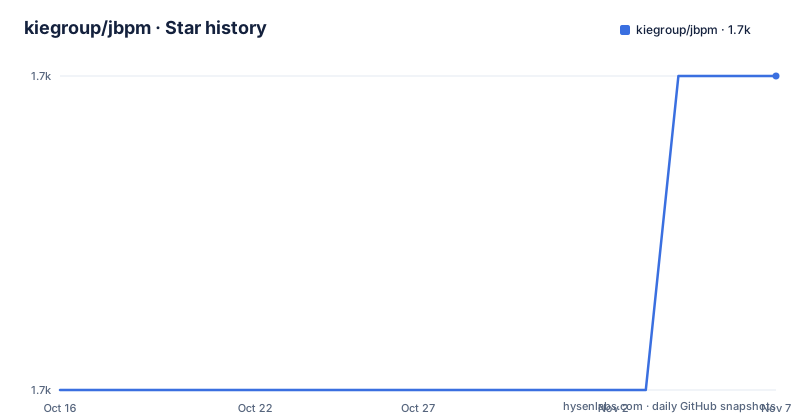
- kiegroup/jbpm1,742 ★ · +1
| Repository | 2026-10-16 | 2026-11-07 |
|---|---|---|
| kiegroup/jbpm | 1.7k | 1.7k |
1 Stars in the last 22 days, measured from the daily GitHub snapshot. Compare with other projects
Editorial analysis
The business process problems addressed by jBPM
jBPM addresses the need to encode business processes and decisions as application behavior rather than leaving them as manual sequences hidden in service code. The README describes it as a toolkit for building business applications that automate those activities. That makes it relevant to Java teams working on workflow, case management, human tasks, and BPMN-oriented applications. The repository topics also identify BPM, BPMN2, business processes, process engines, workflows, and case management.
The intended integration model is unusually broad for a BPM project. The README says jBPM can run as a standalone service or be embedded in a custom service. It can be placed in traditional JEE applications deployed as WAR or EAR files, SpringBoot or Thorntail applications deployed as uberjars, or standalone Java programs. The practical consequence is that adoption does not require one application framework. It also means the integration decision remains with the adopting team. jBPM supplies process-related modules, but the README does not prescribe a complete application stack around them.
This is different from a simple developer library that exposes only a parser or a workflow callback. The top-level repository contains modules such as jbpm-bpmn2, jbpm-case-mgmt, jbpm-human-task, jbpm-runtime-manager, jbpm-persistence, jbpm-query-jpa, jbpm-services, and jbpm-workitems. Based on the repository layout, the project covers more of the process application lifecycle than a single component. The exact runtime wiring and deployment configuration are not documented in the README, so teams evaluating it should inspect those modules and the linked official documentation before selecting a packaging model.
How the jBPM repository is organized
The repository presents jBPM as a multi-module Java project. The top-level `pom.xml` is the apparent Maven entry point, while directories such as `jbpm-bpmn2` and `jbpm-bpmn2-emfextmodel` relate to BPMN2 processing. The presence of `jbpm-case-mgmt` and `jbpm-human-task` indicates separate areas for case management and human task work. `jbpm-persistence` and `jbpm-query-jpa` identify persistence and JPA query concerns as separate repository modules.
The other module names suggest several execution and service boundaries. `jbpm-runtime-manager` is separate from `jbpm-services`, while `jbpm-workitems`, `jbpm-document`, `jbpm-audit`, and `jbpm-xes` cover additional process-related capabilities or supporting concerns. The project also includes `jbpm-flow` and `jbpm-flow-builder`, `jbpm-installer`, `jbpm-distribution`, `jbpm-examples`, `jbpm-test`, and `jbpm-test-util`. This layout is useful for engineers because it shows that the repository is not just a single engine package. It also creates a dependency-selection task: an adopter may need to understand which modules belong in a runtime, which belong in build tooling, and which are test or distribution assets.
The README confirms that the software is written in Java and published through Maven Central. It does not provide a runtime data-flow example, a process-instance API call, a database schema, or a deployment descriptor. Therefore, the safest architectural description is the one supported by the repository itself: a Java toolkit composed of process definition, execution, service, persistence, case management, human task, and distribution modules. Any claim about exact transaction boundaries, event propagation, or process lifecycle behavior would require reading the detailed documentation or source modules.
Building jBPM from the main branch
The README gives a source-build path rather than a simple application installation procedure. It first instructs users to check out the repository. Developers with GitHub SSH access can use the repository URL, while the HTTPS alternative names the local directory `jbpm`. After checkout, the documented build command cleans the project, installs its artifacts into the local Maven repository, and skips tests.
This procedure is useful for evaluating the source tree or building the project as part of a Java development workflow. It is not, by itself, a documented deployment guide for a production jBPM service. The README does not specify the required JDK version, Maven version, application configuration, database, listening port, or process deployment command. Those details are delegated to the linked documentation and the Docker or single ZIP distribution guides.
Use the following command exactly as documented:
git clone https://github.com/kiegroup/jbpm.git jbpmThe README presents this as the alternative for users without a GitHub account. It clones the project into the `jbpm` directory.
Then build it with Maven:
cd jbpm
mvn clean install -DskipTests
The command should complete the documented source build, but the README does not state what output text or artifacts should appear. Do not treat `-DskipTests` as evidence that the built system has been validated. It explicitly tells Maven to skip the test phase during this build, so test execution remains a separate verification step.
Choosing standalone, embedded, or packaged jBPM
The first adoption decision is the operating boundary. A standalone service is appropriate when the process runtime should be operated as a separate application and consumed by other services. The README does not document the standalone startup command, service API, authentication model, or persistence setup, so it cannot support a production deployment recipe here. The linked Single Zip Distribution and Docker guides are the appropriate starting points for those details.
Embedding jBPM inside a custom service is the alternative described for teams that want process behavior inside an application boundary. The README names traditional JEE, SpringBoot, and Thorntail deployments, as well as standalone Java programs. That list is more useful than a single framework recommendation because it describes packaging contexts rather than prescribing an application design. Engineers must still decide where process state lives, how the host application exposes operations, and which modules are included in the deployment artifact.
For a first real use, the repository supports source-level evaluation rather than a documented hello-world process. After the Maven build, the next documented route is the official getting-started material, including the Docker guide and the Single Zip Distribution guide. The README does not include a process XML file, Java invocation, REST request, or CLI operation that can be copied as a first workflow example. That omission matters. It prevents this article from inventing an API and keeps the initial tutorial focused on what the project itself documents.
Operational limits and maintenance boundaries
jBPM has clear scope boundaries that should influence adoption. The repository contains many modules, but the README does not provide a compatibility matrix for JDKs, Maven versions, application servers, databases, or BPMN tooling. It also does not document a rollback procedure, backup procedure, migration command, or production upgrade path. The linked release documentation is the real source for those operational details, not the README.
The repository has no GitHub releases. That means there is no release entry in the repository metadata from which this article can identify a stable version, upgrade sequence, or release-specific migration notes. The README links documentation at `docs.jboss.org/jbpm/release/latestFinal/jbpm-docs/html_single/`, but it does not explain how `latestFinal` relates to a particular build or how upgrades are handled. A team considering jBPM should verify that documentation against its intended dependency set before adopting it.
The repository is not archived, and the last push was on 2026-07-01. That is evidence of a recent repository change, but it is not evidence that every module is actively maintained or that a release is available. The README states that the project is open source and released under the Apache Software License. The repository includes `LICENSE-Apache-2.0.txt` at the top level, so reviewers should inspect that file for the actual terms and obligations relevant to their use.
How jBPM compares with a hand-coded workflow
A hand-coded Java workflow usually expresses transitions directly in application classes, queues, or database fields. jBPM takes a different approach by organizing process and decision automation as a toolkit with BPMN2-related modules, a case-management module, human-task support, runtime management, persistence, and JPA query components. The value of that approach is structural: process-related concerns can be represented and packaged as identifiable parts of a Java system instead of being confined to one service class.
The difference is also a trade-off. A framework-oriented toolkit introduces module selection, runtime lifecycle, persistence configuration, and integration decisions. A small application with a few linear state transitions may not need that wider machinery. jBPM is a better fit when the application genuinely needs process modeling, business decisions, human work, or process runtime services. It is a poor fit when the requirement is a single simple state change and the team does not need BPMN2, case management, or process persistence.
The repository alone does not document a comparison table or claim that jBPM replaces a particular competing engine. The actual difference available here is architectural: jBPM is presented as a Java toolkit that can be embedded or run independently, while a hand-coded workflow leaves the same behavior distributed through application code. Validate the trade-off against the official documentation before committing to the larger module set.
Adoption decision for jBPM projects
Adopt jBPM when the team needs a Java toolkit for BPMN-oriented process automation, case management, human tasks, or a service that can run separately from the application. It also fits organizations that need flexibility across JEE, SpringBoot, Thorntail, and standalone Java packaging. Before adoption, verify the exact runtime distribution, dependency versions, database and persistence requirements, process deployment workflow, and supported upgrade path in the linked official documentation. Teams seeking only a minimal linear workflow should avoid the added component and operational surface unless those process capabilities are actually required. The concrete first check is the documented Maven source build, followed by the official Docker or Single Zip Distribution guide for a runnable jBPM environment.
Editorial conclusion
Adopt jBPM when the team needs a Java toolkit for BPMN-oriented process automation, case management, human tasks, or a service that can run separately from the application. It fits organizations that need flexibility across JEE, SpringBoot, Thorntail, and standalone Java packaging. Before adoption, verify the exact runtime distribution, dependency versions, database and persistence requirements, process deployment workflow, and supported upgrade path in the linked official documentation. Teams seeking only a minimal linear workflow should avoid the added component and operational surface unless those process capabilities are actually required. The concrete first check is the documented Maven source build, followed by the official Docker or Single Zip Distribution guide for a runnable jBPM environment.
Frequently asked questions
What is jBPM used for?
jBPM is a Java toolkit for building business applications that automate business processes and decisions. The repository also includes modules related to BPMN2, case management, human tasks, persistence, queries, and runtime services.
Can jBPM run as a standalone service or inside a Java application?
Yes. The README says jBPM can run as a standalone service or be embedded in a custom service, including traditional JEE applications, SpringBoot or Thorntail applications, and standalone Java programs.
How do I build jBPM from source?
The README documents cloning the GitHub repository and running `mvn clean install -DskipTests` from the repository directory. It does not specify the required JDK or Maven versions.
Official sources
Add this badge to your README
If you maintain this project, the badge below links readers to this analysis and shows its maintenance status from the daily GitHub snapshot. Paste the markdown into your README; add ?metric=license or ?metric=stars to the image URL for a different field.

[](https://hysenlabs.com/projects/kiegroup-jbpm)Star history chart for your README
[](https://hysenlabs.com/projects/kiegroup-jbpm)Was this useful?