Knative CLI: A Command-Line Door to Serving and Eventing
Knative developer experience, docs, reference Knative CLI implementation
At a glance
- What is it?
- The `kn` client is the official command-line interface for Knative, covering Serving resources and a growing slice of Eventing. This review looks at what it does, how it works, and where its limits are.
- Who is it for?
- Adopt `kn` if you manage Knative Serving or Eventing resources from a terminal or in scripts, and if you want a plugin system similar to `kubectl`'s. Skip it if you need to install Knative itself, or if you rely on Kubernetes-specific features that the Knative API spec does not expose.
- Can I use it commercially?
- Yes. Apache-2.0 is a permissive licence: you can use, modify and sell software built on it, as long as you keep its copyright and licence notices.
- Is it still maintained?
- Yes. The repository last received commits 5 days ago.
- What is it written in?
- Mainly Go, according to GitHub's language statistics.
Answers come from the project's GitHub data, last synced on November 15, 2026, and from our analysis. They are not legal advice.
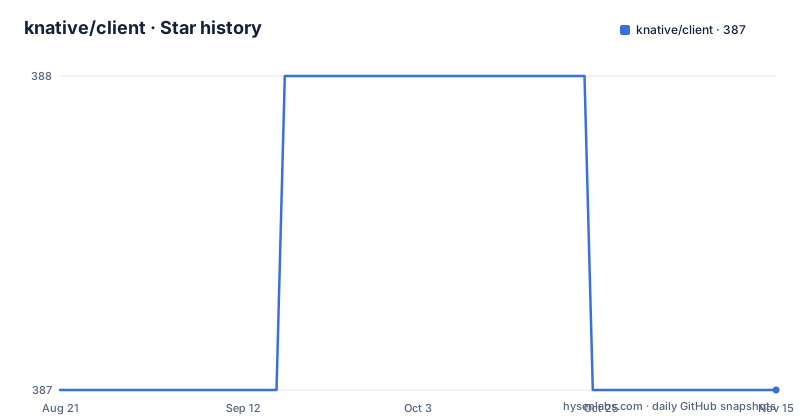
Star history
- knative/client387 ★ · +0
| Repository | 2026-08-21 | 2026-11-15 |
|---|---|---|
| knative/client | 387 | 387 |
0 Stars in the last 86 days, measured from the daily GitHub snapshot. Compare with other projects
Editorial analysis
What `kn` Solves and Who It Is For
The Knative client, `kn`, is a command-line tool for creating and managing Knative resources. The README calls it "your door to the Knative world," and that is accurate: it gives you interactive commands and scriptable access to Knative Serving and Eventing. The target user is a developer or operator who works with Knative from a terminal, either directly or inside CI pipelines. It is also for Go developers who want a thin client API for tasks like waiting synchronously on a service write operation. The README explicitly states that `kn` does not help with installing Knative, so it is not a cluster bootstrap tool. It assumes you already have a Knative installation, possibly one that is not even Kubernetes-based.
How It Works: API-Exclusive Access
`kn` works by using the Knative Serving and Eventing APIs exclusively. The README stresses that it uses these APIs "exclusively so that it will work with any Knative installation, even those that are not Kubernetes based." This is a deliberate design choice. Instead of talking to Kubernetes objects directly, it talks to the Knative API layer. That means the client is portable across different Knative implementations, as long as they expose the same API spec. The client includes a Go API, which is a thin wrapper that helps with tasks like waiting for a service write operation to complete. The plugin architecture mirrors `kubectl` plugins, so you can extend `kn` with custom commands. This architecture is clean, but it also imposes a boundary: anything not in the Knative API spec is out of reach.
Getting Started: Install, Configure, and Run
The README points to the installation guide at `https://knative.dev/docs/client/install-kn/`, and the configuration guide at `https://knative.dev/docs/client/configure-kn/`. It also links to a reference manual at `docs/cmd/kn.md` that lists all commands and options. The exact install command is not in the README, so you must follow the linked guide. Once installed, you can run `kn` interactively or in scripts. The README gives no example commands, but the reference manual would be the first place to look. Configuration is done through the `configure-kn` guide, which presumably covers things like setting the target cluster and context. If you are integrating into Tekton Pipelines, the README links to a Tekton `Task` that uses `kn`. That is a concrete path: you can call `kn` from a pipeline step. The lack of inline examples in the README is a minor annoyance, but the linked docs fill the gap.
Serving Management Is Full; Eventing Is Growing
The README claims "full support" for Knative Serving, including services, revisions, and traffic splits. That is a strong statement, and it suggests that for the core Serving workflow, `kn` is mature. Eventing support is different: the README says it is "growing" and "closely following" Eventing development. That means sources and triggers are manageable, but the feature set may lag behind the latest Eventing additions. If you rely on a brand-new Eventing source type, you may need to wait for a `kn` release. The release cadence is monthly-ish: v1.23.0 in July 2026, v1.22.1 in June, v1.22.0 in April. That cadence is reasonable for keeping up with Knative upstream, but it is not a guarantee that every Eventing feature is immediately supported.
The Plugin Architecture and Scriptability
One of the selling points is a plugin architecture similar to `kubectl` plugins. That means you can write your own `kn` subcommands, likely as separate executables that `kn` discovers. This is useful for teams that want to standardize on custom operations. The README also highlights scriptability: you can use `kn` from the command line or from within scripts. That is a core requirement for CI/CD. The Go API is another layer: if you are writing Go code that needs to interact with Knative, you can use this client instead of raw REST calls. The README mentions "synchronously waiting on Knative service write operations," which is a concrete convenience that saves you from polling. This is a practical feature for automation, but it is only available if you use the Go API, not the CLI.
Limitations: No Install, No Kubernetes Specifics
The most obvious limitation is that `kn` does not install Knative. If you are starting from scratch, you need a separate installation process. The README is explicit: "It does not help with _installing_ Knative itself though." That is a deliberate scope decision, but it means `kn` is not a one-stop tool. Another limitation is the exclusive use of Knative APIs. While that enables portability, it also means you cannot use `kn` to manage Kubernetes-native resources that are not part of the Knative spec. For example, you cannot scale a deployment or inspect a pod with `kn`; that is `kubectl`'s job. For users who are used to `kubectl` for everything, this separation can be confusing. You will likely need both tools in your workflow. The README does not mention any failure modes, but the dependency on Knative API compliance means that if your Knative installation deviates from the spec, `kn` may not work.
Alternatives: `kubectl` and Direct API Access
The main alternative to `kn` is `kubectl`. `kubectl` can manage Knative resources because they are Kubernetes resources, but it does so by talking to the Kubernetes API directly. That means `kubectl` works with any Knative installation that is Kubernetes-based, but it will not work with a non-Kubernetes Knative implementation. `kn` abstracts that away. The difference in approach is significant: `kubectl` gives you full access to the Kubernetes object model, including custom resources, but it is verbose for Knative-specific operations like traffic splits. `kn` is designed for those operations. If you are already a `kubectl` power user, you might manage without `kn`, but you will lose the Knative-specific commands. The README's claim about working with non-Kubernetes installations is the key differentiator.
Maintenance and Licensing
The project is actively maintained: the last push was July 2026, and releases are regular. The license is Apache-2.0, which is permissive for use and modification. The README links to a `LICENSE` file, and the project uses Go. For maintenance cost, you need to track upstream Knative API changes. Since `kn` follows the API spec, when the spec changes, `kn` must be updated. The monthly release cadence suggests that updates are frequent enough to keep pace. If you embed the Go API in your own project, you inherit the dependency on the Knative API and must update your code when `kn` changes its client API. The README does not detail upgrade procedures, but the reference manual and release notes would be the place to look. Overall, the maintenance burden is moderate: you need to stay current with releases, but the project is actively supported.
Editorial conclusion
Adopt `kn` if you manage Knative Serving or Eventing resources from a terminal or in scripts, and if you want a plugin system similar to `kubectl`'s. Skip it if you need to install Knative itself, or if you rely on Kubernetes-specific features that the Knative API spec does not expose. Before adopting, verify that the commands you need are covered in the reference manual, especially for Eventing, and confirm the release version matches your Knative installation. The client is Apache-2.0 licensed, so licensing is permissive, but check the dependency licenses if you embed its Go API.
Frequently asked questions
What is knative/client?
It is the reference Knative command line client, kn, a Go implementation that lets you create Knative resources interactively from a command line or from scripts. It manages Knative Serving features including services, revisions and traffic splits, has growing support for Knative eventing sources and triggers, a plugin architecture similar to the Kubernetes command line tool's, and a thin Go client API.
Why does the Knative client use platform APIs instead of Kubernetes?
So that it works with any Knative installation, including ones that are not Kubernetes based. By talking to the Knative Serving and Eventing APIs exclusively, the client is bound to the platform contract rather than to the substrate, at the cost of only being able to do what those APIs expose.
Can kn install Knative for me?
No, and that is stated as an explicit boundary. The client does not help with installing Knative itself; the documentation points to the installation options for that, including prerequisites. Installing the platform and managing resources on it are kept as separate jobs.
How complete is kn's support for Knative eventing?
It is described as growing and closely following eventing's development, with managing sources and triggers named as the scope, against full support for Serving. Unlike the Serving entry, the eventing entry does not enumerate which types are covered, so you would need the reference manual to confirm a specific case.
Why would I use the Go API instead of the kn binary?
The stated reason is synchronously waiting on Knative service write operations. Because the platform is eventually consistent, a write returning does not mean the revision is serving, and a program needs to know when the thing it asked for is actually live. The API is described as thin, so it covers that problem rather than being a full client library.
Official sources
Add this badge to your README
If you maintain this project, the badge below links readers to this analysis and shows its maintenance status from the daily GitHub snapshot. Paste the markdown into your README; add ?metric=license or ?metric=stars to the image URL for a different field.

[](https://hysenlabs.com/projects/knative-client)Star history chart for your README
[](https://hysenlabs.com/projects/knative-client)Was this useful?