vim-fern: Asynchronous File Trees for Vim and Neovim
🌿 General purpose asynchronous tree viewer written in Pure Vim script
At a glance
- What is it?
- vim-fern is a general purpose asynchronous tree viewer written in Vim script for Vim and Neovim. It supports split-window file browsing and project-drawer layouts, but its plugin and renderer ecosystem adds configuration decisions that the basic README does not cover.
- Who is it for?
- Adopt vim-fern if you want asynchronous file-tree views inside Vim or Neovim and can evaluate its action and renderer configuration. Do not choose it as a standalone replacement for every plugin-management need without checking the referenced plugins, compatibility requirements, and documentation for your exact editor version.
- Can I use it commercially?
- Yes. MIT is a permissive licence: you can use, modify and sell software built on it, as long as you keep its copyright and licence notices.
- Is it still maintained?
- Yes. The repository last received commits 33 days ago.
- What is it written in?
- Mainly Vim Script, according to GitHub's language statistics.
Answers come from the project's GitHub data, last synced on November 6, 2026, and from our analysis. They are not legal advice.
Star history
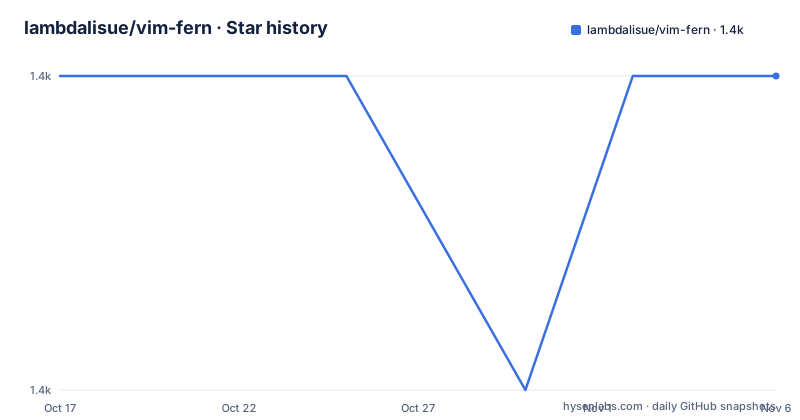
- lambdalisue/vim-fern1,357 ★ · +0
| Repository | 2026-10-17 | 2026-11-06 |
|---|---|---|
| lambdalisue/vim-fern | 1.4k | 1.4k |
0 Stars in the last 20 days, measured from the daily GitHub snapshot. Compare with other projects
Editorial analysis
What vim-fern changes in Vim file navigation
vim-fern addresses the need to inspect and open a directory tree without leaving the editor. Its intended users are Vim and Neovim users who want a file explorer inside the editor rather than a separate operating-system file manager. The project presents two layouts: split windows, described as netrw style, and a project drawer, described as NERDTree style. The distinction is about placement and interaction, not merely appearance. A split-window view can share the editor space with file buffers. A project drawer appears on the left side and uses a neighboring buffer as an anchor when opening a new buffer.
The project is written in Pure Vim script and states that it has no extra dependencies. It supports Vim 8.2.5136 or above and Neovim 0.4.4 or above according to the README badges. The README also calls out a compatibility note: Neovim versions below 0.8 should add antoinemadec/FixCursorHold.nvim. That makes the project relevant to users who want one tree viewer across both editors, while also requiring them to check editor versions and older Neovim behavior before installation.
How the fern command builds asynchronous tree views
The basic command accepts a URL, such as the current directory, and the special expression `%:h`, which refers to the parent directory of the current buffer. Fern opens a viewer for that target, expands the tree as needed, and can focus a selected node. The documented split-window syntax is `:Fern {url} [-opener={opener}] [-reveal={reveal}] [-stay] [-wait]`. The project describes this as asynchronous so directory operations can proceed without blocking the editor as much as possible.
Several options expose concrete choices. `-opener` defaults to `edit`, which controls how Fern opens the selected buffer. `-reveal` recursively expands branches and focuses the target node. `-stay` keeps focus in the window from which the command was called. `-wait` waits synchronously until the viewer is ready, which trades immediate return for a deterministic starting point. These options show that Fern separates viewer creation, node discovery, focus handling, and buffer opening rather than treating the explorer as a single fixed command.
The project drawer syntax adds `-drawer`, which places the tree at the far left of Vim. It also supports `-width`, defaulting to `30`, `-keep`, which disables quitting Vim when only one project-drawer buffer remains, and `-toggle`, which closes an existing drawer instead of focusing it. The drawer also changes some mappings and actions. That behavior can be useful, but it also means that a configuration tested in split-window mode may not transfer directly to drawer mode.
Installing vim-fern and opening the first tree
The README does not prescribe a single package-manager command. It says that vim-fern has no extra dependencies, tells users to use their favorite Vim plugin manager, and links to a wiki page titled “How to install” for details. No exact installation command is provided here, so there is no justified command block for installation.
After installing the repository with the plugin manager or according to that installation guide, the first documented operation is to open Fern on the current working directory. The command is:
:Fern .This should create a split-window tree viewer for the current working directory. A user working from a buffer can open the parent directory of that buffer with:
:Fern %:hIf the editor should remain in its original window while the tree is initialized, the documented `-stay` option is available. The documentation does not explain how a particular plugin manager should be configured, how to select a package release, or how to recover a viewer after a failed directory read, so those details belong in the linked wiki rather than in this review.
Actions and the extension points around the tree
Fern presents file operations as actions. According to the README, pressing `a` on a Fern buffer opens an action input, and pressing `?`, or executing the `help` action, lists the actions available in that viewer. This design is different from a file explorer that depends mainly on users remembering fixed mappings. Actions can still be mapped or invoked according to the editor configuration, but the documented discovery path is the buffer action interface.
The repository also lists separate projects for optional presentation or behavior. The screenshot section names nerdfont.vim, glyph-palette.vim, fern-renderer-nerdfont.vim, and fern-git-status.vim as related projects. Their presence indicates a plugin-oriented design, but the README does not specify which are required, which are optional, how they are installed, or how their APIs are used. The concept section states that third-party plugins can support different kinds of trees. That is a useful extension point, though the available documentation excerpt does not provide an integration contract or a complete list of supported actions.
For a new user, the practical consequence is that Fern should first be judged as a viewer and action system, not as a complete icon-and-status configuration. Choosing a renderer later may change the visual result without changing the core `:Fern` command.
Where the documented workflow is constrained
The clearest limitation is configuration scope. The README explicitly states that customizability is less important than simplicity. Features are organized as actions, while optional renderers and status integrations are separate projects. A user who wants a single all-in-one file manager may find that Fern does not present every visual detail in its own documentation.
The `-wait` option also exposes a direct trade-off. Callers who need the viewer to be ready before continuing can request synchronous waiting, while the project's broader design favors asynchronous operation. Scripts or mappings that depend on deterministic readiness should account for this choice instead of assuming that a tree is populated immediately after `:Fern` returns.
Neovim compatibility requires a separate check. The README recommends FixCursorHold.nvim for Neovim below 0.8, so an older Neovim setup is not a simple version match. The repository layout includes `autoload/`, `plugin/`, `ftplugin/`, `syntax/`, `test/`, and `doc/`. Test commands, renderer compatibility, and behavior on inaccessible directories should be checked in the project documentation before adopting it for a critical workflow.
vim-fern compared with Vim's built-in directory tools
The clearest alternative described by the material is Vim's netrw-style split-window approach. The README explicitly positions Fern's split-window layout as netrw style and its project drawer as NERDTree style. That gives users two comparison points without requiring an unsupported claim about every competitor.
The practical difference is that Fern is a standalone tree viewer with its own command, actions, reveal behavior, opener setting, and optional drawer mode. A built-in directory view keeps the editor's existing navigation model, while Fern adds a dedicated viewer and a plugin-oriented action layer. Fern can be preferable when file selection should happen through actions or when a left-side project drawer is part of the desired layout. It can be the wrong choice when the user needs a minimal interface with no additional tree plugins or when the documented action model is less convenient than the editor's native commands.
The choice is therefore about workflow and integration, not simply about displaying filenames. Confirm whether you need `-reveal`, `-opener`, asynchronous discovery, drawer toggling, or third-party renderers before replacing an existing directory workflow.
Maintenance, releases, and adoption cost
The repository is not archived. Its last push was on 2026-10-05, which is recent enough to indicate ongoing repository activity, although the README does not promise a particular response time for issues or support. Recent releases listed are v1.59.3 on 2026-10-05, v1.59.2 on 2026-09-05, and v1.59.1 on 2026-07-26. These release entries provide concrete upgrade checkpoints, but they do not by themselves document migration steps or compatibility guarantees.
vim-fern is licensed under the MIT License. That is a permissive license, but the repository excerpt does not address how optional plugins are licensed or whether their code is bundled into a particular distribution. Teams should inspect the LICENSE file and the licenses of any separately installed renderer, glyph, or Git-status plugin. The upgrade cost appears to involve checking Vim or Neovim compatibility, reviewing changes between releases, and reassessing any separately configured plugins. The README does not document rollback behavior or a formal upgrade command, so those claims cannot be made.
Editorial conclusion
Adopt vim-fern if you want asynchronous file-tree views inside Vim or Neovim and can evaluate its action and renderer configuration. Do not choose it as a standalone replacement for every plugin-management need without checking the referenced plugins, compatibility requirements, and documentation for your exact editor version. The first decision is whether `:Fern .` or `:Fern . -drawer` matches the navigation model you actually want.
Frequently asked questions
How do I install vim-fern in Vim or Neovim?
The README says that vim-fern has no extra dependencies and recommends using your favorite Vim plugin manager. It links to a wiki page titled “How to install” but does not provide a package-manager-specific installation command.
How do I open a file tree for the current directory?
Use the documented command `:Fern .` to open a split-window Fern viewer on the current working directory. Use `:Fern %:h` to target the parent directory of the current buffer.
How do I use vim-fern as a project drawer?
Add `-drawer` to the Fern command, for example `:Fern . -drawer`. Drawer mode appears on the far left of Vim and adds options such as `-width`, `-keep`, and `-toggle`.
Official sources
Add this badge to your README
If you maintain this project, the badge below links readers to this analysis and shows its maintenance status from the daily GitHub snapshot. Paste the markdown into your README; add ?metric=license or ?metric=stars to the image URL for a different field.

[](https://hysenlabs.com/projects/lambdalisue-vim-fern)Star history chart for your README
[](https://hysenlabs.com/projects/lambdalisue-vim-fern)Was this useful?