vue-json-pretty: A Vue 3 JSON tree viewer with search and editing
A JSON tree view component that is easy to use and also supports data selection.
At a glance
- What is it?
- vue-json-pretty renders JSON as an interactive Vue tree with selection, editing, search, and large-data support. It suits application interfaces that need a structured inspector instead of raw JSON text.
- Who is it for?
- Adopt vue-json-pretty for Vue 3 applications that need an interactive JSON tree with optional selection, editing, search, and collapsed nodes. Do not select it for Vue 2 without following the separate `1.x` line, or when JSON Schema validation, completion, backend persistence, and audit trails are mandatory.
- Can I use it commercially?
- Yes. MIT is a permissive licence: you can use, modify and sell software built on it, as long as you keep its copyright and licence notices.
- Is it still maintained?
- Yes. The repository last received commits 85 days ago.
- What is it written in?
- Mainly JavaScript, according to GitHub's language statistics.
Answers come from the project's GitHub data, last synced on October 23, 2026, and from our analysis. They are not legal advice.
Star history
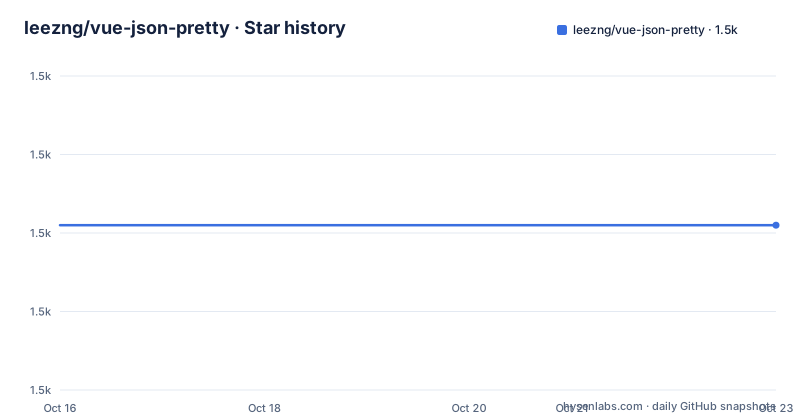
- leezng/vue-json-pretty1,471 ★ · +0
| Repository | 2026-10-16 | 2026-10-23 |
|---|---|---|
| leezng/vue-json-pretty | 1.5k | 1.5k |
0 Stars in the last 7 days, measured from the daily GitHub snapshot. Compare with other projects
Editorial analysis
vue-json-pretty for structured Vue data inspection
vue-json-pretty is for developers who need to present JSON as an inspectable hierarchy inside a Vue application. Instead of printing a serialized value as one long line, the component presents objects and arrays as tree nodes. That makes it more suitable for API response viewers, configuration panels, debugging screens, and data browsers where users need to expand individual parts of a payload.
The repository describes support for Vue 3 at minimum. Vue 2 users are directed to the separate `1.x` line, so current instructions should not be applied automatically to an older Vue application. The component is written in TypeScript and publishes declaration files through the package `types` entry. This gives typed Vue projects a component definition rather than requiring consumers to create their own declaration.
The feature list also names item selection, editable data, support for big data, and search or filtering with result navigation. The repository includes examples for editing, searching, selection, TSX, dark mode, and a virtual list. Those examples show intended usage contexts, but the README excerpt does not explain every callback, internal rendering rule, or implementation detail behind those features.
Props that control expansion and indentation
The component receives JSON through its `data` prop and renders it as a tree. The README's minimal example binds an object directly with `:data="{ key: 'value' }"`. Arrays, nested objects, and their values can then be explored through the tree rather than through a raw text representation.
The `indent` prop controls indentation and defaults to `2`. The `collapsedNodeLength` prop sets the threshold above which objects and arrays begin collapsed. The `deep` prop controls the path depth at which nodes are collapsed. These options matter because a debugger should reveal useful detail without forcing every nested container open at once.
The `data` property also supports `v-model` when editable mode is enabled. That means an application can bind the JSON data in two directions when the user changes it through the component. The README excerpt does not list the full event contract or explain how every edit is validated. A project that depends on precise change events should inspect the editable example and component source before assuming a specific event name or update behavior.
Installing and rendering the first JSON tree
The README provides npm and Yarn installation commands. Because the CSS file is packaged separately, installing the dependency does not by itself apply the component's presentation. Import both the Vue component and `vue-json-pretty/lib/styles.css` when registering it.
With npm:
npm install vue-json-pretty --saveWith Yarn:
yarn add vue-json-prettyThe documented Vue example registers `VueJsonPretty`, passes JSON through the `data` prop, and imports the stylesheet:
<template>
  <div>
    <vue-json-pretty :data="{ key: 'value' }" />
  </div>
</template>

<script>
import VueJsonPretty from 'vue-json-pretty';
import 'vue-json-pretty/lib/styles.css';

export default {
  components: {
    VueJsonPretty,
  },
};
</script>
After compilation, the reader should see the key and value represented as JSON tree content rather than a raw serialized object. Package metadata exposes both a CommonJS entry at `lib/vue-json-pretty.js` and an ESM entry at `esm/vue-json-pretty.mjs`, so bundler behavior may depend on which export condition it selects.
Nuxt.js registration and server-side rendering
The Nuxt.js instructions use global component registration plus Nuxt's `css` and `plugins` configuration. A plugin imports Vue and `VueJsonPretty`, then registers the component under the `vue-json-pretty` name. Nuxt then loads the stylesheet and plugin from its configuration.
The documented plugin is:
import Vue from 'vue'
import VueJsonPretty from 'vue-json-pretty'

Vue.component("vue-json-pretty", VueJsonPretty)
The matching Nuxt configuration is:
css: [
  'vue-json-pretty/lib/styles.css'
],
plugins: [
  '@/plugins/vue-json-pretty'
],
The README lists server-side rendering as supported, but the excerpt does not describe a complete SSR-specific configuration beyond this integration example. It also does not identify a supported Nuxt version. A project should therefore check that its Nuxt release matches the plugin style shown before copying the configuration. The separate CSS import remains part of setup even when component registration works correctly.
Search, editing, and large JSON payloads
vue-json-pretty does more than format a static object. Search and filtering can locate content within the tree, and result navigation is intended to move between matching values. Editing is available through `v-model`, while selection lets an application derive the item or path selected by the user. These features fit an internal inspection tool more closely than a simple static code sample.
The README lists support for big data, and the repository contains a `VirtualList.vue` example. The documented `collapsedNodeLength` and `deep` props offer immediate controls for reducing initial visual volume. Large arrays can therefore start collapsed, and deeply nested paths can remain closed until a user expands them.
This does not establish a maximum document size or a performance guarantee. The README does not state the rendering strategy used for every node type, whether search operates over all data or visible nodes, or how malformed JSON is handled. Teams building a debugger for unusually large payloads should inspect `VirtualList.vue` and the relevant source behavior before assuming that the feature list alone defines capacity or latency.
Vue 2, MIT licensing, and release selection
Compatibility has a clear boundary. The current documentation targets Vue 3, while Vue 2 applications are sent to the `1.x` branch and its version-specific package. The README states support for modern browsers, Electron, and Internet Explorer 11 with polyfills. The package also declares support for server-side rendering.
The package uses the MIT license. Consumers should preserve the applicable license notice and review their own distribution obligations. This is a statement about the declared license, not legal advice about a particular product or deployment.
The repository is not archived, and its last push was on 2026-07-30. Its release list includes v2.6.0 from 2025-10-28, v2.5.0 from 2025-06-22, and v2.4.0 from 2024-03-20. However, the repository `package.json` declares version `2.2.3`. That mismatch matters during adoption. Pin the intended release, inspect what the package manager resolves, and compare the installed entry points with the version-specific documentation before upgrading.
Cases where a full JSON editor is preferable
vue-json-pretty is a poor substitute for a dedicated JSON editing application when the required workflow includes schema-aware completion, JSON Schema validation, or guaranteed detection of syntax errors. The documented feature set centers on rendering, tree interaction, selection, search, and editable data. It does not claim domain validation or persistence.
It is also the wrong choice for a Vue 2 application seeking one current dependency across the whole application. The README supplies `npm install vue-json-pretty@v1-latest --save` for that separate line. Mixing that release with Vue 3 examples would create an avoidable compatibility problem.
Compared with a plain text viewer, this component adds expansion, filtering, editing, and selection at the cost of prop configuration, separate CSS, and framework registration. Compared with a complete JSON workbench, it remains a Vue component. Applications requiring saving, authorization, audit history, or backend conflict handling must implement those concerns outside the viewer. Verify `data`, selection behavior, and edit propagation first, because those interfaces determine whether the component fits the surrounding application workflow.
Editorial conclusion
Adopt vue-json-pretty for Vue 3 applications that need an interactive JSON tree with optional selection, editing, search, and collapsed nodes. Do not select it for Vue 2 without following the separate `1.x` line, or when JSON Schema validation, completion, backend persistence, and audit trails are mandatory. Before adoption, confirm the installed package version because `package.json` declares `2.2.3` while the release list includes `v2.6.0`. The repository is not archived, and its last push was on 2026-07-30.
Frequently asked questions
How do I install vue-json-pretty in a Vue 3 project?
Use `npm install vue-json-pretty --save` or `yarn add vue-json-pretty`. Import `VueJsonPretty` and `vue-json-pretty/lib/styles.css` in the application.
Does vue-json-pretty support Vue 2?
Yes. The README directs Vue 2 users to the separate `1.x` line and documents `npm install vue-json-pretty@v1-latest --save` for that use case.
Can vue-json-pretty edit JSON data?
The feature list includes editable data, and the `data` prop supports `v-model` in editable use. The README excerpt does not document the complete event contract or persistence behavior.
How does vue-json-pretty handle large JSON objects?
The project lists support for big data and includes a `VirtualList.vue` example. The `collapsedNodeLength` and `deep` props can collapse large objects, arrays, or deep paths.
Does vue-json-pretty include its CSS?
The package requires a manual import of `vue-json-pretty/lib/styles.css`. The README describes importing it globally or directly with the component.
Official sources
Add this badge to your README
If you maintain this project, the badge below links readers to this analysis and shows its maintenance status from the daily GitHub snapshot. Paste the markdown into your README; add ?metric=license or ?metric=stars to the image URL for a different field.

[](https://hysenlabs.com/projects/leezng-vue-json-pretty)Star history chart for your README
[](https://hysenlabs.com/projects/leezng-vue-json-pretty)Was this useful?