YAJL: Incremental JSON Parsing in C
A fast streaming JSON parsing library in C.
At a glance
- What is it?
- YAJL is a small C library for parsing JSON incrementally through callbacks instead of imposing an in-memory object model. It suits C applications that process JSON streams, filter data, or need contextual parse errors.
- Who is it for?
- Adopt YAJL when a C application needs callback-driven JSON parsing over a stream and is prepared to define its own data representation. Do not choose it as a convenience wrapper for building a complete JSON tree unless that extra work is acceptable.
- Can I use it commercially?
- Yes. ISC is a permissive licence: you can use, modify and sell software built on it, as long as you keep its copyright and licence notices.
- Is it still maintained?
- Yes. The repository last received commits 60 days ago.
- What is it written in?
- Mainly C, according to GitHub's language statistics.
Answers come from the project's GitHub data, last synced on October 23, 2026, and from our analysis. They are not legal advice.
Star history
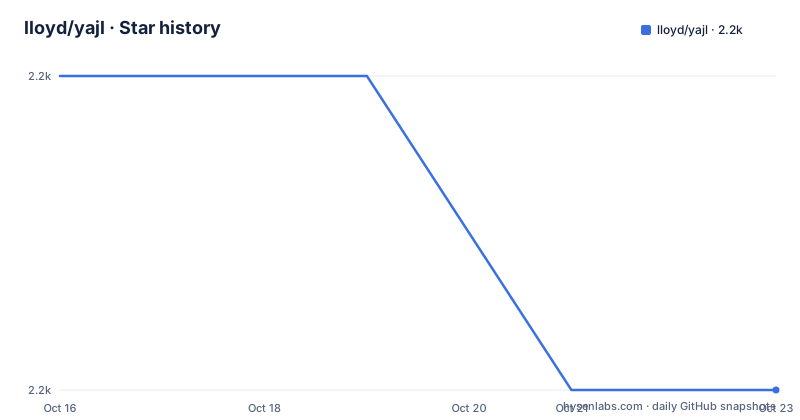
- lloyd/yajl2,227 ★ · -1
| Repository | 2026-10-16 | 2026-10-23 |
|---|---|---|
| lloyd/yajl | 2.2k | 2.2k |
-1 Stars in the last 7 days, measured from the daily GitHub snapshot. Compare with other projects
Editorial analysis
Why YAJL Targets C Applications
YAJL, or Yet Another JSON Library, addresses a specific need: parsing JSON in C while keeping the parser independent of an application's data structures. The README lists portability, low memory use, incremental parsing, useful error context, and a small interface among its design goals. Those goals make it relevant to command-line programs, gateways, configuration readers, and data-processing components written in C.
The library does not automatically create maps, arrays, or objects in memory. It reports parsed values through callbacks. An application that wants a tree must implement that representation and populate it while callbacks arrive. This choice avoids locking every YAJL user into one object model, but it also moves work to the caller. A project needing a ready-made JSON document model may find that burden less convenient than a library that returns a complete value.
YAJL is therefore better understood as a parsing component than as a complete JSON application layer. It can sit below a higher-level JSON library, a filtering pipeline, or a command that only needs selected fields. The repository includes a reformatter example and an example configuration parser, which indicates that the intended usage includes conversion and filtering rather than only loading a document for later queries.
Callback Parsing and Streaming Data Flow
The central mechanism is incremental parsing. Input can arrive through a stream, so the caller does not need to retain the complete JSON text before processing begins. YAJL can invoke application callbacks as syntax becomes available, allowing a program to inspect values, transform them, or write a new representation while reading continues.
This design suits filtering. The README specifically gives conversion from one form to another, such as converting JSON to XML, as a suitable use case. The included pretty printer is described as an example filter. Such a program can consume JSON events and emit formatted output without requiring YAJL to allocate a complete intermediate document.
YAJL also emphasizes data representation independence. It does not prescribe how strings, numbers, arrays, maps, or containers should be stored. The application chooses whether to retain values, discard them, translate them, or send them elsewhere. That flexibility is useful for C programs with specialized storage or protocol requirements.
The README says that, where possible, strings without embedded escape characters can be returned as pointers into the client-provided text. That behavior can reduce copying, but it also means an application must understand the lifetime of the input buffer before retaining such strings. The README does not define a complete ownership or buffer-lifetime contract, so that point needs verification in the library headers and project documentation before implementation.
Error Context as a Parser Feature
The README identifies verbose error messages, including the context of an error in the input text, as a central YAJL feature. This is especially relevant for JSON received from a file, socket, or other external source because a syntax error without a location can be difficult to diagnose.
YAJL's error reporting is separate from its data representation choice. The parser can report a parsing failure without requiring the application to adopt a particular object tree. The repository includes a `test/` directory and a `verify/` directory, but the README does not document the test commands or their expected output. Those directories show that verification has a place in the project layout, yet they do not establish the exact behavior of a particular error condition.
For adopters, the important question is not merely whether errors are verbose, but how they are delivered to the calling program and whether the surrounding source can be mapped back to a file, record, or stream. The README supports the existence of contextual diagnostics, but it does not document an application-facing API for attaching external identifiers such as a filename. Such behavior should be checked against the actual YAJL headers and example code before relying on it.
Building and First Integration Boundaries
The repository contains `configure`, `CMakeLists.txt`, `BUILDING`, and `BUILDING.win32`, so it provides several visible build paths. It also includes `example/`, `src/`, `test/`, `verify/`, `perf/`, and `reformatter/`. The README and repository listing do not provide exact installation commands, compiler flags, library output names, or package-manager instructions. Therefore, this article does not invent a build command.
A first integration would begin by following the repository's actual build documentation, compiling the library, and then reviewing `example/parse_config.c` and `example/README.md` for the supported callback setup. The example directory is the clearest documented starting point in the repository layout because it contains a concrete C program and a sample configuration file. The `reformatter/` directory is relevant when the intended task is filtering or reformatting a JSON stream.
The first application work should also define the output representation before processing begins. Since YAJL leaves that choice to the caller, a config reader might retain selected values, while a filter might forward events directly. The repository's sample configuration can serve as input for that initial integration, but the README does not state whether the sample is valid input for every platform or which command runs it.
Performance Claims and Practical Constraints
The README states that YAJL performs minimal memory copying, points into client-provided text when possible, and is intended to impose low CPU and memory requirements. It also says that the author declined some performance improvements to preserve a small and flexible interface. These are design statements, not independent measurements. The repository includes a `perf/` directory, but the README gives no benchmark results, workload, hardware, or comparison data.
The trade-off is clear. Callback-driven streaming can reduce the need for a complete textual copy, but callers must handle events and define their own storage. If the application discards most values, that can be efficient. If it later needs random access to every value, it may have to build a substantial representation itself.
The parser also appears suited to C rather than applications that expect a high-level API. The README describes the implementation as ANSI C and says porting should be straightforward, but ANSI C portability does not by itself guarantee support for every compiler, operating system, or C standard setting. The build documentation would need to establish those details.
Maintenance, Licensing, and Upgrade Work
The repository is not archived, and its last push was on 2026-08-24. That is recent enough to avoid describing it as abandoned, but the repository has no GitHub releases, so there is no release history supplied from which to infer a stable upgrade cadence. The repository's default branch is `master`.
The project is distributed under the ISC license. The README describes the licensing as permissive and says it can be used in open source and commercial products without fees. That statement concerns the project's stated license terms, not legal advice. A commercial adopter should still review `COPYING` and any dependency notices before shipping a product.
An upgrade may require attention to the C API and callback behavior because the README provides no release notes or versioned package guidance. Consumers should compare the repository's `ChangeLog`, headers, build files, and examples when moving between revisions. The absence of GitHub releases means that repository history is the primary available source, not a published release process.
Editorial conclusion
Adopt YAJL when a C application needs callback-driven JSON parsing over a stream and is prepared to define its own data representation. Do not choose it as a convenience wrapper for building a complete JSON tree unless that extra work is acceptable. Verify first that the callback interface, build files, error handling, and ownership rules fit the application before integrating it.
Frequently asked questions
What is YAJL used for?
YAJL is used to parse JSON incrementally in C applications, including programs that filter or convert JSON streams. It reports values through callbacks and does not impose an in-memory representation.
Does YAJL build a complete JSON object in memory?
No. YAJL is data representation independent and uses callbacks. Applications that need an in-memory tree must define and populate that structure themselves.
How do I start using YAJL in C?
The repository provides `configure`, `CMakeLists.txt`, `BUILDING`, and `BUILDING.win32` for build-related work. Consult those files and `example/README.md` for the supported build and first-use procedure.
Official sources
Add this badge to your README
If you maintain this project, the badge below links readers to this analysis and shows its maintenance status from the daily GitHub snapshot. Paste the markdown into your README; add ?metric=license or ?metric=stars to the image URL for a different field.

[](https://hysenlabs.com/projects/lloyd-yajl)Star history chart for your README
[](https://hysenlabs.com/projects/lloyd-yajl)Was this useful?