go-mitmproxy is mitmproxy's approach rebuilt in Go
mitmproxy implemented with golang. 用 Golang 实现的中间人攻击(Man-in-the-middle),解析、监测、篡改 HTTP/HTTPS 流量。
At a glance
- What is it?
- go-mitmproxy is a Go implementation of the mitmproxy concept that parses, monitors and tampers with HTTP and HTTPS traffic, with a web interface for reading flows, an addon interface with a full set of event hooks, Map Remote and Map Local, and certificate handling that is compatible with mitmproxy's so an existing root certificate can be reused. It is an explicit proxy only, and the README says so.
- Who is it for?
- go-mitmproxy is the right tool if your team works in Go and wants to inspect or rewrite traffic in a development or test environment, because it keeps the mitmproxy conventions, including the certificate store in the ~/.mitmproxy folder, so an existing trusted root certificate works unchanged, and because the addon interface is a plain Go interface with named event hooks that a service can implement.
- Can I use it commercially?
- Yes. MIT is a permissive licence: you can use, modify and sell software built on it, as long as you keep its copyright and licence notices.
- Is it still maintained?
- Yes. The repository last received commits 8 days ago.
- What is it written in?
- Mainly Go, according to GitHub's language statistics.
Answers come from the project's GitHub data, last synced on October 23, 2026, and from our analysis. They are not legal advice.
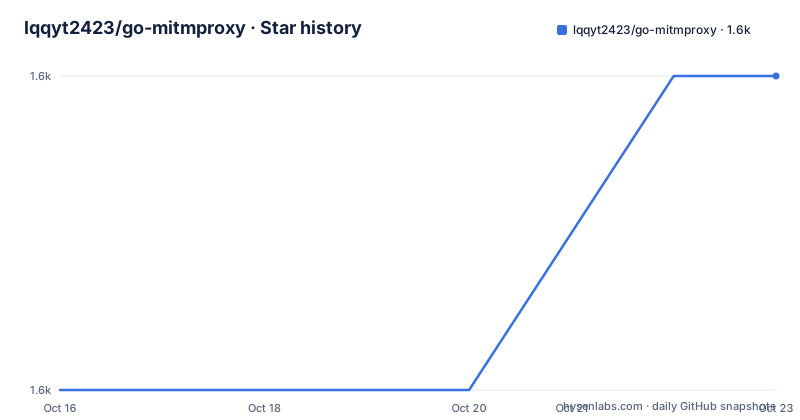
Star history
- lqqyt2423/go-mitmproxy1,577 ★ · +1
| Repository | 2026-10-16 | 2026-10-23 |
|---|---|---|
| lqqyt2423/go-mitmproxy | 1.6k | 1.6k |
1 Stars in the last 7 days, measured from the daily GitHub snapshot. Compare with other projects
Editorial analysis
An explicit proxy, and only an explicit proxy
The project describes itself as a Golang implementation of mitmproxy that supports man-in-the-middle attacks and parsing, monitoring and tampering with HTTP and HTTPS traffic. The one unsupported feature is stated in its own section, and it is the one that decides whether the tool fits your setup: only setting the proxy manually in the client is supported, not transparent proxy mode. The documentation points at the mitmproxy documentation for the difference between the two, and says that go-mitmproxy currently supports Explicit HTTP and Explicit HTTPS. That is a real constraint rather than a caveat, because transparent mode is the arrangement in which a machine's traffic is redirected to the proxy without the application knowing, and that is the arrangement you need when the client is a device, a container or a program that will not take a proxy setting. The audience is developers debugging or testing their own applications, and the audience for the plugin system is teams that want to write a small Go service around the proxy rather than a script.
Two ports, one certificate directory
The runtime layout is simple and worth stating precisely. After the proxy starts, the HTTP proxy address is set to port 9080 by default, and the web interface is set to port 9081 by default, and the web interface is reached at http://localhost:9081/ in a browser. The certificate handling is the part that makes the tool familiar. The README says the HTTPS certificate handling is compatible with mitmproxy and stored in the ~/.mitmproxy folder, and that if the root certificate is already trusted from a previous use of mitmproxy, go-mitmproxy can use it directly. The certificate is generated automatically after the first startup and stored as ~/.mitmproxy/mitmproxy-ca-cert.pem, and the README points at the mitmproxy documentation for how to install it. Reusing the same trust store matters in practice, because every device and every developer machine that has already trusted the mitmproxy root keeps working, and because the alternative, generating a second root that has to be trusted separately on every machine, is a tax that quietly stops people from decrypting traffic at all.
Installing it, and starting it
The installation is a single go install command, and the project is a normal Go module with a cmd/ directory:
go install github.com/lqqyt2423/go-mitmproxy/cmd/go-mitmproxy@latestThe proxy then starts with no arguments at all:
go-mitmproxyThe repository also builds from source with a Makefile whose default target builds the binary, with a separate target for a dummycert helper, a test target that runs go test./... -v, and a dev target that runs the command directly with go run. The module requires Go 1.26.0, and the runtime dependencies are short and legible, with brotli for content encoding, gorilla/websocket for the WebSocket support, klauspost/compress, logrus for logging, samber/lo for the utility helpers, tidwall/match, google/uuid and golang.org/x/net. The release tags move steadily, with v1.9.2 on 2026-06-02, v1.9.3 on 2026-08-31 and v1.9.4 on 2026-10-15, and the last push was on 2026-10-15. The licence is MIT.
The flags cover the things you would otherwise configure elsewhere
The command line help is a good summary of what the tool does, and it is unusual in how much sits there. The upstream proxy is set with -upstream, and -upstream_cert controls whether the proxy connects to the upstream server to look up certificate details, which defaults to true. -ssl_insecure disables verification of upstream server SSL and TLS certificates, which is the flag that makes a self-signed corporate proxy work and also the flag that removes a protection, so it is worth knowing it exists before you need it. Traffic selection is handled with -allow_hosts and -ignore_hosts, each taking a list, so you can narrow what the proxy will actually talk to. Map Remote and Map Local are configured by file with -map_remote and -map_local. Proxy authentication is enabled with -proxyauth in a username:pass format, with a pipe separated form for several users and an any form to accept any combination. And -debug takes an int where 1 prints a debug log and 2 shows debug from the upstream.
The addon interface, and what you can hook
Extending the tool is a matter of implementing the Addon interface, and the interface is documented as a list of event hooks rather than as a plugin framework with registration rules. The hooks cover the connection lifecycle, with ClientConnected and ClientDisconnected on the client side and ServerConnected and ServerDisconnected on the server side, plus TlsEstablishedServer for a completed TLS handshake. The request and response hooks are split into headers and full message, so Requestheaders fires when the headers are read and the body is still empty, and Request fires when the whole request has been read, and the same pair exists for responses. The interesting pair for anyone modifying traffic is StreamRequestModifier and StreamResponseModifier, which take a flow and an io.Reader and return an io.Reader, so a body can be rewritten as it passes. There are then WebSocket hooks for the start, message and end of a connection, Server-Sent Events hooks in the same shape, and error hooks, RequestError and HTTPConnectError. The examples directory shows what a plugin looks like in practice, with change-html, close-conn, http-add-header, proxy-auth, rewrite-host and trusted-ca.
Using it as a library rather than a binary
The package can be embedded, and the README gives a short example that shows the entry points. You build an Options struct with the listen address and a stream threshold, create a proxy, and start it:
package main

import (
	"log"

	"github.com/lqqyt2423/go-mitmproxy/proxy"
)

func main() {
	opts := &proxy.Options{
		Addr:              ":9080",
		StreamLargeBodies: 1024 * 1024 * 5,
	}

	p, err := proxy.NewProxy(opts)
	if err != nil {
		log.Fatal(err)
	}

	log.Fatal(p.Start())
}
That is the difference from the Python original in one paragraph. A mitmproxy addon is a script that runs inside the proxy process, whereas here the proxy is a library you link into a program, so the program can be a test harness, a service that sits in a CI pipeline, or a tool that runs the proxy in a container and exposes the traffic somewhere else. The Options struct is where the embedding decision shows, because StreamLargeBodies sets the threshold above which bodies are streamed rather than buffered, which is a memory decision as much as a correctness one.
The web interface, and what it does not do
The browser interface is where a human reads what the proxy saw, and the feature list is short. You can view detailed information of HTTP and HTTPS requests, get a formatted preview of JSON requests and responses, switch to a binary mode to view a response body that is not text, filter with advanced filtering rules, and use a request breakpoint function. The breakpoint is the one that makes the interface more than a viewer, since it lets you hold a request before it goes out, edit it and let it continue, which is how you test a client that you cannot rebuild. The filters are the other half, and the README lists advanced filtering rules among the interface's features. What the interface is not is a scripting environment, and that is the practical difference from mitmproxy for a team whose habits are built around writing a Python addon to rewrite a field in a request. The directory layout follows the same split, with addon/, proxy/, cert/, cmd/, web/, internal/, examples/ and docs/.
Editorial conclusion
go-mitmproxy is the right tool if your team works in Go and wants to inspect or rewrite traffic in a development or test environment, because it keeps the mitmproxy conventions, including the certificate store in the ~/.mitmproxy folder, so an existing trusted root certificate works unchanged, and because the addon interface is a plain Go interface with named event hooks that a service can implement. It is the wrong tool for transparent proxying, which the project does not support, and the wrong tool if you want the flows to be scripted the way mitmproxy scripts them, since the extension model is a compiled Go addon rather than a script. Before adopting it, read the flag list, because upstream proxy selection, certificate verification of the upstream server and the ssl_insecure switch are all in the command line rather than in configuration, and treat the CA certificate as a key you would never want on a machine you do not control.
Frequently asked questions
How do I install and run go-mitmproxy?
Install it with go install github.com/lqqyt2423/go-mitmproxy/cmd/go-mitmproxy@latest, then run go-mitmproxy. The proxy listens on port 9080 by default and the web interface on port 9081, reachable at http://localhost:9081/.
Does go-mitmproxy support transparent proxy mode?
No. The README lists that as the unsupported feature, saying it only supports setting the proxy manually in the client, and that it currently supports Explicit HTTP and Explicit HTTPS as described in the mitmproxy documentation.
Can I reuse the mitmproxy root certificate with go-mitmproxy?
Yes. The certificate handling is compatible with mitmproxy and the certificates are stored in the ~/.mitmproxy folder, and if the root certificate is already trusted from a previous use of mitmproxy it can be used directly. A new certificate is generated on first startup and stored as ~/.mitmproxy/mitmproxy-ca-cert.pem.
How do I write a plugin for go-mitmproxy?
Implement the Addon interface, with an AddAddon method, as the examples in the examples/ directory show. The interface exposes hooks for connection and TLS events, request and response headers and bodies, stream request and response modifiers that take and return an io.Reader, WebSocket and Server-Sent Events events, and error handling.
Official sources
Add this badge to your README
If you maintain this project, the badge below links readers to this analysis and shows its maintenance status from the daily GitHub snapshot. Paste the markdown into your README; add ?metric=license or ?metric=stars to the image URL for a different field.

[](https://hysenlabs.com/projects/lqqyt2423-go-mitmproxy)Star history chart for your README
[](https://hysenlabs.com/projects/lqqyt2423-go-mitmproxy)Was this useful?