ESP3D: adding WiFi control to serial 3D printers via ESP8266 and ESP32
FW for ESP8266/ESP8285/ESP32 used with 3D printer
At a glance
- What is it?
- ESP3D is firmware for ESP8266, ESP8285, and ESP32 chips that turns a cheap microcontroller into a WiFi-to-serial bridge for 3D printers, sand tables, and CNCs running Marlin, Repetier, Smoothieware, or Grbl. A matching web interface build must be downloaded separately from the ESP3D-WEBUI project.
- Who is it for?
- ESP3D is worth deploying when you need a low-cost WiFi-to-serial bridge for a Marlin, Repetier, Smoothieware, or Grbl machine and can spend time matching configuration.h settings to your chip and firmware combination.
- Can I use it commercially?
- Yes, with conditions. GPL-3.0 is a copyleft licence: if you distribute software that includes it, you must release that software's source code under the same licence. Running it internally without distributing it does not trigger that obligation.
- Is it still maintained?
- Yes. The repository last received commits 27 days ago.
- What is it written in?
- Mainly C, according to GitHub's language statistics.
Answers come from the project's GitHub data, last synced on October 22, 2026, and from our analysis. They are not legal advice.
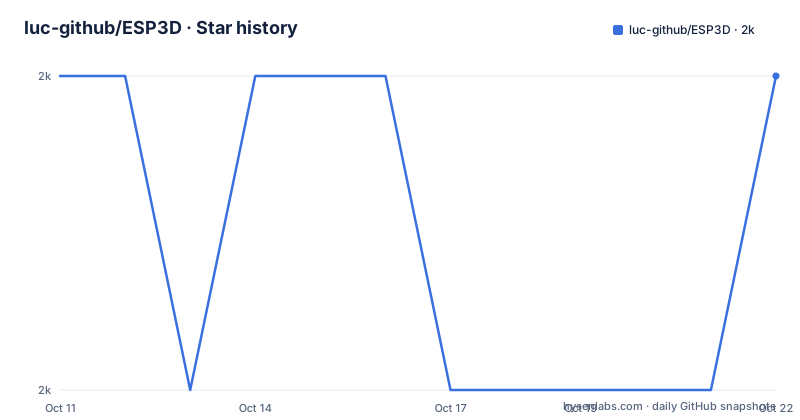
Star history
- luc-github/ESP3D1,999 ★ · +0
| Repository | 2026-10-11 | 2026-10-22 |
|---|---|---|
| luc-github/ESP3D | 2k | 2k |
0 Stars in the last 11 days, measured from the daily GitHub snapshot. Compare with other projects
Editorial analysis
What ESP3D adds to a 3D printer's serial mainboard
Most consumer 3D printer mainboards export control over a serial connection. Without an add-on module, accessing that port remotely requires a computer connected by USB and running printer control software. An ESP chip running ESP3D changes that: it connects to the printer's UART pins, accepts gcode commands over the network, and forwards them to the printer firmware over serial. Responses from the printer flow back through the chip to the browser interface.
Serving a browser-based control panel from the chip itself, ESP3D removes the tethered computer from the workflow. From the printer firmware's perspective, the ESP3D chip is a normal serial client. Marlin, Repetier, Smoothieware, and Grbl all accept serial gcode, so none of those firmware systems need to know ESP3D is present in the chain.
Supported chips: ESP8266, ESP8285, and 6 ESP32 variants
ESP3D runs on 2 original chip families. Older ESP8266 and ESP8285 chips are supported alongside 6 ESP32 variants: the original ESP32, ESP32-pico, ESP32-S2, ESP32-S3, ESP32-C3, and ESP32-C6. Each variant has different flash sizes, CPU speeds, and peripheral capabilities, and configuration.h must match the specific chip in use.
Printer firmware compatibility matters as much as chip choice. Repository topics tag the project for Marlin, Repetier, Smoothieware, and Grbl, covering 4 of the most common printer and CNC firmware environments. Selecting the correct firmware type in configuration.h tells ESP3D how to format the serial commands it sends downstream, and a mismatch produces incorrect behavior on both ends of the serial link rather than a recognizable error message.
Editing configuration.h and what the ESP3D Configurator handles
Compilation starts with editing configuration.h, which the README identifies as the entry point before building. Full documentation for the file's parameters lives at esp3d.io/esp3d/version-3x/ rather than in the README, which defers the complete build process there.
Hosted at luc-github.github.io, the Configurator handles 2 tasks in sequence. Generating a configuration.h tailored to user choices is the first function, described in the README as simplifying that editing step. Identifying and downloading the correct WebUI package for the selected chip and printer firmware combination is the second function, and it is the easier one to overlook: the Configurator also determines which prebuilt file from the ESP3D-WEBUI repository's dist/ directory belongs on the device.
A platformio.ini file sits at the repository root, confirming PlatformIO as the build system. Specific build commands and environment names are in the documentation at esp3d.io, not in the README.
ESP3D-WEBUI is a separate project and the wrong build will not work
Serving the web interface requires a separate download from the ESP3D-WEBUI project at github.com/luc-github/ESP3D-WEBUI/tree/3.1. Prebuilt packages sit under that project's dist/ directory, and none of them is a universal binary. Per the README, the WebUI is built according to the system and system firmware, meaning a package built for one chip-and-firmware combination will not work correctly for another.
An ESP32-S3 connected to a Marlin printer needs a different WebUI package than an original ESP32 connected to Grbl. Using the Configurator to identify the correct package avoids the error that comes from picking manually from the dist/ folder without knowing the exact combination.
Cloning the ESP3D repository also requires attention. A .gitmodules file at the root indicates the project uses git submodules, so a plain git clone skips those contents. Building from source requires either using git clone with submodule recursion or pulling submodules after cloning.
SSDP discovery and the NetNeighbor tool for locating an ESP3D device
Once ESP3D is running on a chip and joined to a local network, finding its IP address without a screen is the first operational problem. ESP3D broadcasts using SSDP (Simple Service Discovery Protocol), letting compatible tools detect the device automatically.
2 tools are recommended by platform. NetNeighbor, at github.com/luc-github/NetNeighbor, handles Windows, Linux, and macOS discovery. For Android, an SSDP/UPnP Scanner on Google Play covers that platform. Neither ships inside the ESP3D repository; both are separate downloads that complement the firmware.
SSDP works on the local subnet. A setup where the ESP chip and the discovery tool are on different network segments, such as across VLANs, is not addressed in the README.
Sand tables and CNC machines: the scope the name ESP3D does not signal
Named ESP3D, this project reads as printer-specific. Looking at the full README description reveals 'Firmware for ESP8266/ESP8285 and ESP32 used with 3D printer/Sand-Table and CNC', and repository topics add grbl, which is the firmware most associated with CNC mills and laser cutters rather than 3D printers.
A sand table draws patterns in sand by guiding a steel ball along polar-coordinate paths using Grbl-controlled stepper motors. For someone adding WiFi to a Grbl-based CNC router or a sand table, ESP3D covers the same use case as it does for a 3D printer, though the name offers no indication of that scope.
What configuration.h settings differ between a sand table and a Marlin 3D printer setup is not explained in the README. Documentation at esp3d.io is where those distinctions appear.
What the firmware disclaimer means before wiring the chip to a printer
A warning block in the README holds the disclaimer in full. It states the software is provided without any warranty and that the authors bear no liability for damages arising from its use. Firmware that relays gcode to a heater controller carries a more concrete risk from that language than a typical web application: a dropped WiFi connection or a misconfigured serial link can leave hardware in an uncertain state, and the README does not document a safe-state behavior for those failure modes.
Passing a wrong firmware-type value in configuration.h does not produce a clean error. Instead, ESP3D formats and forwards commands that the printer firmware may not handle correctly, and the failure surface depends on which commands arrive.
Carrying a GPL-3.0 designation, the project had v3.1.3 published on 2026-07-22 and the last push on 2026-09-26. A Doxyfile at the repository root indicates source documentation is generated from code comments, and 28 contributors are credited in .all-contributorsrc.
Editorial conclusion
ESP3D is worth deploying when you need a low-cost WiFi-to-serial bridge for a Marlin, Repetier, Smoothieware, or Grbl machine and can spend time matching configuration.h settings to your chip and firmware combination. Skip it if you expect plug-and-play setup: the WebUI and the firmware are separate downloads that must agree on chip type and printer firmware, and the full build process requires reading esp3d.io/esp3d/version-3x/ before touching configuration.h. Reading the disclaimer in the README before connecting the chip to hardware that heats a nozzle takes about 2 minutes and is worth doing.
Frequently asked questions
What does ESP3D do?
ESP3D turns an ESP8266, ESP8285, or ESP32 chip into a WiFi-to-serial bridge for a 3D printer, sand table, or CNC. It connects to the printer's UART port and serves a browser-based control panel from the chip itself, so the printer can be operated over WiFi without a tethered computer.
Which printer firmware does ESP3D support?
Repository topics list Marlin, Repetier, Smoothieware, and Grbl as the 4 supported firmware environments. Selecting the correct firmware type in configuration.h before compilation is required.
How do I install ESP3D on an ESP32?
Per the README, the starting point is editing configuration.h to match your chip and printer firmware, then compiling with PlatformIO. Full installation documentation is at esp3d.io/esp3d/version-3x/, and the Configurator at luc-github.github.io can generate configuration.h and identify the correct WebUI package.
What is ESP3D-WEBUI and does it need to be installed separately?
ESP3D-WEBUI is the browser interface served by ESP3D, maintained in a separate repository at github.com/luc-github/ESP3D-WEBUI. It must be downloaded separately, and the correct build depends on the combination of ESP chip and printer firmware in use.
Which ESP32 variants does ESP3D support?
ESP3D supports 6 ESP32 variants: the original ESP32, ESP32-pico, ESP32-S2, ESP32-S3, ESP32-C3, and ESP32-C6. It also runs on the older ESP8266 and ESP8285 chips.
Official sources
Add this badge to your README
If you maintain this project, the badge below links readers to this analysis and shows its maintenance status from the daily GitHub snapshot. Paste the markdown into your README; add ?metric=license or ?metric=stars to the image URL for a different field.

[](https://hysenlabs.com/projects/luc-github-esp3d)Star history chart for your README
[](https://hysenlabs.com/projects/luc-github-esp3d)Was this useful?