React Complex Tree for Accessible React Tree Interfaces
Unopinionated Accessible Tree Component with Multi-Select and Drag-And-Drop
At a glance
- What is it?
- React Complex Tree is a TypeScript component for applications that need keyboard navigation, multi-selection, renaming, search, and drag-and-drop across hierarchical data. It leaves rendering and visual design to the application, which also means adopters must supply data access, styling, and interaction policies.
- Who is it for?
- Adopt React Complex Tree when an application needs a customizable, keyboard-operable hierarchy with multi-selection and drag-and-drop, especially when the team accepts responsibility for rendering and data-provider behavior. Do not choose it when a ready-made visual tree or a simpler single-selection component would cover the requirement.
- Can I use it commercially?
- Yes. MIT is a permissive licence: you can use, modify and sell software built on it, as long as you keep its copyright and licence notices.
- Is it still maintained?
- Yes. The repository last received commits 76 days ago.
- What is it written in?
- Mainly TypeScript, according to GitHub's language statistics.
Answers come from the project's GitHub data, last synced on November 7, 2026, and from our analysis. They are not legal advice.
Star history
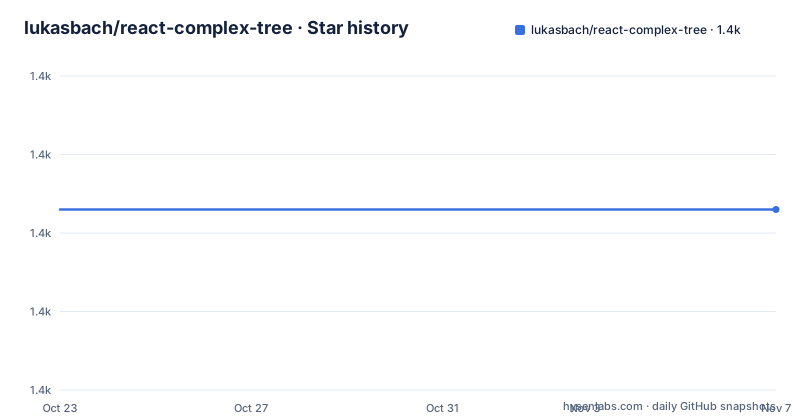
- lukasbach/react-complex-tree1,383 ★ · +0
| Repository | 2026-10-23 | 2026-11-07 |
|---|---|---|
| lukasbach/react-complex-tree | 1.4k | 1.4k |
0 Stars in the last 15 days, measured from the daily GitHub snapshot. Compare with other projects
Editorial analysis
Where React Complex Tree Fits in a React Application
React Complex Tree addresses the gap between a basic nested list and a full tree interaction component. It is aimed at applications whose users need to inspect, select, rename, search, or move items in a hierarchy. Typical fits include file browsers, layered settings, organizational structures, and multi-tree workspaces, although the repository does not limit the component to those examples.
Its defining design choice is that it does not impose a visual appearance or a particular styling system. The README says every rendered node can be customized, while CSS classes provide adjustable defaults. That is useful when the tree must match an existing design system or when different states need application-specific markup. It also means the package is not a complete tree interface on its own. The application still decides how items look, how labels are formatted, and which surrounding components and styles are used.
The package is written in TypeScript and follows React conventions. Its published package is named `react-complex-tree`. The repository is organized as a workspace with packages and uses Lerna scripts for building, testing, linting, and Storybook development, but the README's consumer installation path is the npm package rather than a checkout of this workspace.
Data Providers, Shared State, and Tree Rendering
The installation example uses `UncontrolledTreeEnvironment`, `Tree`, and `StaticTreeDataProvider`. The provider receives `longTree.items` and an access function that returns an item together with its data. `getItemTitle` supplies the visible label, `viewState` supplies the initial tree view state, and `Tree` identifies the tree with `treeId`, `rootItem`, and `treeLabel`.
This separation is the central architecture. The environment manages interaction state such as selection and expansion, while the `Tree` component represents a particular hierarchy. The README also documents `ControlledTreeEnvironment` as the alternative when the application needs to control that state itself. It further describes multi-tree environments in which several `Tree` components share one React provider and can interact with each other. That makes the package more than a single self-contained widget, although the exact coordination rules for a particular cross-tree workflow are not reproduced in the README excerpt.
`StaticTreeDataProvider` is suited to data already available in the application. The documentation also links to a separate guide for integrating data with that provider. The README does not claim that this provider handles remote persistence by itself, so applications should not treat a successful drag operation as proof that a database has been updated. The package provides the tree interaction layer; durable data handling remains an application concern.
Accessible Keyboard, Selection, Search, and Rename Operations
The README says the tree conforms to the W3C accessible tree specification and supports common keyboard interactions. The component is designed so focus movement and drag-and-drop operations can be performed without a mouse. It also lists controls for searching and renaming, which places these operations in the same interaction model as selection and navigation.
Renaming has a built-in keyboard path. The README states that selecting an item and pressing `F2` starts renaming it. Search works by typing while the tree has focus, with the first matching item shown. Multi-selection is supported by selecting multiple items and dragging them together. These are meaningful differences from components centered on click-to-select and pointer-only reordering.
The library leaves rendering separate from behavior, so accessibility cannot be judged from the npm description alone. The actual DOM structure, focus management, announcements, and CSS behavior depend on the rendered tree configuration and the implementation around it. The README points to the official documentation for additional examples. It does not provide a complete keyboard map in the excerpt, so an adopter should verify the exact controls required by the application before shipping an interface.
Drag-and-Drop Policies for Multi-Selection Workflows
Drag-and-drop is configurable rather than fixed. The README says items can be dragged within the same tree or into another tree, and that multiple selected items can move together. It also names options for disallowing reordering and restricting which items may be dragged or used as drop targets.
Those controls matter because tree operations have business rules that a generic widget cannot infer. A file tree may permit moving a folder but not a root item, while a settings hierarchy may allow reordering but not dropping onto leaves. The package exposes customization points for those distinctions, but the README does not say that it enforces domain-specific permissions. The application must map its own rules to the available drag-and-drop configuration and handle persistence after a move.
Multiple trees add another boundary. The documentation says trees can share state and interact, which supports workspaces with several related hierarchies. It does not claim that moving an item automatically updates every backing data source. Treat cross-tree movement as an interaction that needs an application-level data update path, not as a complete data synchronization service.
Installing the Package and Rendering a Static Tree
The README gives two package-manager commands. npm installs the dependency into the project; yarn does the same through the Yarn workflow. Run the command that matches the package manager already used by the application.
npm install react-complex-treeThe documented starter example imports the environment, tree, and static provider, then supplies the items and a title accessor. The example assumes that `longTree.items` has already been defined in the surrounding application.
```typescript jsx import { UncontrolledTreeEnvironment, Tree, StaticTreeDataProvider } from 'react-complex-tree';
<UncontrolledTreeEnvironment dataProvider={new StaticTreeDataProvider(longTree.items, (item, data) => ({ ...item, data }))} getItemTitle={item => item.data} viewState={{}} > <Tree treeId="tree-1" rootItem="root" treeLabel="Tree Example" /> </UncontrolledTreeEnvironment>; ```
The first useful check is whether the resulting component renders the item hierarchy with the supplied label and tree metadata. The README links to the Get Started Guide for further examples, but it does not document a command for running a consumer application in this excerpt. Repository-level development uses `start`, `build`, `test`, `lint`, and Storybook scripts, while the package documentation remains the relevant starting point for consumers.
Custom Rendering, TypeScript, and Dependency Boundaries
The README positions React Complex Tree as unopinionated about aesthetics and rendering technology. Consumers can customize every node written to the DOM, and sensible CSS classes are available as a starting point. This gives an application control over layout and interaction markup, but it transfers responsibility for visual integration. A generic import is not enough to guarantee that indentation, focus rings, drop indicators, or responsive behavior match the host product.
TypeScript support is part of the package's stated foundation. That is useful for teams that want compile-time structure around item data and configuration. The repository contains a TypeScript-focused workspace and linting configuration, but those repository files describe maintainer tooling rather than a required setup step for every consumer.
The README advertises zero dependencies beyond React Complex Tree. In practical terms, this keeps the package from adding a large dependency graph to a host application. It does not remove the need to provide React, styling, data fetching, persistence, or testing infrastructure already required by that application. The package's customization model is consequently a trade-off: fewer imposed assumptions, with more integration work for the adopter.
Release History, MIT Licensing, and Upgrade Checks
The repository is not archived, and its last push was on 2026-08-24. The recorded releases are `2.6.4` on 2026-08-24, `2.6.3` on 2026-08-14, and `2.6.2` on 2026-06-24. This indicates recent release activity in the repository record, although the README excerpt does not describe individual changes in those versions. The linked changelog is the place to check behavior changes before upgrading.
The repository identifies the project as MIT licensed. That identifier indicates the intended licensing model, but the license file and its terms should be reviewed for the full obligations applicable to a particular distribution.
The README also warns that a successor, Headless Tree, is available as Beta. It describes Headless Tree as providing easier-to-use interfaces, better customizability, and more features. That is a concrete alternative for a team deciding whether to start with the successor or continue using React Complex Tree. For an existing React Complex Tree application, the v2 release notes are also relevant because the README points users there when migrating from v1.x to v2.x.
Editorial conclusion
Adopt React Complex Tree when an application needs a customizable, keyboard-operable hierarchy with multi-selection and drag-and-drop, especially when the team accepts responsibility for rendering and data-provider behavior. Do not choose it when a ready-made visual tree or a simpler single-selection component would cover the requirement. Before upgrading or replacing it, first verify the behavior of Headless Tree, since the README identifies that project as the author's successor and describes its interfaces, customizability, and feature set as newer. Also check the current changelog and migration notes because the last push was on 2026-08-24 and releases 2.6.2, 2.6.3, and 2.6.4 arrived between 2026-06-24 and 2026-08-24.
Frequently asked questions
How do I install React Complex Tree in a React project?
The README documents installing the package with `npm install react-complex-tree` or `yarn add react-complex-tree`. After installation, import `UncontrolledTreeEnvironment`, `Tree`, and `StaticTreeDataProvider` from the package.
Does React Complex Tree support keyboard navigation and accessible tree interactions?
Yes. The README says the tree conforms to the W3C accessible tree specification, supports screen readers and common keyboard interactions, and allows focus movement and drag-and-drop without a mouse. It also documents `F2` for renaming and typing to search.
Can React Complex Tree move multiple selected items between trees?
The README says multiple items can be selected and dragged together, either within the same tree or to another tree. Multiple trees can share state through a common React provider, but persistence and synchronization of moved items remain application responsibilities.
Official sources
Add this badge to your README
If you maintain this project, the badge below links readers to this analysis and shows its maintenance status from the daily GitHub snapshot. Paste the markdown into your README; add ?metric=license or ?metric=stars to the image URL for a different field.

[](https://hysenlabs.com/projects/lukasbach-react-complex-tree)Star history chart for your README
[](https://hysenlabs.com/projects/lukasbach-react-complex-tree)Was this useful?